Hi it’s been a while since I had time to get further in Touch with my OTD500.
Yesterday I’ve tried to activate a Vodafone DE eSim, but somehow it got stuck and didn’t work.
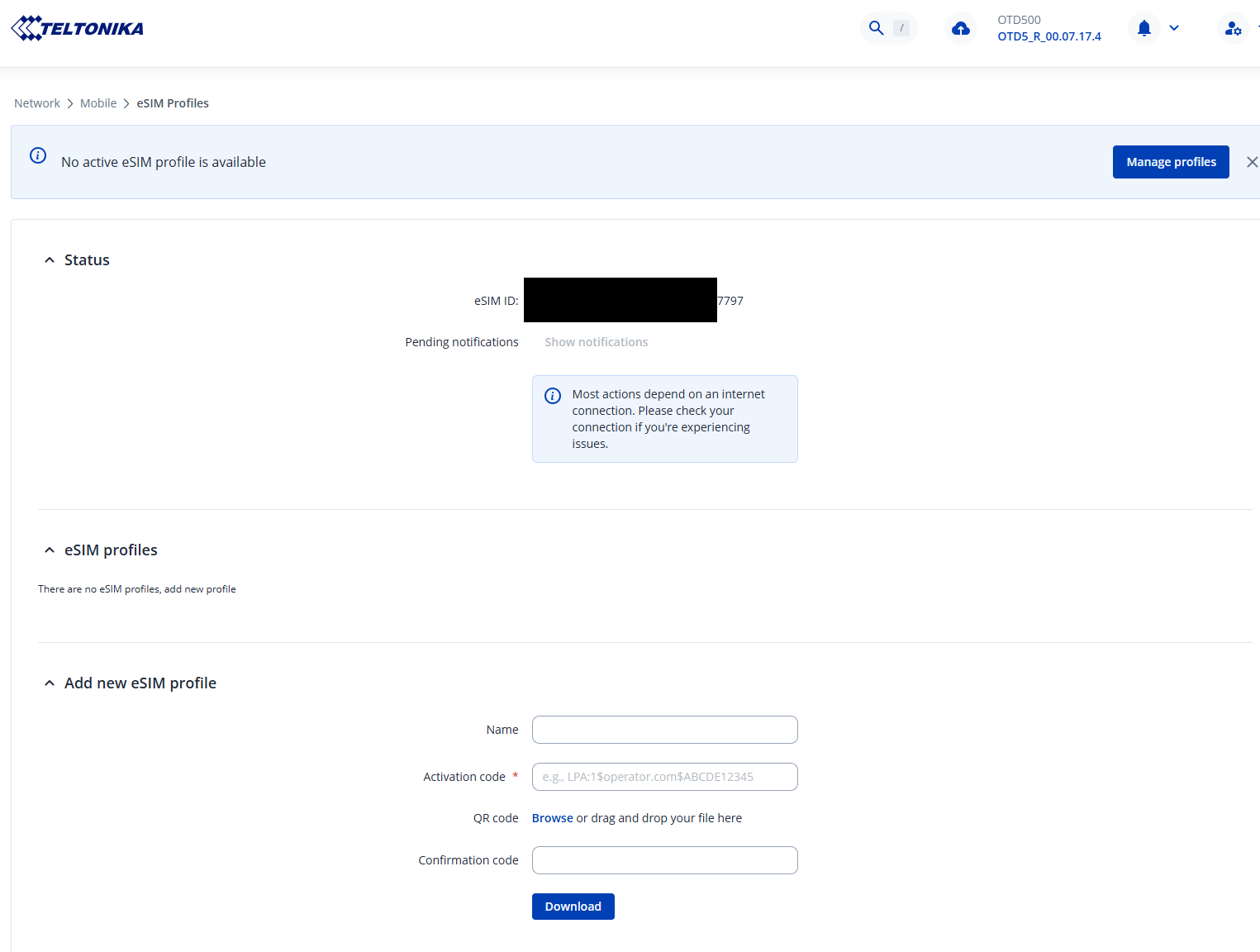
I’ve done a reboot of the device with the Options in the GUI, Hard-Reset with 12 seconds pushing the pin but however the esim ID is still in the Device without having a proper eSim Profile.
How do i delete the eSim ID or reset everything about the eSim to start over again.
The eSIM ID is the identification of the physical eSIM card, which is embedded in the device.
It is NOT related to your eSIM profile.
Your picture suggests, that you have already removed your eSIM profile, hence everything is fresh and you can “start over”.
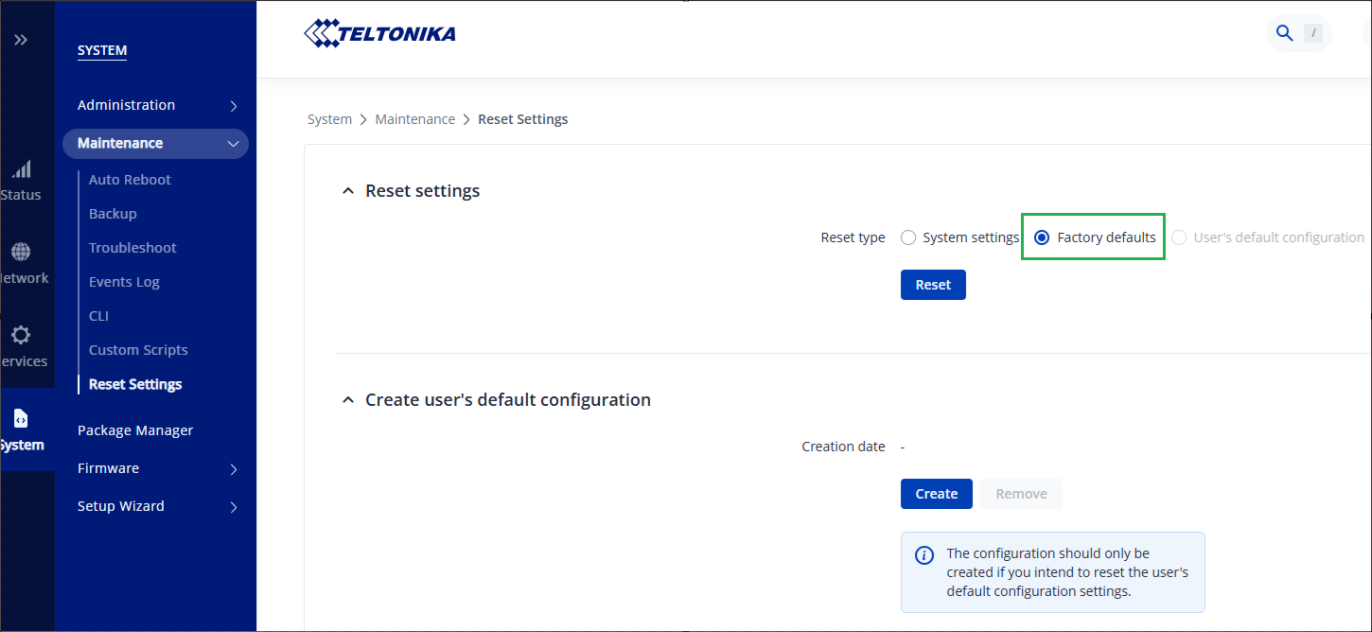
To completely erase ALL information from your device (both configuration aspects and private information), you can navigate to the “System → Maintenance → Reset Settings” menu, and make sure that the “Factory Defaults” option is selected. Then press the “Reset” button:
Hi, I tried another eSim from Vodafone which works for now, but the other one is lost. Don’t know why. I’ll receive a replacement for the one I’ve wanted to use in the OTD500 and give it another try.