Hi,
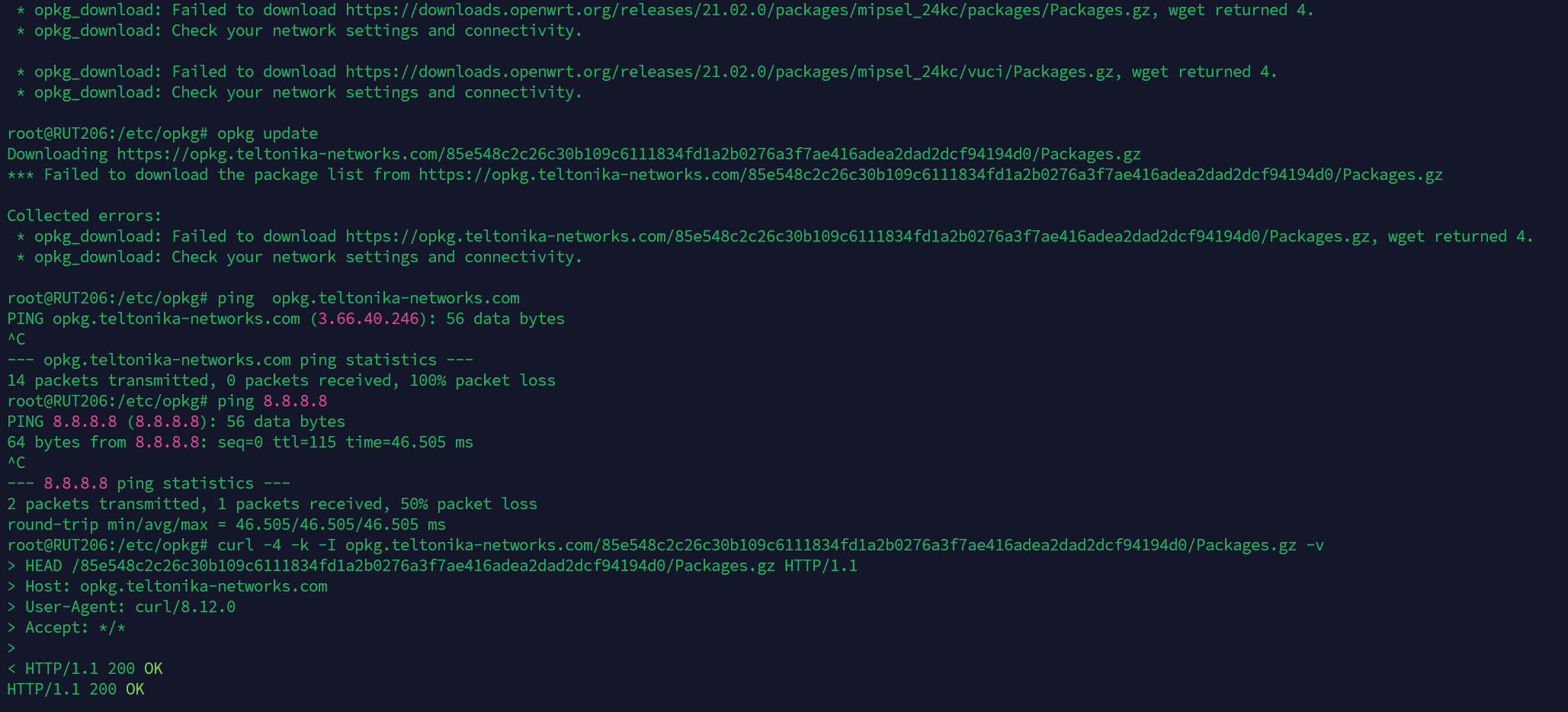
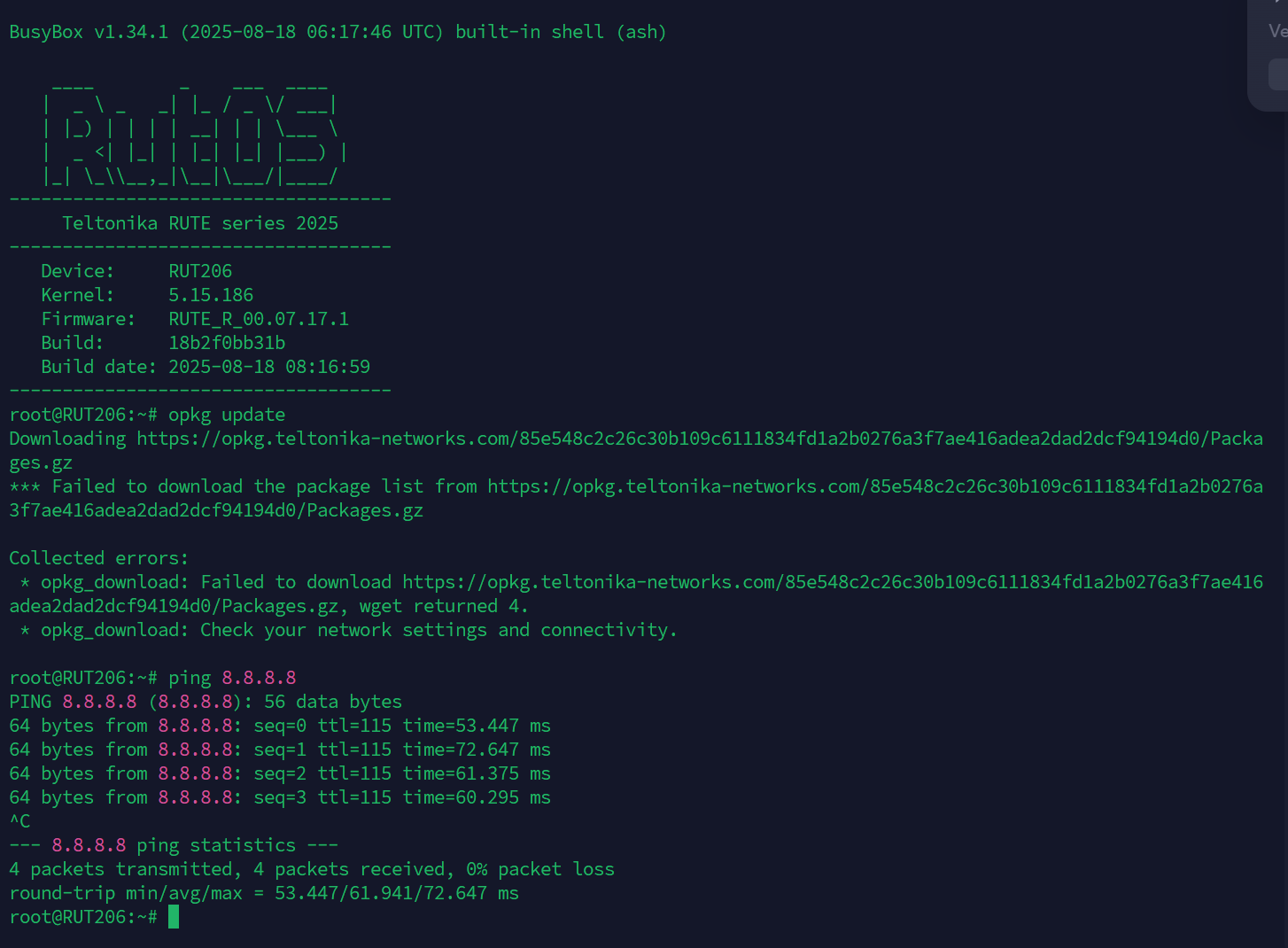
I want to update opkg from RUT206 FW 7.17.1, but there are a problem to wget also on teltonikefeeds and openwrt.
link is ok I can download package on my computer and access by curl but nothing to download.
How to repair this issue?
Other question can you add python3-flask on your package manager or can I directly import from openWRT? (I use a uSD card for extend memory)
We don’t recommend meddling with the custom feeds if it’s not hindering the functionality of the device. We’re also unable to help if you want to install custom packages that are not officially published & supported by our devices.
As for upgrading opkg, a simple “opkg update” command should do the trick, if no updates are available, then that’s that. From what I can see, your updates are failing due to an unstable internet connection (as you seem to be dropping packets here and there), please ensure that you have a stable connection and try again.
As for the python package, we actually support the Python3 package, which can be either downloaded via the Package Manager in the WebUI, or found in the following page: RUT206 Package Downloads - Teltonika Networks Wiki
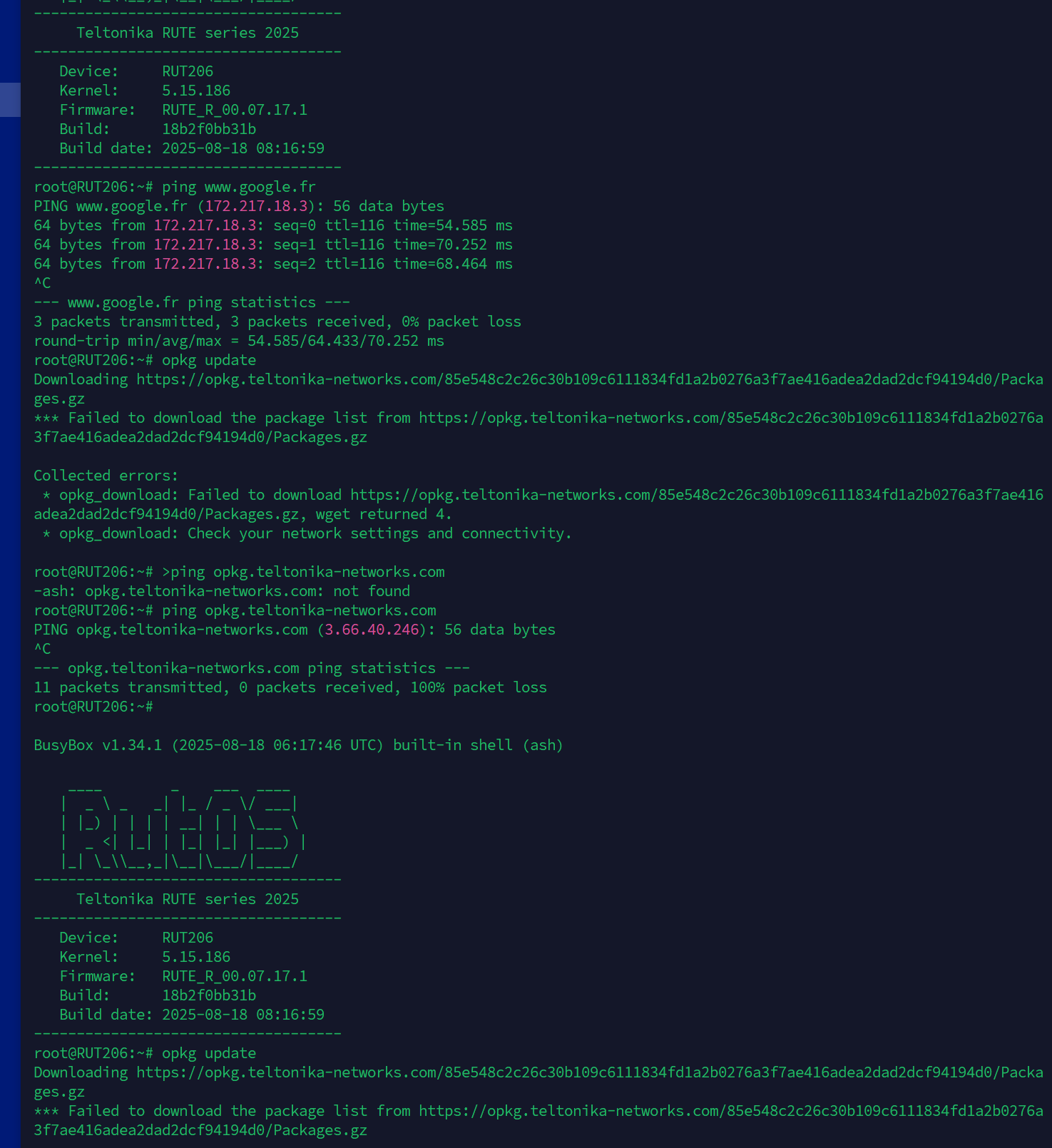
Thank you for your response. Please take another look at the screenshot. The internet connection is working, as demonstrated by the ping from Google’s DNS.
I would say that there is a bug on your end. The file is accessible on Chrome but not on the modem, which is still pinging Google’s DNS today…
Have you tested this RUT206 version and build from your premises?
The idea was to retrieve your updated packages and be able to download Python 3, but I ended up doing it manually by uploading from your catalog. But have you flask module on your version?
Would it be possible to try a different internet source (different wired WAN, different SIM provider, etc.) & retest the command? This looks like something firewall related, and that the opkg update servers are being blocked.