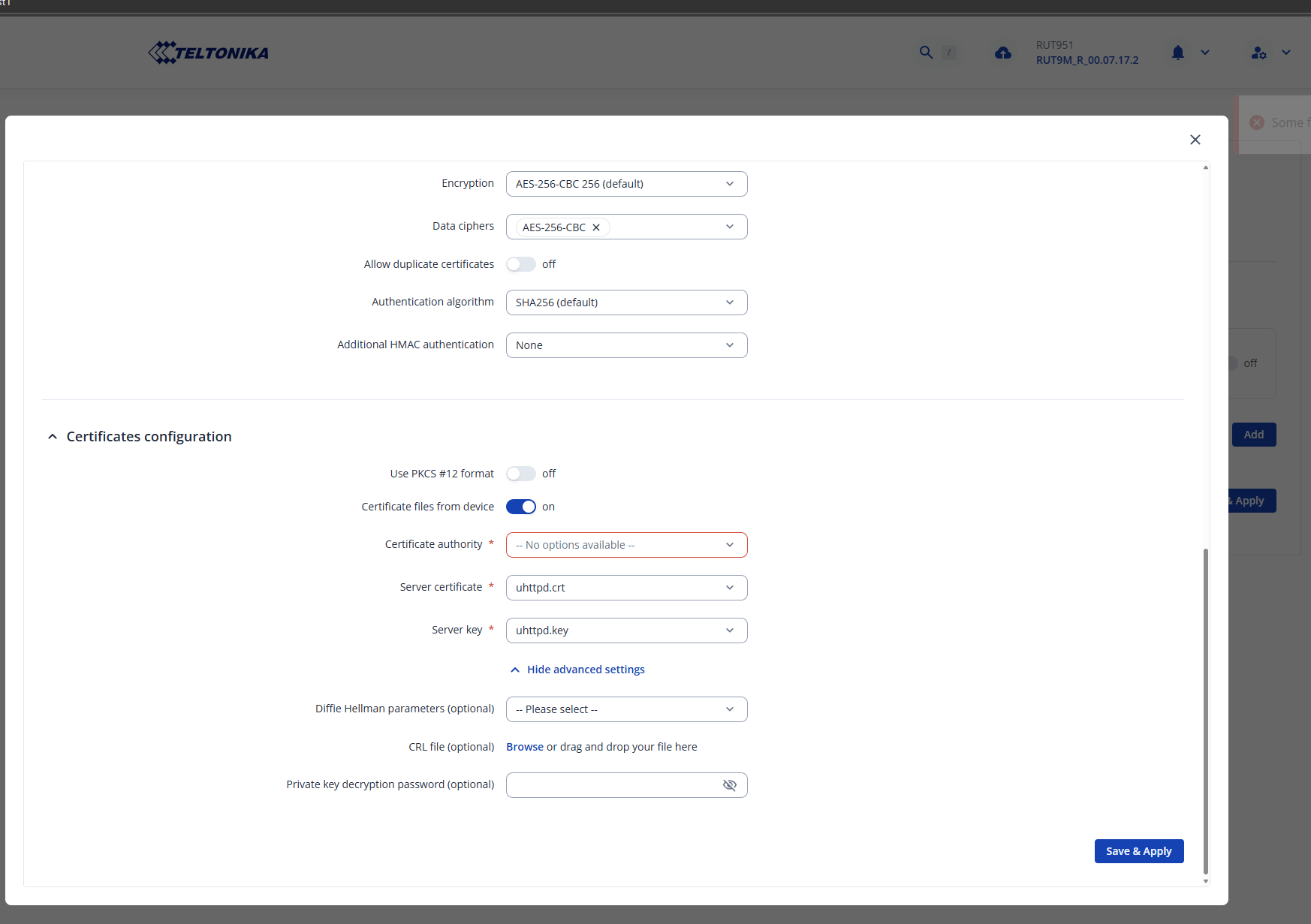
I’m trying to set up a OpenVPN TAP Mode but in the last section where I’m going to generate the certificate i can’t choose Certificate Authority, but it its mandatory??
Hello,
It seems like none of your certificates that you’ve chosen are correct, and the missing certificate hasn’t been generated by you yet. Since you’re doing an OpenVPN configuration, I strongly suggest following this guide: OpenVPN configuration examples - Teltonika Networks Wiki
As for how to generate TLS certificates, a guide can be found here: TLS Certificates - Teltonika Networks Wiki
Regards,
M.
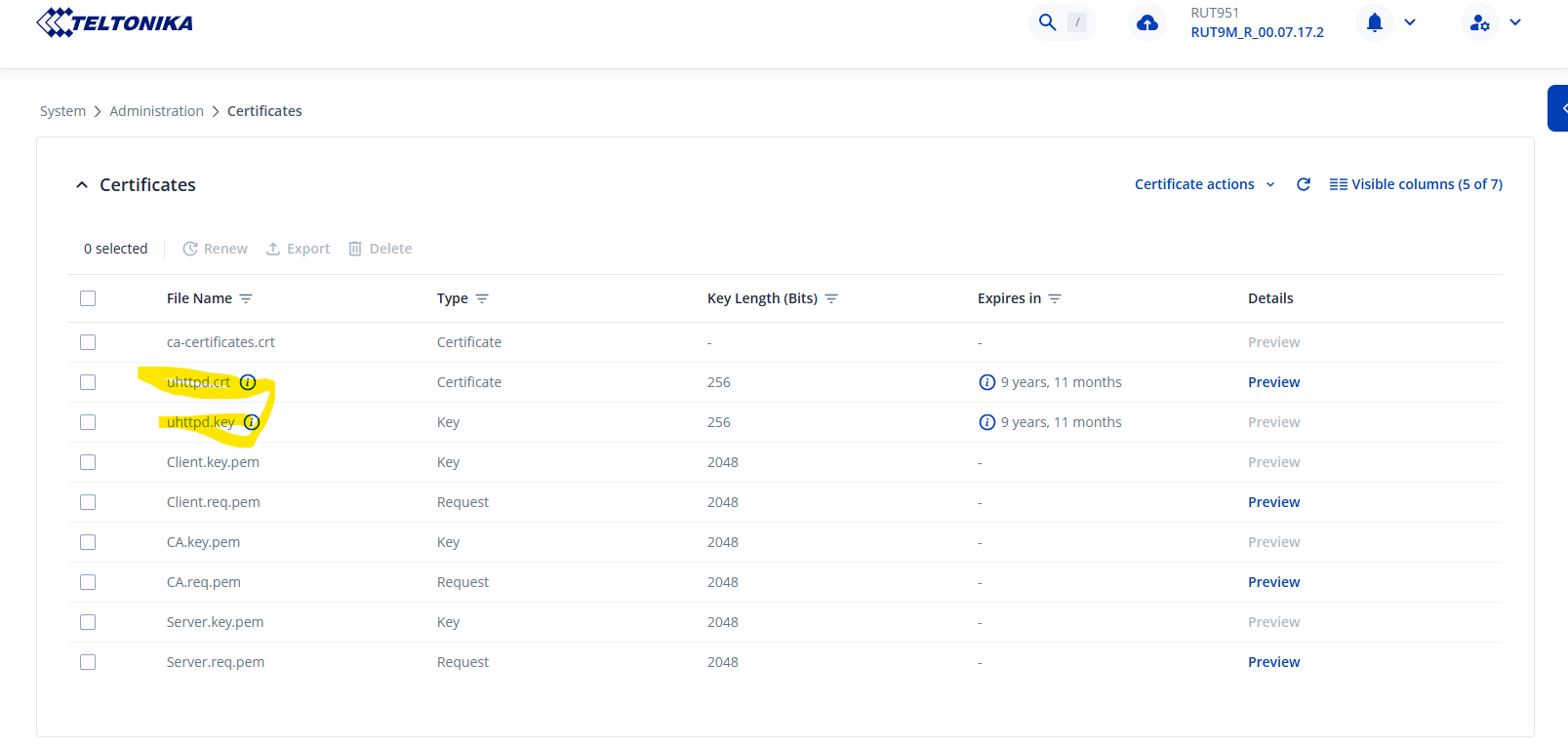
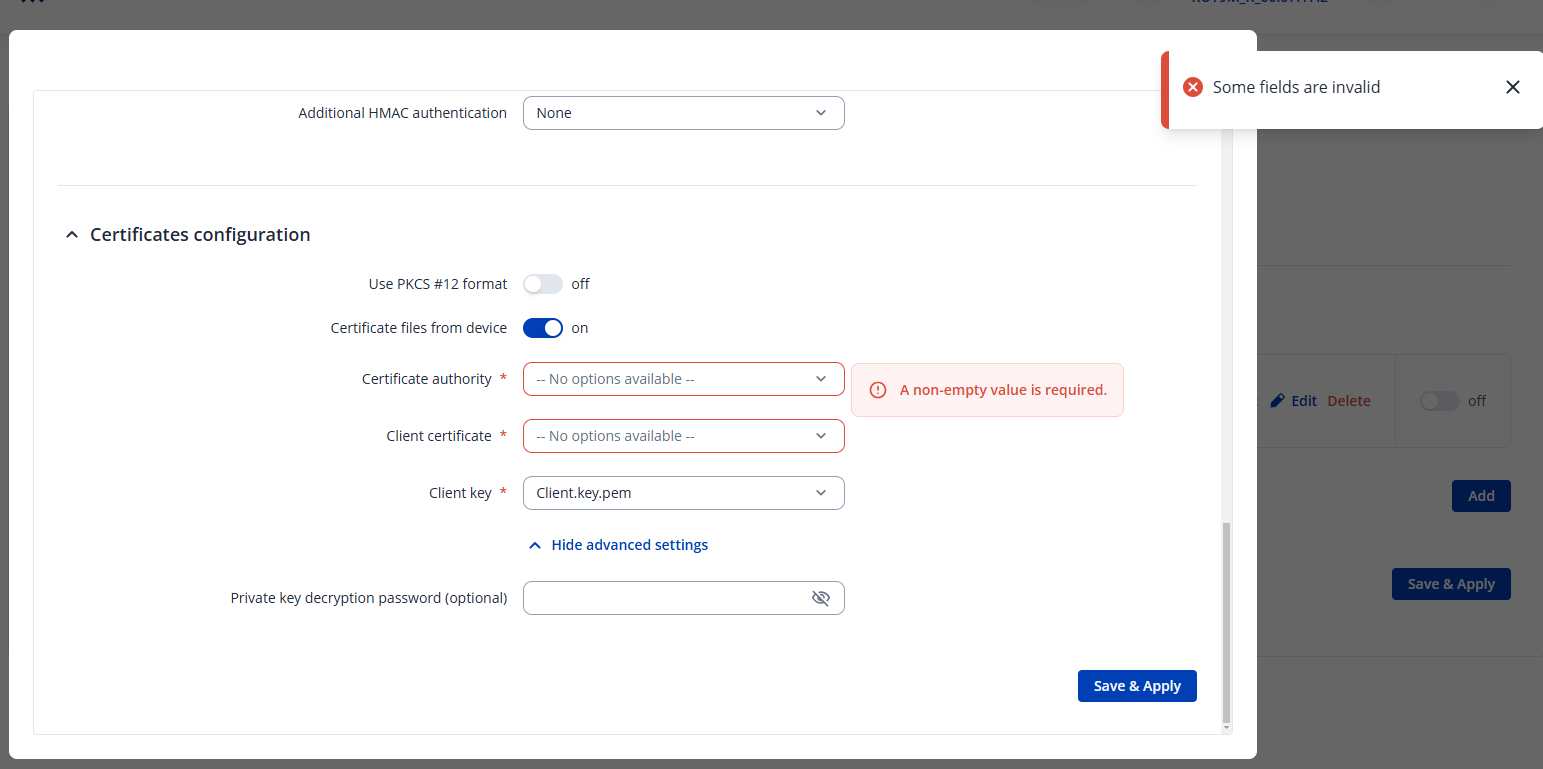
Thanks for the replay, that guide there is exactly what i have tried to follow and I have generated the necessary certs as i understand. But they do not show up under the VPN config? cant choose them from the drop down menu. Or should i Download the certs that i have created earlier and upload them instead of using Certificate from device?
these yellowed marked here was their from the beginning… seams to be related to HTTPS login.
Hello,
In that case, could you try downloading them and uploading them manually? Make sure to un-check “Certificate files from device” and upload them afterward.
Oddly enough, this doesn’t seem to be the case on my device (running 7.17.1 firmware), if your firmware is older, you could try upgrading to see if that helps.
Regards,
M.
Im running 7.17.2, just upgraded this morning since i did not get it to work…
the download and upload seam to be working but i dont get a connection…
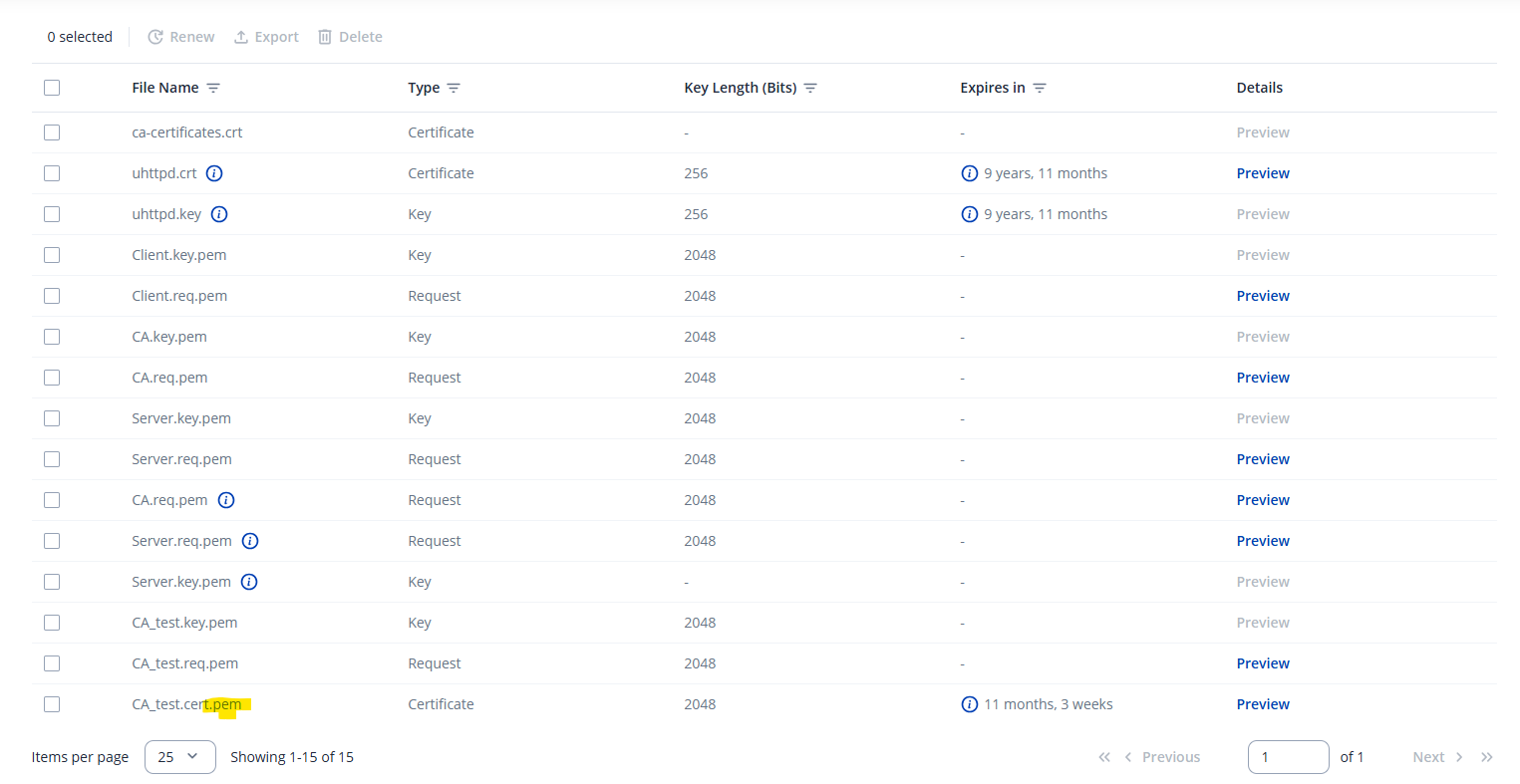
Im wondering why do i get .PEM as extension and not .crt as in all the examples?
Hi,
The .pem extension is normal, that’s how it’s supposed to be. You can tell if a file is correct by looking at the Type column. As for the VPN not working properly, you’re going to need to double-check the configuration & the logs to see what went wrong.
Regards,
M.
This topic was automatically closed after 60 days. New replies are no longer allowed.