I can’t get how to use my credits, i did it in the past but it seems things have changed since i used them. Your youtube howto video i outdated.
Please give me a hand.
T
Hi,
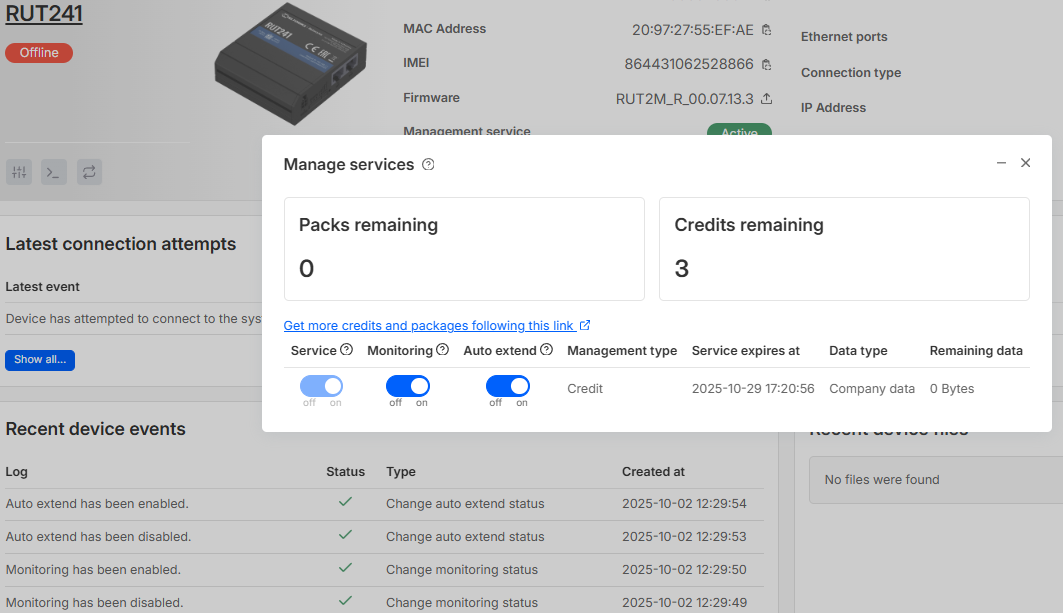
You already did it:
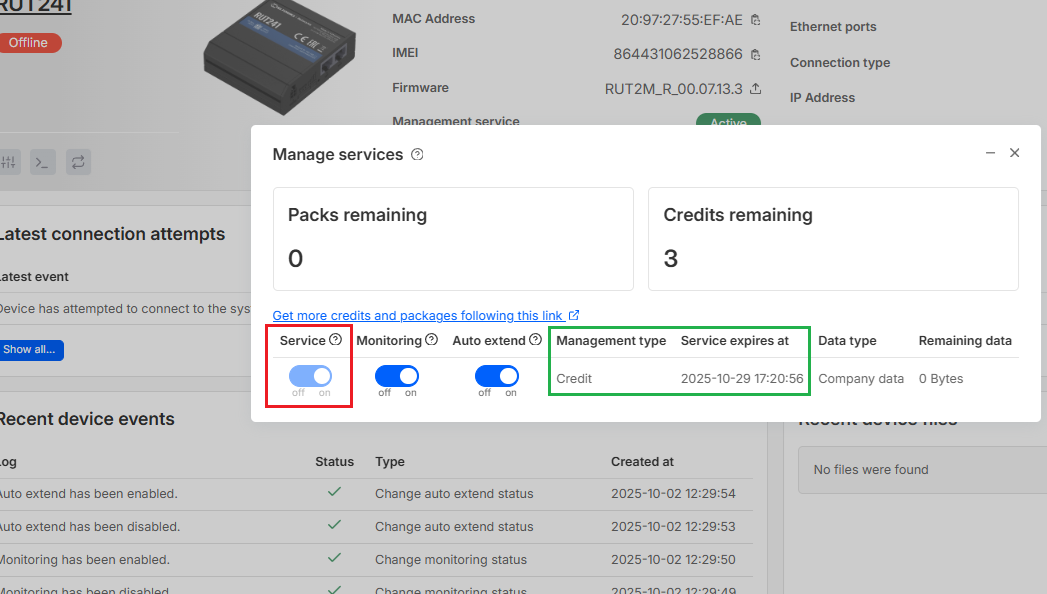
Credit is activated when you enable the “Service” in this menu. Then in the “Management type” and “Service expires at” fields, you can see that Credit is activated and when it will expire.
Since RMS credit is activated for this device, but it is not connected to the RMS, the issue of not connecting should be within the device itself (it might be powered off or have no network connection, etc)
Thanks a lot whoever you are, i’ll check this 
Regards
T
Hello @Thierry,
Please let me know whether your issue has been resolved or if you still require any assistance.
Best regards,
Thanks Marija for coming back to me,
Something is still wrong, my RUT241 is connected, i can access the web through it without any problem, i have a wan IP adress … I have an active credit on it.
I have asked for an update of the firmware (now pending).
2 off my RUT241 have the same issue, the situation is exactly the same for both.
Except one of those 2 is now said “temporarily blocked”.
I’m lost …
Hello,
Could you please confirm whether you have physical or SSH access to the device that is currently shown as “temporarily blocked” in RMS?
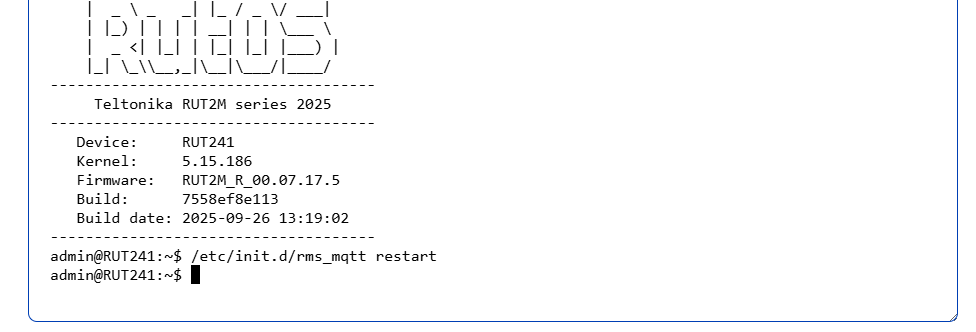
If you do, please try running the following /etc/init.d/rms_mqtt restart command through the device’s CLI/SSH.
Just to clarify, did the issue start after you requested the firmware update through RMS, or did it occur independently?
If you don’t have CLI access but the device still has 4G connectivity and is connected to the mobile operator’s network, please try sending the following SMS commands to the device’s SIM number (replacing password with your device admin password):
<password rms_off>
<password rms_on>
<password rms_connect>
If the issue persists, please provide:
- Screenshots of the device RMS page,
- Any connection logs or error messages, and
- The output of the command below (sent via SMS):
<password rms_status>
Thank you.
Best regards,
Hello,
I do have physical access to the router. I’ve send this command as you said (see below) but i’m not familiar with ssh commands, can you please give me the exact syntax of the command i have to send following the invite admin@RUT241:~$ …
If the command i’ve sent is corectly syntaxed, i see no effect on the router, still blocked.
The issue did not occur after the firmware update request, it was still like this before i did.
The plan subscribtion for the 4g access is full data only, no way to send a sms …
Which page screenshot of the device RMS do you need ?
On your device go to SERVICES > CLOUD SOLUTIONS > RMS and send a screenshot
Hi Mike
I don’t know if you did something but this device is now back on RMS. Great.
I see the update is now going, let’s wait and see.
I have the same issue on another device :
What should i do ? Same command with the syntax i used ? i seems to work ?
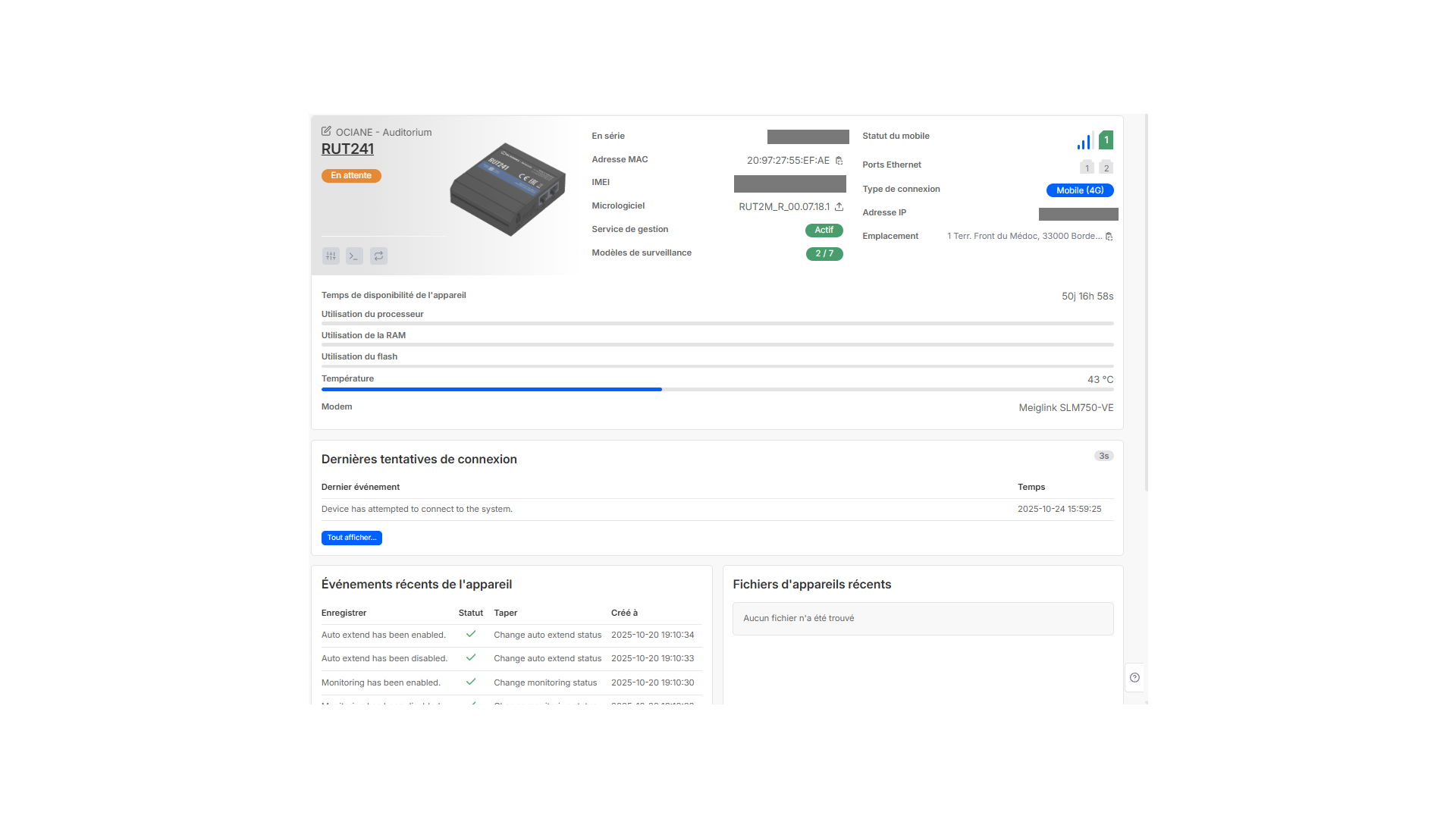
This one i do not have physical access but it is connected to the 4G network.
Hello,
Could you please confirm if the issue with the other RUT241 device that isn’t reconnecting to RMS is still relevant and if you still need assistance, or have you already found a solution?
If the device is still offline, please try accessing it via SSH (for a username, use root instead of admin) and run the following command:
/etc/init.d/rms_mqtt restart
Let me know if anything changes or assistance is required.
Best regards,
This topic was automatically closed after 60 days. New replies are no longer allowed.