Hi. I’d like to send the GPS position from my RUTX50 to my tablet (connected via Wi-Fi) via the Android GPS Connector app.
On the ROUX50, in the GPS - NMEA section, I entered the tablet’s IP address (192.168.1.20) as port 80 and TCP protocol, but in the hosts status section, the connection is DOWN.
In the app, I set the NMEA input source to TCP/IP, and the hostname to the router’s address (192.168.1.1) and port 80.
Can you help me? Thanks.
Greetings,
I will test this setup myself and follow up with the required configuration details. In the meantime, could you please confirm whether the app shown in the screenshot below is the one you are using?
Best Regards,
Justinas
Hi Justinas. Yes this is the app. I select TCP/IP as connection mode.
Thank’s a lot.
Greetings,
I wasn’t able to get NMEA forwarding working with the GPS Connector app. This may be specific to the app, since NMEA is forwarded to a server (with the router acting as a client), but the app requires you to specify an IP address, which shouldn’t be necessary for a TCP server.
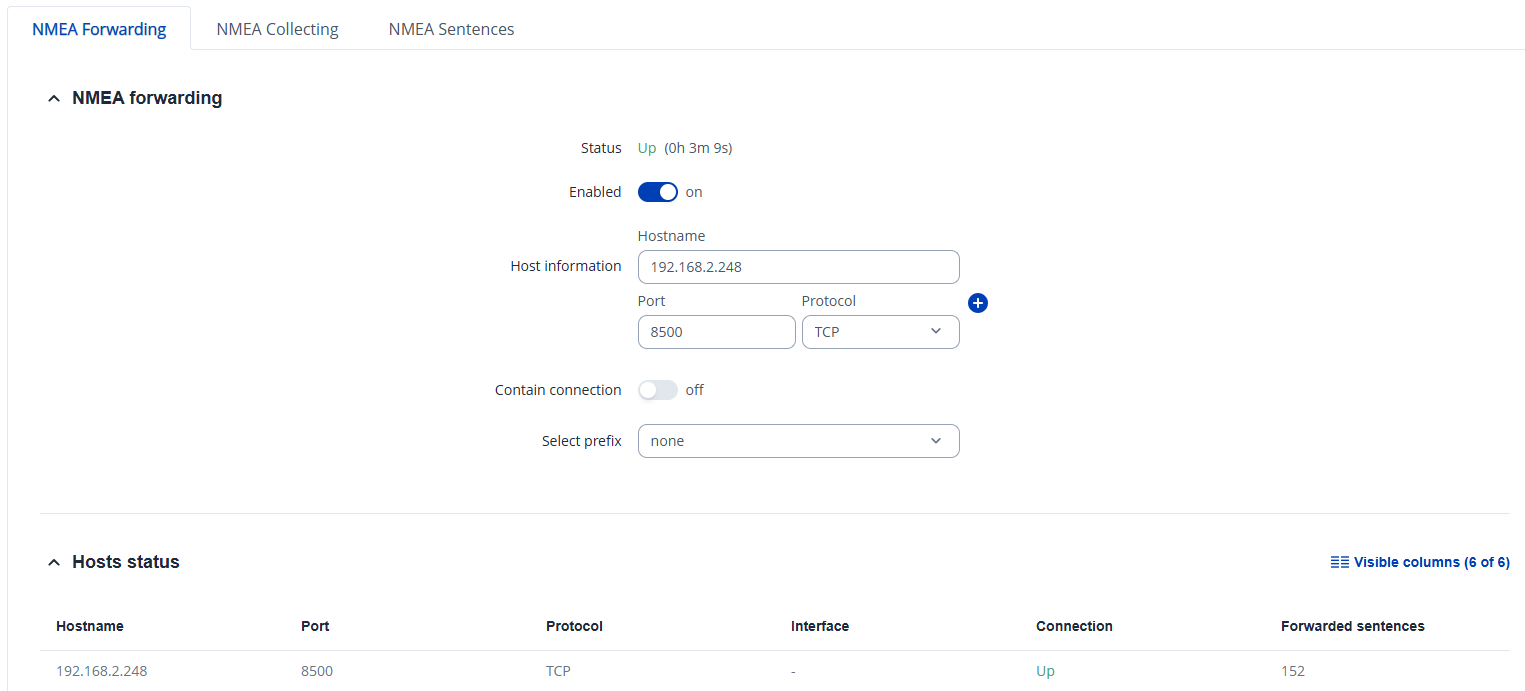
That said, I can confirm that NMEA forwarding works correctly on the router with a setup like the one below, using an end device as a TCP server, as shown in the picture:
Here,
192.168.2.248 is the IP of a computer connected to the router.
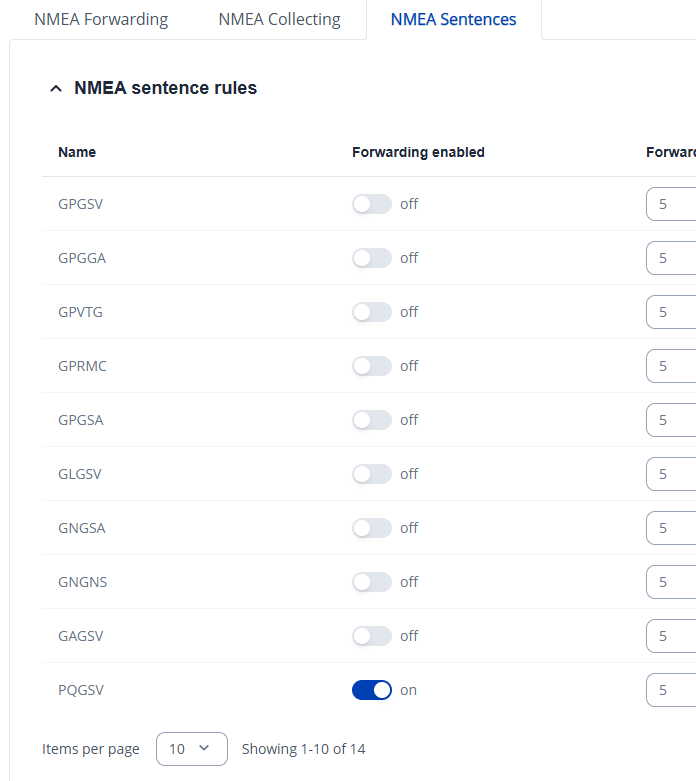
Under
NMEA Sentences, select which sentences should be forwarded.
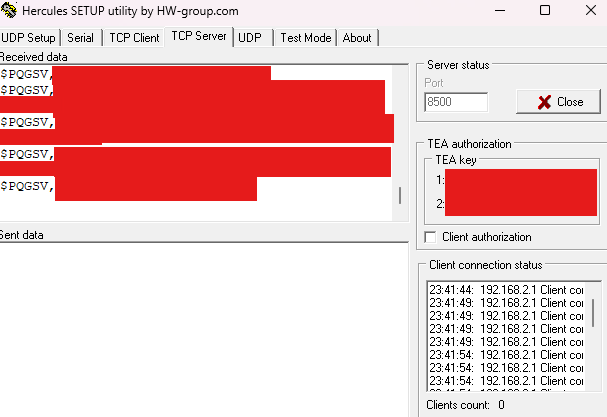
Then, start a TCP server on the same port that you specified on the router, and the data will be forwarded successfully.
You may also want to look for another app that can act as a TCP server.
Best Regards,
Justinas
Thanks. I never doubted that the router’s NMEA server was down, and I also feared the problem was with the Android app.
I searched online, but unfortunately, I couldn’t find another Android app that would work. Does anyone have any suggestions?
Thanks, M.