Sometimes I forget to start or stop nmea collecting on tour. It would be great to do this per sms when starting the trip. Can I do this per custom script and which commands are necessary?
Thanks
Sometimes I forget to start or stop nmea collecting on tour. It would be great to do this per sms when starting the trip. Can I do this per custom script and which commands are necessary?
Thanks
Greetings SputnikElf,
Thank you for your message.
It is possible to configure NMEA data collection using SMS commands and custom scripts. Please note that writing or debugging custom scripts is outside our support scope. For more details about the data that can be collected via NMEA, please refer to the following article:
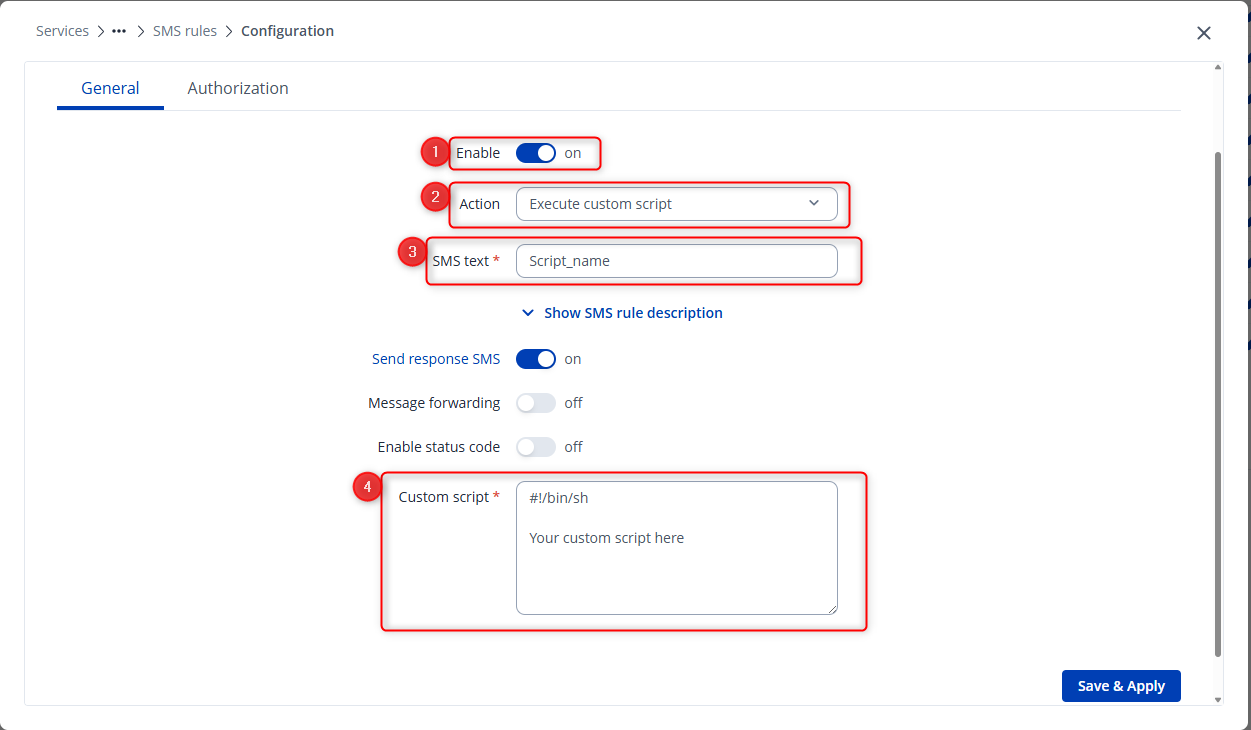
You can execute a custom script through SMS commands by creating a custom SMS rule. To do this, navigate to Services → Mobile Utilities, scroll to the bottom, and click “Add.” In the configuration window, set the Action to “Execute custom script.” In the SMS text field, enter the text that will trigger the command (for example, <router_password> Script_name), and in the custom script field, insert your desired script. This configuration ensures that sending the specified SMS will execute your custom script.
For more information on SMS commands and configuration options, please refer to:
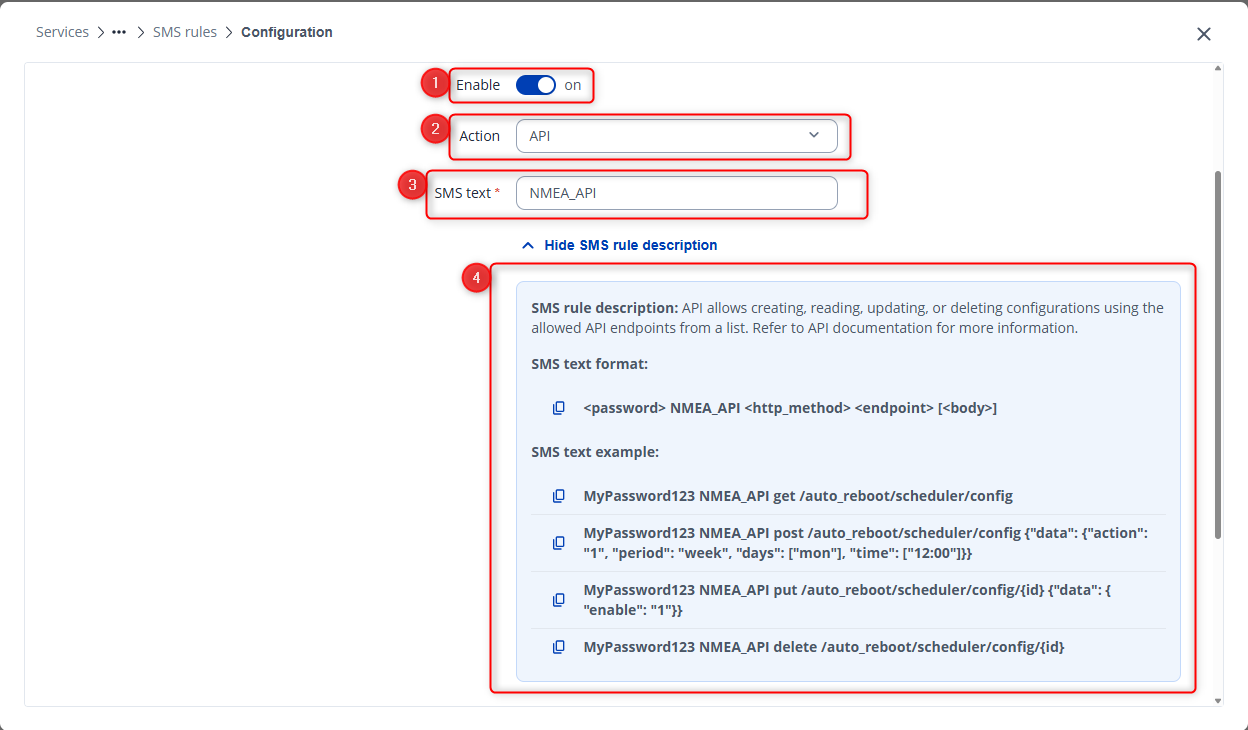
Additionally, you can enable or disable NMEA collecting rules using an API endpoint. In the Action field, choose “API,” define the SMS text, and follow the syntax shown in the example below:
In your case, you can use the following API endpoint:
I hope this helps. If you have any additional questions, please don’t hesitate to reach out.
Best regards,
V.
This topic was automatically closed after 60 days. New replies are no longer allowed.