NAT between vlans

After talking to support, I’ll post my challenge here :slight_smile:
My timeframe is to setup this environment already tomorrow Tuesday :frowning:

My question in short:)

  • I have 2 vlans.
  • Each vlan has it’s own IP subnet.
  • Device in vlan1 needs to connect to a device in vlan2.
  • Device in vlan1 has a hardcoded destination, which doesn’t exist in my environment (I can’t change the IP ranges in either vlans).
  • Therefore I need to create a NAT (or other service), that translates the non-existing IP address to an existing IP address.
  • I’ve added a picture of the topology in question.

Greetings, @Spiff,

Welcome to Teltonika Community!

Could you please provide a bit more information to help us understand your setup better:

  • Which Teltonika device model are you using in your network?
  • Are VLAN1 and VLAN2 configured on the same device? If so, are they assigned to separate physical ports, or are the VLANs configured across multiple devices?

This information will help us investigate the issue more accurately and provide more targeted assistance.

Warm regards,
V.

Thanks you @Vilius

Absolutely :slight_smile:
*) This model is a RUTXR1 (though I also have some RUT951 and RUT955).
*) Vlans are configured on the same device/router. Assigned to different physical interfaces untagged, using port-based.

Regards MJ

Greetings, @Spiff ,

I hope this message finds you well.

I have successfully tested and set up this configuration on my side. Below are the steps you can follow to replicate the setup:

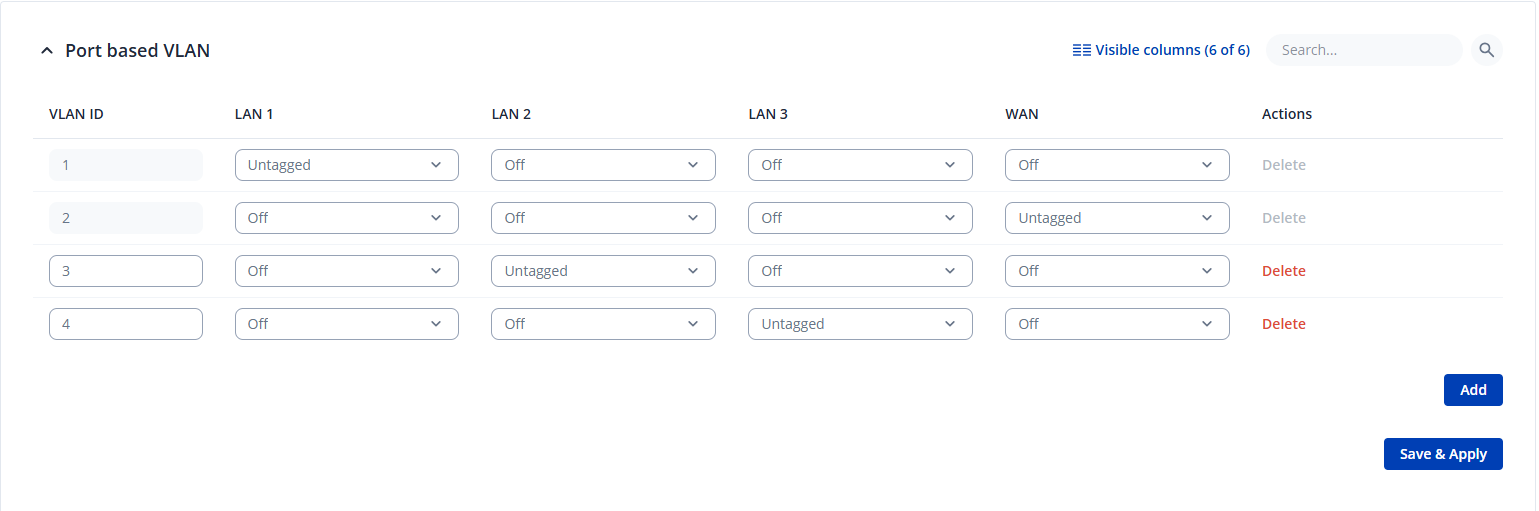
First, create two VLANs in Network → VLAN → Port Based:

  • Assign 10.10.10.1/24 to LAN port 2
  • Assign 10.10.20.1/24 to LAN port 3

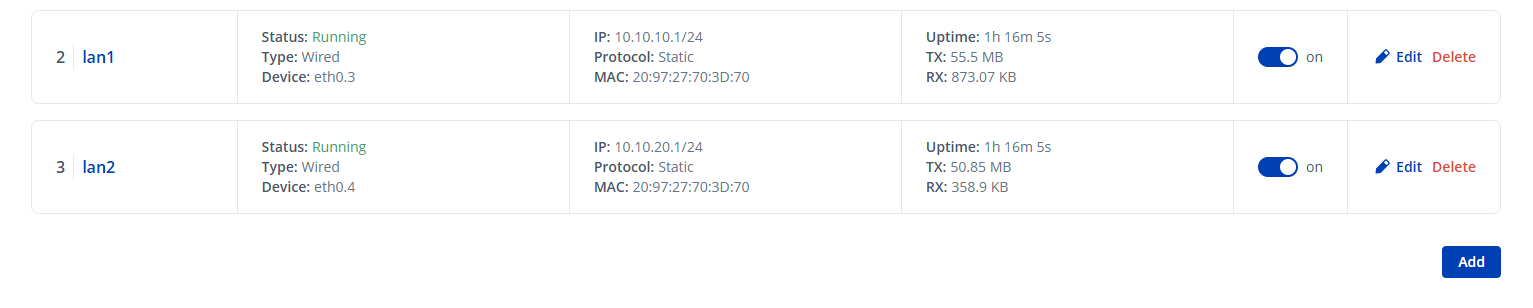
Next, navigate to Network → LAN and create separate LAN interfaces for each VLAN.

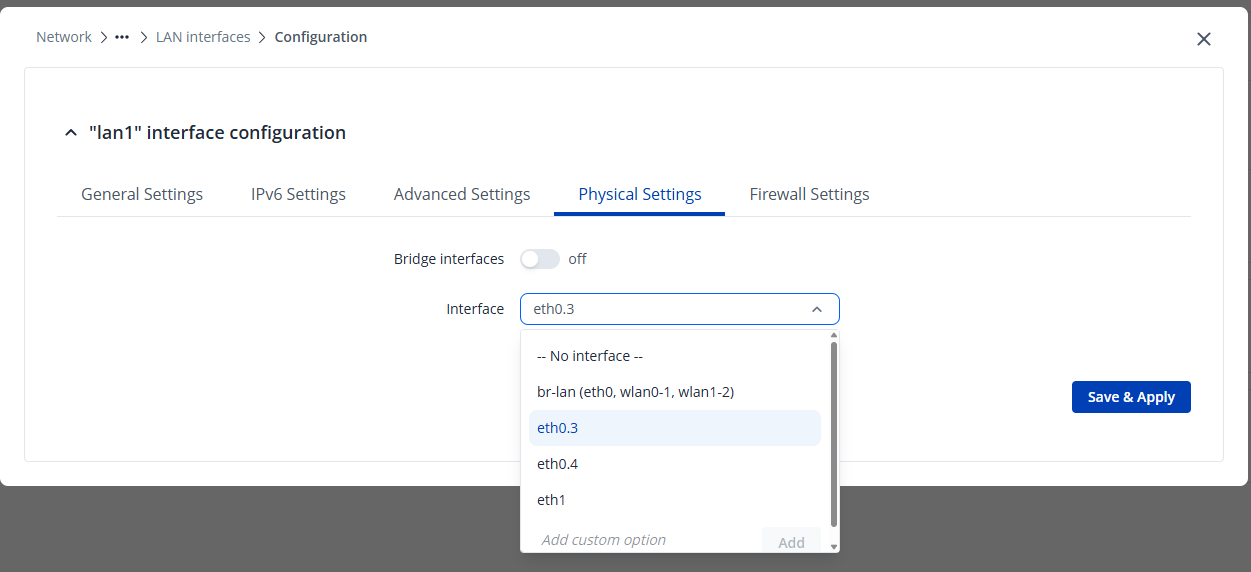
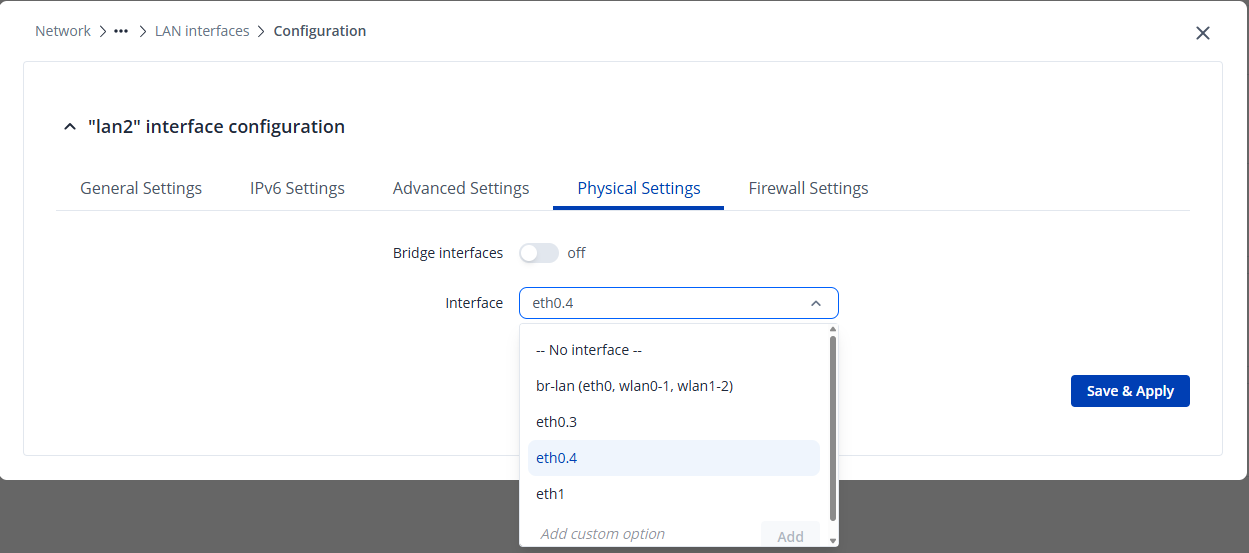
Ensure that, under the Physical Settings, the correct VLAN interfaces are selected. In my case, these were eth0.3 for VLAN1 and eth0.4 for VLAN2.

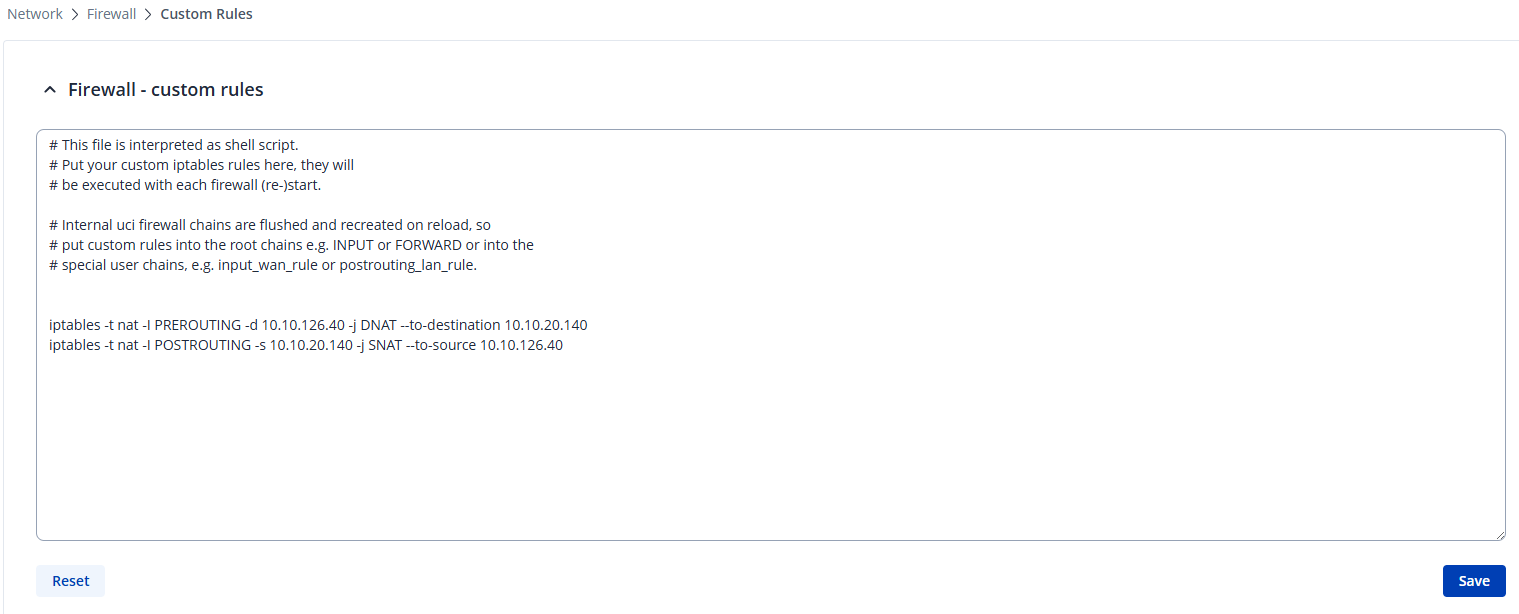
After that, configure a custom firewall rule under Network → Firewall → Custom Rules to allow communication between the VLANs.

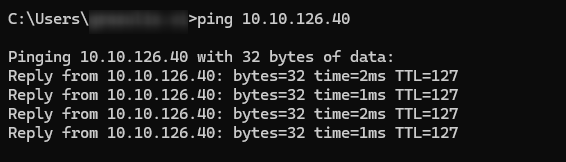
Once the firewall rules were applied, I disabled the main LAN interface. With this configuration in place, I was able to successfully ping the device with IP 10.10.126.40 connected to VLAN2 from my PC located in VLAN1.

For additional information you can refer to this wiki article:

https://wiki.teltonika-networks.com/view/RUTX_1-to-1_NAT

Please let me know how it goes on your side and if you have any additional questions or need further clarification.

I hope this helps.

Warm regards,
V.

Hi @Vilius
This was exactly the 1:1 setting I was looking for :partying_face: It works perfectly fine!
This article linked was the one I couln’t find in the first place :slight_smile:
Regards MJ