Hello,
I am using RUTXR1 RUTX_R_00.07.19.4. I want to use the WAN fiber line without NAT and the mobile line with NAT using failover multi-WAN, but I haven’t been able to do it. Could you please help me?
Hello,
I am using RUTXR1 RUTX_R_00.07.19.4. I want to use the WAN fiber line without NAT and the mobile line with NAT using failover multi-WAN, but I haven’t been able to do it. Could you please help me?
Hello,
Disabling NAT on one of the firewall zones (WAN in this case) would mean that it will not provide an internet connection. Could you please elaborate on how you imagine this failover setup should work?
If you still wish to go through with this, let me know, but in short - you’ll have to create a new firewall zone under Network → Firewall → Zones which would contain just the WAN interface (without the mobile interfaces, since they are packed together under one zone by default) and disable Masquerading on the new zone. Afterwards, you may have to duplicate some Network → Firewall → Traffic Rules in order to match some of the settings that initially used the WAN zone for them.
Regards,
Matas.
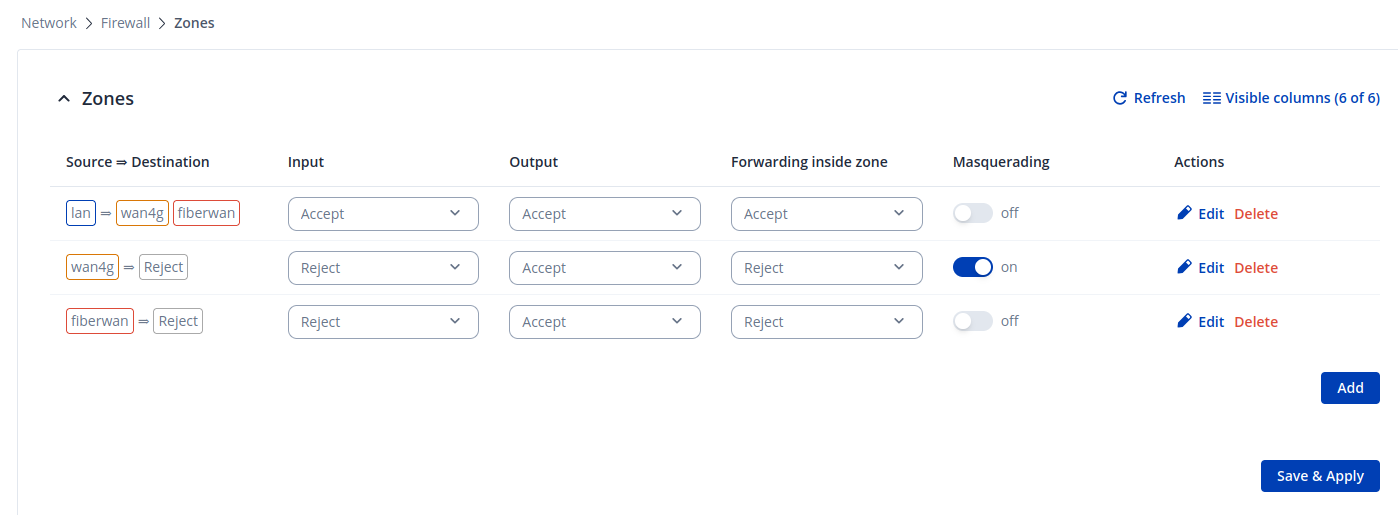
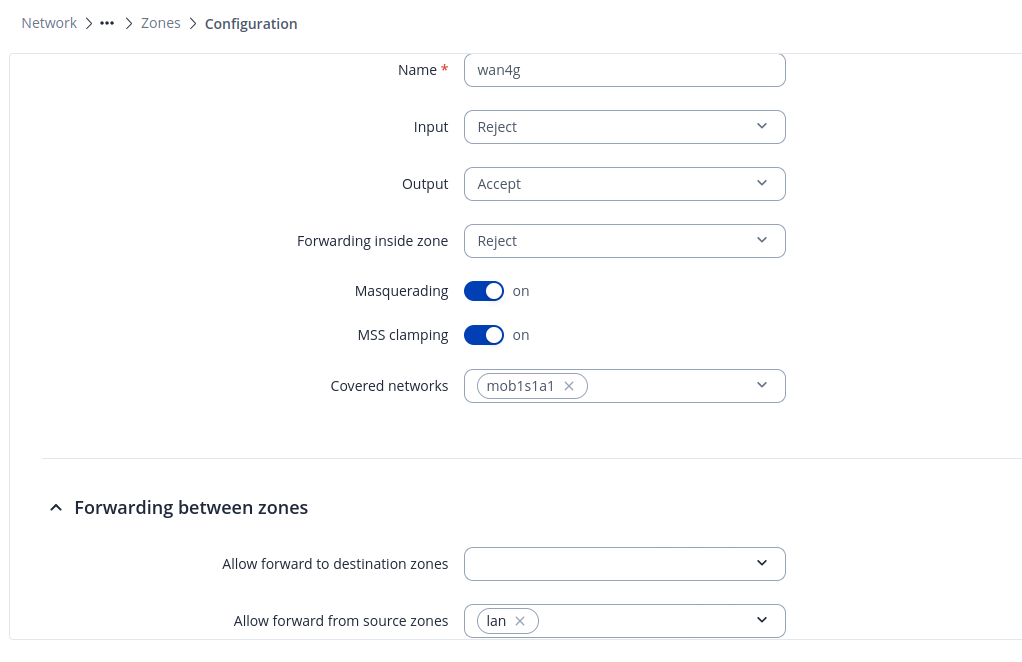
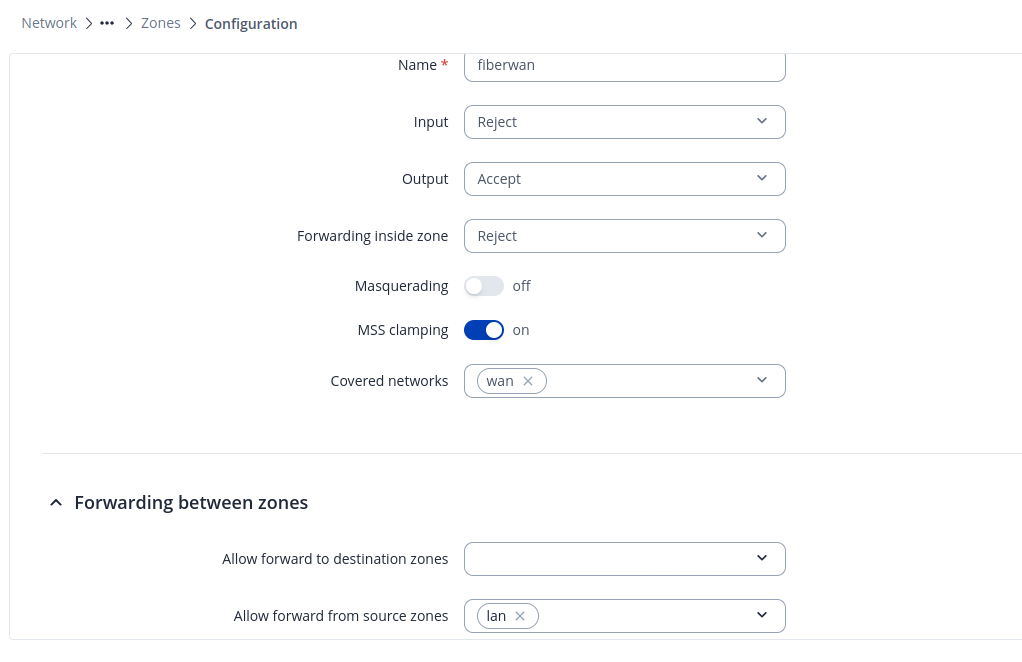
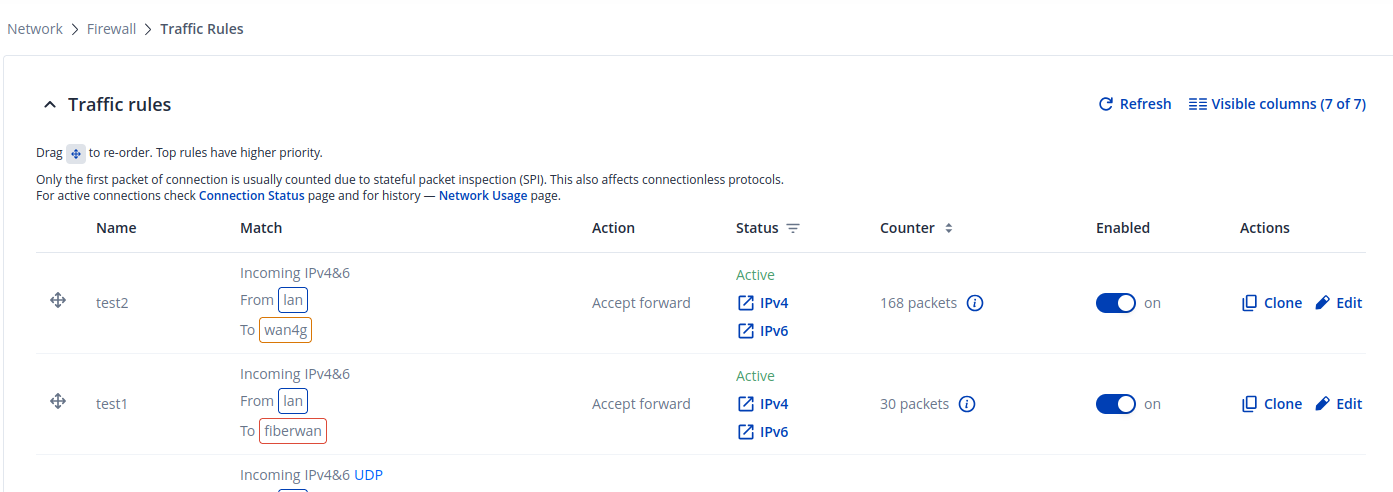
There’s another firewall in front of Teltonika, and instead of writing rules on Teltonika for source IPs, I want to write rules on the firewall in front of Teltonika. I created two firewall zones; in one, 4G WAN Masquerading is enabled, and in the other zone, fiber WAN Masquerading is disabled. However, when I disconnect the cable for testing, it switches to 4G, but there’s no traffic.
When editing the zone, have you selected the WAN zone (not mobile) under the Covered Networks?
Regards,
M.
Yes, I chose it.
The packet is visible in the firewall rules, but the client’s ping from the source IP to the destination IP is timing out.
Hello again,
I’ll have to collect some additional information from your device as well as a TCPDUMP, as the issue is unlikely, but could be with our device now. Since your configuration, judging from the screenshots, has been done correctly, I suspect the last factor being that external firewall in front of our device, could you double-check everything there?
Additionally, if you don’t find any issues with your firewall, I’ve sent you a form to fill out. Fill out your contact details as well as the ticket ID, which is 17503 and I’ll reach out to you soon after.
Regards,
M.
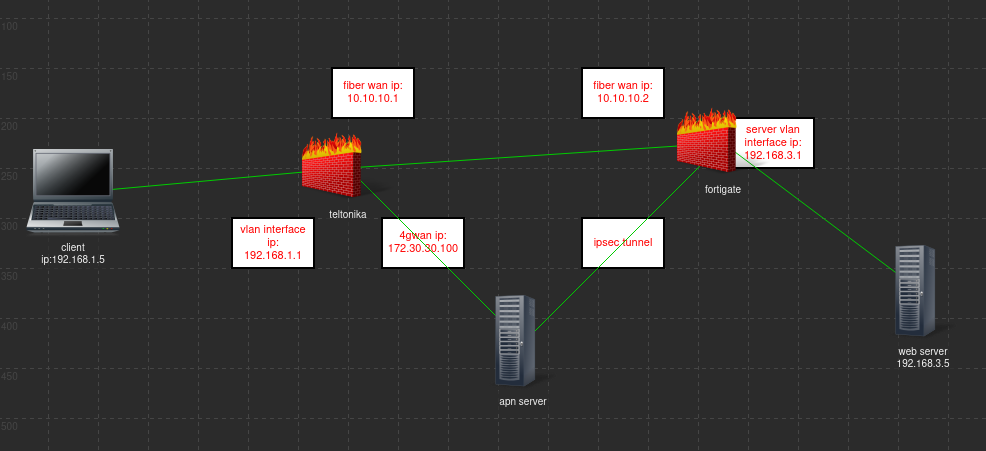
Thank you for your interest. The topology is partially like this. The IP addresses in the image are examples.
Hello again,
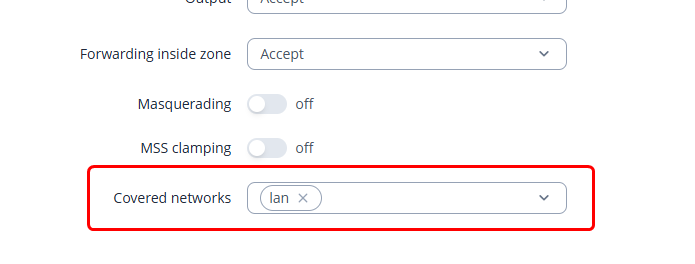
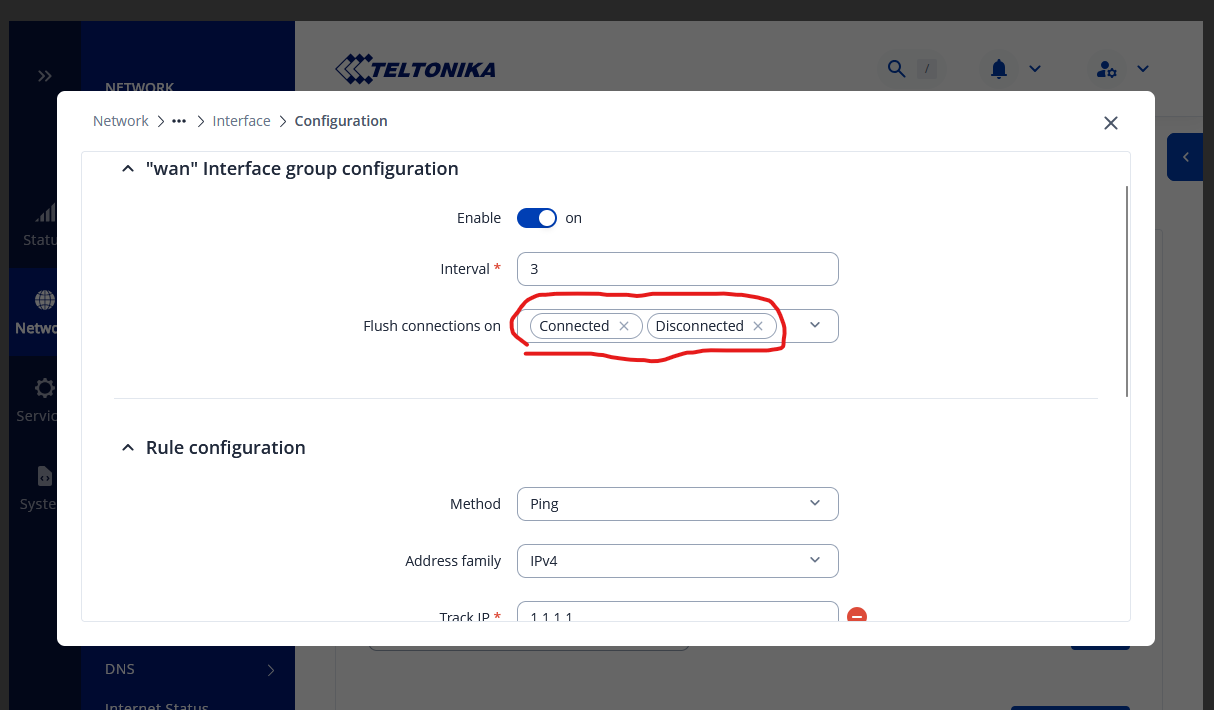
Actually, everything was working. While running the tests, I kept leaving ping enabled, and it was time-out, but the internet was working. I found something new: Connect state + ICMP flow. To fix this, I just needed to select the connect up and down options shown in the image. I applied these settings to both fiberWAN and 4gWAN, and my problem was solved. Thank you for your help.
This topic was automatically closed 2 days after the last reply. New replies are no longer allowed.