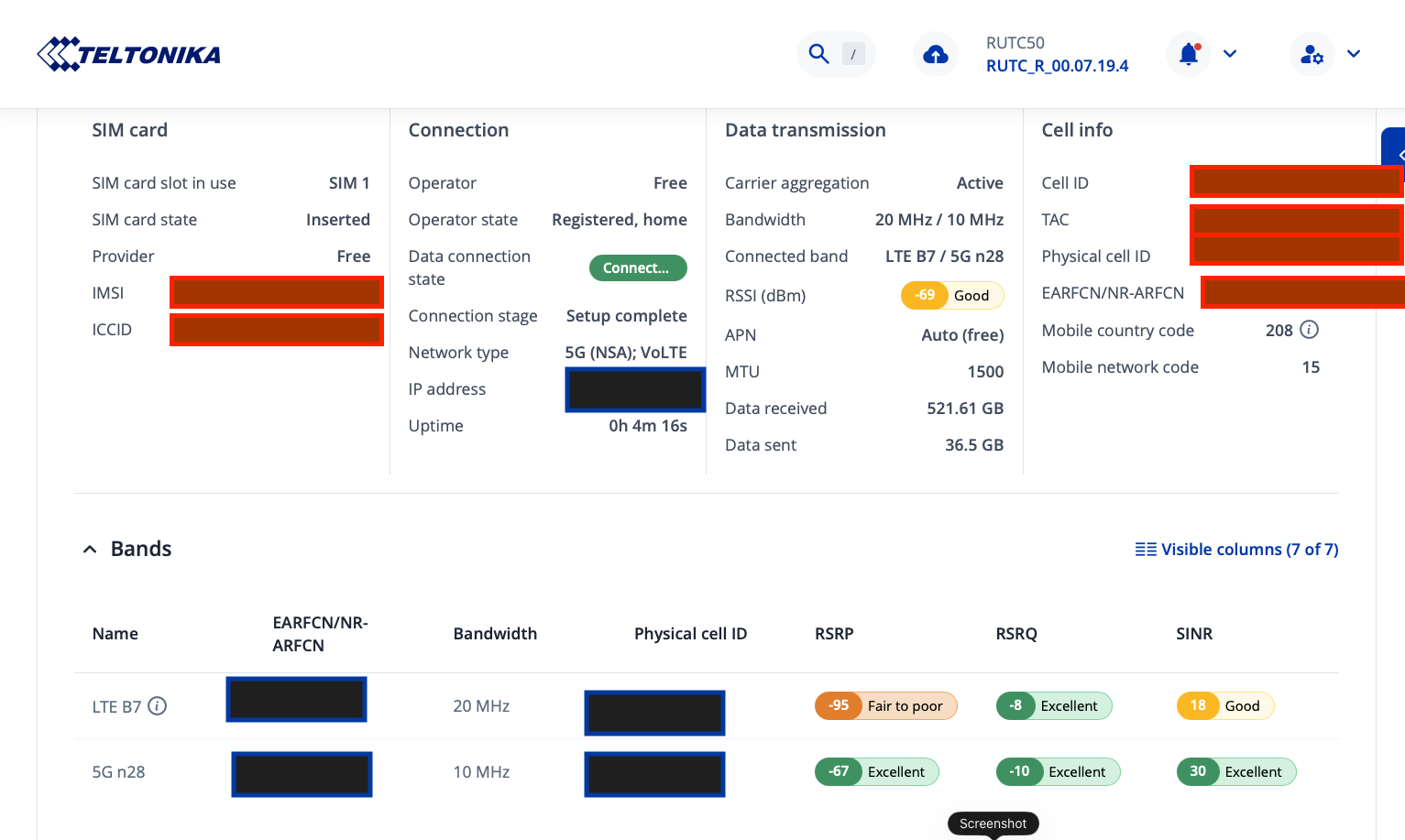
Could you please confirm which Preferred Network Type is set under Network → Mobile → Connection? If it is set to 3G/4G/5G, the device may have temporarily switched to 3G due to a short-term drop in 5G/4G signal strength.
You can adjust this setting in the same menu to force the device to prioritize 5G. Additionally, you can enable Low Signal Reconnect and configure the signal threshold, which will ensure the router reconnects only when the signal meets your specified criteria. This helps maintain a stable 5G connection.
I hope this helps! Please let me know if you have any further questions.
My connection is set to “5G/4G/3G auto”
there is no option to only have 5g
my comment is more on the fact that RUTOS should handle that better; the 3G mode was stuck for hours…
also something seems weird; as you can see in the screenshot below 5G N28 should be the better cell but the modem is connected to LTE B7. and it is set as primary by RUTOS Why is that please ? There is no option to set the primary to 5G N28
Is 5G SA available at your location? My understanding, from my brother, is that Free’s 5G SA (3.5Ghz) is only available around good-sized conurbations, otherwise coverage is on 5G NSA (700 MHz) or dropping to 4G if no 5G coverage.
Probably worth checking before you go down the ‘SA’ rabbit hole.
At this time, there is no option in the WebUI to force a connection to 5G SA (Standalone). In addition, establishing a 5G SA connection requires several conditions to be met, including the following:
5G SA radio availability
The serving cell must advertise NR Standalone access (SA SIBs present).
A 5G Core (5GC) must be reachable from that cell.
SIM provisioning for SA
The SIM card must be authorized to register with the 5G Core (SA enabled in the subscriber profile).
The correct APN for SA/5GC must be permitted by the operator.
Network policy allowing SA attachment
The operator must allow standalone access without LTE anchoring.
There must be no mandatory LTE dependency for control signaling, authentication, or emergency services.