I have a question about the modbus client in RUTx devices! In the modbus client feature it is possible to read and write data from a connected plc! Reading data isn´t a problem but how can I write values to my plc and where I can make changes at this value which write to plc? Example: different limits!
Is there a possibilty to change this variables values with mqtt gateway or other methods? Concret to get access to this variable which are only exits in the rut and automatically/periodicly written to the plc?
In short - the answer would be to either use custom scripts, following the guides above, or using the “Set” functions available within Modbus TCP Client and such:
thanks for your reply! But I think you missunderstand my question!
In the modbus client I create some variables like RealValue (for float values), DintValue (for dint values) and so on. So this variables are working as buffer for the values I read (ReadHoldingRegisters) from my connected plc! So it is similar for writing variables as WriteLimit1, WriteLimit2 (SetHoldingRegisters) and so on!
So my question is, is there a possibility to write a value in this special variables like WriteLimit1 or WriteLimit2 in the rut device not directly the plc as usual!
The modbus client read and write the values periodicaly every 5 seconds.
For me it isn´t a problem to send this modbus data via Data_to_Server or using the MQTT Gateway to send commands. My problem is to use both services at the same time! Logging data for monitoring and send commands for control !
In my case I use a RUT241 connected to my plc with modbus tcp. (RUT241 is the modbus client)
Just to re-iterate about what I’ve said in my previous reply:
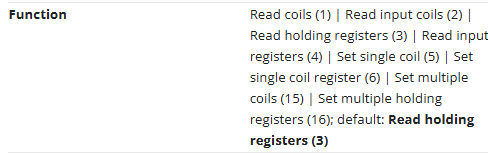
In order to write a value to a specific register from our device, you need to use the Set function within the configuration of the requests. This can, of course, be tested via the “Test” button available right below the table.
If you have something else in mind when you say that you want to write values, I’d need more clarification as it is not very clear.
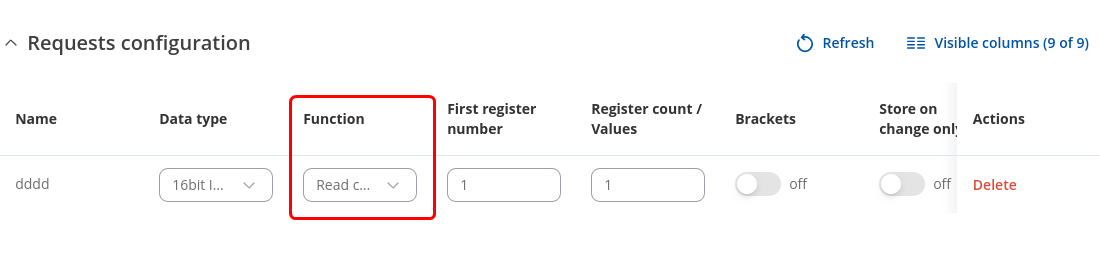
Here’s an image explaining the table settings, maybe this will make it more clear:
Basically, when the function is set to read, the field that is marked will be responsible for the register count, whereas the set function will be responsible for the VALUE that you want to write.