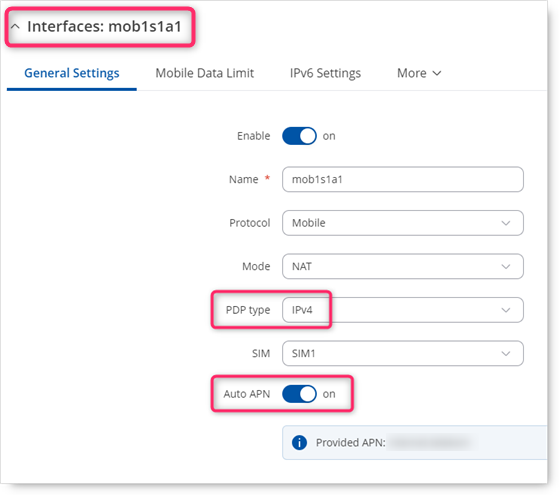
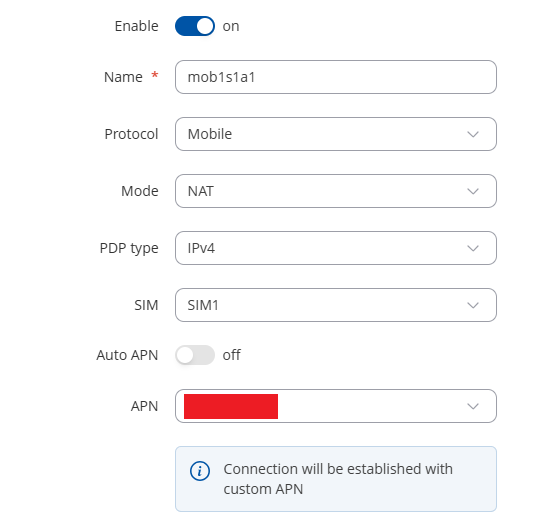
Hello,
I have a RUTX11 version 07.15.1
After several hours of use my internal modem is disconnected.
In the logs I get this information : Mobile data disconnected (internal modem)
1197 Tue Jul 15 15:42:20 2025 daemon.notice netifd: mob1s1a1_4 (3076): udhcpc: broadcasting renew
1198 Tue Jul 15 15:42:58 2025 daemon.warn dnsmasq[3354]: Maximum number of concurrent DNS queries reached (max: 150)
1199 Tue Jul 15 15:57:21 2025 daemon.notice netifd: mob1s1a1_4 (3076): udhcpc: broadcasting renew
1200 Tue Jul 15 16:02:25 2025 daemon.warn dnsmasq[3354]: Maximum number of concurrent DNS queries reached (max: 150)
1201 Tue Jul 15 16:04:51 2025 daemon.notice netifd: mob1s1a1_4 (3076): udhcpc: broadcasting renew
1202 Tue Jul 15 16:08:36 2025 daemon.notice netifd: mob1s1a1_4 (3076): udhcpc: broadcasting renew
1203 Tue Jul 15 16:10:28 2025 daemon.notice netifd: mob1s1a1_4 (3076): udhcpc: broadcasting renew
1204 Tue Jul 15 16:11:24 2025 daemon.notice netifd: mob1s1a1_4 (3076): udhcpc: broadcasting renew
1205 Tue Jul 15 16:11:53 2025 daemon.notice netifd: mob1s1a1_4 (3076): udhcpc: broadcasting renew
1206 Tue Jul 15 16:11:56 2025 daemon.notice netifd: mob1s1a1_4 (3076): udhcpc: broadcasting renew
1207 Tue Jul 15 16:11:59 2025 daemon.notice netifd: mob1s1a1_4 (3076): udhcpc: broadcasting renew
1208 Tue Jul 15 16:12:02 2025 daemon.notice netifd: mob1s1a1_4 (3076): udhcpc: broadcasting renew
1209 Tue Jul 15 16:12:05 2025 daemon.notice netifd: mob1s1a1_4 (3076): udhcpc: lease lost, entering init state
1210 Tue Jul 15 16:12:05 2025 daemon.notice netifd: Interface ‘mob1s1a1_4’ has lost the connection
1211 Tue Jul 15 16:12:05 2025 daemon.warn dnsmasq[3354]: no servers found in /tmp/resolv.conf.d/resolv.conf.auto, will retry
1212 Tue Jul 15 16:12:05 2025 daemon.notice netifd: mob1s1a1_4 (3076): udhcpc: broadcasting discover
1213 Tue Jul 15 16:12:06 2025 daemon.info dnsmasq[3354]: read /etc/hosts - 12 names
1214 Tue Jul 15 16:12:06 2025 daemon.info dnsmasq[3354]: read /tmp/hosts/dhcp.cfg01411c - 4 names
1215 Tue Jul 15 16:12:06 2025 daemon.info dnsmasq-dhcp[3354]: read /etc/ethers - 0 addresses
1216 Tue Jul 15 16:12:06 2025 kern.info Mobile data disconnected (internal modem)
1217 Tue Jul 15 16:12:08 2025 daemon.notice netifd: mob1s1a1_4 (3076): udhcpc: broadcasting discover
Thank you for your help.