I’m trying to get NAT reflection to work on my RUTXR1 router.
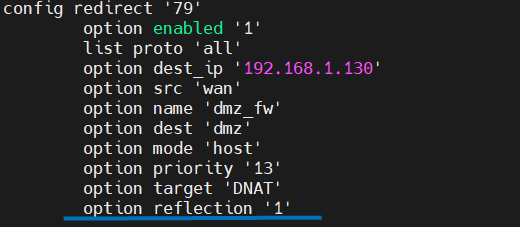
After configuring port forwards from WAN to my DMZ network and activating NET loopback I can see reflection-related IPtables rules via iptables-save. I can also access the DMZ-services via my WAN IP from clients on the DMZ network.
Unfortunately though, only iptable-rules for the DMZ network are added. How do I make NET loopback work for all of my networks?
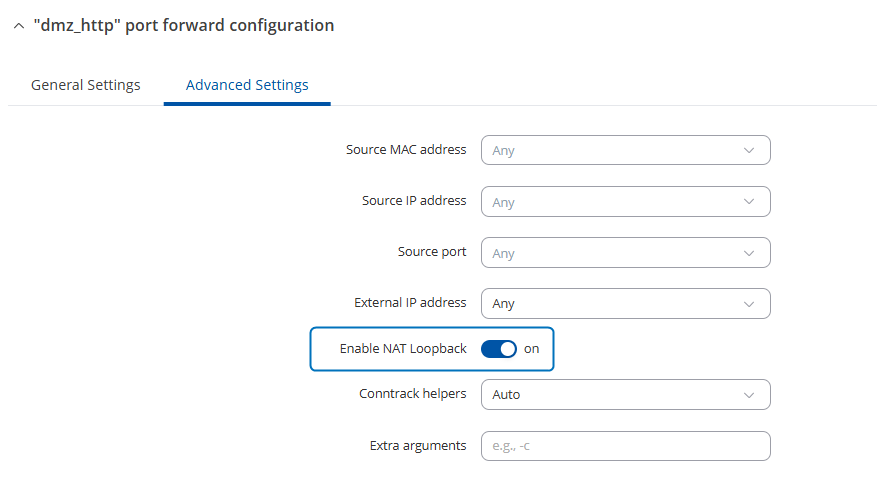
First, to clarify, were the port forwards to your DMZ network configured manually, and then NAT Loopback enabled through each rule’s Advanced Settings?
Additionally, just to mention, a DMZ for a specific host can also be enabled through the firewall’s DMZ settings (Network → Firewall → DMZ). In that case, the necessary port forwards are created automatically, and NAT Loopback is enabled on those rules by default.
Could you also please clarify between which networks you’d like NAT Loopback to be persistent?
Any additional clarification or information would be helpful and appreciated. Thank you.
First, to clarify, were the port forwards to your DMZ network configured manually, and then NAT Loopback enabled through each rule’s Advanced Settings ?
Yes, exactly. I found that the Network → Firewall → DMZ setting limited me to a single host.
I’d like NAT Loopback to be working for all my internal networks (VLANs). (I have 5 VLANs, of which 1 is the DMZ network.)
Please let me know if you’d like a screenshot of some particular view.
If it isn’t appearing, I’d suggest disabling and then re-enabling the NAT Loopback option through the port forward’s advanced settings tab.
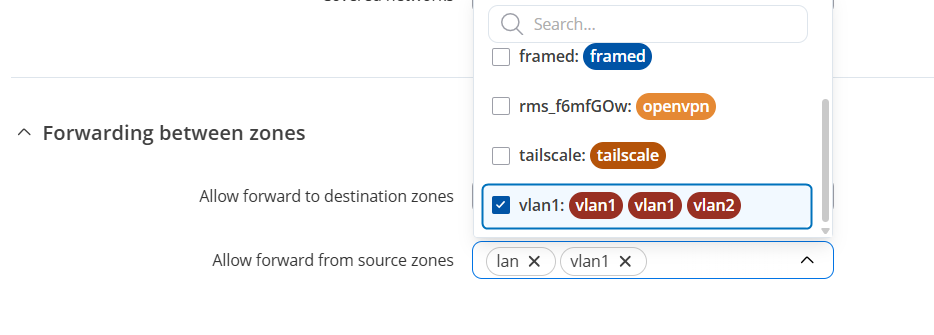
Additionally, could you confirm whether a relevant firewall zone exists for VLANs and the DMZ and that any necessary forwarding from your VLAN zones to the DMZ (or to other intended target zones) is selected:
And I believe my zones are configured correctly. For example, my NOC-network can access guest-network hosts, while guest-network hosts cannot access NOC-hosts.
When looking at the output of iptables-save, I see that NAT-loopback rules are only added for the DMZ network. If I manually add those rules for my other networks, it works as expected.
I just wanted to follow up and check whether the initial issue has been fully resolved on your side.
If not, could you kindly clarify the situation a bit further? Specifically, is the issue that NAT loopback rules aren’t being added automatically when configured through the WebUI only work when you manually insert them into the firewall config or via iptables?
Also, make sure that your device is currently running firmware 7.14.3 or the latest 7.15.2?