I have a RUT901 and I would need to connect to an existing network, so that the router is on the LAN in the existing network - the same subnet, so that the router takes the internet from the LAN and it would be possible to connect to it via RMS and OpenVPN and with this connection I could manage all devices in the existing network, Is this possible?
Hi,
You need couple things in order make device access the Internet from lan side:
- Create static route in
Network > Routing > Static routes > Static IPv4 routes:- Interface: lan
- Target: 0.0.0.0
- IPv4-Netmask: 0.0.0.0
- Gateway: main router IP that has access to the Internet
- Define dns server in
Network > DNS > General:- DNS servers: 1.1.1.1 or same as gateway
Finally you can check Network > Internet status page
Good afternoon,
As Dainius above has advised, you will need a static route to tell the router how to reach the internet through the existing lan gateway since your RUT901 is placed inside the LAN subnet rather than directly connected to the Internet. The static route with target 0.0.0.0 and netmask 0.0.0.0, with the gateway as the main router IP, acts as a “default route” directing all traffic destined for outside your LAN to the main router that has Internet access. Without this, the RUT901 would not know where to send Internet-bound traffic.
The DNS server configuration is needed so the RUT901 can resolve domain names into IP addresses. Since it is connected inside the LAN using the main router as its gateway, the DNS can be set either to the same DNS server used by the gateway or a public DNS service such as 1.1.1.1 (Cloudflare).
Please advise if you still encounter issues. Send some screenshots of your configuration, while hiding sensitive data.
Regards,
Arturas
unfortunately it doesn’t work 
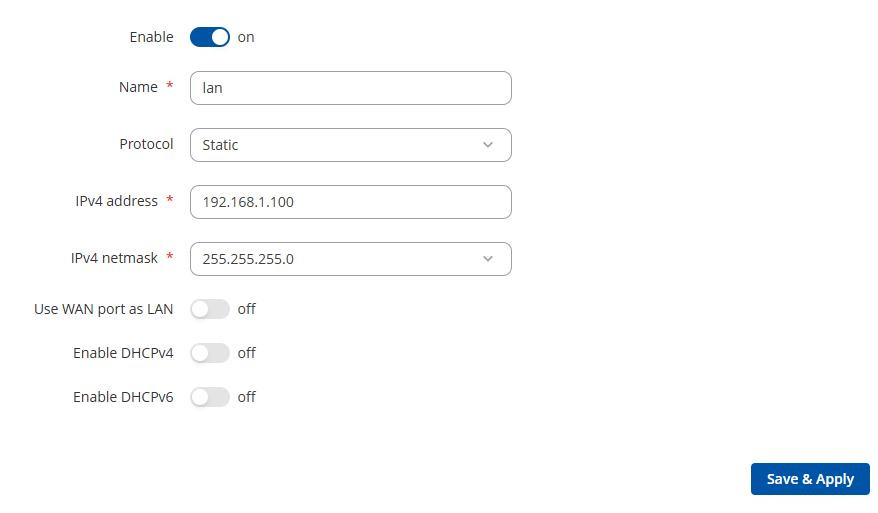
The router is connected via the LAN port to the existing network with IP: 192.168.1.xxx
I set a static IP on the router on the LAN, which is free on the network: 192.168.1.100
I set up routing, see the picture

I couldn’t set the DNS, when I save it seems to be deleted, I tried setting both 1.1.1.1 and 8.8.8.8 and nothing
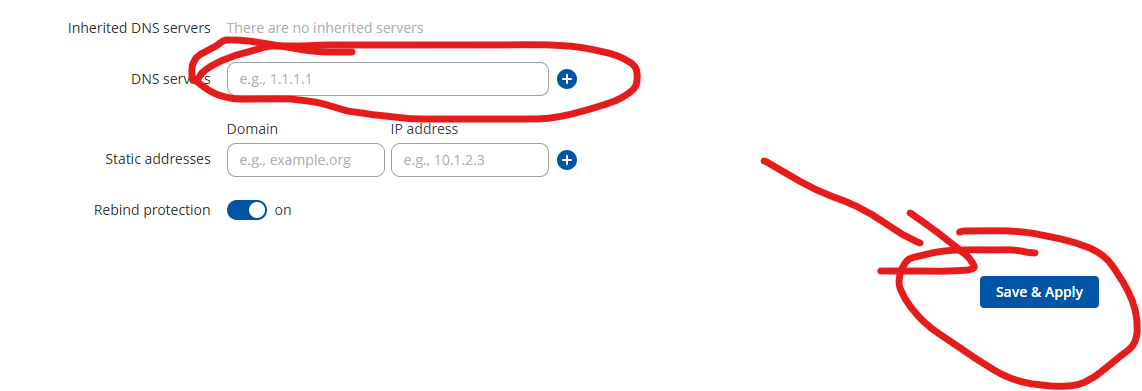
Can you think of something?
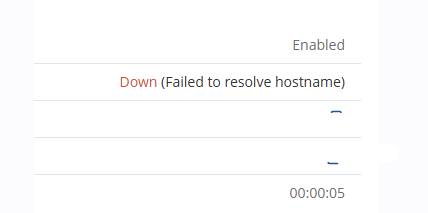
The internet goes through the router via LAN-LAN to the PC, but the router has no internet - RMS shows OFFLINE
Thank you a lot!
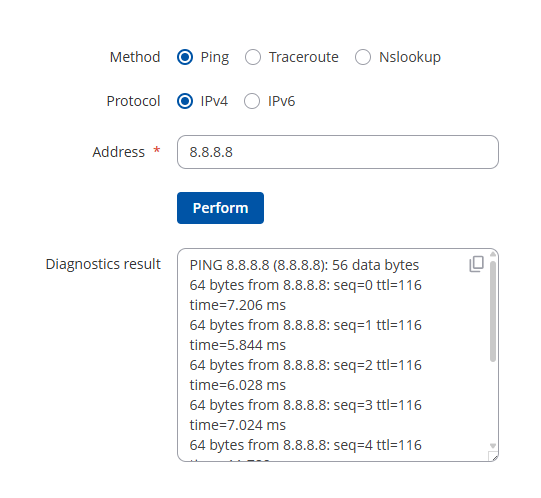
Hi there,
Please check what firmware version is installed in the devices, and install the newest one.
Check if you can see any message near the “Status” icon in Devices tab in RMS, next to the device in question.
If the device has an exclamation mark with an error message, and it states that service is disabled, please enable the service under Administration → Companies → View company details and if credits are available, please toggle the service on.
Please also advise if you have any remaining credits in RMS → Companies → View company details.
I also want you to go to WEBUI Services → Cloud solutions, and advise me what error you get there, when you add the device in RMS, and it tries to connect?
Also, please check this guide, which covers majority of basic RMS connection issues : https://wiki.teltonika-networks.com/view/Why_is_my_device_offline\_/\_not_activated_on_RMS%3F
Regards,
Arturas
credits should be in the photo. Also firmware version in the photo.
I just want to connect to the existing network, the router had a LAN IP in the same subnet and I connected to the router via RMS OPEN VNP and was thus physically in the network and could manage network devices remotely.
I do not want to connect via WAN and thus create a new network.
I was also advised to add Access control - is it necessary? If the device is OFFLINE, it cannot be created, I have to reconfigure to classic WAN/LAn, create the Access and then configure again…
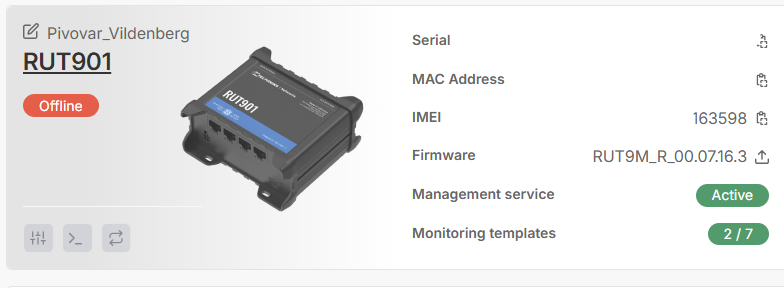
Hi there,
To assist you further, we would need to proceed to private communication, as it will require us exchanging sensitive data.
I have sent you a form for private communication, please fill in the form, and in ticket ID provide this query ID which is 15040. This form should arrive to your personal email address used to register to this site.
Regards,
Arturas
Unfortunately I don’t have anything in my email I’d be happy to discuss privately
Hi there,
Please also check you Spam folder. I have resent the form again, will be in personal email inbox.
Regards,
Arturas
It just arrived and I filled everything out. What should I do next?
Hi there,
We will respond to the sent message in due time. At this point, please wait.
Regards,
Arturas