Issues with modbus mqtt gateway. Can't get response from attached Modbus TCP Server

Hi all,

I’m trying to achieve the following:
a. monitor my modbus TCP PLC attached sensors and status by reading coils and registers.
b. send all the data to an MQTT broker running in the cloud. onto a sitename/telemetry MQTT topic
c. send commands to the MQTT broker onto a sitename/rx topic to stop or start the system

I currently have the following successful setup

  1. water treatment system with a PLC. This exposes Modbus over TCP on port 502 on IP 192.168.1.250
  2. RUT956 with IP 192.168.1.201 with a LAN connection to the PLC
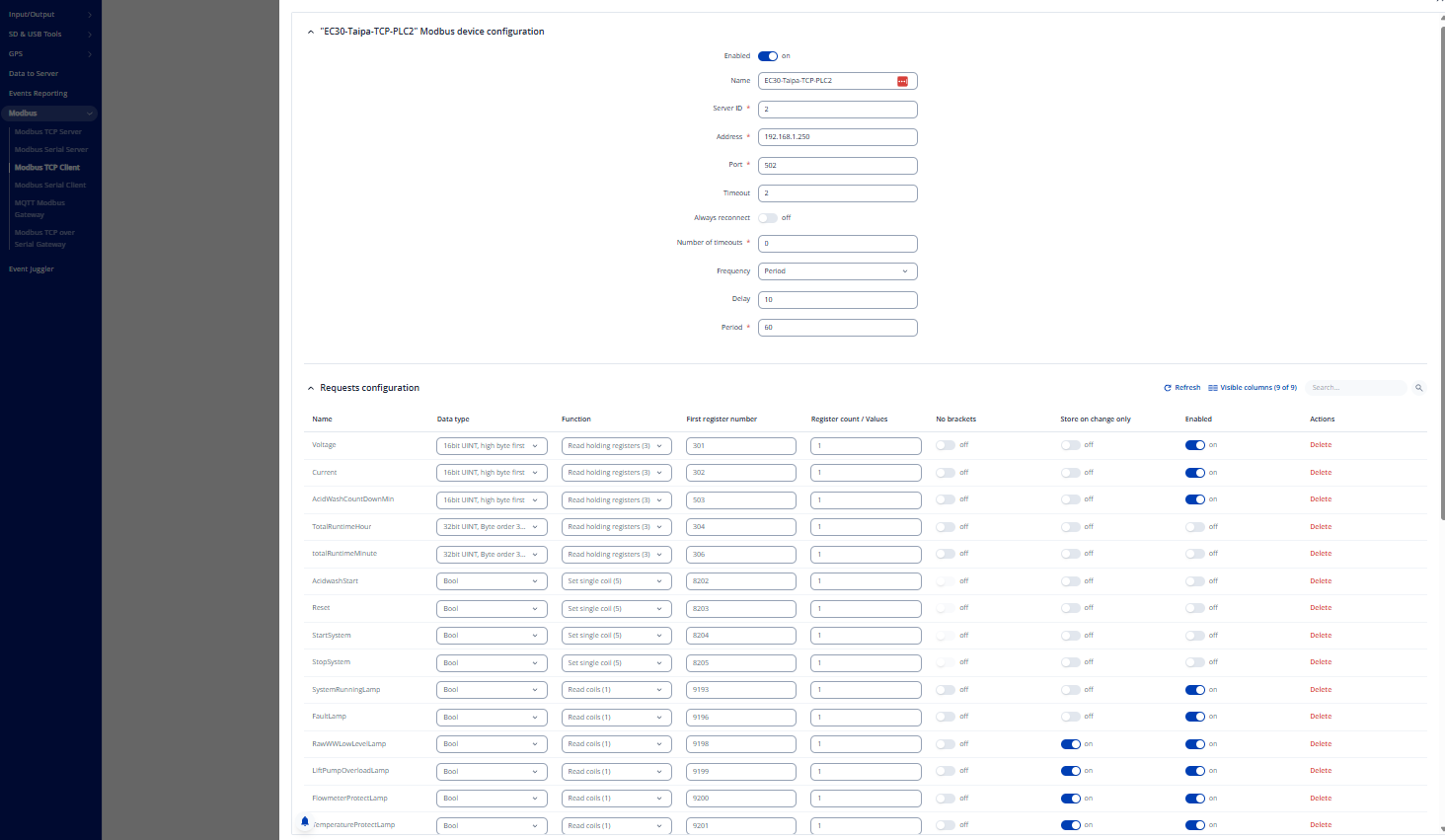
  3. Modbus TCP Client setup on RUT956 with RUT9M_R_00.07.17.5 software to quert the PLC registers. Manual testing in Modbus TCP Client works correctly and all values return results.
  4. Data to server connection to publish the Modbus TCP Client values to MQTT telemetry topic

I have also turned on the MODBUS MQTT gateway connecting to the same MQTT broker but listening to the /rx topic and responding on the /response topic.

I have tried sending ASCI message commands as well as JSON message commands based on this guide:

I tried ASCII: 0 1234 0 192.168.1.250 502 10 2 1 9193 1
to request a coil value to a status lamp. But this fails.
I also tried setting a start or stop switch: 0 1235 0 192.168.1.250 502 10 2 5 8204 1
But this also fails.
Fails sometimes means no response, and sometimes a connection reset by peer response.

I tried the same with JSON and tried variations as the document linked above is unclear on which functions to use
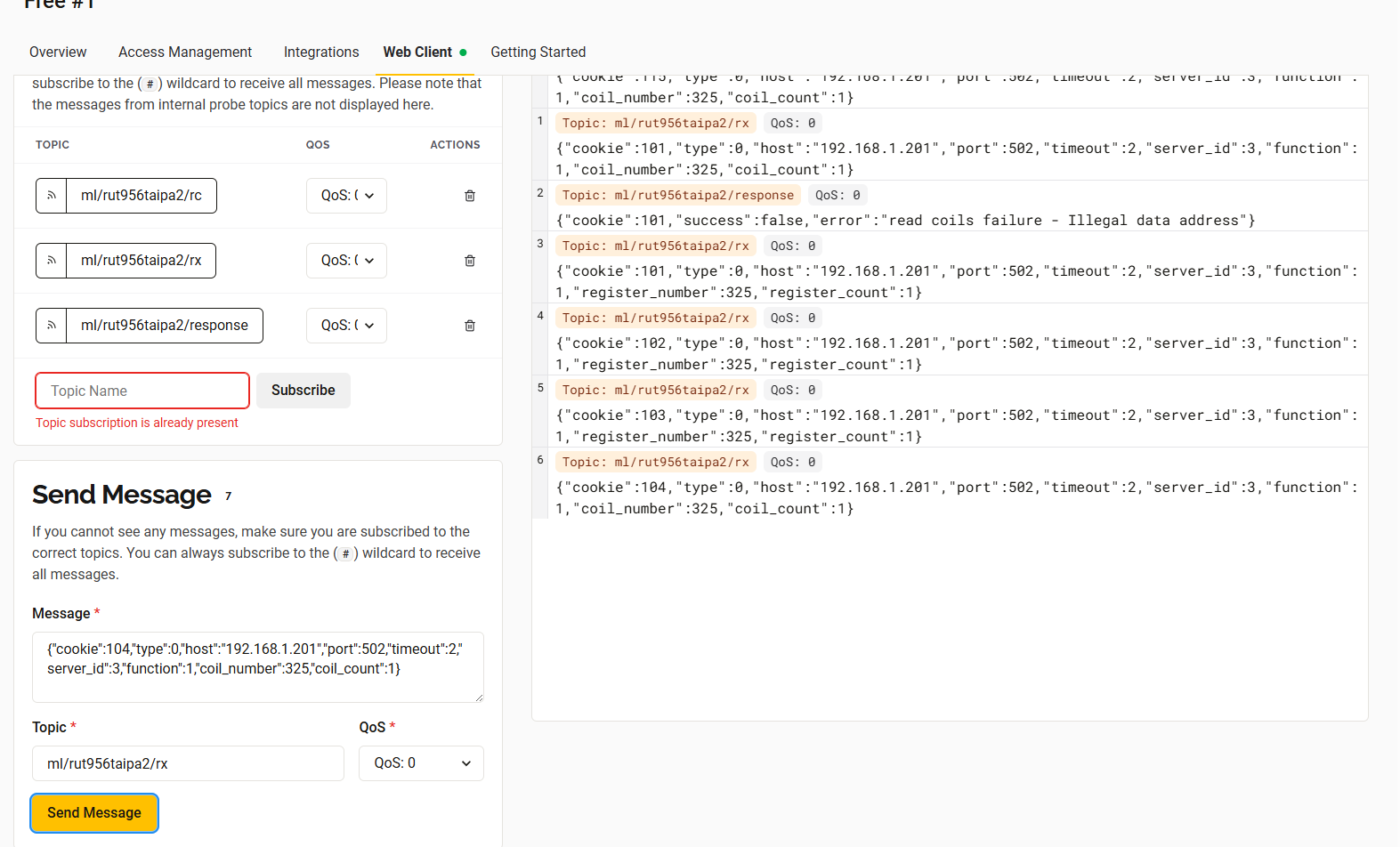
{“cookie”:1,“type”:0,“host”:“192.168.1.250”,“port”:502,“timeout”:5,“server_id”:2,“function”:6,“register_number”:8204,“value”:1}
{“cookie”:2,“type”:0,“host”:“192.168.1.250”,“port”:502,“timeout”:5,“server_id”:2,“function”:5,“rcoil_number”:8204,“value”:1}

Same issues as with ASCII.

I then tried testing by enabling the Telonika router as MODBUS TCP Server with ServerID 3.
When I now try to query the router I sometimes get a reponse, sometimes not? Can I find logs of why somewhere?:
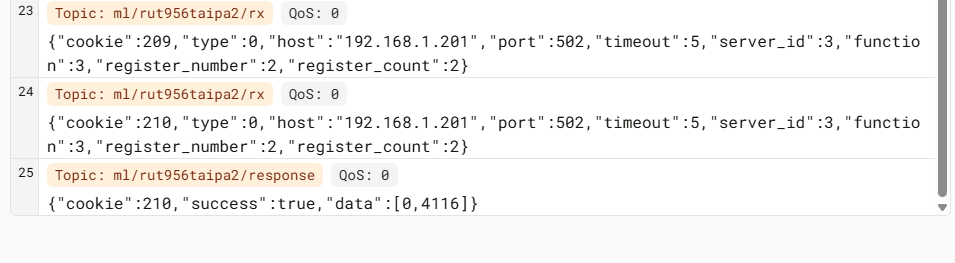
I can now query router internals like uptime
If I register a readable coil value from my Modbus TCP Client I seem to be able to query that too
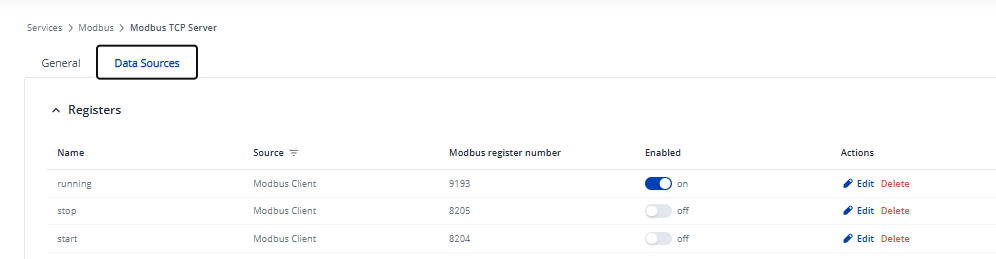

But it fails when I want to set a value:

Hello,

Firstly, to clarify, if you are already using the Data to Server service to publish Modbus data to your MQTT broker on the relevant topic, why is the MQTT Gateway needed? These two services overlap in functionality and can interfere with each other, so it’s recommended to use only one of them, typically Data to Server for straightforward data publishing.

Additionally, in your ASCII and JSON message examples, it seems that unsupported function codes are being used. The MQTT Modbus Gateway supports only functions 3, 6, and 16, not 1 or 5.

It’s also important to note that when the RUT956 operates as a Modbus TCP Server, you can only read (get) or set register values, but not coils. More useful information can be found here:


Could you please clarify the issue a bit further and share screenshots of your Modbus TCP Client, Modbus TCP Server, MQTT Gateway, and Data to Server configurations, with any sensitive data hidden?

Best regards,

Hi,

Thanks for the information. I will follow the documentation you provided to check for more information.
Regarding why Data to Server is required as well as MQTT Gateway;
99% of traffic is only monitoring. Using the Modbus TCP Client lets me query the PLC onsite and thanks to the setting “store on change only” I can ensure that for non critical objects I only get sent MQTT update messages when something changes.

However I also have several manual actions that require remote control → A user on a webGUI needs to be able to manually, stop, start or otherwise send commands to the unit. This may happen once per week or per month. For Request/Response traffic I require the Modbus MQTT Gateway, unless you know of another alternative?
You mention it is recommended to only use one of the two. Is this a hard recommendation, as in, using both in parallel is not supported, or a soft recommendation, as in, I need to take specific documented precautions if I want to use both in parallel?

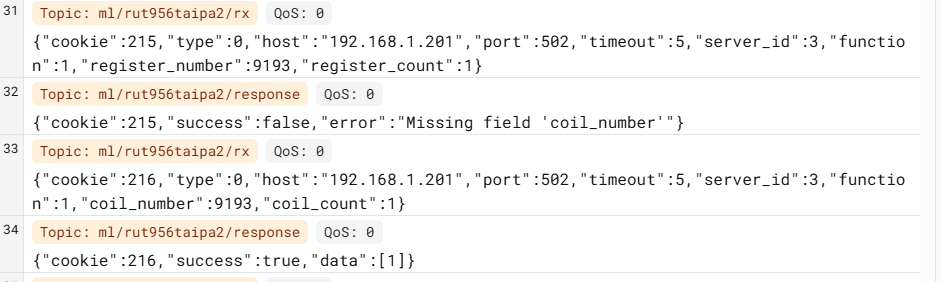
Regarding the unsupported functions for the Modbus Json gateway, I’m uncertain. I get error responses when I try to read a coil with Function:3 and it works when I use Function:1 and provide a coil_number instead of a register_number.
Would you be able to ask your engineers to verify further?
The entire new Data Sources tab feature appears to be undocumented so maybe this has also changed?

Example of Function:1 working while Function:3 fails.

I may try using a second Teltonika Router which used the internet connection of the first one to communicate out. If this works it would at least provide me with a temporary solution while I find a more suitable alternative setup.