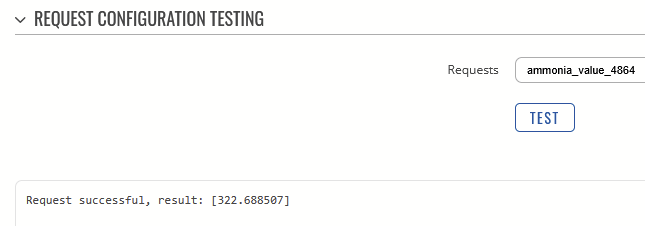
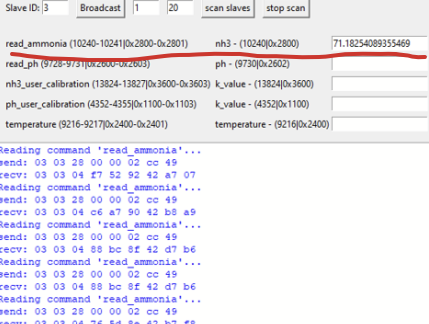
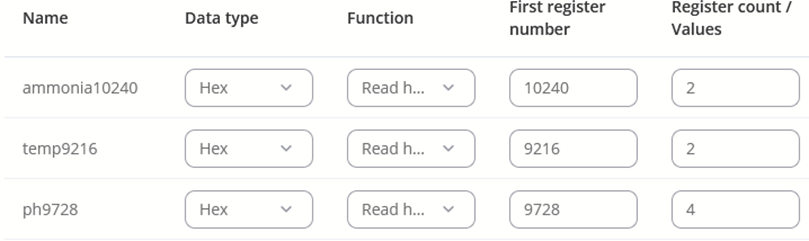
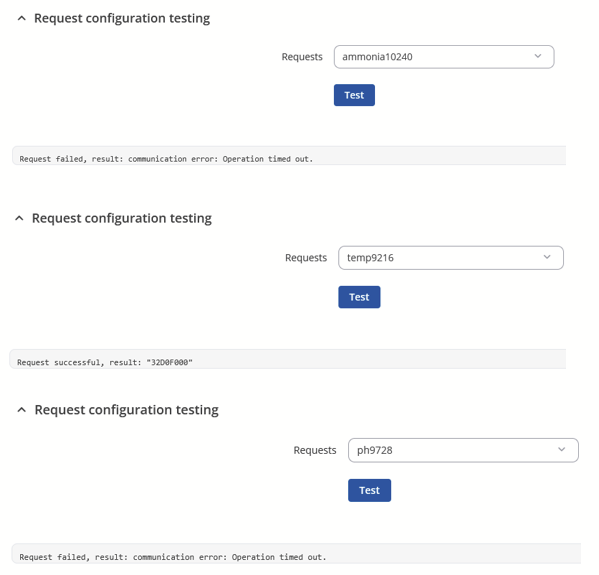
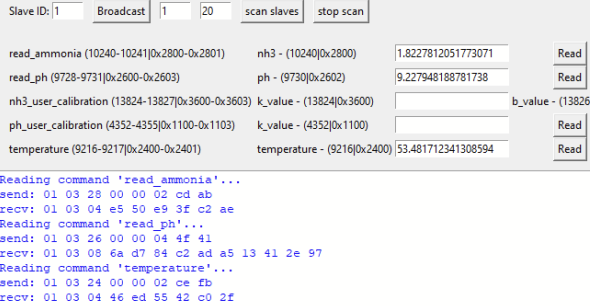
From the provided software register information, it looks like the register value for ammonia should be 1. Could you try setting 1 in the Register Count / Values field and check if it reads correctly that way?
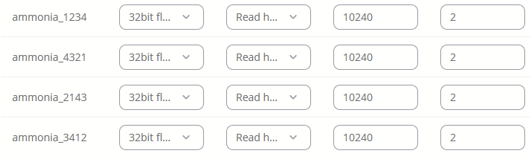
Have you tried changing the byte order (e.g., 1,2,3,4), and can you confirm that the correct data type according to the sensor’s data sheet is selected?
For testing, since the register in hex is 0x2801 (or 10241 dec), it would be worth trying with 10241 as the first register and a count/value of 1.
If nothing changes, could you please provide a screenshot of the exact message or error you see when attempting to read?
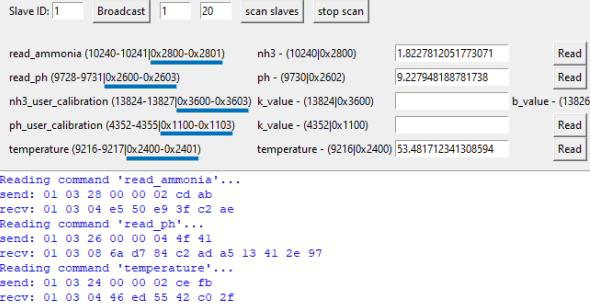
From the testing software output you provided, the data type should be either 32-bit or 64-bit float, not HEX. For testing purposes, please try changing only the byte order. In your screenshots, the hexadecimal register numbers (highlighted in blue) are displayed after the decimal ones, which might have caused some confusion:
After some further analysis from gathered information:
Ammonia and temperature data appear to be stored in 2 registers (4 bytes). Here, as mentioned in the beginning, please set the data type to 32-bit float and try different byte orders.
pH seems to be stored in 4 registers (8 bytes). Here, a 64-bit float data type should be used, again testing with different byte orders.
Please give this a try and let me know how it goes.
I don’t see how the data type would cause operation timeout errors and HEX decoding should always work regardless of what the intended data format is supposed to be.
All the values are supposed to be stored in float32_4321, but pH requires you to read 4 registers and only use the last two.
I added entries to read ammonia in the different byte/word orders
Apologies for the delay. Thank you for the update and sharing the results of the performed tests.
Could you please confirm whether this issue is still relevant? If so, could you try increasing the request timeout value to, for example, 10 seconds and check if that makes any difference?
If the behavior remains the same, we will likely need to investigate this unusual issue through a private communication channel to review it in more detail.
I figured out what the problem was. The addressing in the UI is zero based so in order to access 10240 i need to enter 10239. It was a bit confusing as the other addresses worked, but i didn’t check to closely if these values made sense.