Hello Community,
I’m having an issue connecting my brand new RUTM08 to the RMS. I’ve already tried unregistering and re‑adding the device.
I tested the device on my desk, and even when I open the web admin interface and try to reconnect it from the RMS page, it still says:
“Device is not registered in RMS. Please log in to rms.teltonika-networks.com and add this device to your account device list.”
I called Teltonika support, and they suggested posting this issue on the forum.
Any help would be greatly appreciated!
Greetings, @SoftwareBalti,
Welcome to Teltonika Community!
To continue the investigation, could you please provide screenshots from Services → Cloud Solutions → RMS? This information will help me better understand the current configuration and the device status.
Additionally, please let me know if there are any error messages shown next to the device in the RMS system. If so, a screenshot of the error message would be very helpful for further analysis.
You may also find this troubleshooting guide useful, as it covers the most common reasons why a device may appear offline or not activated in RMS:
Since this is a public forum, please ensure that any sensitive information (such as serial numbers, MAC addresses, or other identifiable details) is blurred or removed before sharing screenshots.
I look forward to your reply.
Best wishes,
V.
Here is a screenshot of the RMS settings:
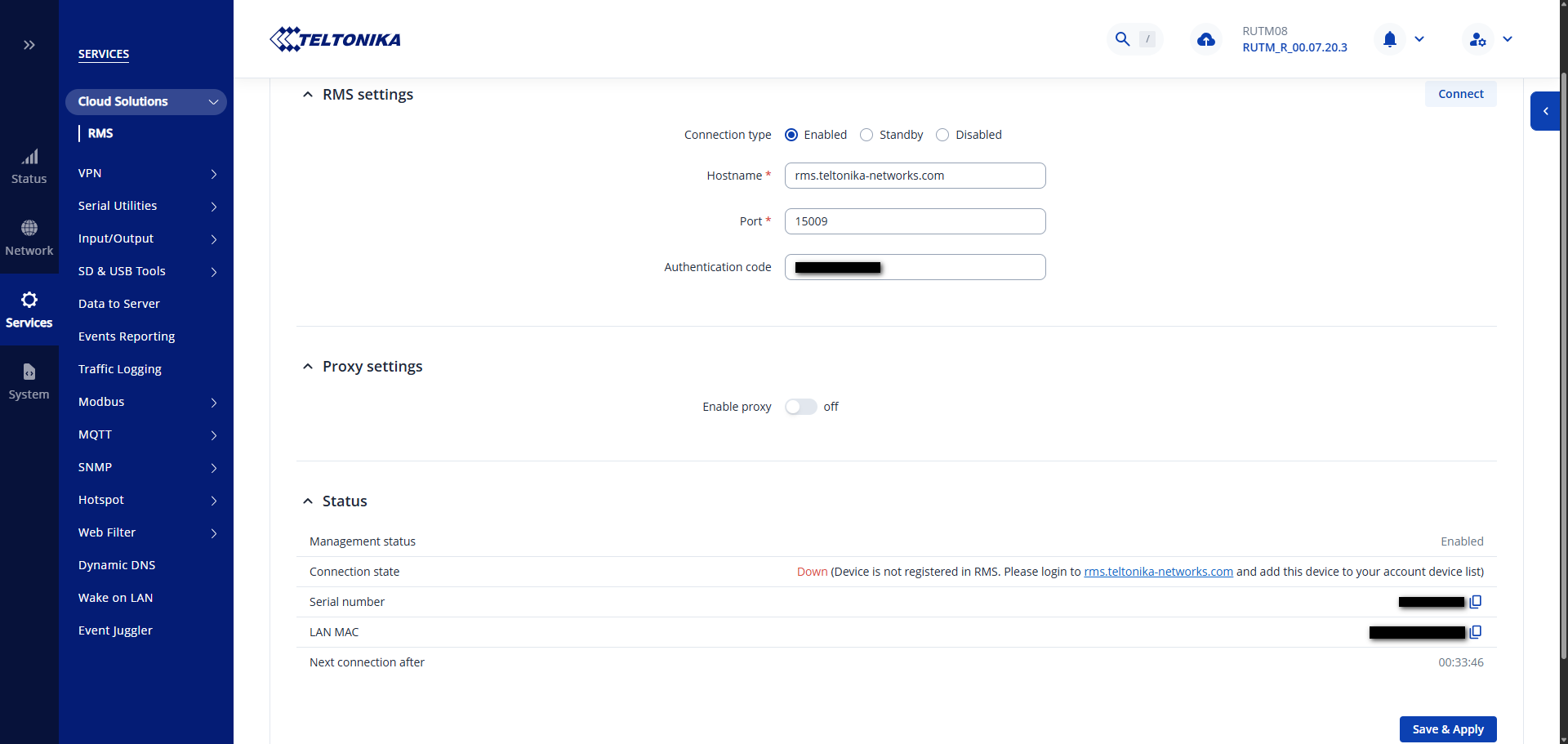
There are no error messages shown next to the device.
Any help would be greatly appreciated!
Balti
Hello,
For troubleshooting purposes, we will require more sensitive information from your end, such as the troubleshoot file, which may contain passwords, public IP addresses, serial numbers, and such. To avoid leaking this information, we have sent you a form to fill out, which you will receive in your e-mail inbox that you have registered your account with in the forums. In the Ticket ID field of the form, please enter the ID of this thread, which is 17575.
Thank you,
V.
Greetings, Marco,
I hope this email finds you well.
Below is a brief summary of our remote session. The initial issue was that the user was unable to reach end devices in the router’s LAN via the RMS VPN Hub. During the session, I reviewed the VPN Hub configuration, including routes and clients, and re-pushed the configuration to the router. I also verified the router’s settings, enabled masquerading, and checked the LAN configuration to ensure consistency on both sides.
After additional testing, it was identified that existing port forwarding rules were overlapping with the RMS VPN Hub configuration. Once these port forwarding rules were disabled, the end devices became reachable via the RMS VPN Hub.
At this stage, the issue appears to be resolved.
Warm regards,
V.