Hello,
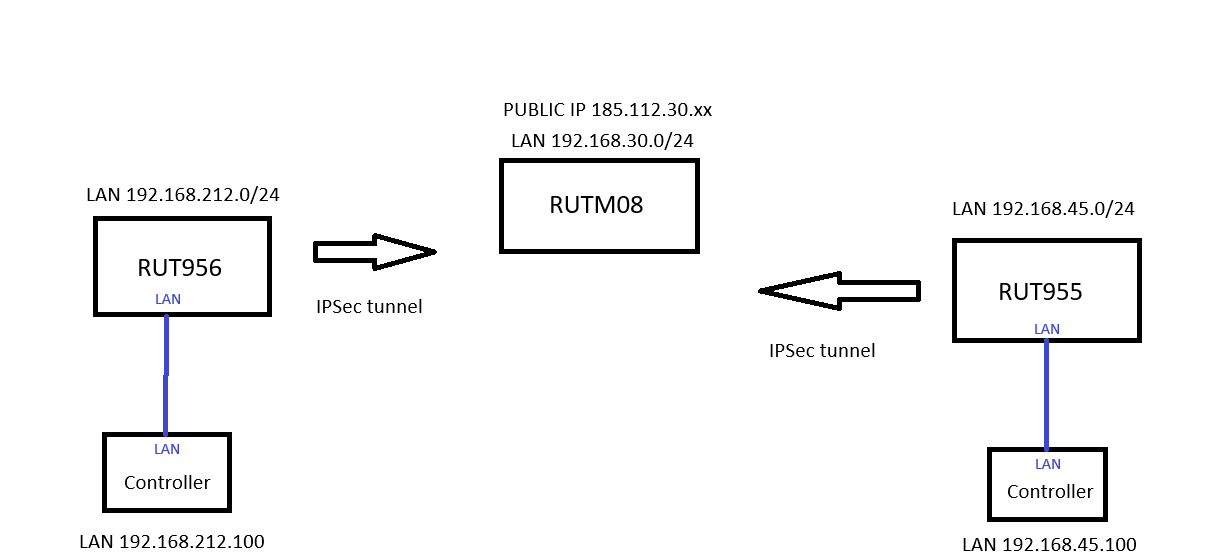
I have a main server Teltonika, and Teltonika A and Teltonika B are connected to it via IPSec tunnels.
From the server Teltonika, I can see both Teltonika A and Teltonika B.
However, I need to make it so that Teltonika A can see Teltonika B, and Teltonika B can see Teltonika A.
Is that possible?
Could you please provide a simple topology diagram including the IP addresses of the hosts and an indication of how the devices should communicate? This would be very helpful and greatly appreciated for understanding your setup.
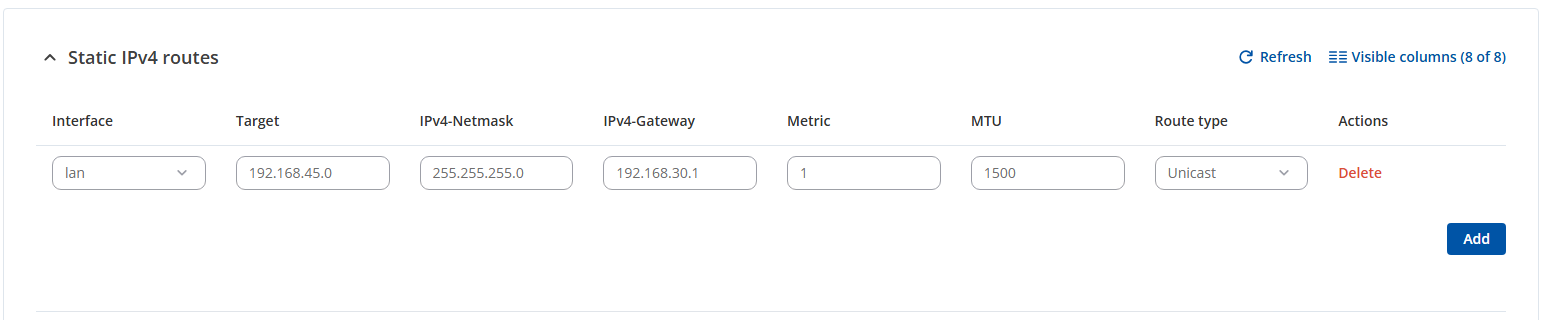
In addition, if possible, please include screenshots showing where the routes were added or any other related configurations that you’ve already tried. Thank you.
I am sending a simple topology including IP addressing.
My goal is for the Controller with IP address 192.168.212.100 to see directly on the network the Controller with IP address 192.168.45.100.
Good day, can’t you think of something I’m doing wrong with the routing? I really need to get it working, but I still don’t know how it should work. Thank you
Thank you for your update and for providing the setup, topology, and your current configurations. Eventually, I’ll try reproducing an identical IPsec setup with routing on my side and will update you here after testing and findings on how the routing configuration should look to align with your scenario.
In the meantime, thank you for your patience and understanding.
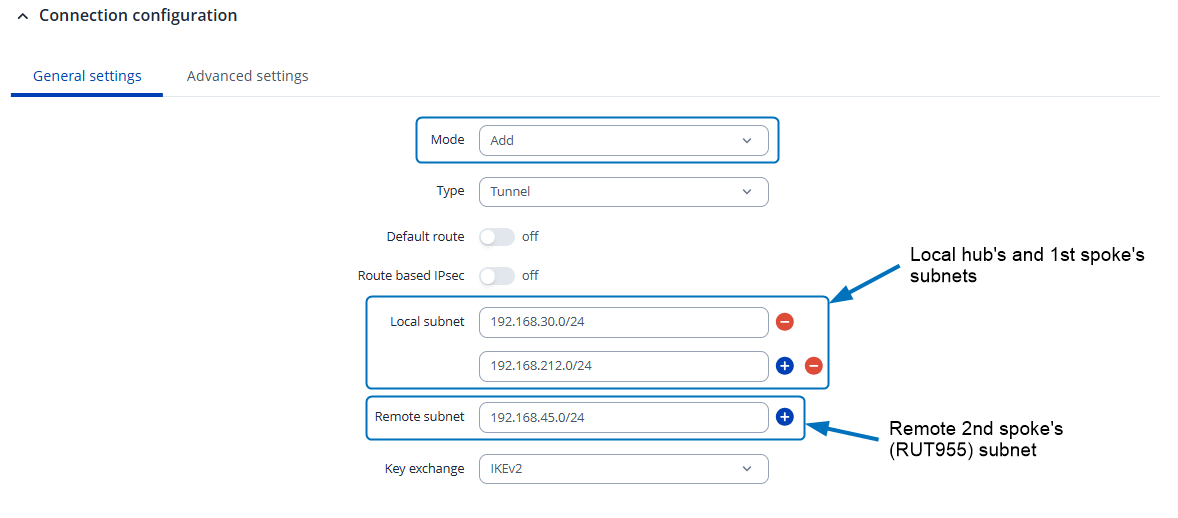
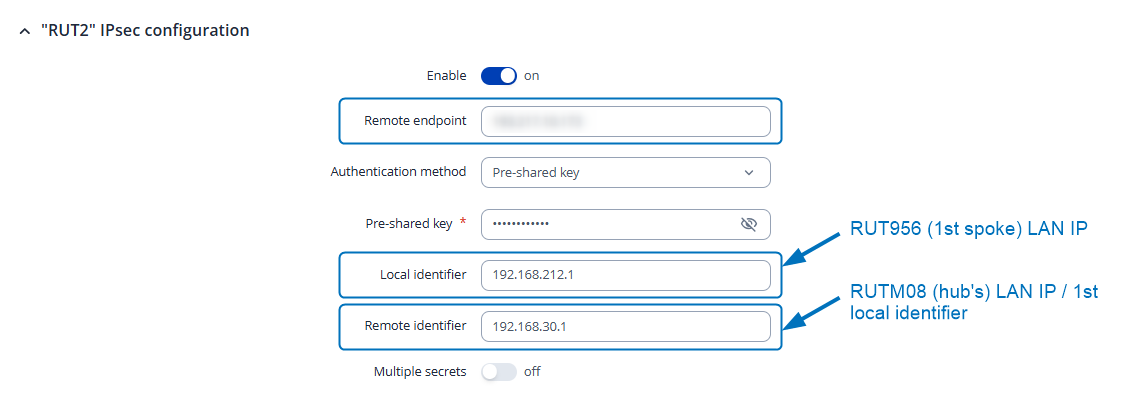
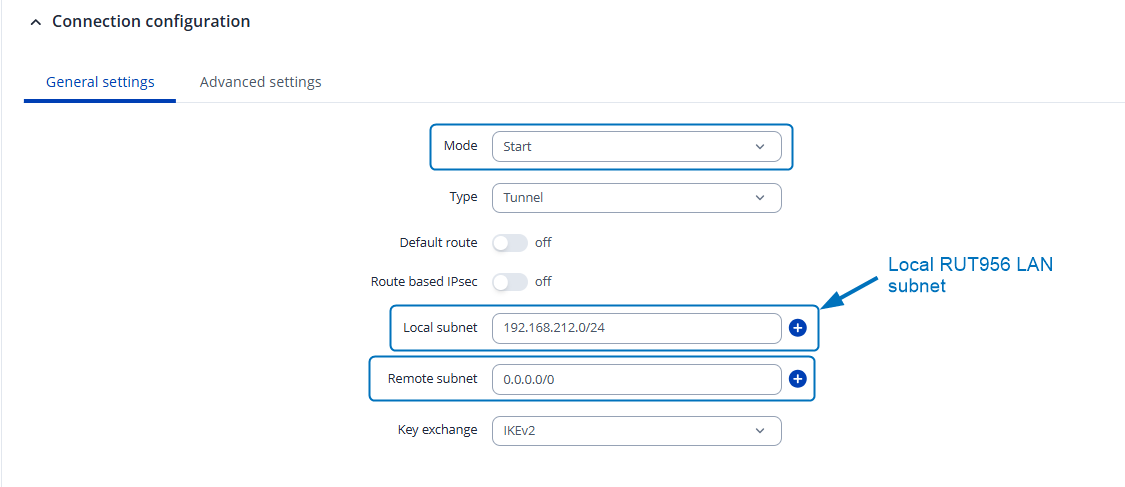
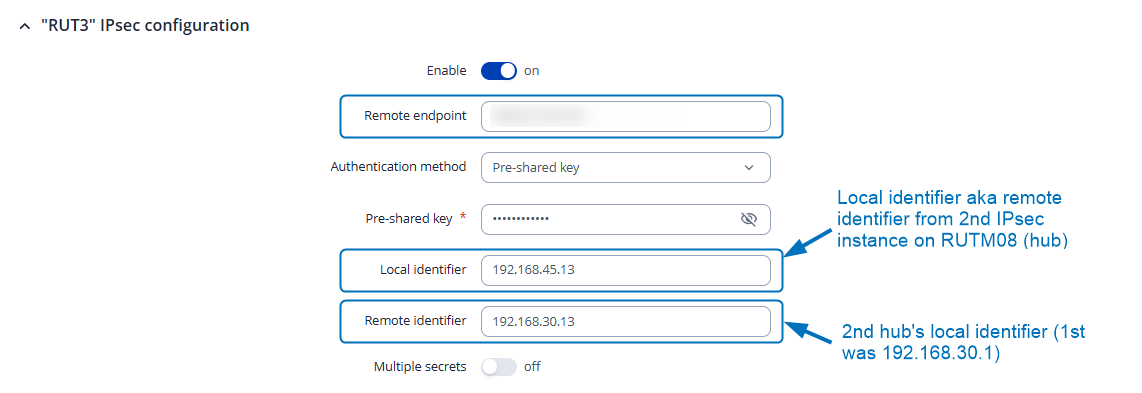
In your specific case, this setup for accessing each spoke’s LAN network can be achieved without adding static routes. Apologies for any earlier confusion on this point. However, please note that the required IPsec configuration will differ from the example described on our wiki page (this one).
I have replicated a similar setup on my end, and as a result, the IPsec spokes’ (clients) LAN networks were successfully able to communicate with each other.
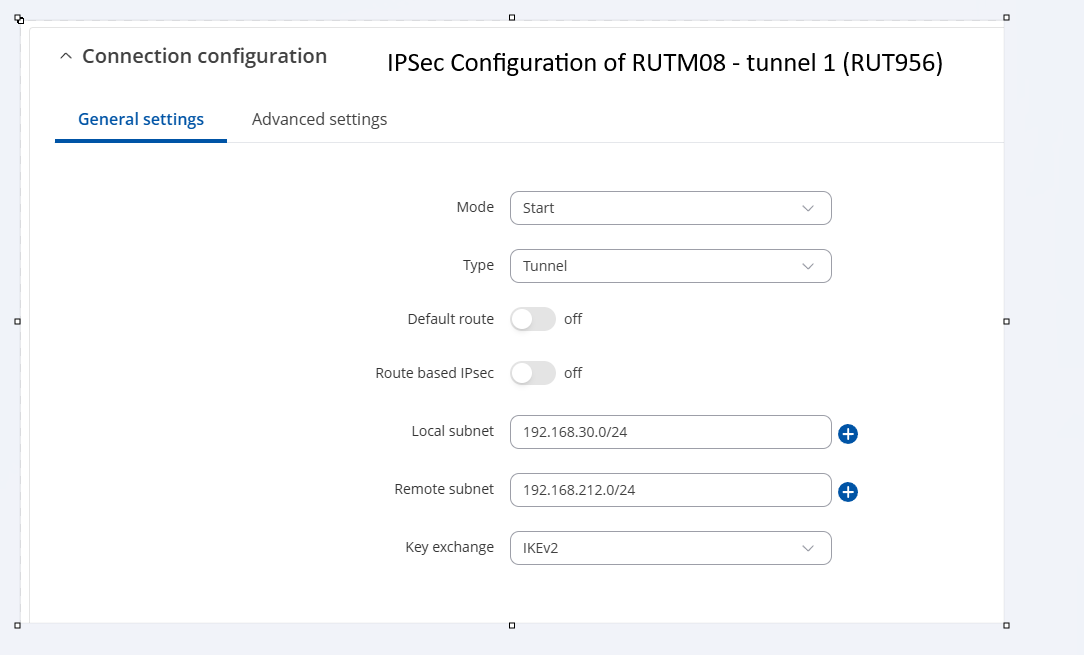
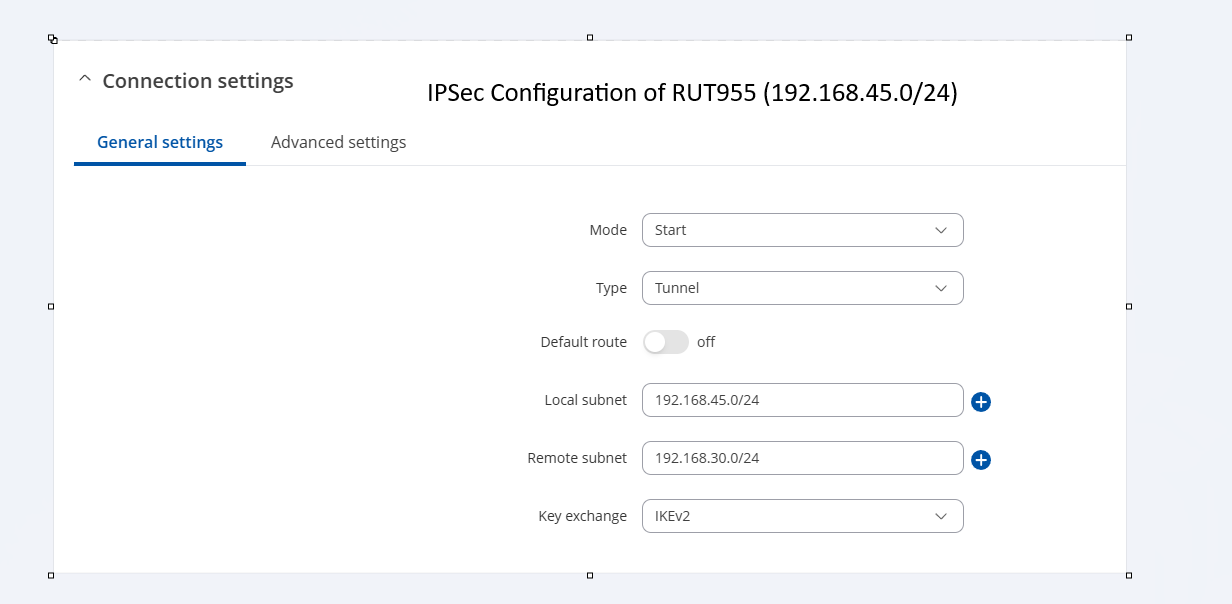
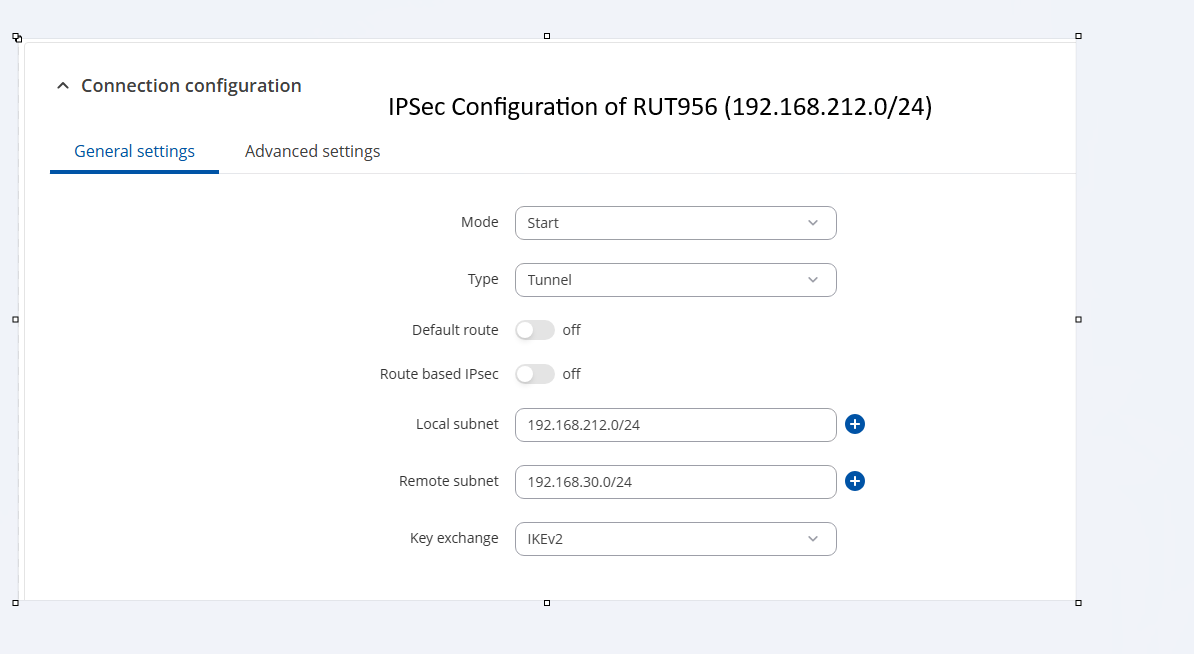
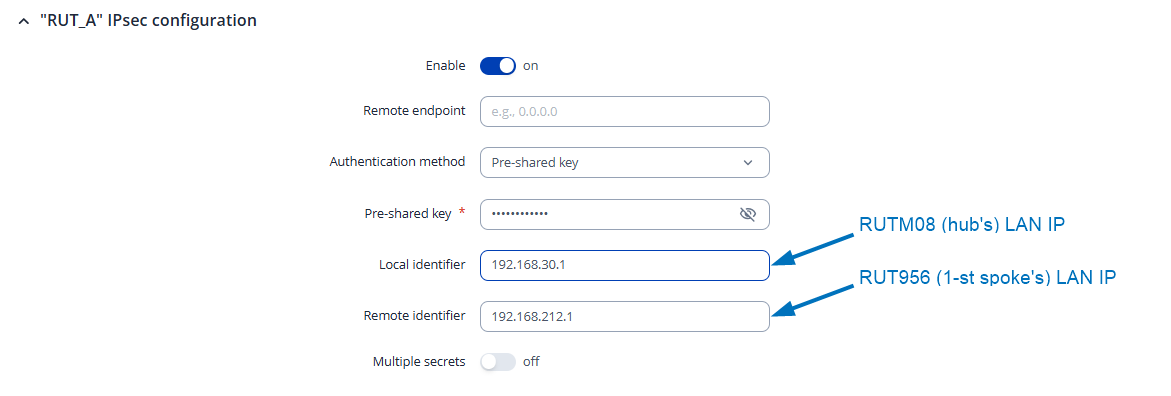
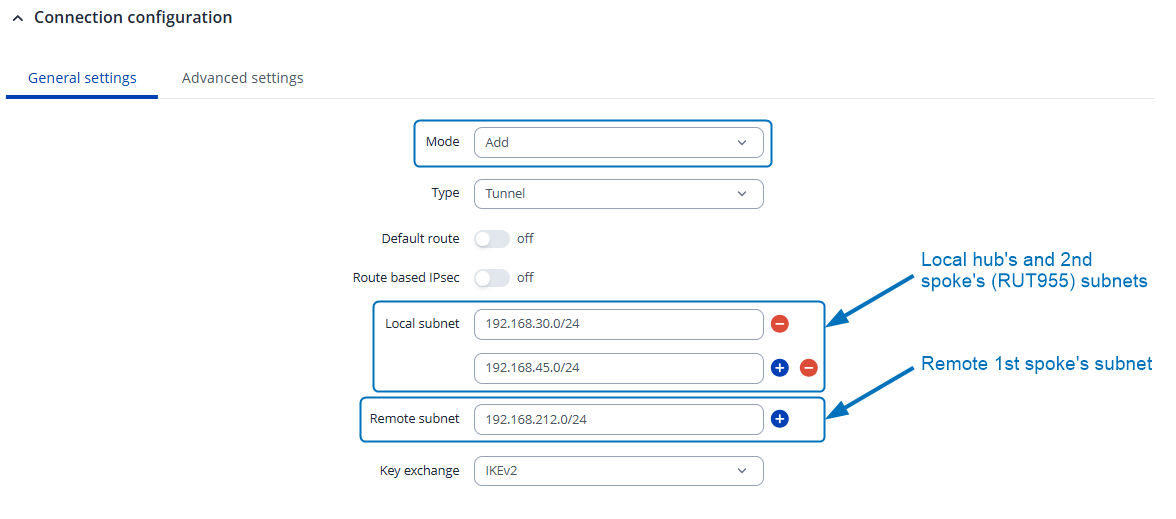
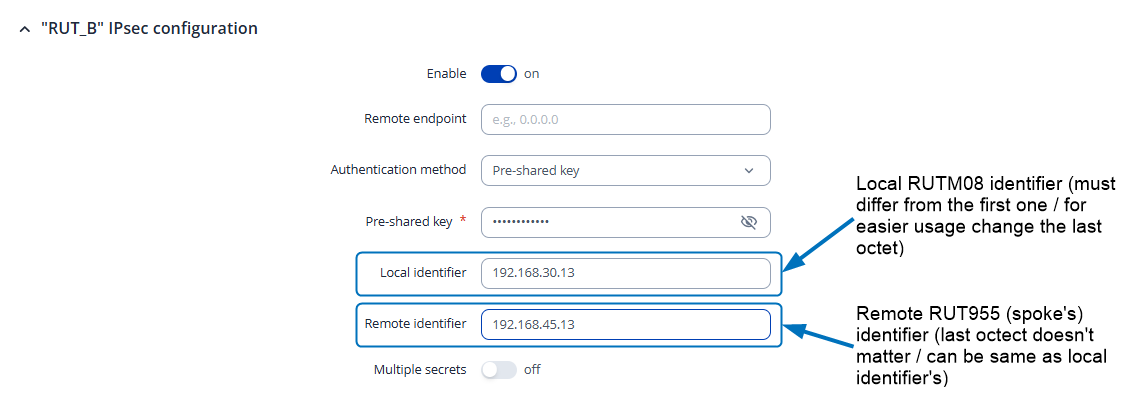
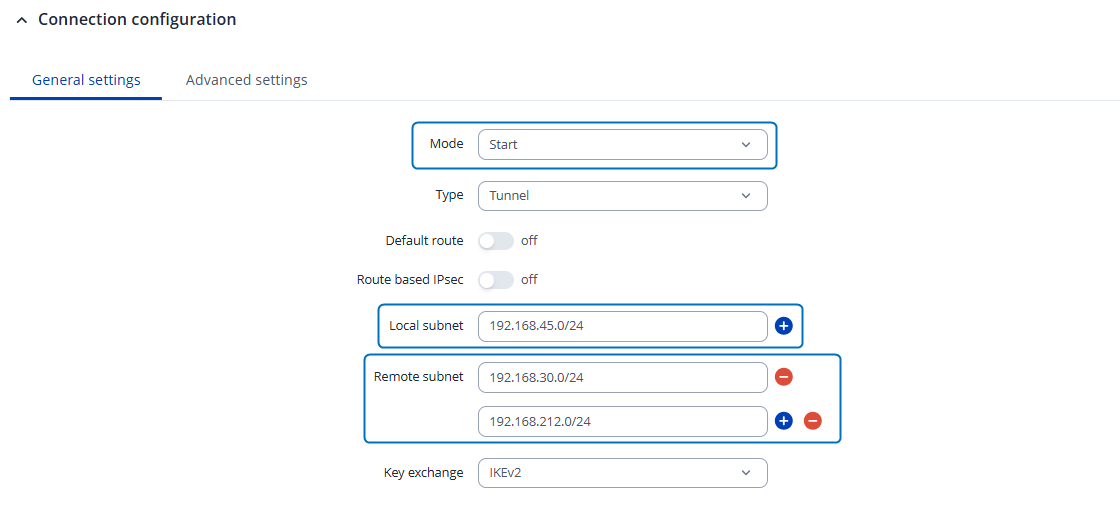
To achieve your desired scenario, please carefully follow the guidelines shown in the screenshots below:
1. On the IPsec hub/server (RUTM08), create two IPsec instances according to the configuration settings shown in the screenshots:
P.S. ensure proposal configuration settings match on both phases.
This configuration doesn’t require adding static routes, however, it is a bit more complex, but at the end, both IPsec spoke’s LAN networks should be able to communicate with each other.
I hope this setup works for you, and if you need assistance or face any difficulties with configurations, feel free to share/reach out here.