Hi,
We have been using RMS for several years. For some customers we don’t keep RMS active all year. We only activate a credit when a device needs a firmware update or a configuration change. While doing this, I noticed two things:
1. Credits are consumed even when the device is offline
When I activate a credit on a device, one credit is always used, even if the device never comes online. Even after a month without any activity, the credit is still gone. For our way of working, it would make much more sense if the credit only started counting once the device actually connects to RMS. Alternatively, a credit that went unused within its period could be returned.
2. No bulk way to see which devices are waiting for a credit
I have 100+ devices that are online but have no active credit. I can see the difference one device at a time under Device info, in “Latest connection attempt (last 7 days)”:
- Online, waiting for a credit: “Device could not connect to the system – device did not have an active credit”, with a recent timestamp.
- Offline/inactive: “No latest connection attempts were found”.
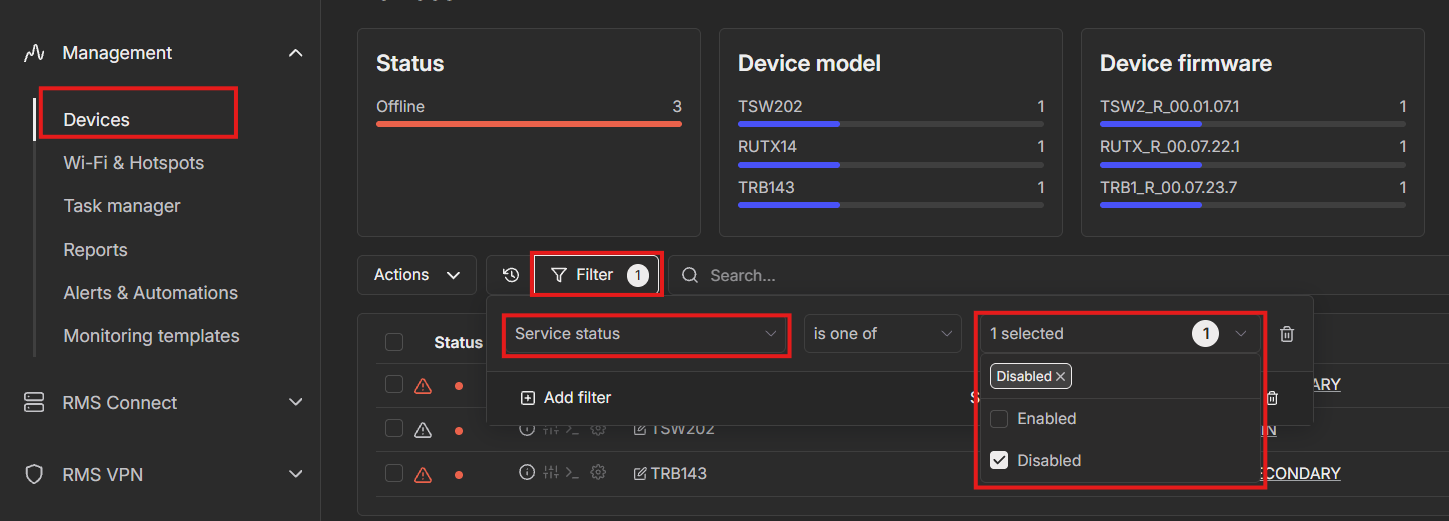
I can’t find this information in the device list, as a filter, or in an export. I know how to assign credits in bulk. The problem is that the device list doesn’t show which devices are actually online and waiting for a credit, so I can’t make the right selection.
What I’m looking for is a column, filter, export (CSV) or API endpoint showing the latest connection attempt per device. With that, I could select only the devices that tried to connect in the last 24 hours or 7 days but were refused for lack of a credit, and spend credits only on devices that will actually use them.
Is there an existing option for either of these that I’ve missed? If not, could they be considered as feature requests? Together, they would let us use credits much more efficiently.

or

Thanks in advance,