Hello,
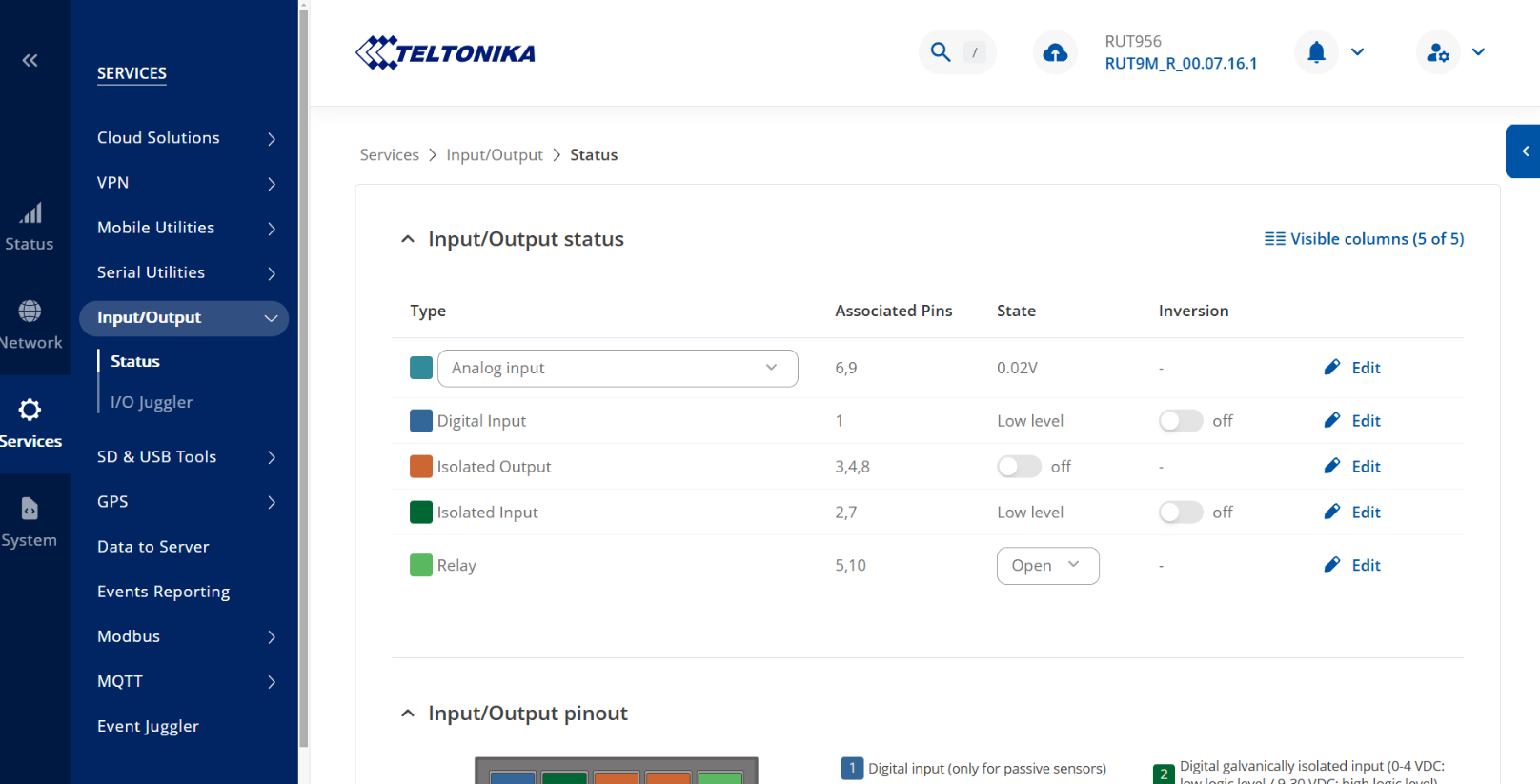
Hopefully you are doing fine, I am not able to see the I/O Status change when connecting the pins with Power supply of 5V.
Can you please tell me is it even possible to see the voltage from pins in the teltonika router page?
Hello,
Hopefully you are doing fine, I am not able to see the I/O Status change when connecting the pins with Power supply of 5V.
Can you please tell me is it even possible to see the voltage from pins in the teltonika router page?
Hello,
I see that you already have an ongoing conversation regarding this question here: Get I/O Pin Value/Status On the MQTT Response - #10 by z.hanif. I kindly ask you to continue the discussion in your original post.
Thank you!
Best regards,
Hello,
Can we not break the problem into smaller parts and ask questions related to that, Otherwise it is becoming complicated to explain the whole situation in one ticket and in the end after waiting for whole day, I get a simple reply that he didnot understand what I wanted to say. This is very frustrated.
Hello @z.hanif,
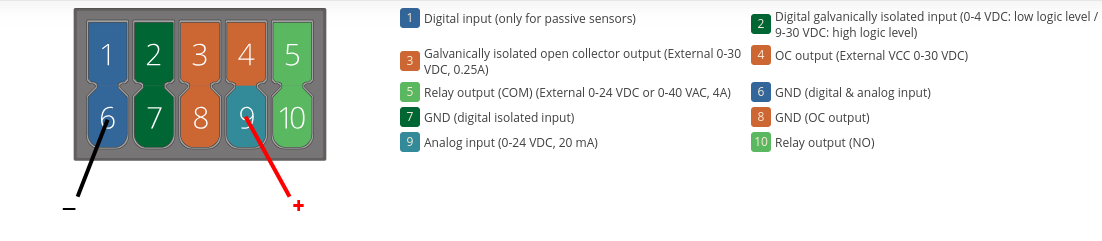
The first thing that stands out in your setup, based on the screenshot you shared in your previous topic, is incorrect wiring for analog input. Specifically:
With this corrected wiring, you should be able to see the PSU voltage correctly displayed on the I/O Status page of the router.
Best regards,
Hello,
Thank you for the information, I was hoping to see the digital input values somehow but for the testing purpose I can also check this out and see whether there are any live changes happening on the I/O Status page next to Analogue input.
Regards
Zain
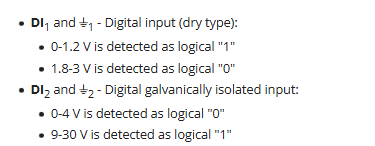
If, in case you need to see digital input values, then digital input pin 2 and GND (pin 7) should be utilized. Additionally, to mention, pins 1 and 6 are passive ones, meaning no voltage has to be given to them, therefore, they are not designed for measuring PSU voltage, as they are dedicated specifically for passive sensors.
Hello,
Thank you for that information, I believe this was the thing that I was doing wrong.
Can you also tell me whether I will be able to see the voltage or status change for digital pin from the same I/O Status page? I am asking because I cannot see any box like thing there to see the value.
Regards
Zain
You’ll only see the status state, low or high, of digital inputs, as described in the I/O status wiki page (here):
where “value”: “0” means low level state and “value”: “1” means high level state.
Hello,
Thank you for the support. It was very helpful. Now we are able to change the status using the above configuration of DIN.
Can you please tell me how can I get that output value in the MQTT. What is the best and easiler way to do it?
I would really appreciate your help.
Regards
Zain
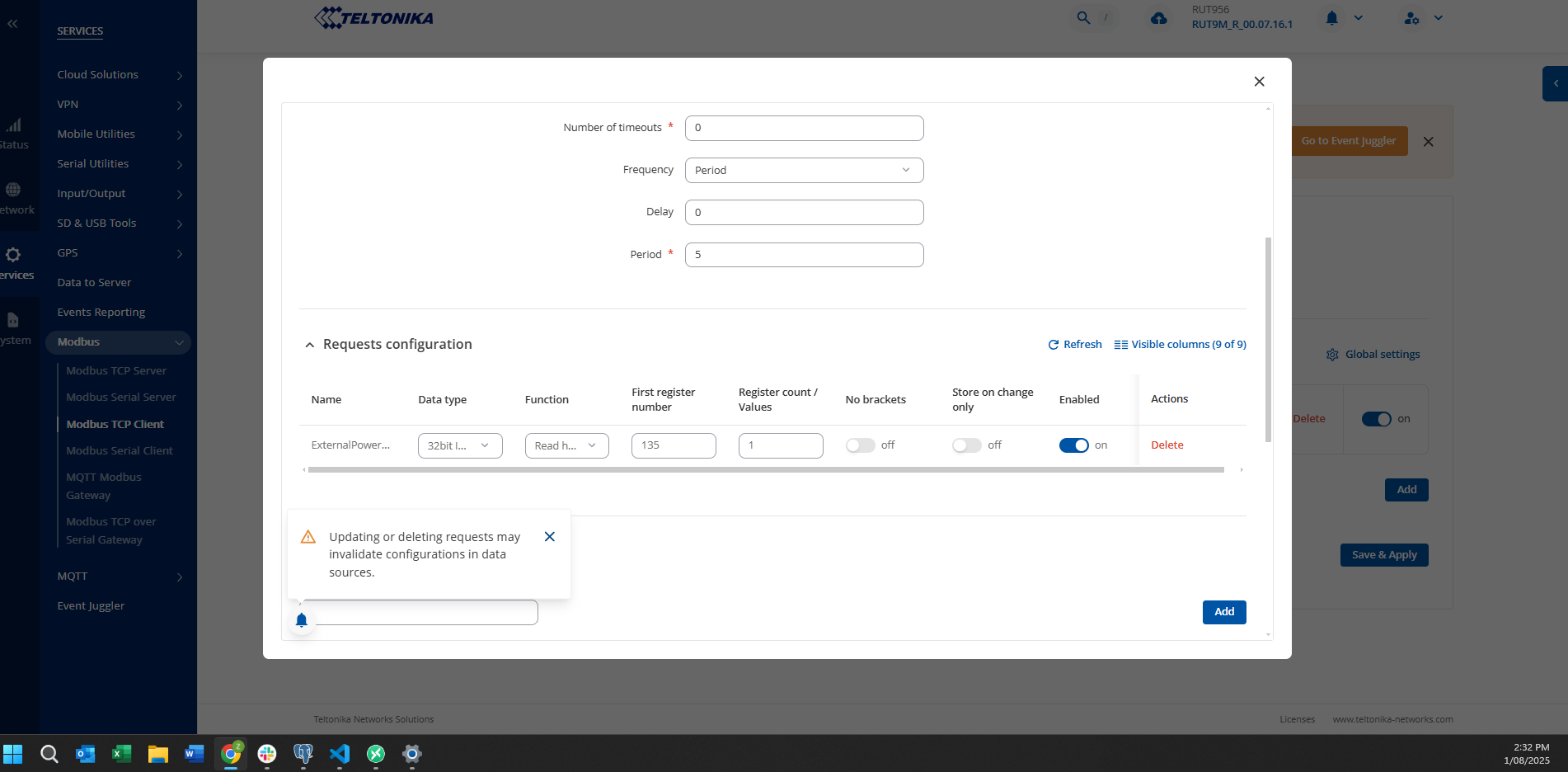
Just for the information. I was using modbus in order to get the data, I have done the whole configuration but I am still getting 0 instead of 1. Maybe the register value is wrong?
Hello,
Apologies for the delay.
For reading the DIN (pin 2) via Modbus, the first register should be set to 136 with a register count of 2. This should allow the data to display correctly. Please also double-check that the Modbus TCP server is enabled on RUT.
If you need to publish this data to your MQTT broker, you can use the Data to Server feature with the MQTT protocol to send the DIN Modbus register data.
You can find more information about the Data to Server feature here:
Feel free to reach out if you have any other questions or need assistance with setup.
Best regards,
Hello, No problem, I have already tried the above method and it actually works for me. Thank you for your support
This topic was automatically closed 2 days after the last reply. New replies are no longer allowed.