After performing a factory reset on the RUTX11 router via SMS command, the 4G connection stopped working. It was functioning normally before the reset. Could you advise whether this is likely a hardware or software issue?
Currently, the 3G and 4G LEDs are blinking simultaneously.
Details:
Firmware version
RUTX_R_00.07.15.4
Kernel version
6.6.87
System logs
6607 Fri Sep 19 01:03:14 2025 daemon.info modem_trackd[2771]: [lmctl_gpio_modem_off:647] error: Unable to turn off 3-1 modem, please repeat this operation
6608 Fri Sep 19 01:03:16 2025 daemon.info modem_trackd[2771]: [get_modem_info:239] error: Unable to retrieve modem usb info (No error information)
6609 Fri Sep 19 01:03:16 2025 daemon.info modem_trackd[2771]: [get_modem_info:245] error: Unable to retrieve modem timing info (I/O error), using defaults...
6611 Fri Sep 19 01:04:16 2025 daemon.info modem_trackd[2771]: [look_modem_ubus_method:242] error: Failed to find gsm.modem0 ubus object restaring modem via GPIO
6612 Fri Sep 19 01:04:16 2025 daemon.info modem_trackd[2771]: [get_modem_info:239] error: Unable to retrieve modem usb info (No error information)
6613 Fri Sep 19 01:04:16 2025 daemon.info modem_trackd[2771]: [get_modem_info:245] error: Unable to retrieve modem timing info (I/O error), using defaults...
6614 Fri Sep 19 01:04:16 2025 daemon.info modem_trackd[2771]: [get_modem_info:239] error: Unable to retrieve modem usb info (No error information)
6615 Fri Sep 19 01:04:16 2025 daemon.info modem_trackd[2771]: [get_modem_info:245] error: Unable to retrieve modem timing info (I/O error), using defaults...
6616 Fri Sep 19 01:04:57 2025 daemon.info modem_trackd[2771]: [get_modem_info:239] error: Unable to retrieve modem usb info (No error information)
6617 Fri Sep 19 01:04:57 2025 daemon.info modem_trackd[2771]: [get_modem_info:245] error: Unable to retrieve modem timing info (I/O error), using defaults..
May I ask if you have physical access to the device? If so, please try the following steps:
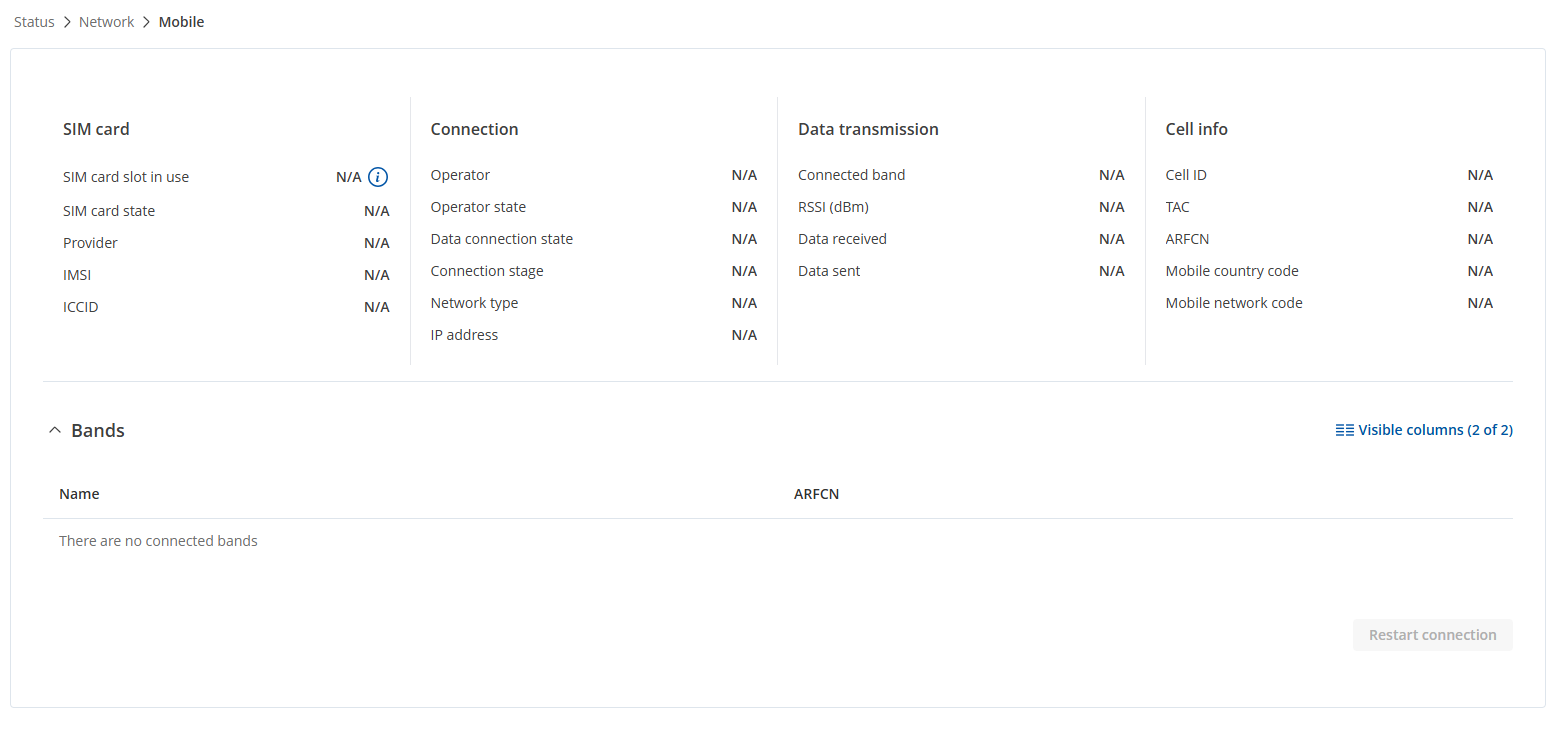
Reinsert the SIM card and restart the connection via Status → Network → Mobile. If not done already, please also power cycle/hard reboot the device first.
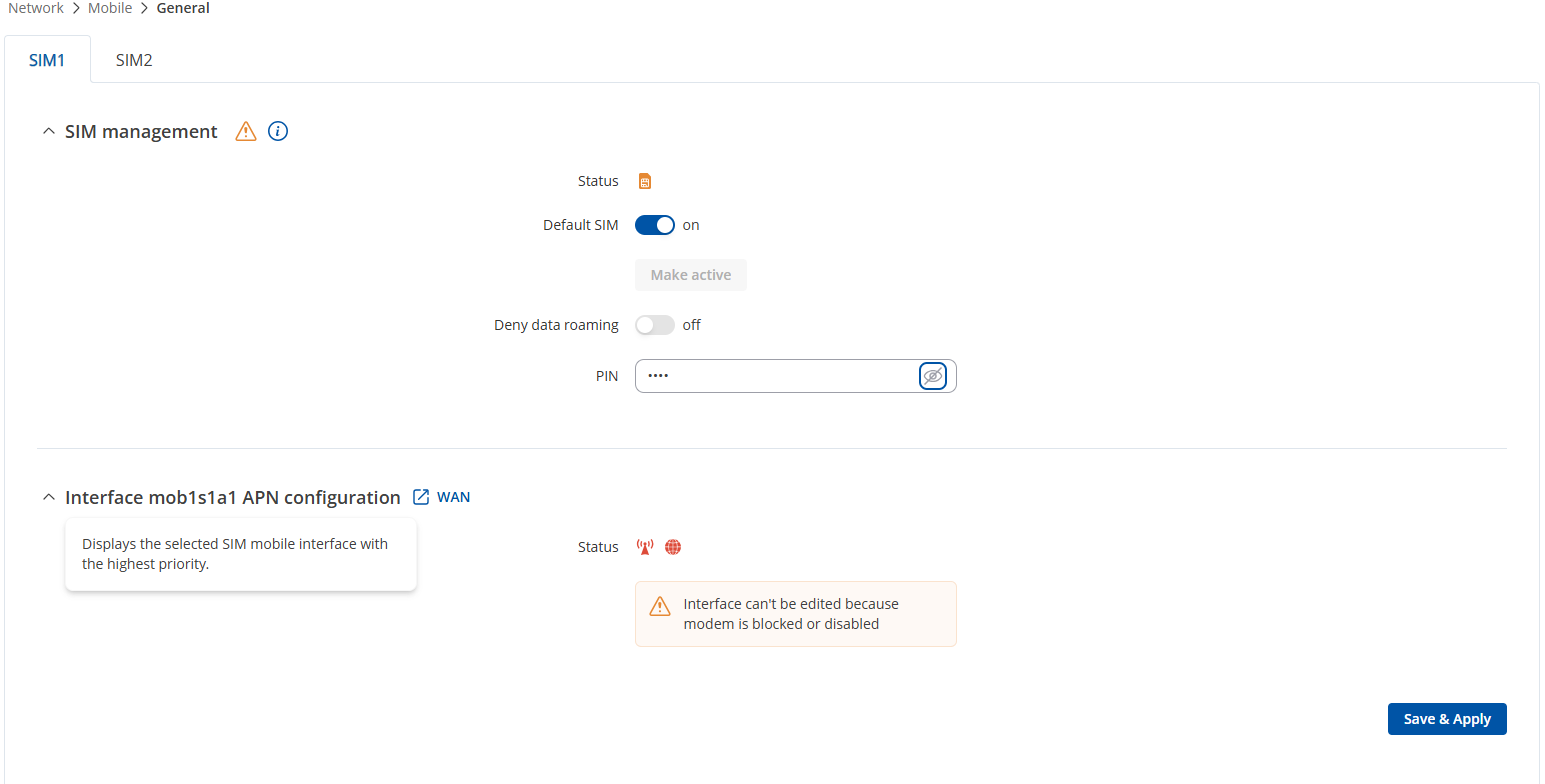
Make sure that if a PIN code is required, it has been correctly entered under Network → Mobile → General settings.
If the issue persists, please connect to the device CLI and provide here with the output of the lsusb command.
As an additional test, you can also try flashing the latest stable firmware through the bootloader. Instructions for this process can be found here.
root@RUTX11-EU-Industrial-Crane:~# lsusb
Bus 003 Device 001: ID 1d6b:0002
Bus 001 Device 001: ID 1d6b:0002
Bus 001 Device 002: ID 05e3:0610
Bus 002 Device 001: ID 1d6b:0003
Bus 001 Device 003: ID 0a12:0001
Bus 003 Device 002: ID 2c7c:0306
Thank you for the updates. In this case, to determine if the modem can still be recovered, we’ll need to continue this process privately, because sensitive/publicly unshareable information, such as the troubleshoot file, logs, serial numbers, etc., needs to be collected.
You should find a support request form in the inbox of the email address you used for your forum registration. Kindly fill out the form, and please reference Ticket ID: 15604 when submitting it. Once the form is completed, we’ll contact you directly via email to investigate the issue in detail and help work towards a solution.