Greetings,
Sorry for the delayed response.
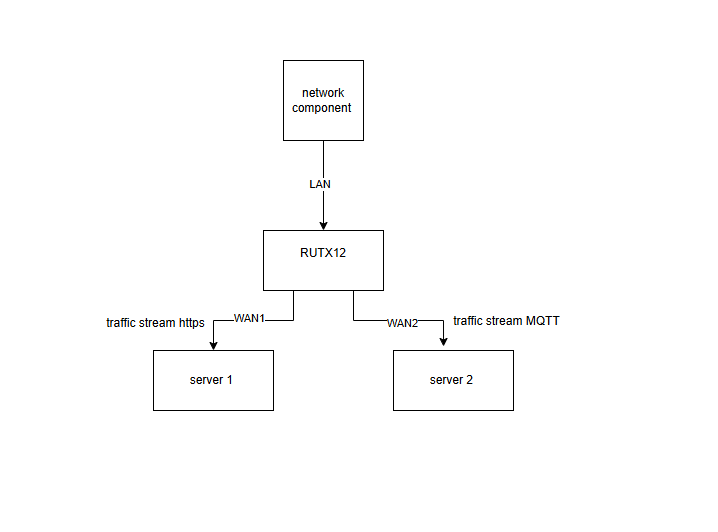
Could you please clarify the intended use case for this configuration? Did I understand correctly that you want to route MQTT traffic that originates from devices connected to the LAN network through the WAN2 interface?
To accomplish this, we will need to use Policy Based Routing with Firewall Marks and custom firewall rules for them. We will configure the firewall rules to identify and digitally tag all MQTT traffic (port 1883 and 8883), that originates from your LAN devices. A routing policy will then detect these tags and automatically divert that specific traffic through the secondary WAN2 interface. Meanwhile, all remaining untagged traffic will continue to use your primary WAN1 connection by default.
Keep in mind that this configuration tags the traffic based on the destination port number and uses stateful firewall features. If you need to identify the traffic based on something else and not the port number, we will not be able to achieve such a result, because a Next-Generation Firewall is needed for that and we don’t have this feature.
If you aim to redirect MQTT traffic originating from the LAN interface, please follow the steps below.
Go to Network → Routing → Policy Based Routing.
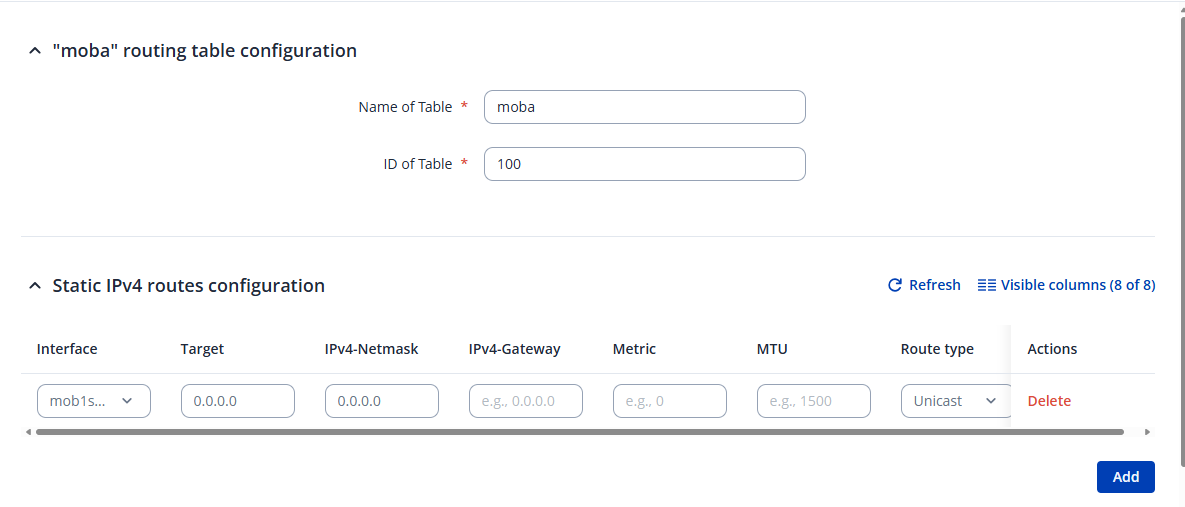
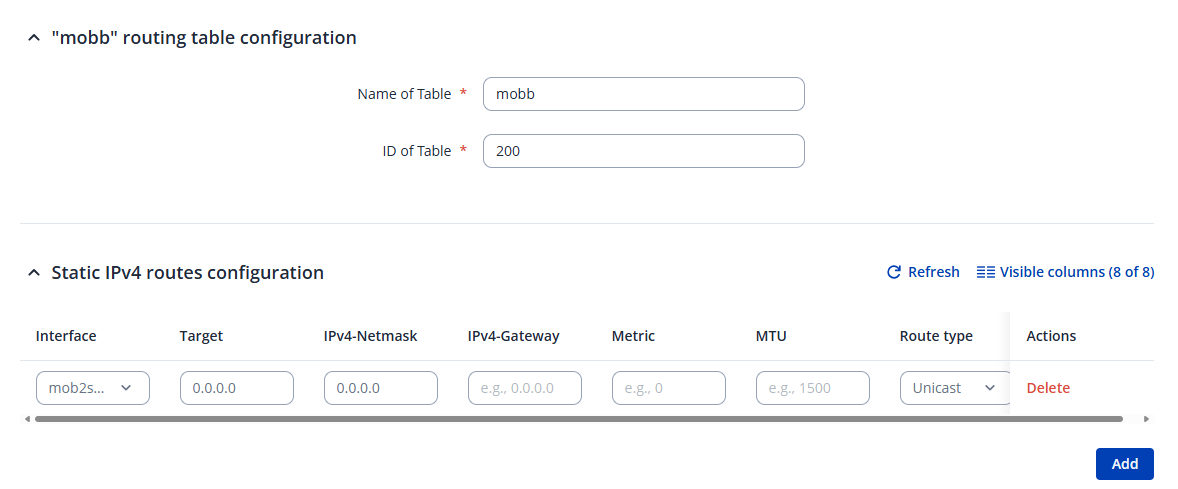
Create two new instances, one for each WAN interface. Enter the ID, configuration name, and click Add.
In the example below, I’m using two mobile interfaces (WAN1 as the main interface). If your setup is the same, there’s no need to specify the gateway. Configure the new routing tables as shown in the screenshots: shown in the pictures.
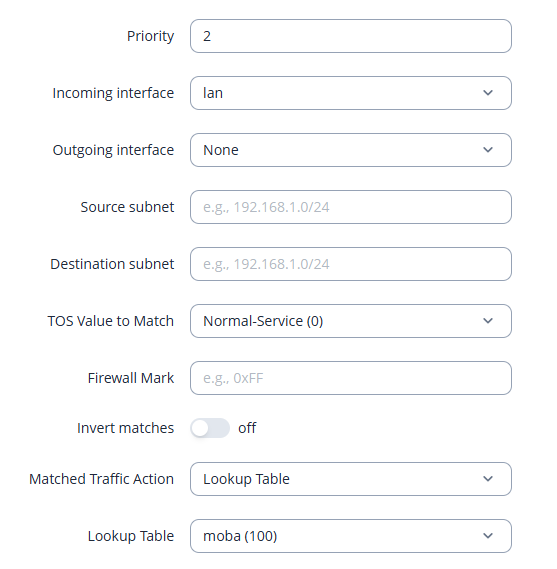
Next, add two routing rules under Network → Routing → Rules.
Again, configure them as shown in the examples below. Remember to specify the Firewall Mark in the routing rule that selects the WAN2 interface table.
Navigate to Network → Firewall → Custom Rules and paste the following commands:
iptables -t mangle -A PREROUTING -p tcp --dport 1883 -j CONNMARK --set-mark 10
iptables -t mangle -A PREROUTING -p tcp --dport 8883 -j CONNMARK --set-mark 10

iptables -t mangle -A POSTROUTING -j CONNMARK --save-mark

iptables -t mangle -A PREROUTING -j CONNMARK --restore-mark
These rules mark TCP packets with destination ports 1883 (default MQTT) and 8883 (MQTT over SSL/TLS).
If your MQTT setup uses different ports or UDP, adjust the rules accordingly.
After applying the rules, restart the firewall using the router’s CLI: /etc/init.d/firewall restart
For instructions on how to access the CLI, please refer to the guide below: Command Line Interfaces - Teltonika Networks Wiki
Best Regards,
Justinas