How to enforce strict DNS?

I have a rutc50 with 7.17 firmware

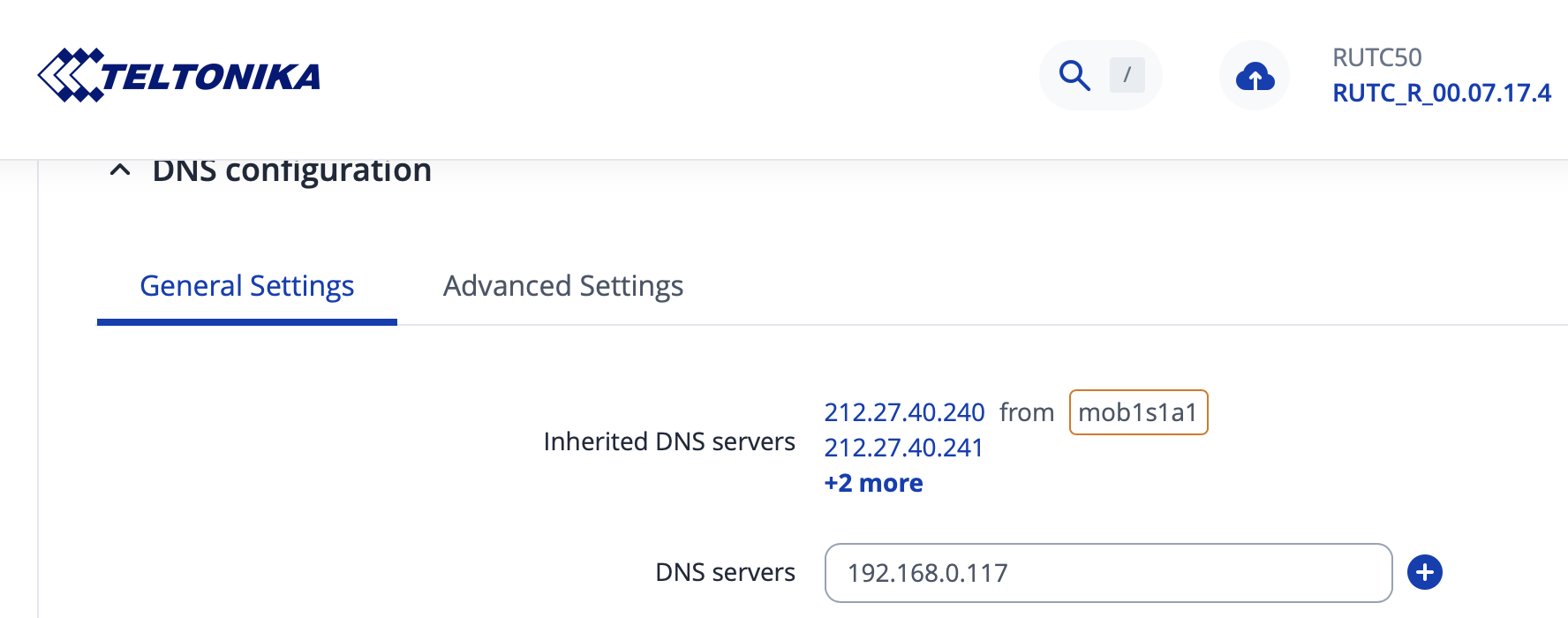
in Network > DNS I have set my LAN pi running adguard home to be the DNS

It seems to work for my wired LAN computer (I can see it requesting in adguard panel) but cannot see other devices.

looking at DNS I see inherited DNS from the 5G connection.

How do I make sure ALL devices use my custom DNS ?

Greetings,

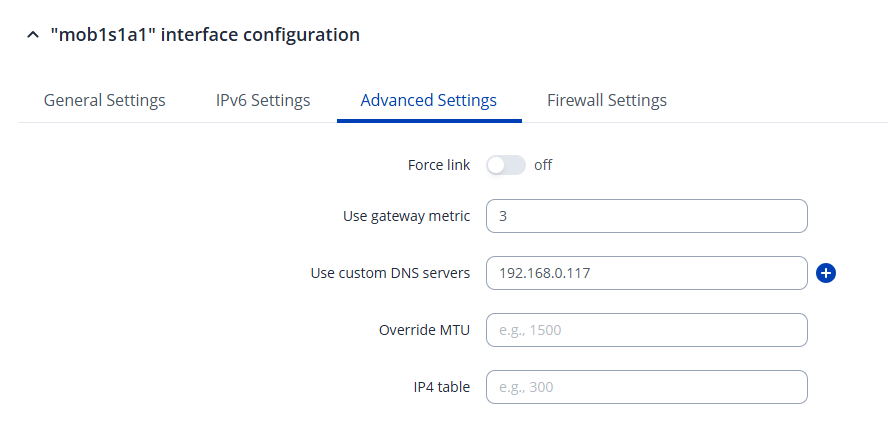
If you want to remove the inherited DNS servers entirely, you can do so by navigating to Network → WAN and then editing the mob1s1a1 interface. Under the Advanced Settings tab, you’ll find a “Use custom DNS servers” field. There, you can enter the DNS addresses (e.g., 192.168.0.117) to set it as your primary server explicitly. This will override any automatically assigned DNS and ensure only the specified server is used.

Here you can find some more information about the DNS settings: RUTC50 DNS - Teltonika Networks Wiki

Best Regards,
Justinas

1 Like

Thank you but Im not sure it solve the issue; I connected my phone to wifi; pinged a domain and it does not show up in adguard. If I set my phone to use the pi dns 192.168.0.117 it works but if I leave the default 192.168.0.1 it does not work so it seems that RUTOS is not enforcing strict dns for all clients
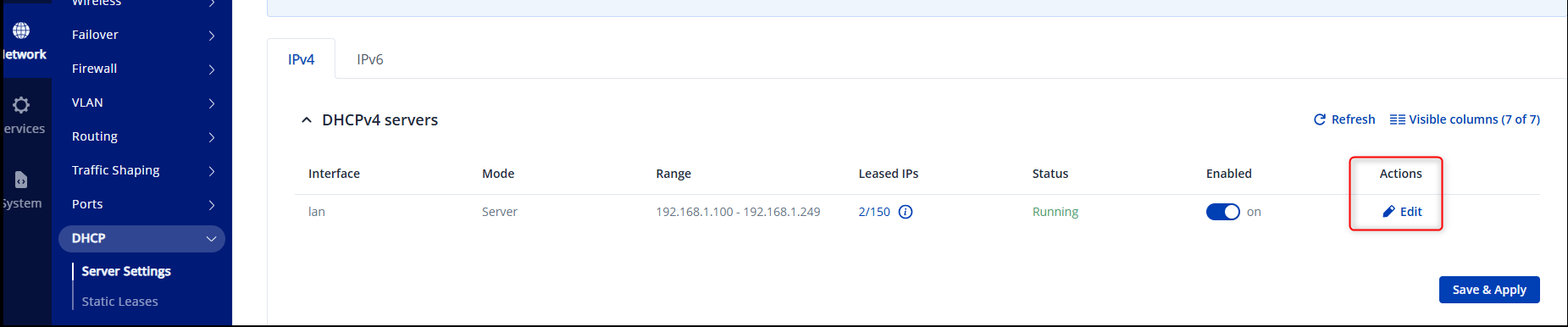
Thank you for the reply, to force the DHCP server settings, this configuration needs to be done. Go to Network → DHCP → Server settings and click Edit


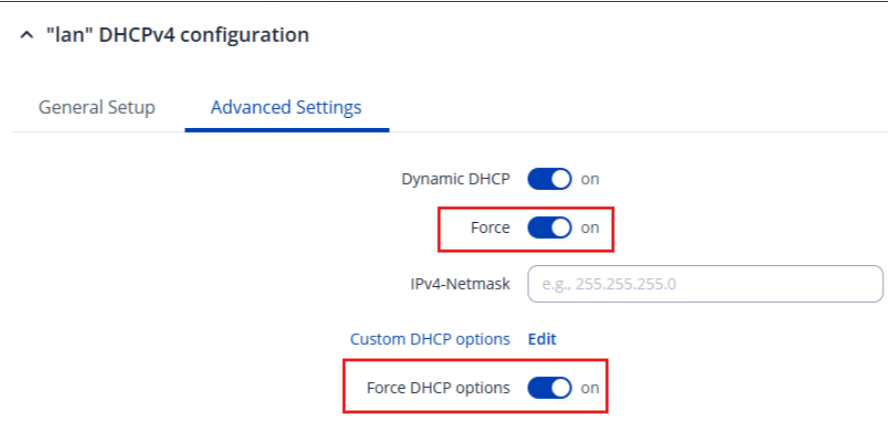
Then go to Advanced Settings and make the following changes:
Force:on
Force DHCP options:on

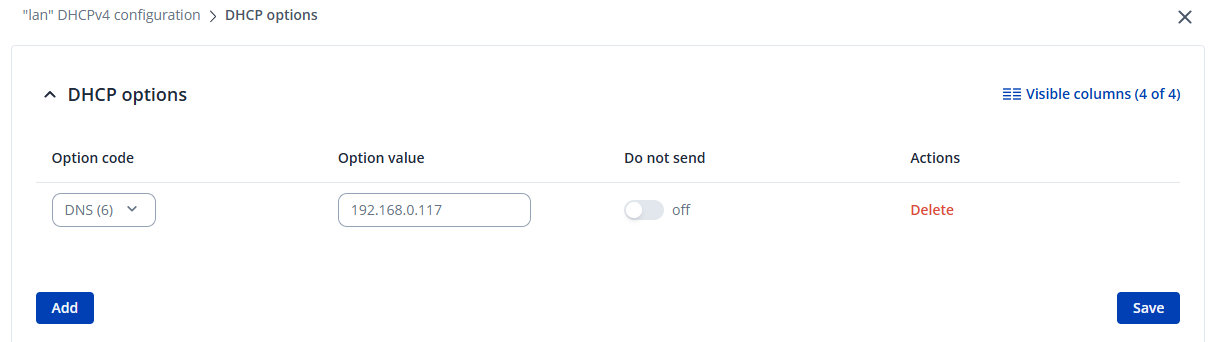
Click Edit on the Custom DHCP options

Click Add, then select the DNS (6) Option code, Option value should be 192.168.0.117


Now click Save, Save & Apply and Save & Apply once more.

Disconnect your devices from the router, connect them again and they should use the custom DNS server now.

Best Regards,
Justinas

1 Like

This topic was automatically closed 2 days after the last reply. New replies are no longer allowed.