With the newest FW changing the structure of the backup files to use the API endpoints for device configuration, I wanted to ask if it is possible to upload the new configuration.json file directly to a device or if I need to specifically upload the backup folder that was generated through RMS?
If we can upload the new configuration.json to a device (on 7.22.0) that would effectively do the same as uploading a backup, where would that file be uploaded to in the device?
The reason I ask is if that I have deployments that make use of relatively similar configurations with the exception of various Port Forward rules.
I have had issues in the past with upload backups to devices despite sharing the same FW and model number (It simply would state an incompatibility) so I have been making use of targeted uploads such as the Firewall file to /etc/config/
I will check with our Research and Development department to confirm whether the configuration.json file can be uploaded directly, and I will get back to you once I receive their feedback.
The json file is not generated, and the old configuration structure (/etc/config/) is preserved in the Backup.
You can also verify this directly on the device, it still uses the old structure, and nothing has changed on the device side.
Therefore, pushing configuration.json directly to the device will not produce the needed result. If you need to apply specific settings by uploading files to /etc/config/ via CLI it will continue to work.
I am SO confused by this new backup system in 7.22.x
Where in the backup is e.g. /etc/crontabs/root? How are custom cron jobs stored in the new JSON backup (I don’t find them anywhere…)
Where is the mention of this new /tmp/configuration.json format in the release notes?
Good to know about the command sysupgrade -b /tmp/backup-${HOSTNAME}-$(date +%F).tar.gz to get the “old” format (the only one that makes sense to me at the moment) but is there a way to configure the device so that the GUI Backup function also creates these “old” files?
What is the benefit of the new backup format please?
I have forwarded a suggestion to our Research and Development department to add an option in the WebUI that would allow users to choose between the new backup structure and the previous one.
The new Backup does not hold cron jobs, because they cannot be created/edited via API.
The main goal and benefit in the end of this change is to have a unified Backup that could be applied to any Teltonika Networks device. With the old structure, this was not possible to achieve.
The new Backup does not hold cron jobs, because they cannot be created/edited via API.
Call me old fashioned, but my expectation of a “backup” is that it contains everything needed to restore a device to its previous state. I would have not launched this feature until that was ready. For now, this new backup is nothing more than a cute novelty but essentially useless as I would never use it if it’s missing features. I guess there are other things missing as well? I didn’t check rigorously.
I have forwarded a suggestion to our Research and Development department to add an option in the WebUI that would allow users to choose between the new backup structure and the previous one.
I hope this gets bumped to the top of the “R&D” list.
I would just like to wholeheartedly endorse the definition of what a ‘backup’ is and whoever spec’d the new Use Case, should have considered the Customer Requirement definition.
To quote @luckman212 ….. “I hope this gets bumped to the top of the ‘R&D’ list” …. this is also a request from myself. Without this, it becomes a recovery / configuration management nightmare.
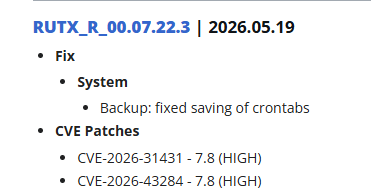
I am really confused by this back-and-forth information. First, you state that cron jobs are excluded from the new backup system because they cannot be managed via API. But now you are saying that saving crontabs to the backup has been ‘fixed’ in firmware 07.22.3? If it wasn’t supposed to be there in the first place, how can it now be delivered as a fix? Was it a missed feature or an actual bug?
Now I got two crontab entrys when making the backup in 22.3 because I have a line in /etc/sysupgrade.conf to preserve that crontab. This feels like a mess to me but i really hope I missunderstand something around this because I use a lot of my time to just fix backups now…