Hello,
After further research and suggestions from my colleagues, here’s what you need to do:
First, edit the collection configuration:
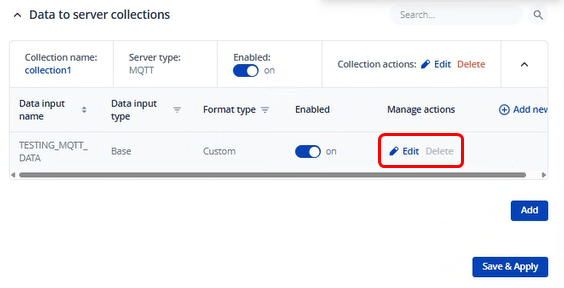
This shall stay the same as it was, just ensure that you have all the data as you want:

Next, edit the Collection Actions:
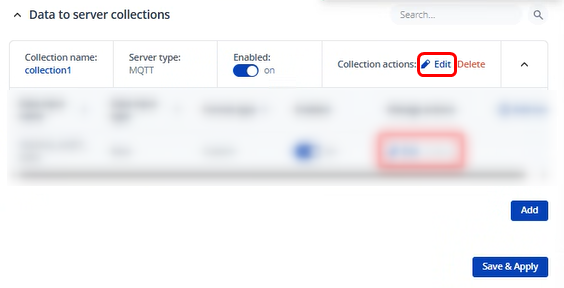
You can then reformat the string that is hindering the output to the following:
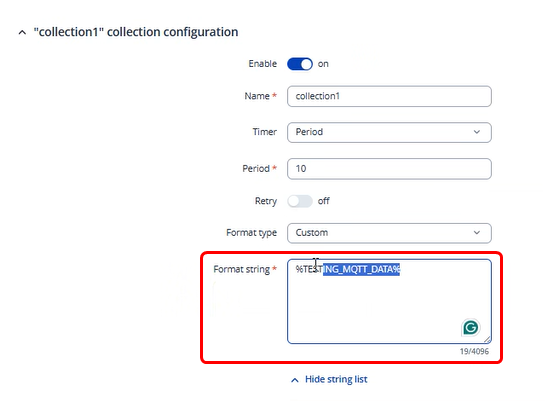
%TESTING_MQTT_DATA%
This should completely remove the line you didn’t want and should only give you the outputs that you’ve setup in the previous window.
Regards,
M.