Greetings,
Apologies for the delayed response.
I recommend performing a factory reset before following the steps below, as it is difficult to determine which settings have been configured and what is preventing the rules from being deleted
You can find the factory reset instructions here: RUTX14 Device Recovery Options - Teltonika Networks Wiki
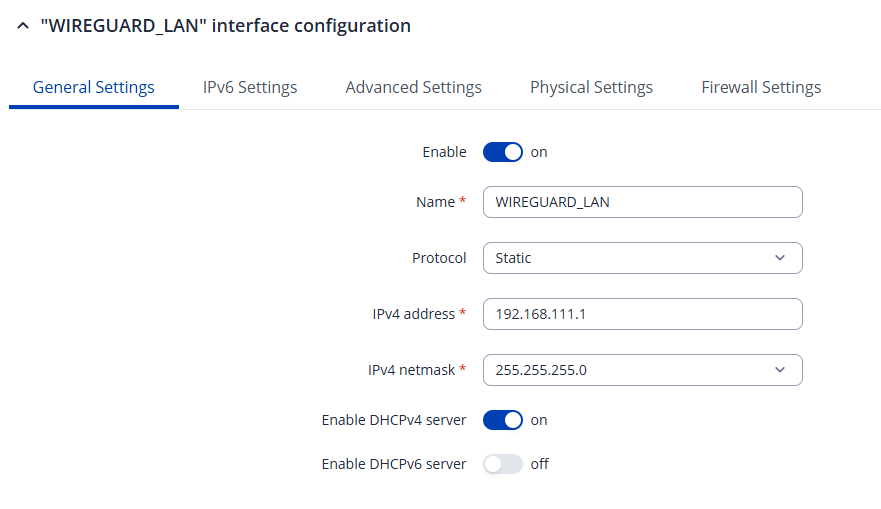
After resetting the device, create two additional LAN interfaces under Network → LAN, so you have a total of three interfaces: LAN, GUEST_LAN, WIREGUARD_LAN
Your configuration should look similar to the example below. USE the IP addresses you want:
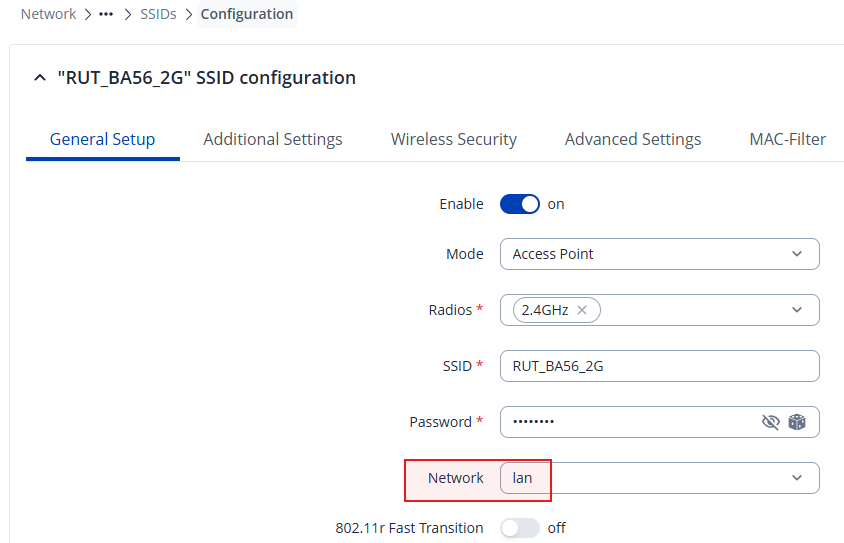
Next, configure your SSIDs under Network → Wireless → SSIDs
Ensure that the RUT_BA56_2G and RUT_BA56_5G SSIDs are assigned to the lan network:
Create a new SSID for the guest network, configure its name and password, and assign it to the GUEST_LAN network.
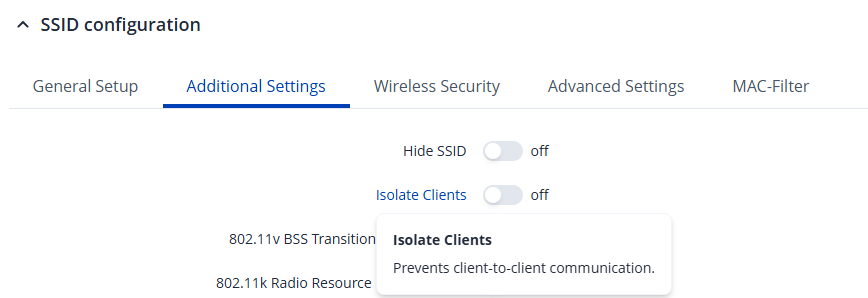
Under Additional Settings, you may also enable the Isolate Clients option:
Next, create the WireGuard SSID and make sure it is assigned to the WIREGUARD_LAN network.
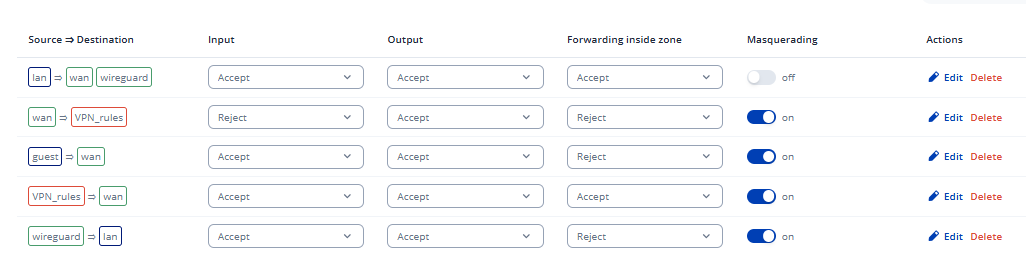
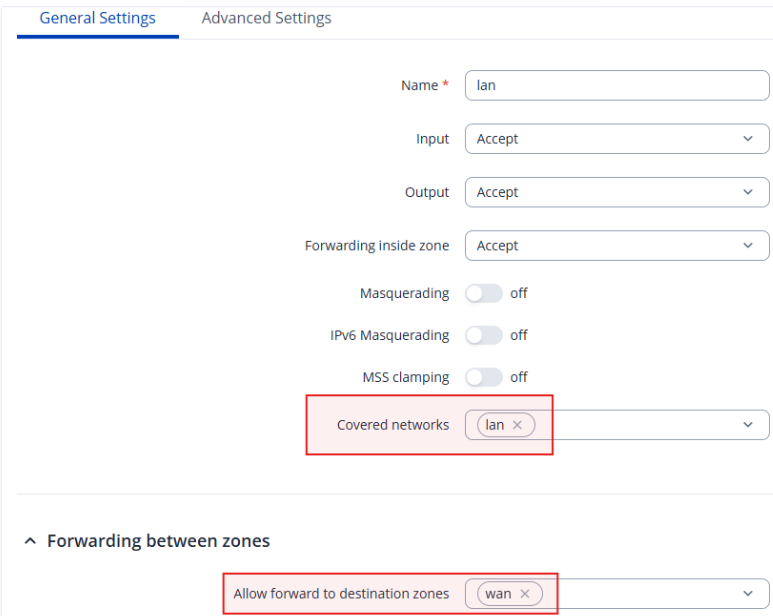
Once the wireless configuration is complete, navigate to Network → Firewall → Zones to isolate the networks.
For the default LAN zone, ensure that:
- The only covered network is LAN.
- Forwarding is allowed only to the WAN zone.
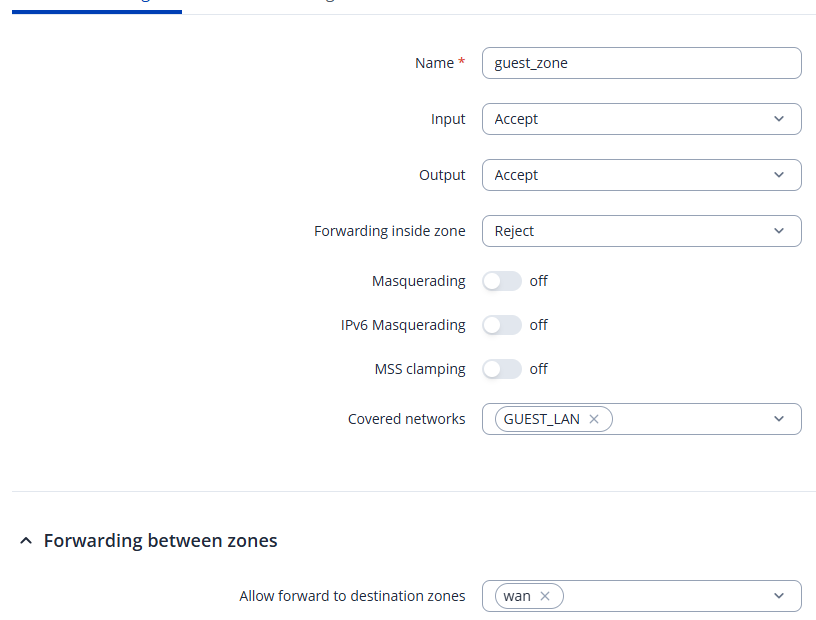
Next, create a new firewall zone for the guest network and configure it as shown below:
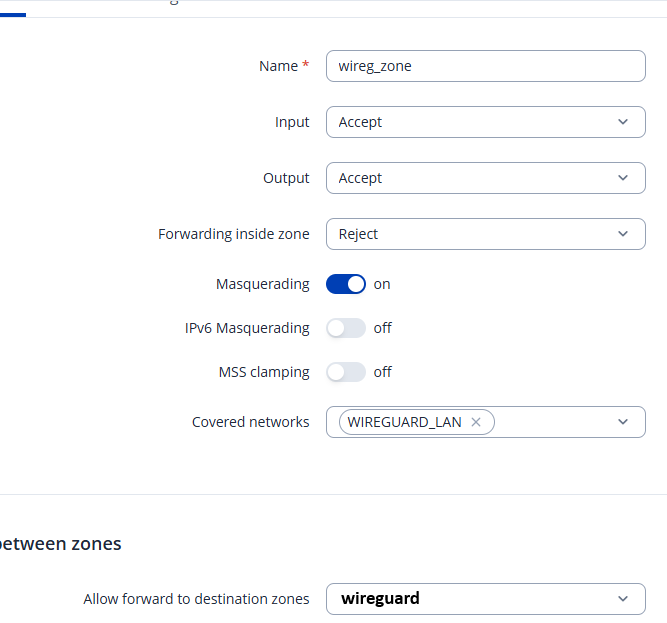
After that, create a firewall zone for the WireGuard network and configure it as shown in the following screenshot:
For the
Allow forward to destination zones option, select the default
wireguard zone that is automatically created when you
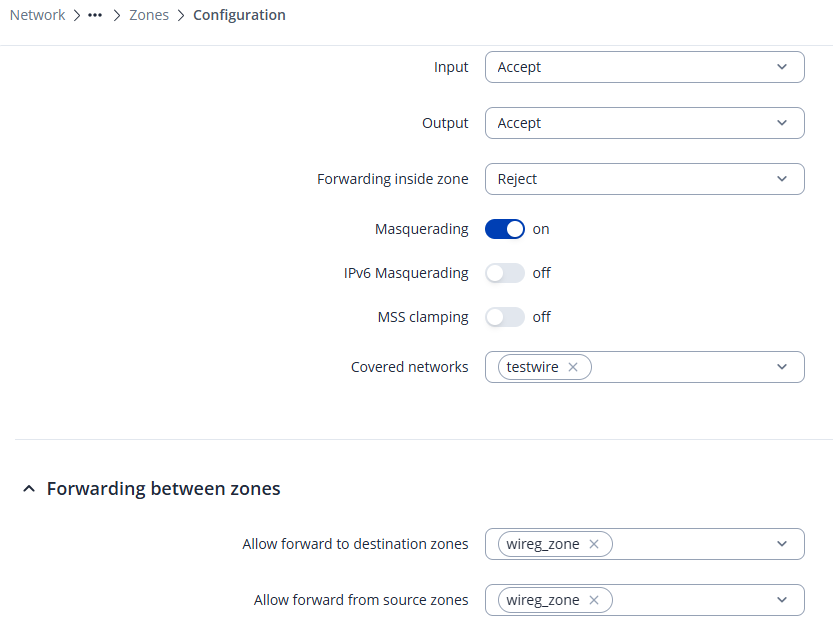
And in the default wireguard zone, the allowed zone should be only the new wireg_zone
Best Regards,
Justinas