Every minute a TCP connection is setup on a device behind the router.
In this minute a connection is build up, data sent and retreived and the connection is closed. This happens approx 8 times in that minute. It went fine some some time but it’s seen that after 6 minutes it’s not possible to setup a connection as the RSTflag (abort) is set.
It looks like the TCP connection is still hold in the router when the maximum configured (30) TCP connections are reached the RST flag is set and not able to connect,
The response I get than is:
'Socket exception: A connection attempt failed because the connected party did not properly respond after a period of time, or established connection failed because connected host has failed to respond
Is there a way to really close the TCP connection on the router as well? I have configured port forwarding.
To better understand the situation, could you let me know what device you are using and which firmware version it runs on?
If your goal is to block TCP connections either to the device itself or to a host on the LAN, you could also utilize a firewall traffic rule to drop or reject TCP traffic coming from the WAN side. More details on traffic rules can be found below.
Could you check how many TCP connection tracking entries are present when the issue occurs?
cat /proc/net/nf_conntrack | grep tcp | wc -l
And what is the system limit for connection tracking?
cat /proc/sys/net/netfilter/nf_conntrack_max
If you see many connections stuck in the TIME_WAIT state (check with cat /proc/net/nf_conntrack | grep tcp), then you could try shortening the timeout for TIME_WAIT entries to free up slots more quickly:
cat /proc/sys/net/netfilter/nf_conntrack_tcp_timeout_time_wait
# to check connections tracking value
echo 60 > /proc/sys/net/netfilter/nf_conntrack_tcp_timeout_time_wait
# to decrease timeout value to e.g. 60 sec
I hope this brings some light or insights into your situation. If you have any further questions or need assistance, let me know here below.
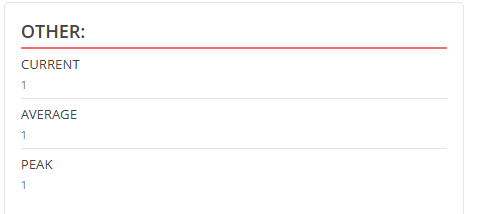
While looking in the router (Teltonika RUT240) I see the amount is less then 80 connections, UDP max 60 and TCP max 20. I saw also other connection type but that was at maximum 2. I dod not know what the another connection is.
When the issue occurs, I see in the overview the other connections go to 1.