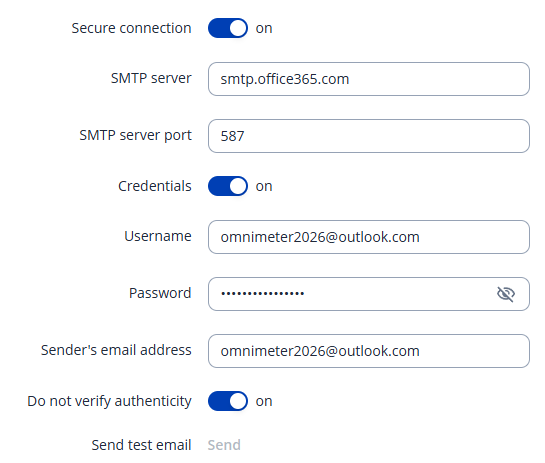
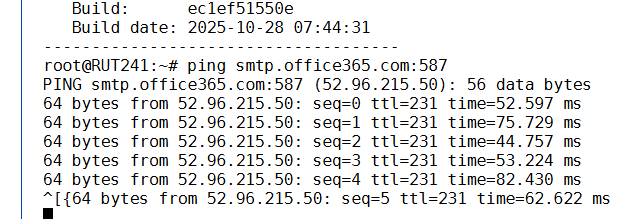
I am using rut241, and try @outlook.com with app password for email recipient, but I can’t send any test email, the message is only failed to send test email, and i can’t figure out what the issue causes email failure.
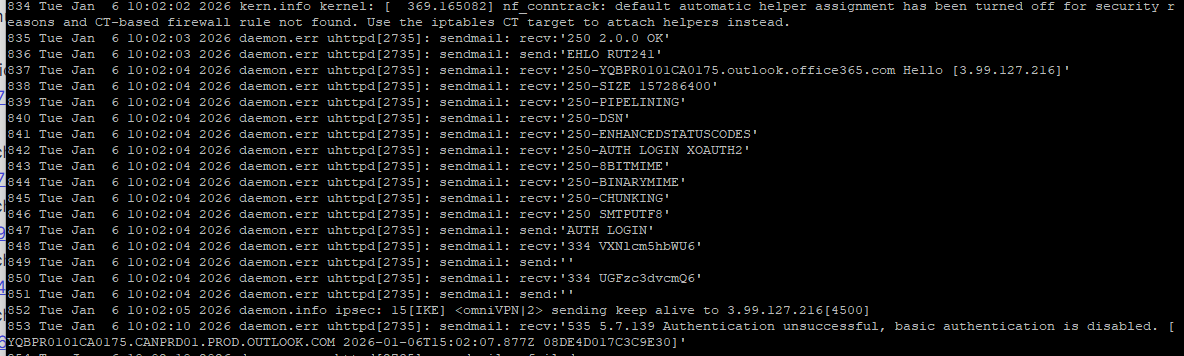
I added app password, however I still can’t send email. The issue is we only know the email sending failure, but no reason! does rut241 can provide some failure detail information?
I use L2TP over IPSec, do you think the problem comes from VPN?
In my experience that response in your log, has always turned out to be determined by your Microsoft settings on your host application infrastructure. There are usually multiple settings you’ll have to change and the different Admin Centres / Management UI’s you need to access, will vary depending what type of Office 365 subscription you or your organisation has, and how it has been configured.
So in summary, I’d be kicking this particular ball towards your Office admins.
Thank you for your response. I am using free outlook.com email account. So I don’t have Microsoft 365 license. So I am searching to get MFA setting page on outlook.com.
Since the email function works correctly with a Google account, we can confirm the issue is not with the RUT241 configuration, but rather with the security restrictions on the Outlook account side.
Please note that configuring or troubleshooting third-party email account restrictions is out of our support scope .
I recommend reviewing this reply on your other post regarding a specific setting that needs to be turned on: