I’m solely referring to ≤ WPA2-PSK, whose successor (WPA3) replaces Wi-Fi Protected Setup with Wi-Fi Easy Connect. I ask because I want to enable WPS access for a Seiko Epson Corporation XP-247.
Hello,
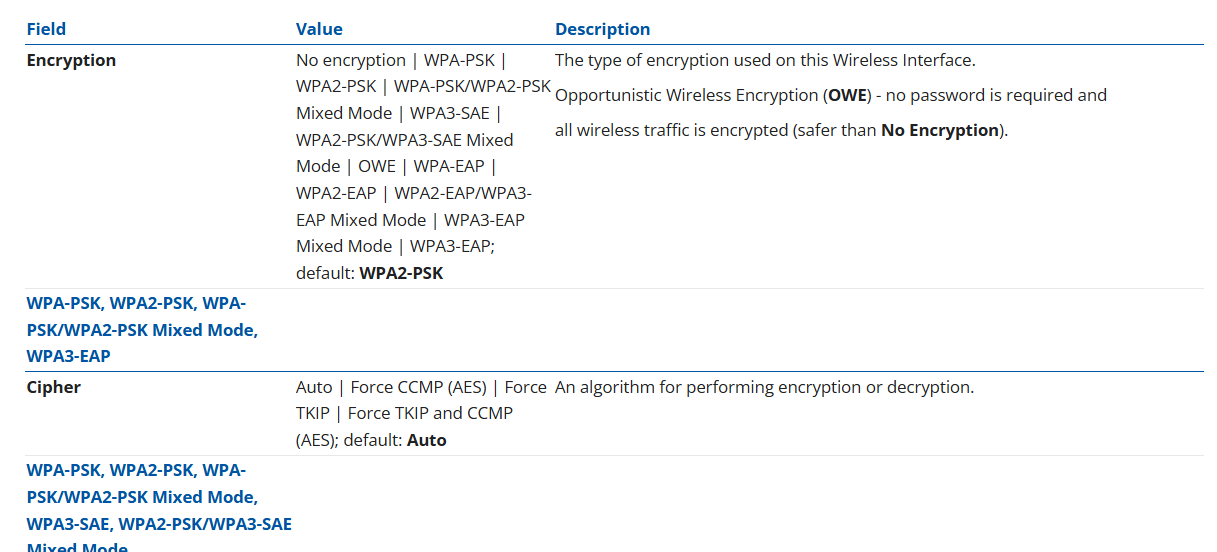
According to our manuals, and actually inspecting the available options in the WebUI - WPA2-PSK is present and you are able to choose it as an encryption method. You may find all available encryption methods in the following Wiki page: RUTX50 Wireless - Teltonika Networks Wiki
More specifically, right here:
Regards,
M.
@Matas, I’m referring to solely Wi-Fi Protected Setup, rather than its superordinate Wi-Fi Protected Access 2—Pre-Shared Key standard.
I ask because the ability to manually trigger WPS authentication is quite separate to WPA2-PSK authentication protocol support. To demonstrate, consider the GUI of my Technicolor DGA2231:
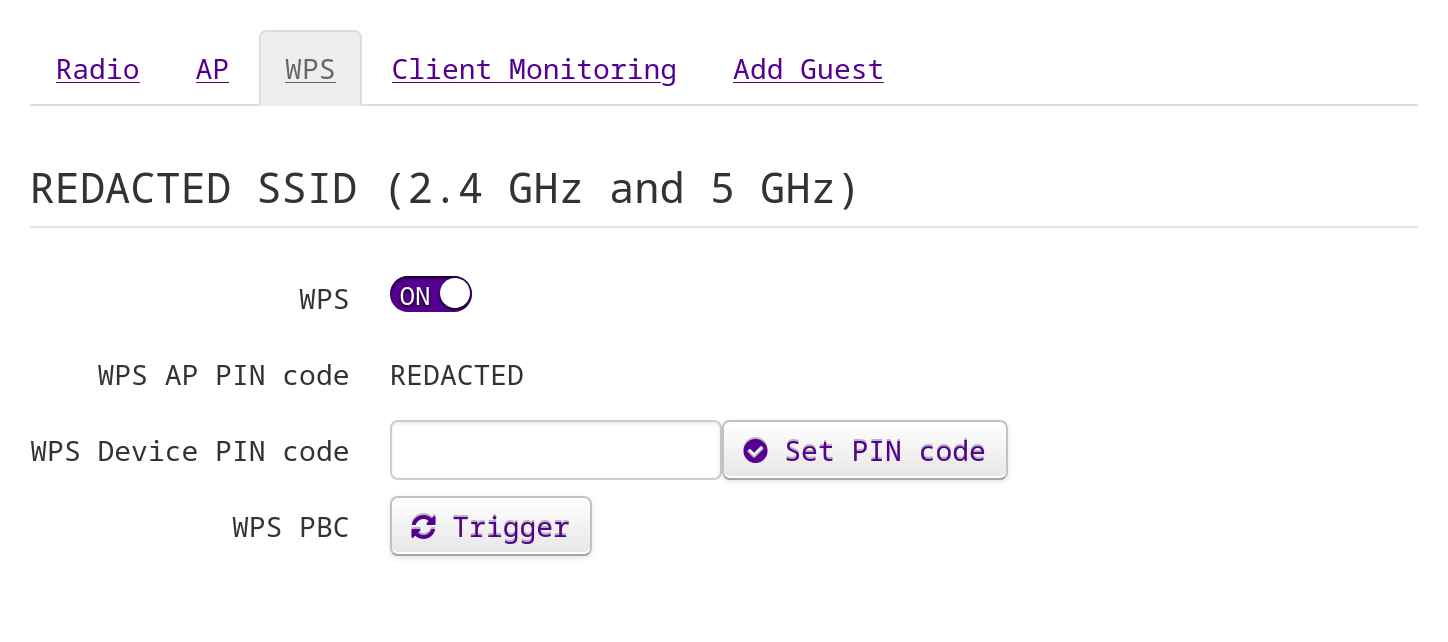
That “trigger” functionality is what I desire.
Hi there,
In that case, the only device of ours that supports WPS is the TCR100: https://www.teltonika-networks.com/products/routers/tcr100
It has a button which can be pressed to activate (or deactivate) WPS.
Regards,
M.
1 Like
@Matas, does a reason (that I haven’t considered) exist for you to not have implemented it? It’s merely a matter of software, to my knowledge.
If you’re asking for my personal opinion, I have no idea. Perhaps it wasn’t as widely used by our customers as we might have anticipated, and it ended up with us simply not releasing any more devices with a functionality like this, but that’s just a guess.
Regards,
M.
1 Like
@Matas, thanks. This might be an instance where an FR would be useful:
1 Like
This topic was automatically closed 2 days after the last reply. New replies are no longer allowed.