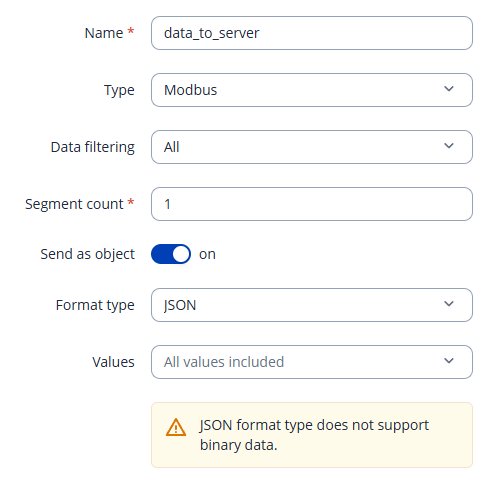
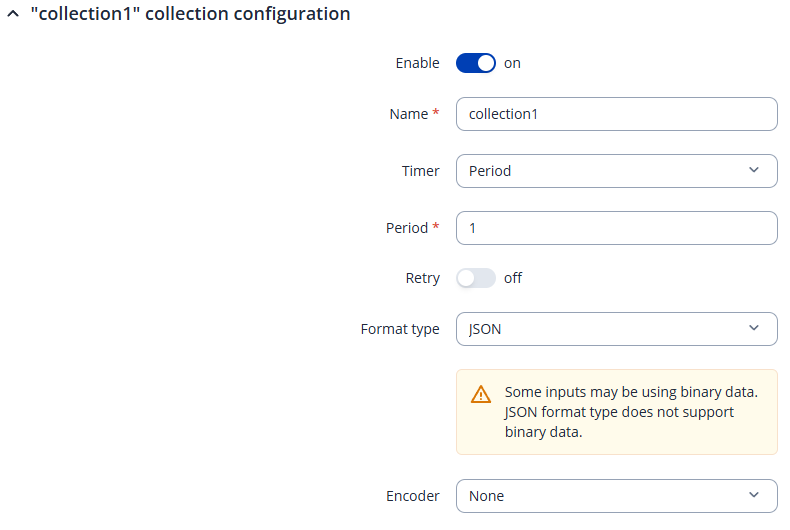
I am using Data-to-Server feature to send data to NODE-RED server via VPN.
I need collect some device variables through Modbus Tcp and send them to NODE-Red server. I know modbus TCP is working without any problem because I use modbus server/client feature to test it with vpn.
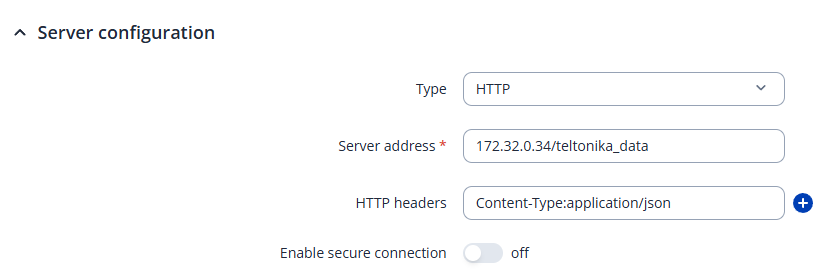
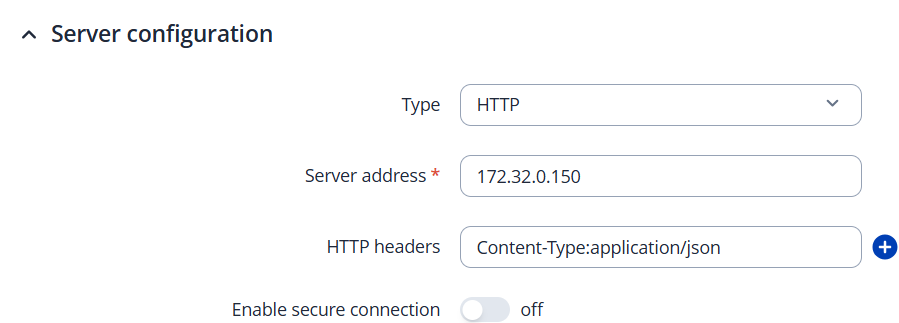
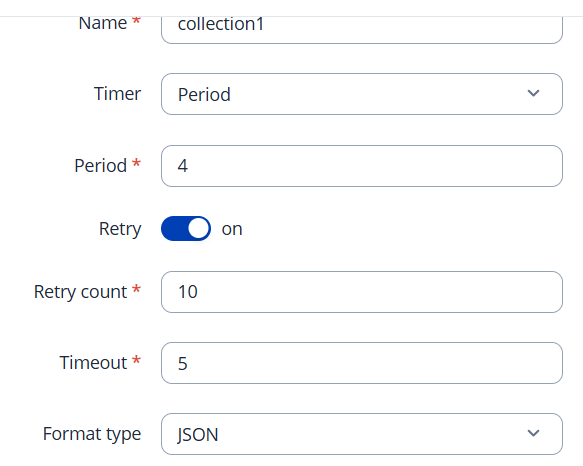
However, I don’t know how to test it with data to server. Please check the screen shot below:
I don’t know how to use server configuration. Anybody can help me?
server address : node-red server ip address ( here i use node-red vpn address 172.32.0.34),
i don’t understand HTTP header? and in node-red side, I use 172.32.0.34/teltonika_data to get data or something else?
My colleague informed me that you spoke with him by phone. I wanted to check in and see whether you need any further assistance, or if you were able to get the data to server working using his suggestions.
I did try it again. unfortunately it still doesn’t work. I attach wireshark tracking result. I couldn’t find json format data received by 172.32.0.150.
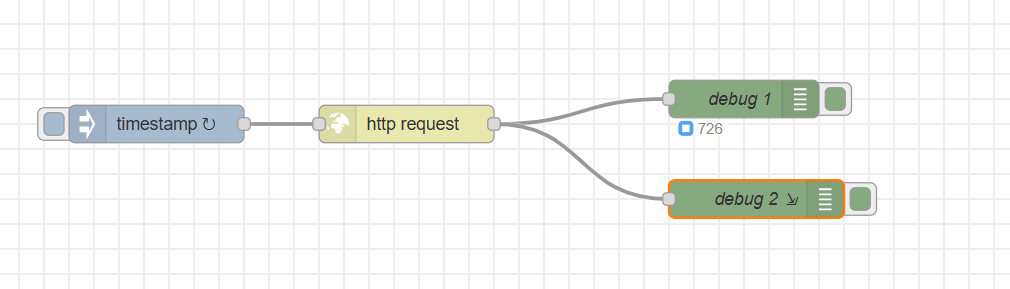
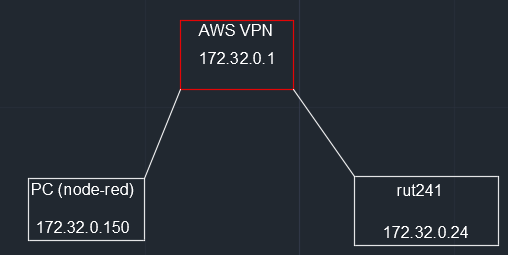
both pc and rut241 are in vpn network. I reconfigure node-red to listen port 80, and set data-to-server in rut241. I also attach node-red flow configuration in the attachment.
For troubleshooting purposes, we will require more sensitive information from your end, such as the troubleshoot file, which may contain passwords, public IP addresses, serial numbers, and such. To avoid leaking this information, we have sent you a form to fill out, which you will receive in your e-mail inbox that you have registered your account with in the forums. In the Ticket ID field of the form, please enter the ID of this thread, which is 17585.
I found the issue. After I talked to another support, I change ip address from vpn ip (172.32.0.150) to local ip (10.10.13.6), I got data-to-server is working. I can use wireshark to track the data package.
further, I use cli screen on cellular modem to ping vpn address for a PC(172.32.0.150), I can’t get response from remote pc, but ping command can get response from vpn gateway ip (172.32.0.1) address.
I logged in vpn server, so i can ping all devices including cellular modem and PC.
On my PC, I am able to ping cellular modem IP address (172.32.0.24).
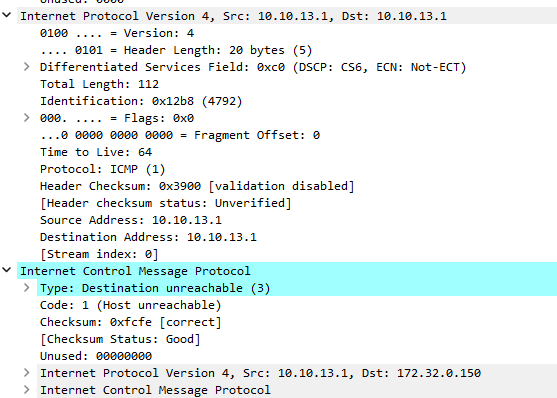
I attach wireshark file download from cellular modem. you can find cellular modem doesn’t recognize vpn ip from screen shot below. Internet protocol version 4: src:10.10.13.1, Dst: 10.10.13.1
Internet control message protocol: internet protocol version 4: src: 10.10.13.1, Dst: 172.32.0.150. Do you know the reason?