In two newly purchased RUT951 routers I am not getting data connectivity. I have used 2 different SIM cards from two different network providers. At beginning the router worked for a few minutes and then it stopped. Never worked again. The SIM cards are working fine in mobile phone.
Hello,
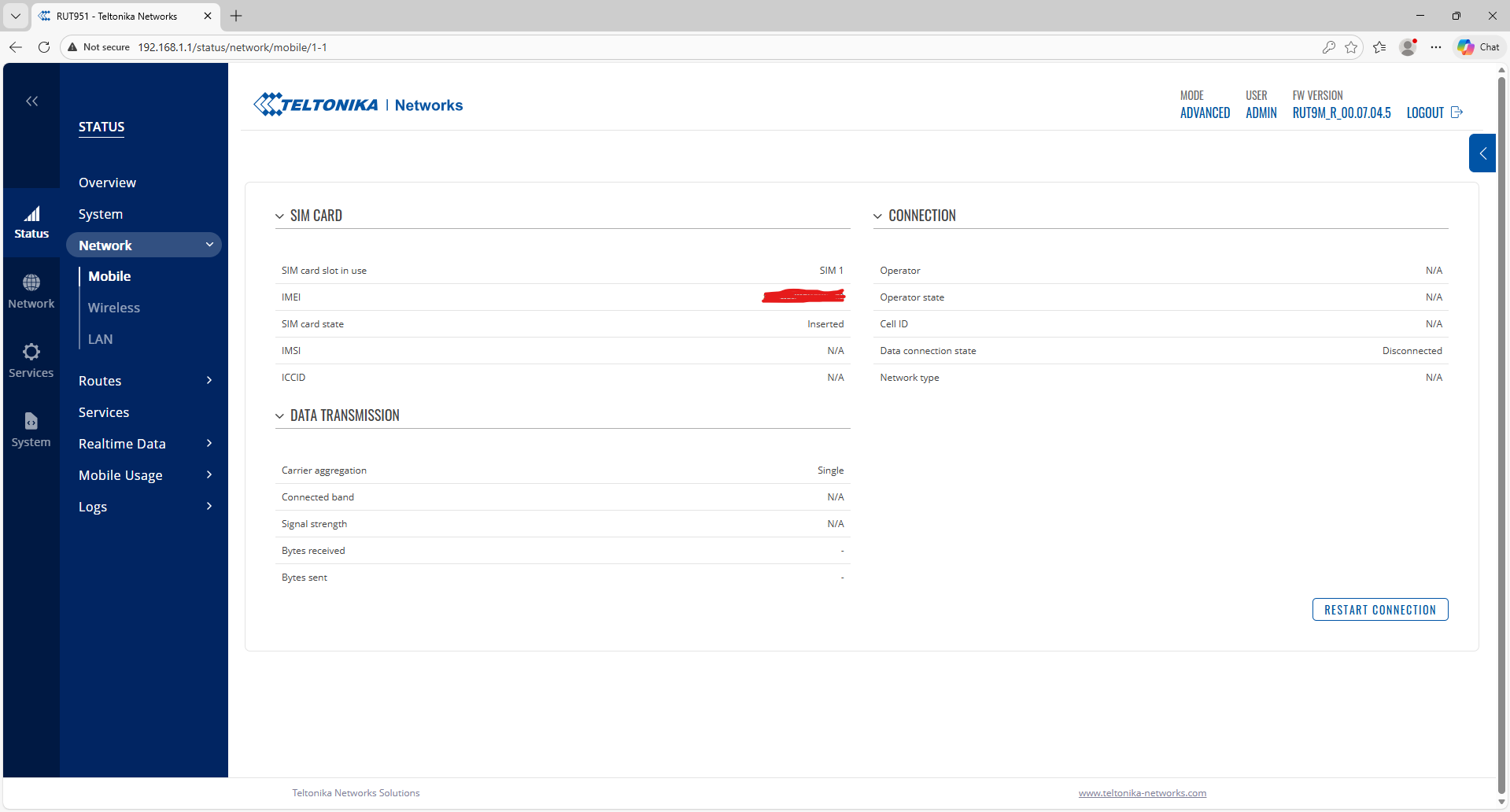
What firmware version do you currently have installed on your RUT951? Any error messages you’re receiving? Could you post a screenshot of the Status → Network → Mobile page? Please blur out any IP addresses or other sensitive data.
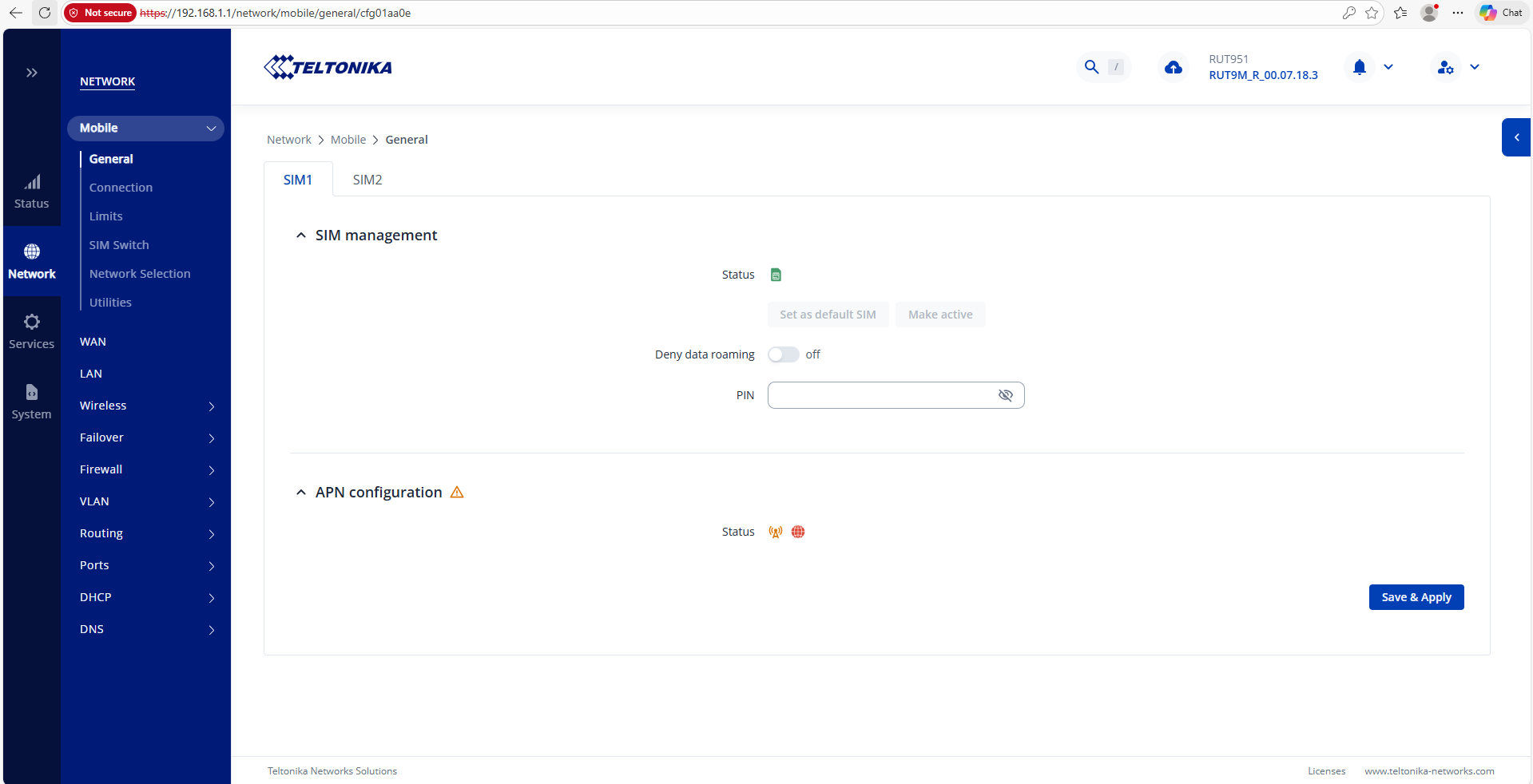
Additionally, can you confirm whether your operator requires a custom APN? If so, you may need to enter one under Network → Mobile → General by disabling Auto-APN and then either selecting one or typing one in.
Regards,
M.
Ah, I was a bit too quick to respond, apologies.
Your firmware is extremely old, and I suggest upgrading: RUT951 Firmware Downloads - Teltonika Networks Wiki
Download the firmware file, head to System → Firmware → Update firmware, make sure to select Update from: File and Disable “Keep Settings”. This will reset your router as well as upgrade its firmware version.
Regards,
M.
Hello Actually I downgraded the Firmware. cause our old routers had this one and just to recheck the settings with them. However other router which have updated firmware is also not working
Hi there,
What about this part? Could you clarify?
This one as well.
Regards,
M.
Hello,
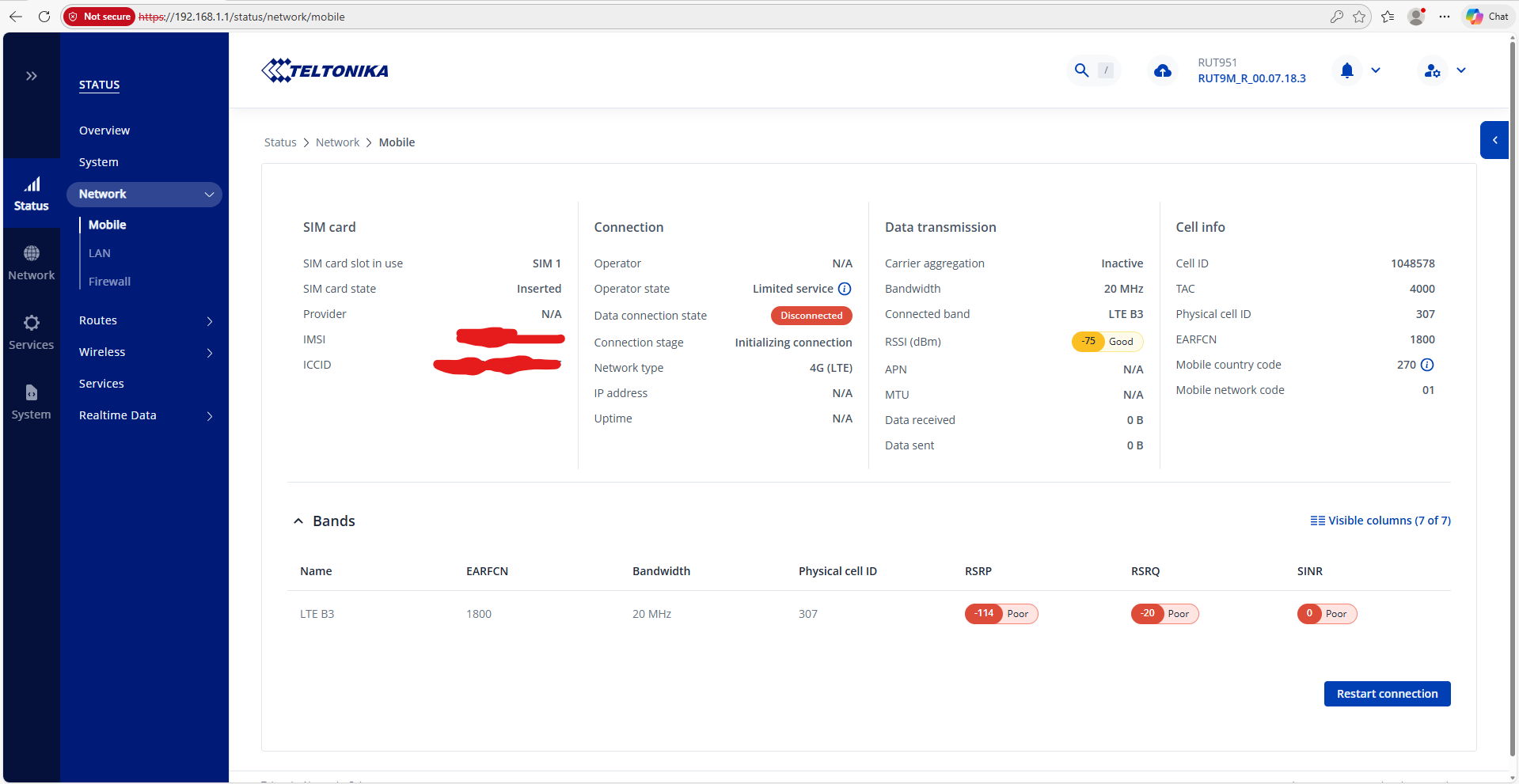
Right off the bat - I can see that the signal strengths are at a point where connectivity will 99% not happen due to them being weak. The SIM card state looks to be OK (inserted) - that’s good.
What you can do:
- I can see you’ve upgraded to 7.18.3, though there’s an even later version available for download, which is 7.19.4: RUT951 Firmware Downloads - Teltonika Networks Wiki
- Try band-locking onto a different mobile band, as the B3 band looks to be giving you extremely weak signals: Band Lock - Teltonika Networks Wiki
- Re-check your antennas, if you’re using 3rd party ones, try using the ones that came with the device for testing purposes.
- If feasible, try moving your device around, perhaps closer to an open area / near a window, and so on.
Regards,
M.
I have done the steps. But unfortunately still The issue is not solved. I even set the APN manually once. But despite of all those effort it did not work.
Hello,
In the initial post, you mentioned having 2 RUT951s - could you clarify whether both of them were tested with this same exact SIM card?
At the moment, the device seems to be failing to connect to your operator, so another suggestion would be to attempt to manually connect to one:
- Head to Network → Mobile → Network Selection
- Operator Selection Mode: Manual
- Click on Operator Scan List
- After it’s finished scanning - select your operator & attempt to connect to it.
Additional clarification on the band locking I’d like to receive is: have you gone through the entire list of the 4G bands one by one? Were all of them on a poor signal?
Regards,
M.