Use Case Description:
I would like to create a ‘specific user role’ for one of my teltonika rms user’s
With this rule the ‘specifc user role’ the user should just be able to invoke a VPN - connection through a preconfigured ‘VPN quick connect’ Item via pressing the ‘Start’ Button!
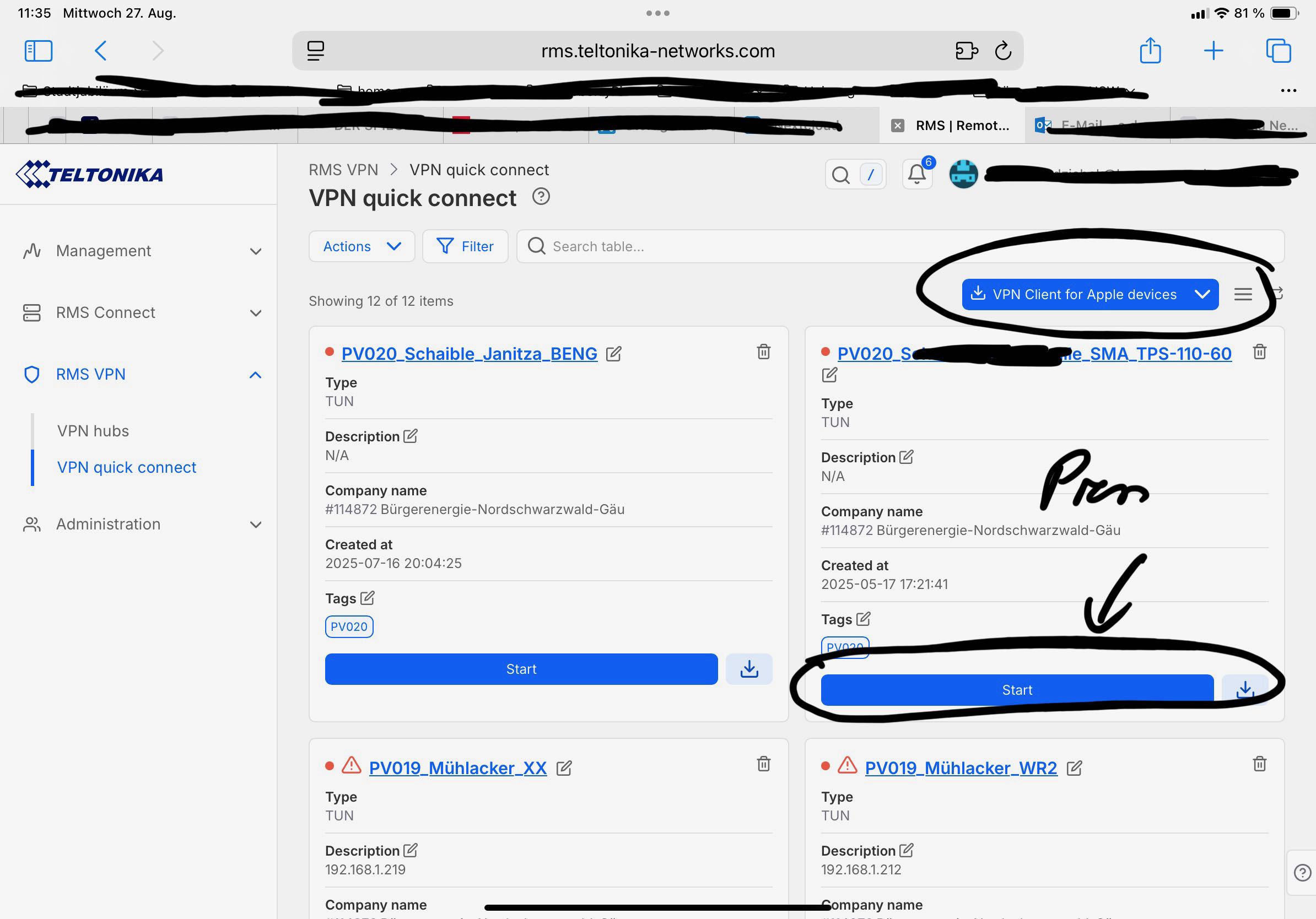
I tried it through the option assigning a specifc custom role to that user
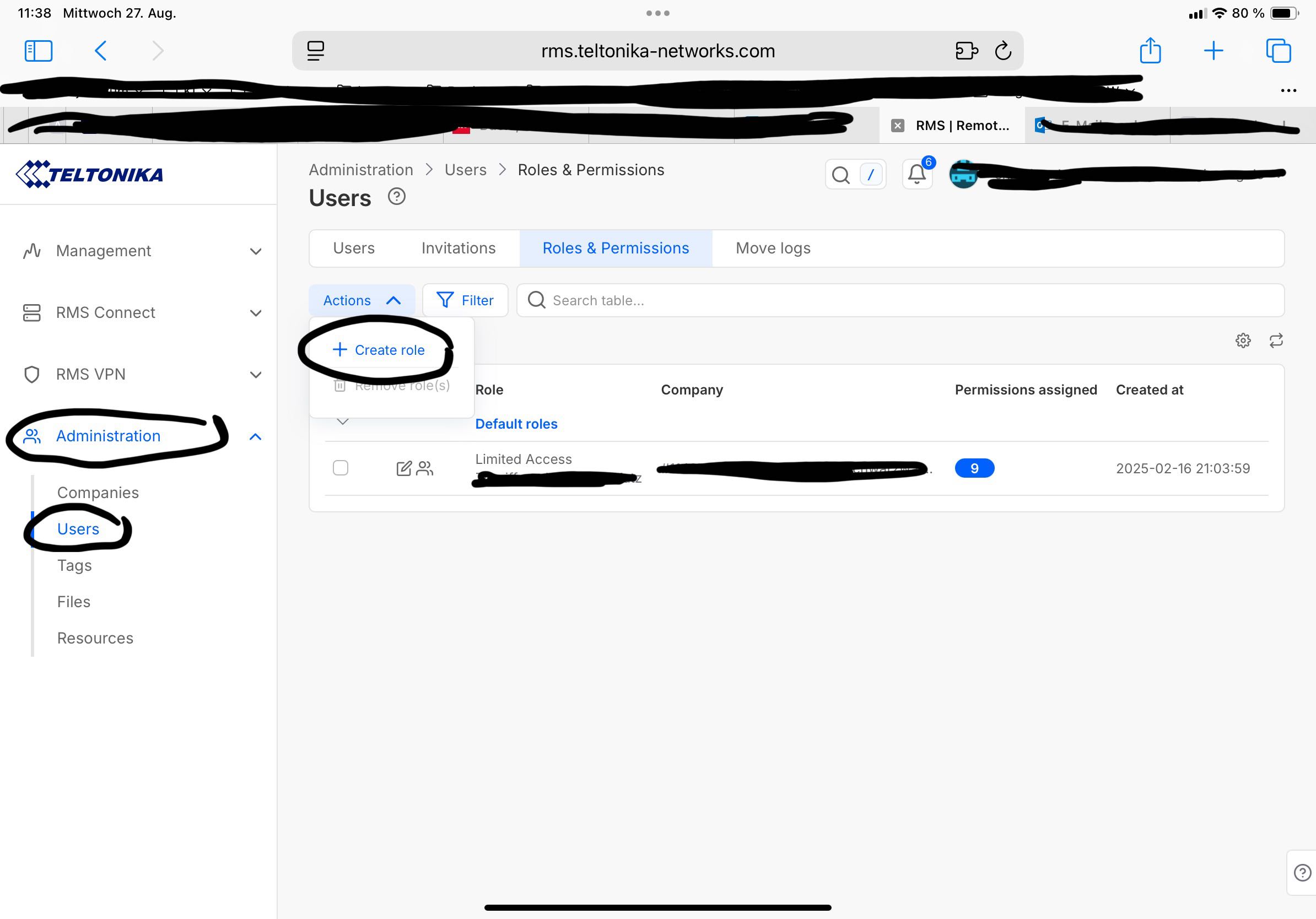
In this Dialog one can configure the possible permissions for that specific user
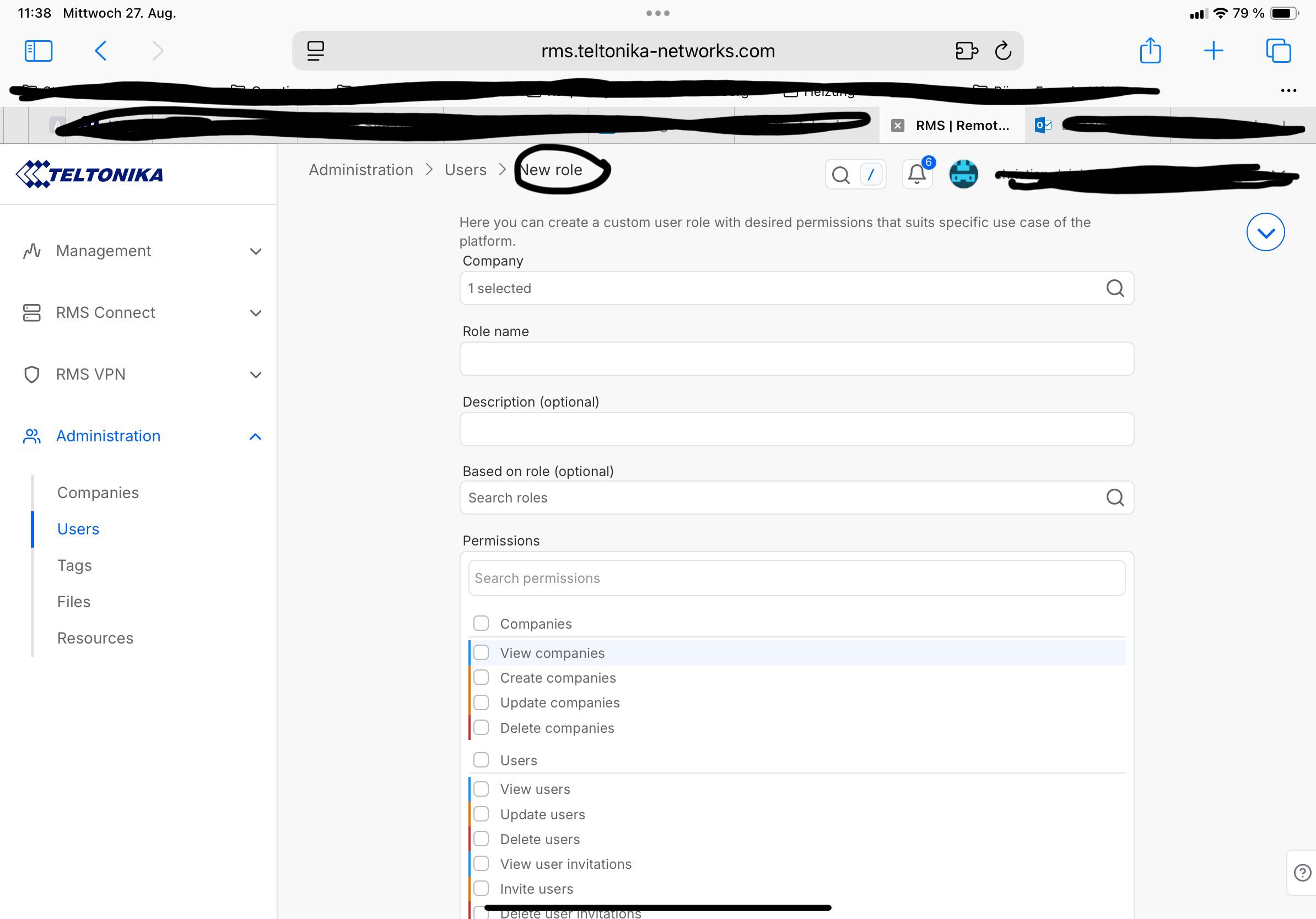
In this context I do have the following specific question.: Which of the following permission are required on order to enable the user to invoke a VPN session trough pressing the ‘start’ button of the selected ‘VPN quick connect’ Item?
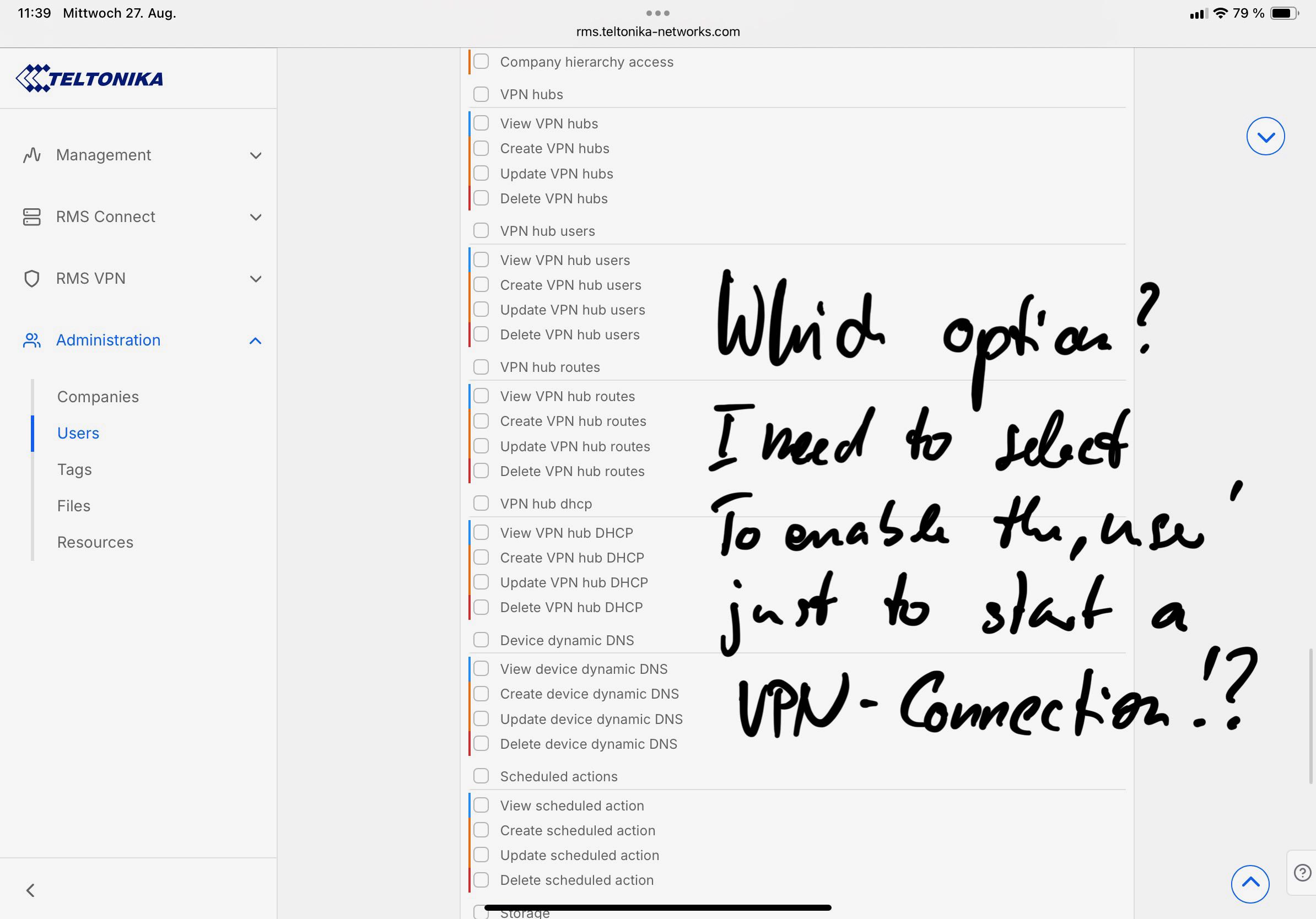
I tried the following permission simular to the settings I assigned the same user in order to enable him to make use (connect to) of preconfigured ‘Remote Access’ - Items!
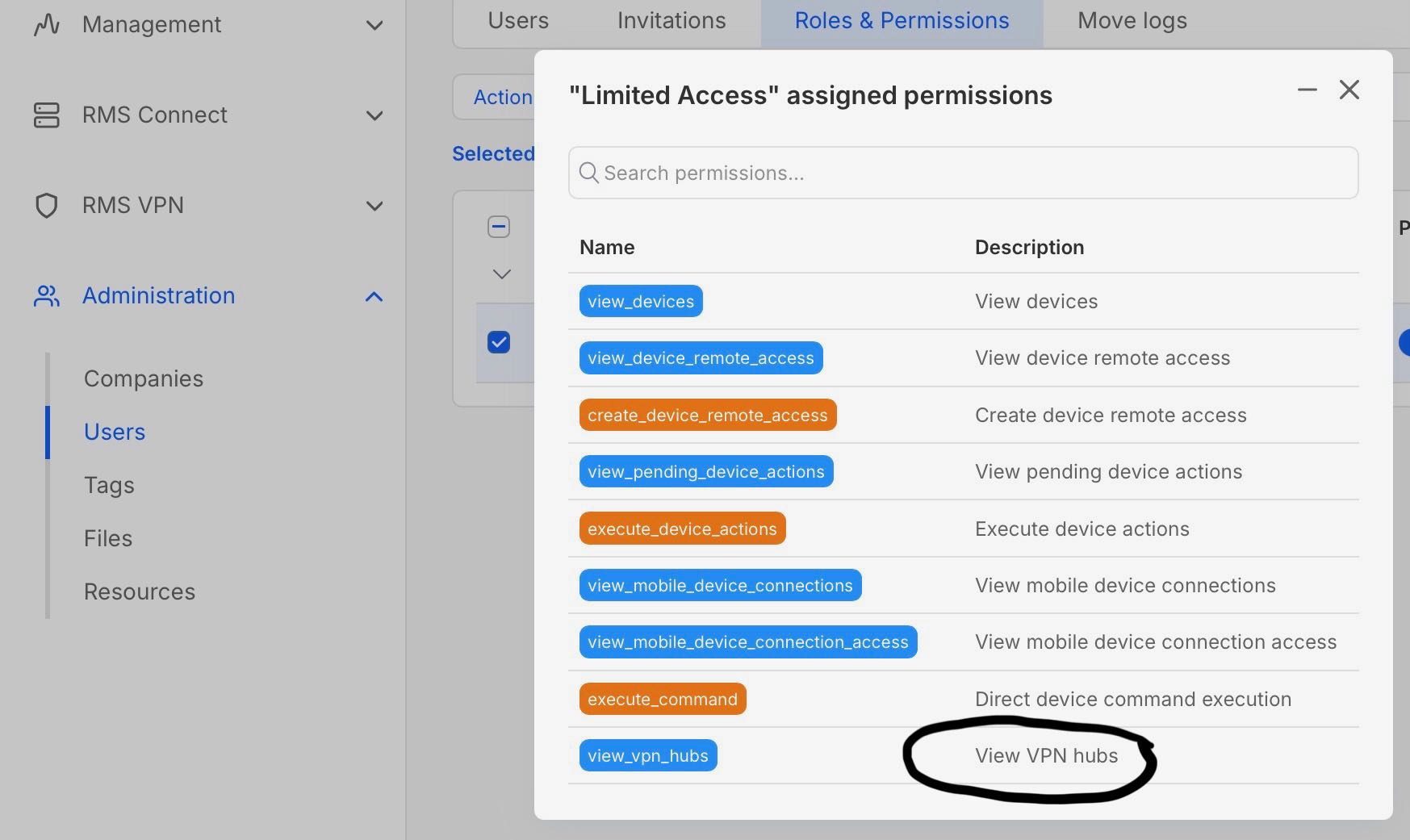
If my requested Use Case for the role configuration is possible, can you provide me the correct settings?
Thank you
Christian