I have got a new RUT241 device, and I got it connected to my RMS account.
But now I want to create a VPN connection to this RUT241, that allows me to see and connect to the devices that are connnected to the LAN cable of the RUT241, from remote. How can I do this ? Please help !
I am still not able to establish a VPN connection via RMS. I think my problem is when I get to “Scan Device”, while setting up the VPN hub, only once I managed to see the PLC connected to my network below the RUT241, afterwards it did not show up any more.
Is there any chance you or another colleague check only via Teamviewer or other means, what I am doing wrong ? I have been trying for several days now. If no success, I would have to change to another router system, even though in the past TELTONIKA worked very well for me. But no idea why no longer …
Can send you a screenshot of the moment when I managed to see my PLC (“PILZ”), once connecting, but I am not able to repeat this…
Are you able to access the RUT241 through the VPN, but not the end devices connected to it?
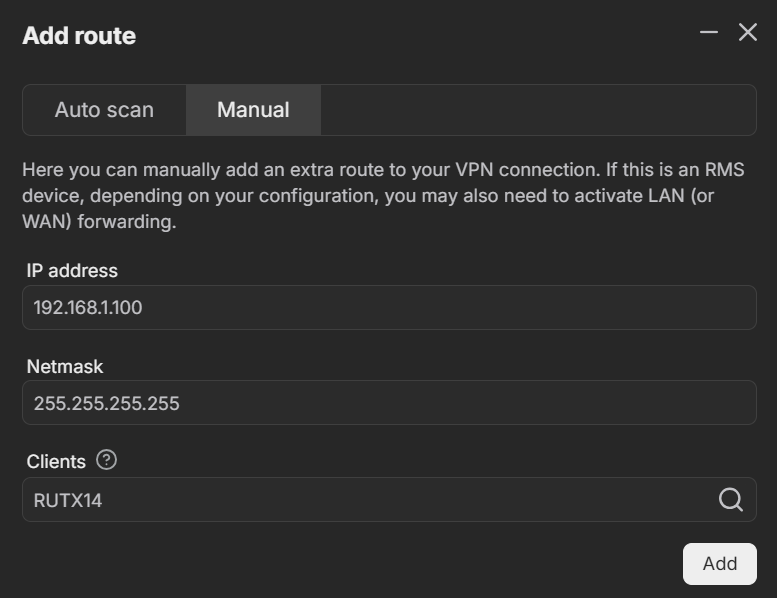
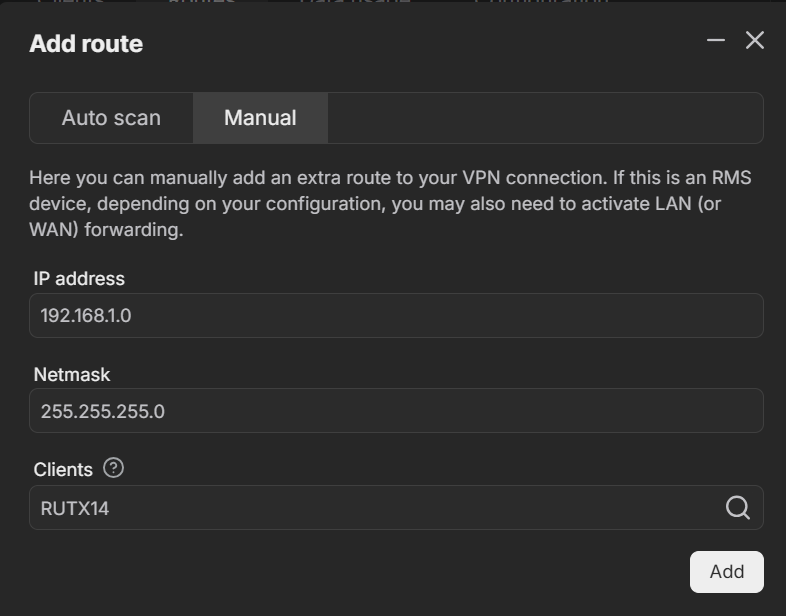
If so, you can manually add a route to the PLC. For example, to add a route to a specific IP address, such as 192.168.1.100, configure it as shown in the image below:
Hallo Justinas ! Actually I already got this issue sort, and I did the following:
change to a different WLAN, since the one I used before had the same subnet numbering as the local LAN network “below” the RUT241, which I wanted to connect to via VPN. So I had double IP numbers at the point, which could not work.
Second, I added the local IP number of the RUT241 within the local network “192.168.1.1” as “Gateway adress” to the devices which I wanted to acces via VPN, on that network (a PILZ PLC and a SIMATIC PLC).
After doing this, everything worked as normal and I had no more issues creating routes and everything within the RMS website.