I’m looking for a way to count roaming events with timestamps on a RUT956. These I want to save in a file and inspect, if needed. I need to find out whether there are disconnection and reconnection problems to webservices induced by roaming.
Does anyone know if the router stores these events (permanently or temporarily) in a file? I’ve been searching the OS via SSH but haven’t managed to find anything. I’m using one mobile interface.
My modem knowledge is pretty rusty.The last time I used AT commands was back in the 90s at schools, where I had to manually connect to some random BBS!
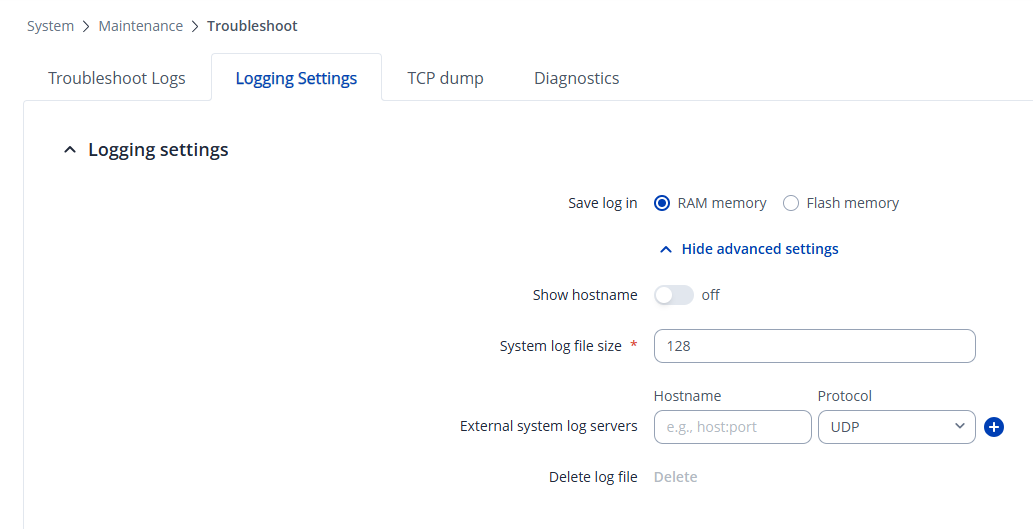
Since normally, system, mobile, and other logs are all saved in the RAM memory, when the device is rebooted, they are cleared. Usually, when we troubleshoot issues, we ask clients to send their Troubleshoot files, which can be downloaded from the System → Maintenance → Troubleshoot → “Download” directory. This specific file is also cleared after a reboot so keep that in mind.
The second way would be to write a custom script (which is out of our scope, so I’m unable to provide much support with this), which would essentially utilize the “grep” functionality & would then collect those specifically filtered logs and save them into a file, which you could then potentially send to a server, and then automatically delete it.
Thank you for your suggestions! I’ve actually already implemented option 2 this morning, when a script loads in rc.local loads another custom script and collects telemetry data including roaming events.
My Shell approach:
Script runs periodically and monitors GSM operator info
via gsmctl -g
Roaming state changes are tracked by comparing current
state against a persistent file at /root/roaming_states.
Data is immediately sent to a remote API endpoint as JSON
The script also includes automatic update functionality
The telemetry script is loaded via a separate script using rc.local
This avoids the RAM/reboot issue entirely since events are transmitted in asap to the remote server.
The script will also collect signal quality (RSSI, RSRP, RSRQ, SINR), connection status, and VPN certificate expiration, packaged as JSON telemetry.
BUT: I don’t know if there are such “roaming“ events at all or how they’re labelled. I have unfortunately no SIM cards and I don’t own a ISP’s antenna simulator, if that’s even a thing to work that out. Perhaps I must listen on a “forced to persist“ log. Will see…