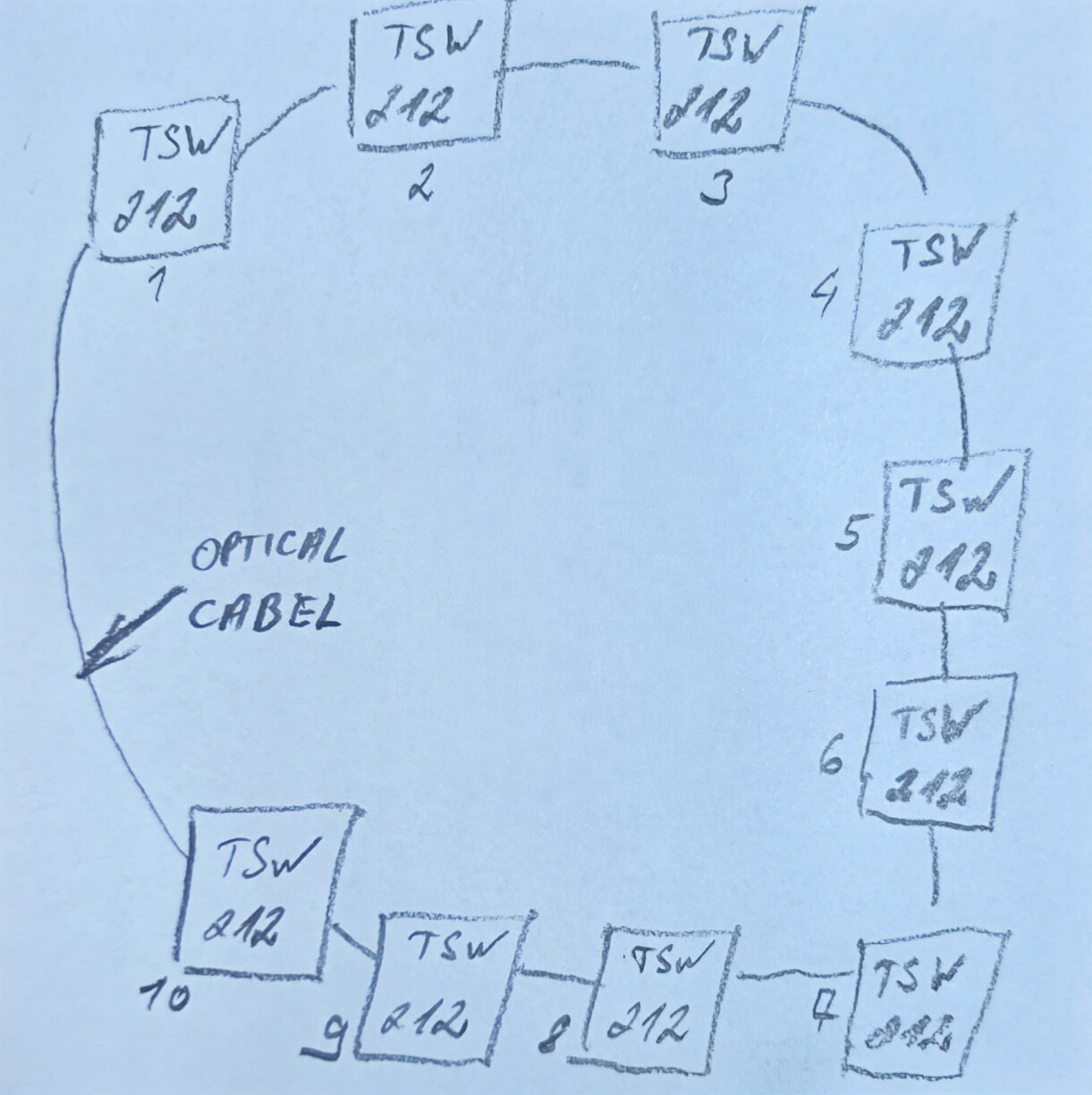
Hello. Could you please help me with the settings? I have 10 Teltonika TSW212 switches that I want to connect to a ring topology. What settings should I make? It is not enough to enable only the MRP function for the switches and assign static IP addresses. As soon as I connect them to a ring, they immediately stop communicating with each other. I attach the skeleton diagram below.
Principle of operation - switches must be connected to a ring only in the internal network with static IP addresses. If the optical cable between the switches breaks, the communication of the devices continues.
Hello,
When using MRP in a ring topology, it is necessary that one switch (any one in the ring) acts as the Manager. The Manager coordinates the ring and ensures communication continues if a link fails.
More detailed information on MRP can be found in our wiki article here:
If you have any further questions or need assistance with the setup, feel free to let me know.
Best regards,
Hello. I have three TSW212 devices on my desk connected to each other. 1. 192.168.1.211 MRP manager 2. 192.168.1.212 MRP client 3. 192.168.1.212 MRP client As soon as I connect device 3 to device 1 via the SFP port, the network stops working. Maybe there are more settings for network ring connection?
Hello @Paulienas,
Could you provide a few screenshots of the MRP configuration pages from each of the switches in question?
From your description, it might be that the ports used for connecting the MRP clients are not aligned with the default topology. By default, the setup should look as follows:
-
TSW1 (manager) port 2 → TSW2 (client) port 1; -
TSW2 (client) port 2 → TSW3 (client) port 1, etc.
Best regards,
Thanks for the help. It was my mistake. I wasn’t selected the MRP ports.
1 Like
Hello,
No problem at all, no worries. This forum is here exactly for that: to help, share, and grow knowledge together about RutOS and TSWOS products. I’m glad you got the MRP working. If you have any other questions or need technical assistance with your setup, feel free to reach out to us here.
Best regards,