Hello,
You have an option to set this up, a very easy one would be utilizing the Ping/Wget Configuration functionality within our devices: RUT200 Auto Reboot - Teltonika Networks Wiki
This can be set up to ping an x IP address every x minutes/hours, and if no response is received, it can:
- Reboot your RUT200
- Send an SMS
- Restart the mobile connection
- Reboot the modem
- (Re)Register with the mobile operator
As per the Wiki link provided above, you can set this up under WebUI → System → Maintenance → Auto-reboot → Ping/Wget reboot. Your setup would look something like this (of course, you can change it to your liking!):
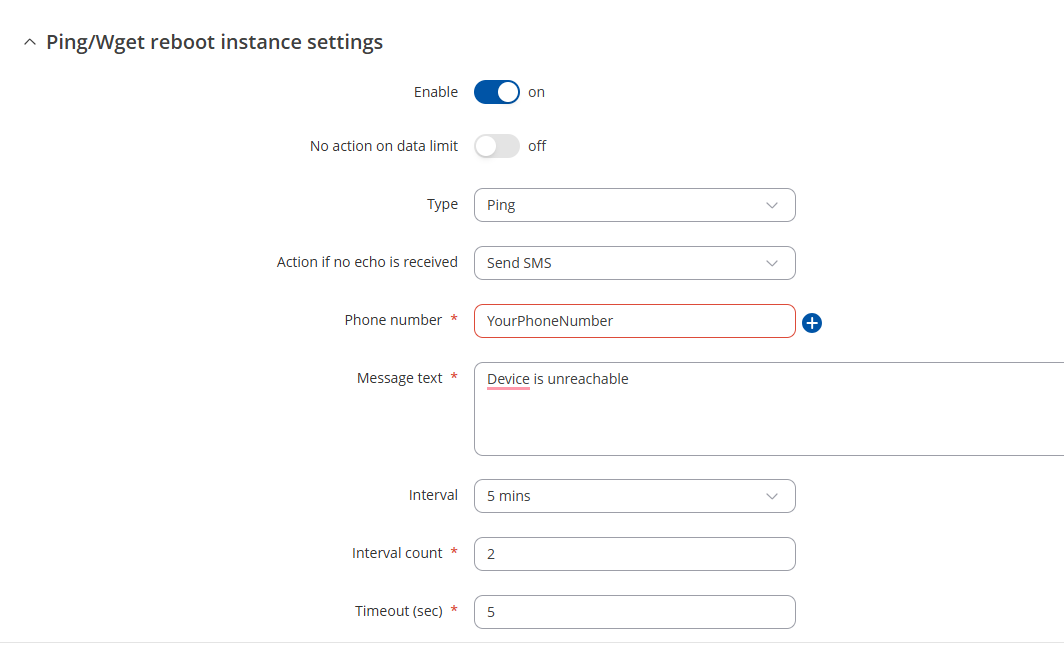
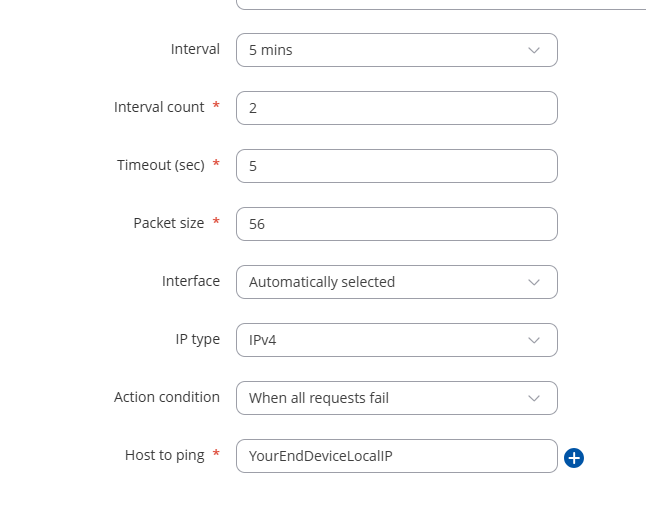
Regards,
M.