I am trying to activate the Port scan prevention feature on a RUTX10 running RutOS with firmware RUTX_R_00.07.15. I go to Network > Firewall > Attack Prevention and click to activate the Port scan feature. However when I click “Save & Apply” the setting is turned “off” again automatically. Scan count = 120 and interval = 60, as per default. What am I doing wrong? How can it be enabled?
Thanks,
Jafet
Hello,
I was not able to reproduce this issue on the firmware version RUTX_R_00.07.15.1, as you can see in the screenshot, the setting remains on even after multiple refreshes:

I have not changed any settings either:
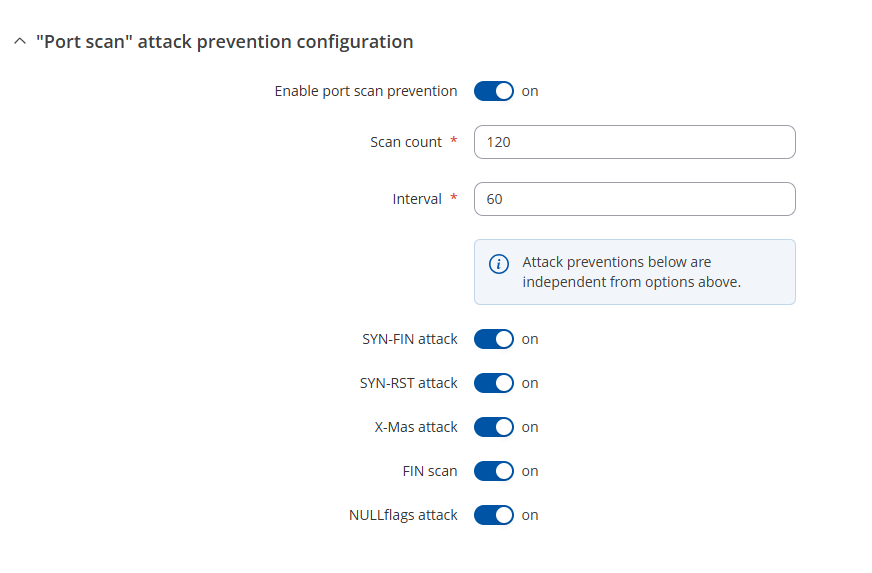
Could you possibly try upgrading to 7.15.1 and see if the issue still occurs?
Regards,
M.
Hello,
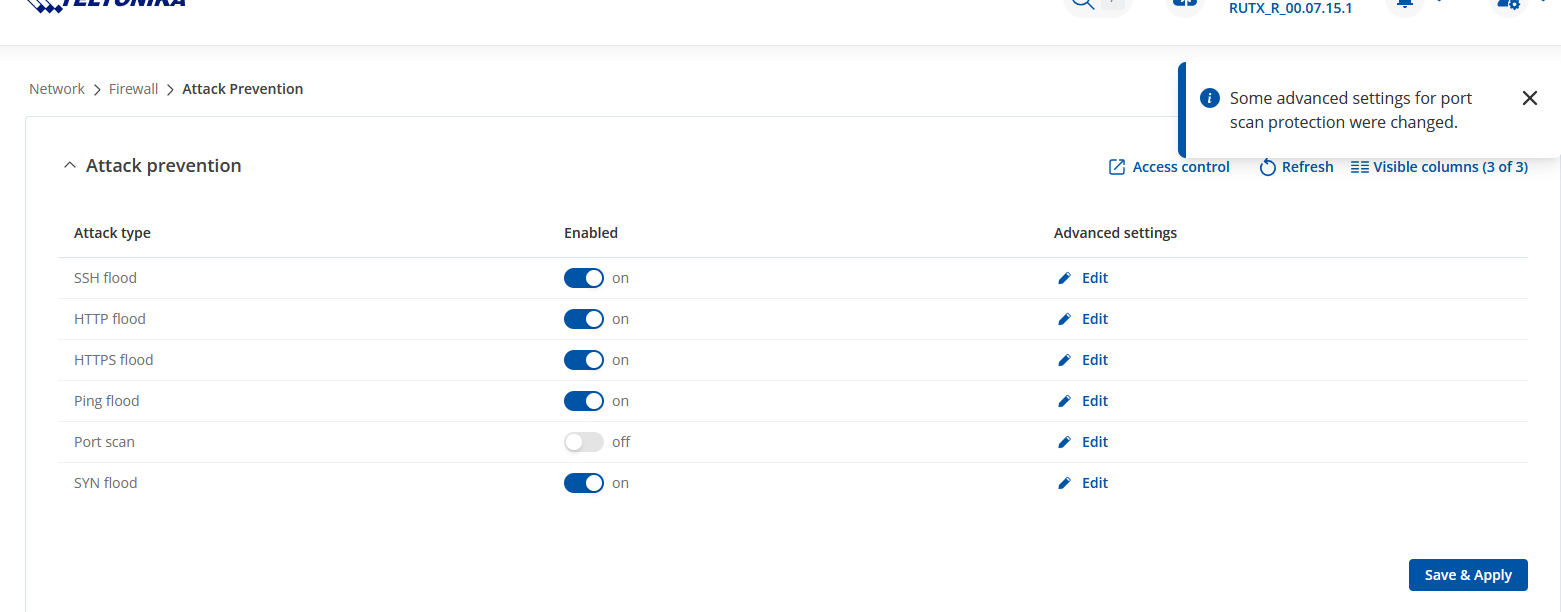
Thanks for checking up on this. I tried to upgrade to the latest firmware now, i.e 07.15.1. However I still have the same problem occurring. There is an info. message appearing when I click “Save & Apply” (see screenshot below). Then the toggle goes back to off, and if I go into the Edit window it seems it is the first toggle that never gets activated (see screenshot below).
Any advice to solve this is appreciated!
/Jafet

Hello,
Since I’m unable to reproduce the issue, I’ve sent you a form to fill out so we can continue our conversation in private, to avoid accidentally leaking any sensitive information. In the Ticket ID field, simply enter the thread’s number, which is 14348.
Thank you,
M.
Okay, I’ve submitted the support form now. Waiting for you to take the next step on this.
This topic was automatically closed after 60 days. New replies are no longer allowed.