I have 2 x RUT’s (241) which im using for testing at the moment, but they will be switched out for 2 x 901’s or similar at a later date. I will need to install a single Rut in 2 seperate buildings so that i can view a BMS controllers webpage via a remote PC in a different building.
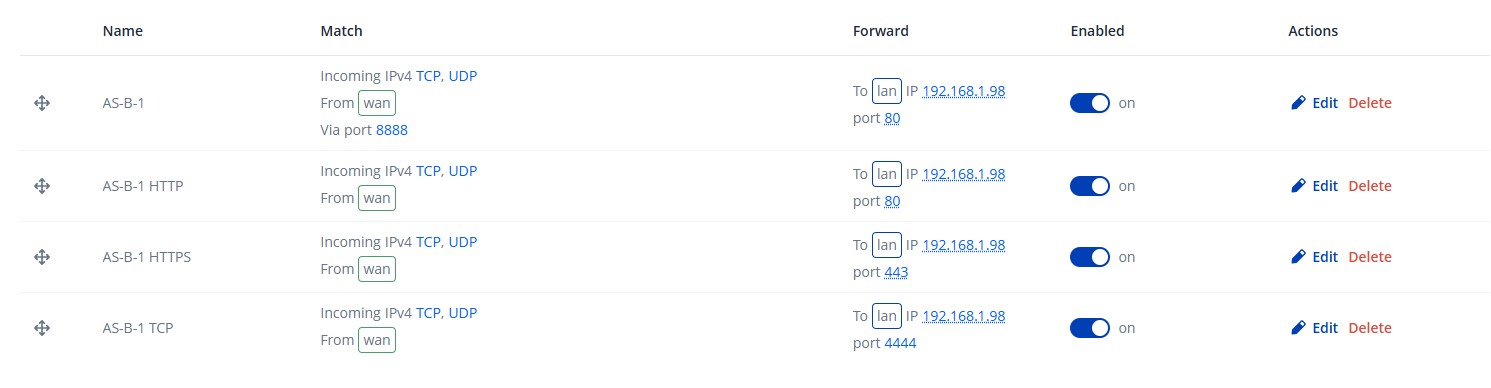
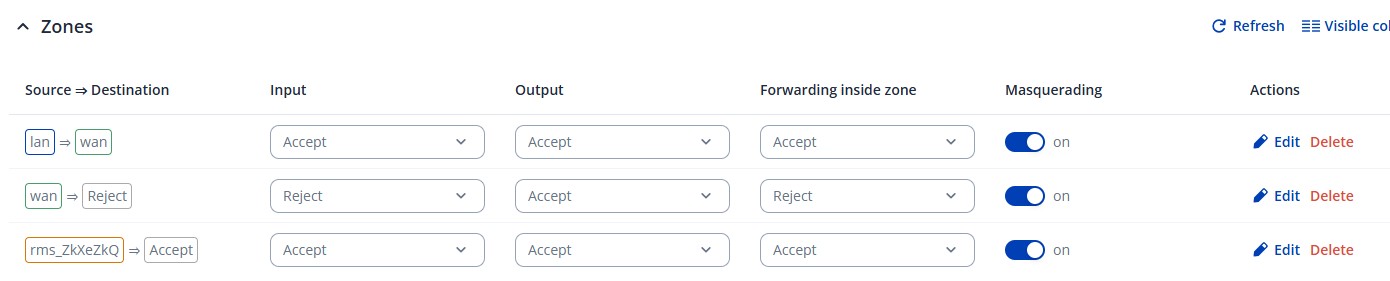
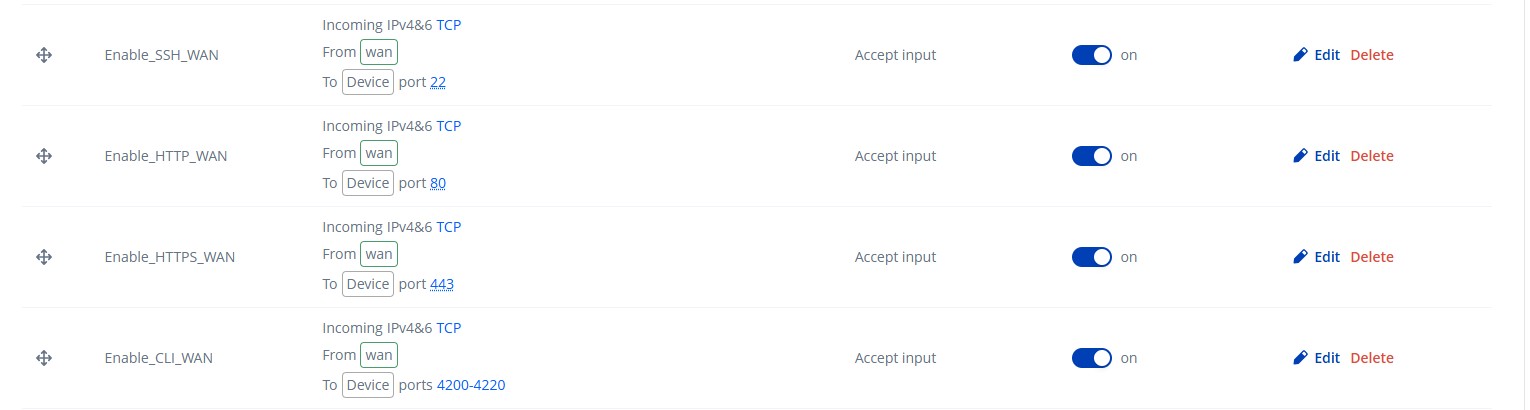
Im stuggling to get the correct settings so that the BMS controller can use the following ports, HTTP port 80, HTTPS Port 443 and TCP Port 4444. The webpage mainly uses port 80.
I also need to connect a PC up probably to a 3rd RUT, hwever when i look at the online videos on how to set up, it mentions about the PC connect under the RMS connect option, but thats not there any more, so how does that get set up
Im trying to get these settings correct, as ideally I need to set them up using the RMS platform, where i can allow a client to log in and view the systems webpage from anywhere they realy like to.
Any help would be greatly appreciated, as im keep scratching my head and going around in circles with it.
For this scenario, if your routers have public IP addresses assigned by your ISP, the simplest way to access the BMS controller from the WAN would be to configure port forwarding rules for the required port(s). A detailed guide on configuring port forwarding can be found here:
Alternatively, and this is the recommended and more secure approach, you can use RMS VPN or RMS Connect to access the controllers without exposing them to the internet. RMS VPN creates a secure tunnel to your devices, allowing remote access from anywhere. Full setup instructions for RMS VPN are available here:
Yes it will be classed as a static public IP. The controllers are normally set with a static IP address and normally sit on thier own BMS network. However in these instances the controller is classed as a ‘standalone’ system, which communicates to other plant through BACnet however the main controller uses a web interface based on the controllers IP address, and also uses the same IP address when we need to connect to the controller through the engineering software. There is one controller per building, and we need to view each system remotely.
I also noticed when i added 2 of my RUTs under one client, it wouldnt allow me to have addresses close to each other, when i tried it said it was in use and needed a different address.
Is there no technical support where you can e-mail and assist?
I can see the potential in the system however if i’m struggling to get 2 devices working, im starting to get very frustrated and i bet it’s just something simple
In this case, I believe to troubleshoot and assist you effectively, we’ll need to continue this process privately, because sensitive/publicly unshareable information, such as the troubleshoot file, public IP addresses, serial numbers, etc., needs to be collected.
You should find a support request form in the inbox of the email address you used for your forum registration. Kindly fill out the form, and please reference Ticket ID: 15489 when submitting it. Once the form is completed, we’ll contact you directly via email to investigate the issue in detail and help work towards a solution.