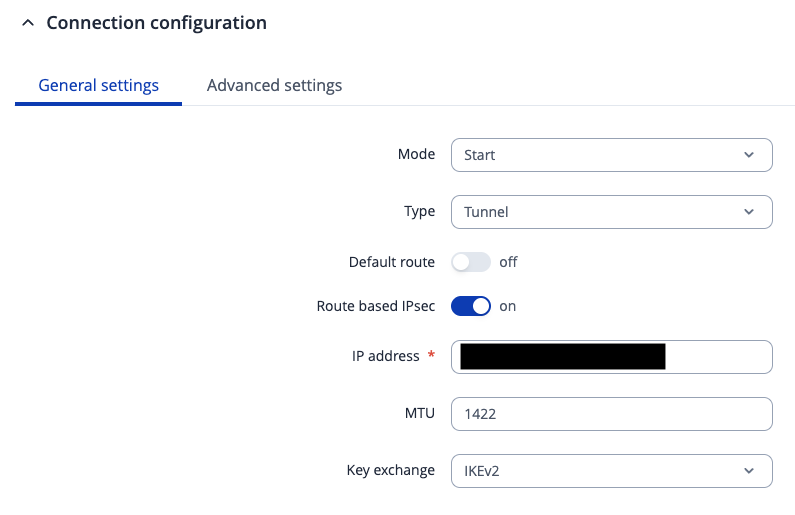
The thread mentions that IPSec interfaces are associated with the WAN zone by default. This seems a bit too permissive when writing firewall rules as you end up including the internet facing interfaces in the rule.
Would it be best practice to create a new ‘vpn’ zone and add the IPSec tunnel interfaces to that zone? When I’ve tried this the interfaces do not appear for selection.
Hi all, thanks for the replies, in our case we could see two zones but neither seemed to be associated with an interface. Traffic wasn’t being forwarded from the IPSec tunnels to the LAN zone, until we changed the source to be Any Zone. Is there any way to check that an IPSec tunnel interface is associated with a particular zone?
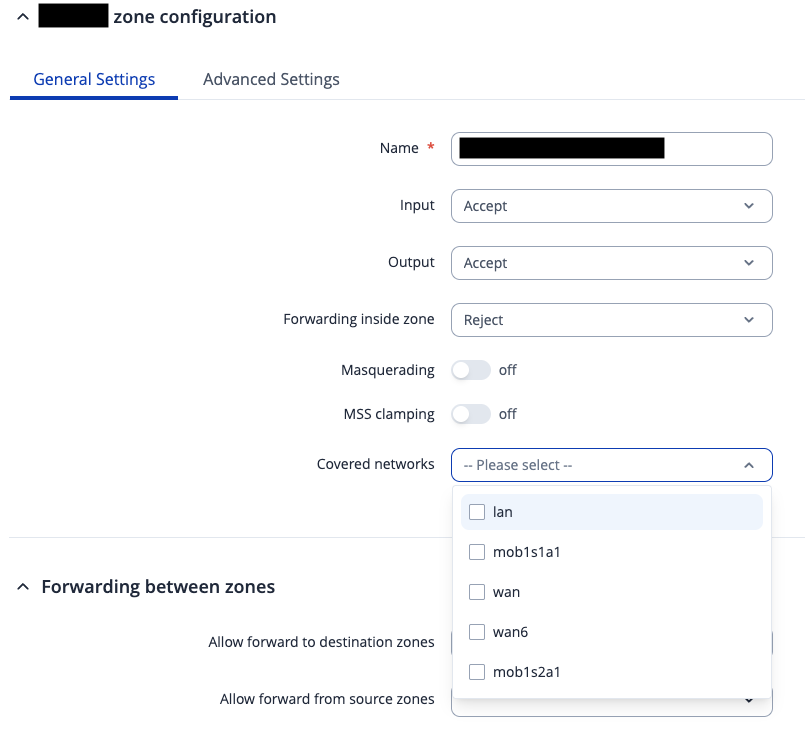
Hi, just to confirm we already had route based ipsec enabled, see screenshot below showing the IPSec config and the zone config for one of the tunnel’s zones.
I’ve re-implemented after a factory reset and I can see config interface entries in /etc/config/networks however they still don’t appear in the ‘connected networks’ list under zones. Is this normal?
Hi all, any further thoughts on this? We see this behaviour after every new router build, i.e. the IPSec interfaces are not associated with the zones that have been created. It’s not a huge problem when the WAN side is private, but when it’s internet facing it poses issues as we’d like to only allow BGP from the IPSec interfaces (for example). Currently the default rules have BGP open on the WAN interface.