Hi Justinas,
As discussed please see details for the setup of a RUT241 with AWS IoT core.
AWS IoT Core
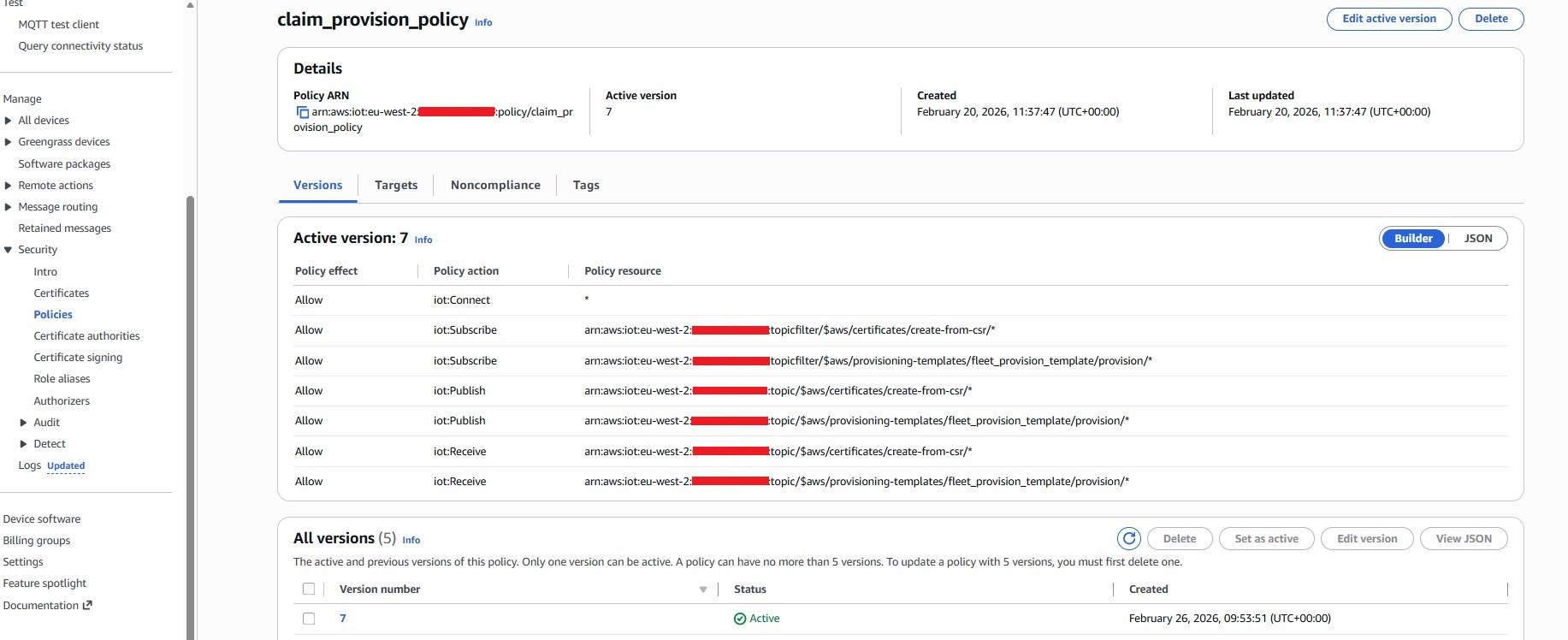
First step is create a claim provision policy with AWS IoT core by going to Manage → Security → Policies. This is needed for the next step when creating a claim certificate. See details in the image for what to include in the policy
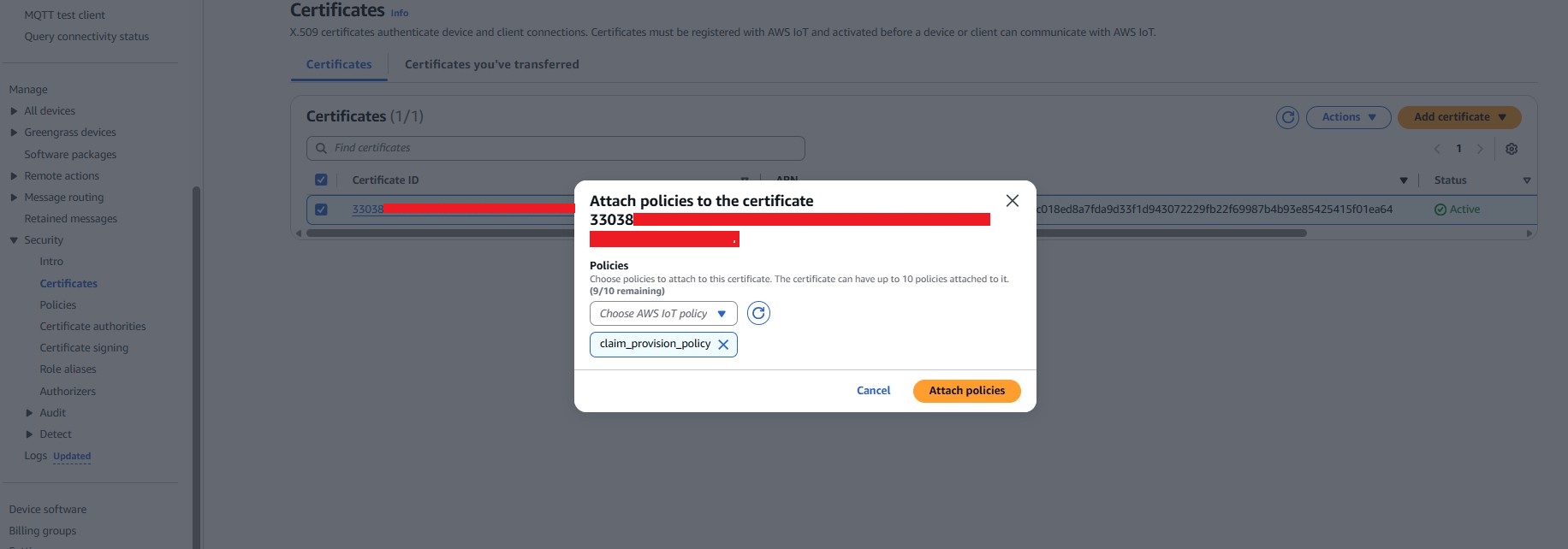
Next is to create a claim certificate which will be uploaded to the RUT device. To do this go to Manage → Security → Certificates and select create certificate. Once created attach the claim provision policy above.
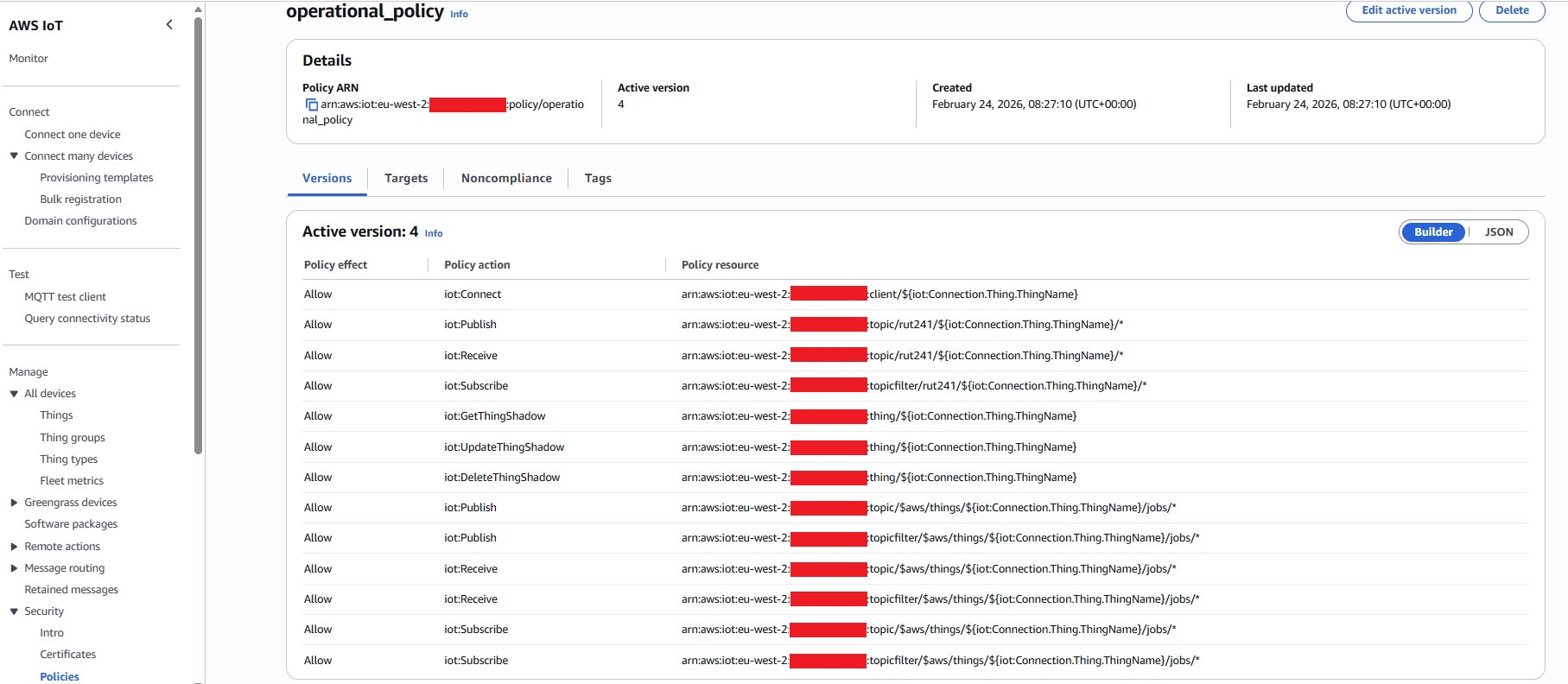
Before we can create a fleet provisioning template the next step is to create an operational policy that will be attached to the unique certificate AWS will automatically create and issue to the RUT device to use. Do this by going to by going to Manage → Security → Policies and follow the steps again to create a policy. See details in the image for what to include in the policy.
Now we have the above two policies we can create a fleet provisioning policy. Go to Connect → Connect many devices →Provisioning templates. Follow the steps to create the template selecting ‘Provisioning devices with claim certificates’. This will create JSON that should output like below.
{
  "Parameters": {
    "SerialNumber": {
      "Type": "String"
    },
    "AWS::IoT::Certificate::Id": {
      "Type": "String"
    }
  },
  "Resources": {
    "policy_operational_policy": {
      "Type": "AWS::IoT::Policy",
      "Properties": {
        "PolicyName": "operational_policy"
      }
    },
    "certificate": {
      "Type": "AWS::IoT::Certificate",
      "Properties": {
        "CertificateId": {
          "Ref": "AWS::IoT::Certificate::Id"
        },
        "Status": "Active"
      }
    },
    "thing": {
      "Type": "AWS::IoT::Thing",
      "OverrideSettings": {
        "AttributePayload": "MERGE",
        "ThingGroups": "DO_NOTHING",
        "ThingTypeName": "REPLACE"
      },
      "Properties": {
        "AttributePayload": {},
        "ThingGroups": [],
        "ThingName": {
          "Fn::Join": [
            "",
            [
              "",
              {
                "Ref": "SerialNumber"
              }
            ]
          ]
        }
      }
    }
  }
}
Device configuration
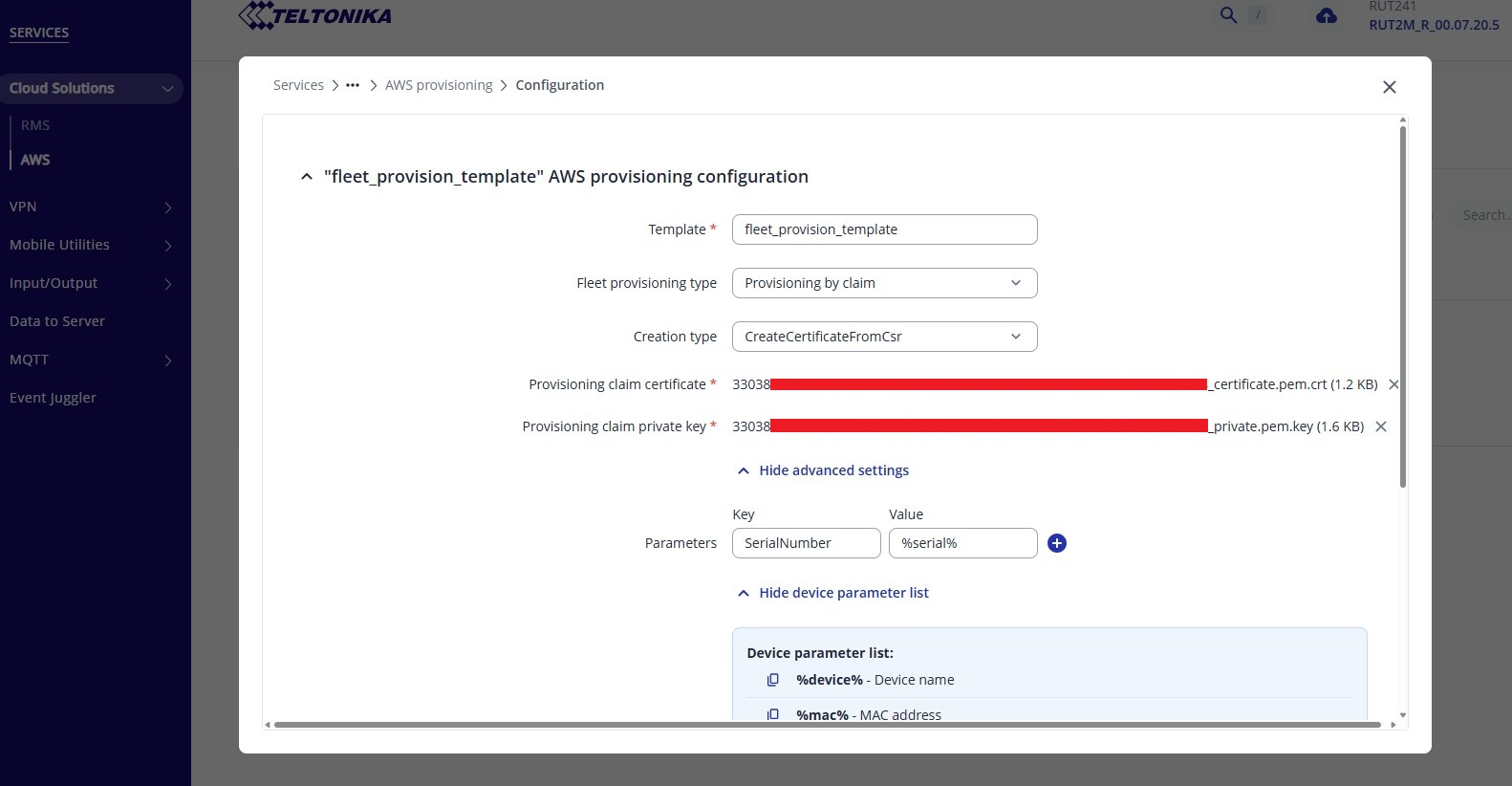
Now AWS IoT core is ready then next is to setup the RUT. First you will need to install AWS IoT Core using System →Package Manager. From here will be the provision setup using the claim certificate and private key you created earlier in AWS. The template name will need to match the name you used in IoT Core.
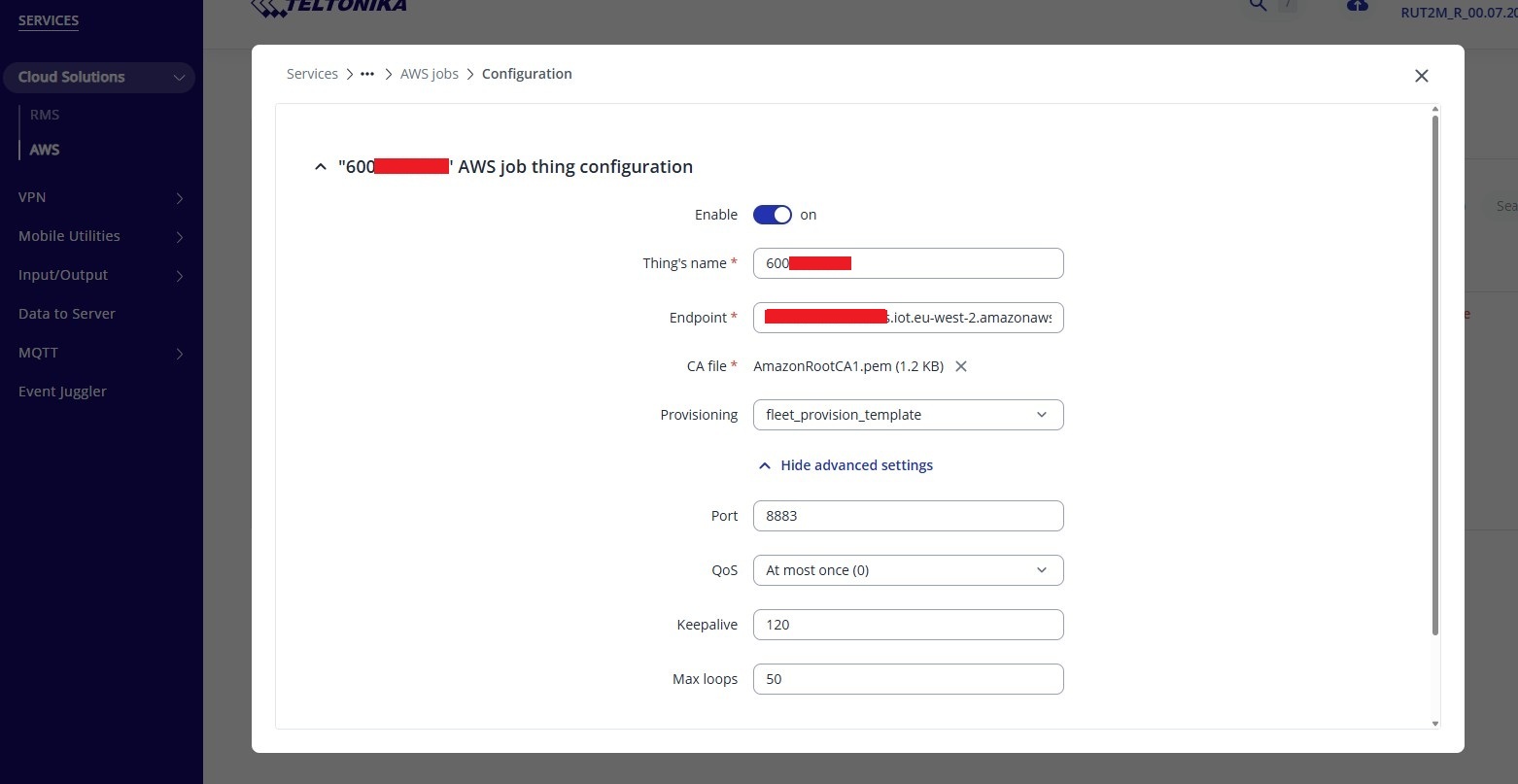
Next raise a job using the endpoint that can be found in IoT core. The thing name used here must be the same as what IoT Core will use to name the device it creates.
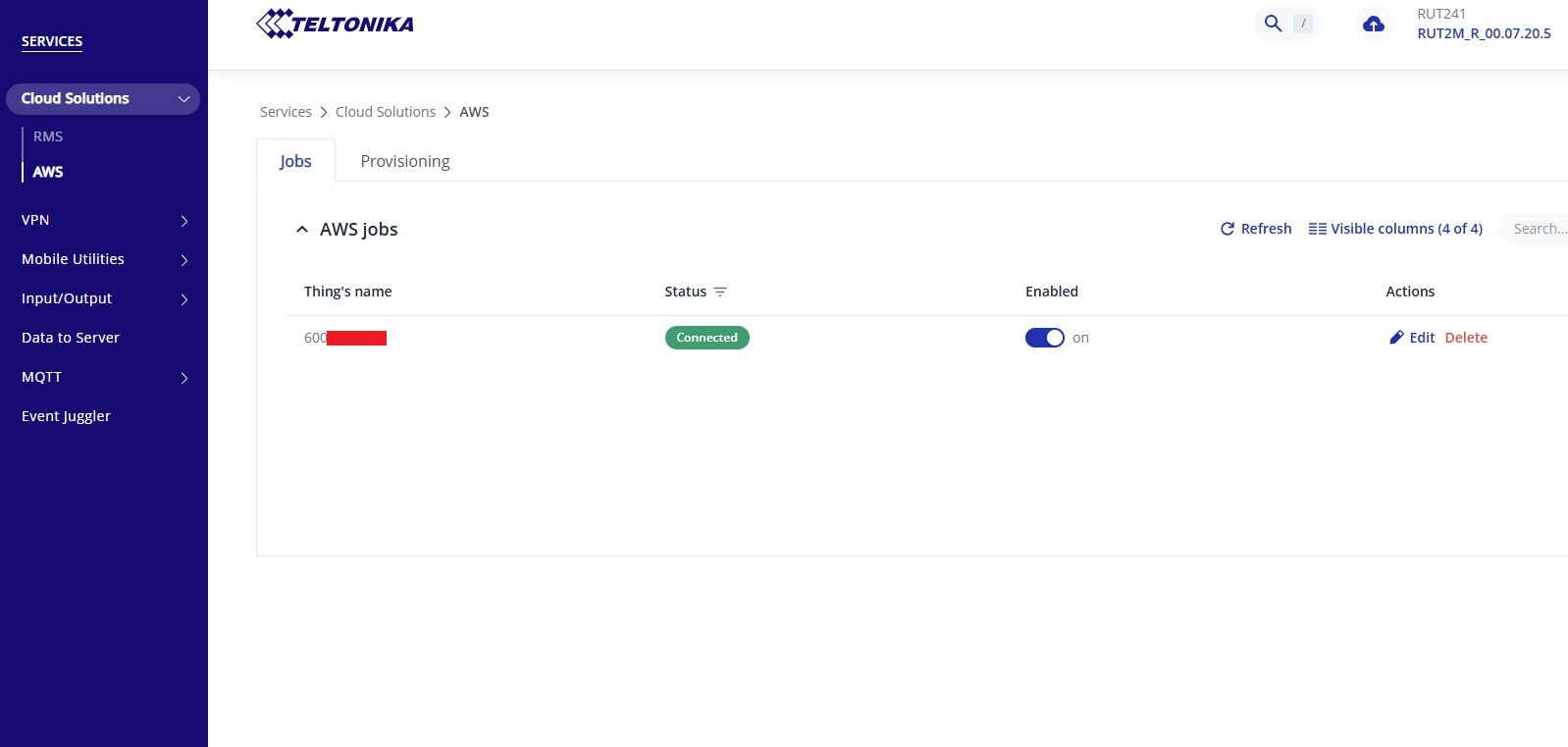
Once this is enabled and saved then IoT Core will try and provision the device and if successful you should see a unique certificate automatically created in IoT Core and the RUT device appear in ‘Things’ and a connection with the RUT as per the screenshot below.
Thanks
Luke