Hi Villus, Justinas
I have spoken to you on a previous topic 14638 which can be closed as the client I am working with would like to move to an AWS cloud based solution.
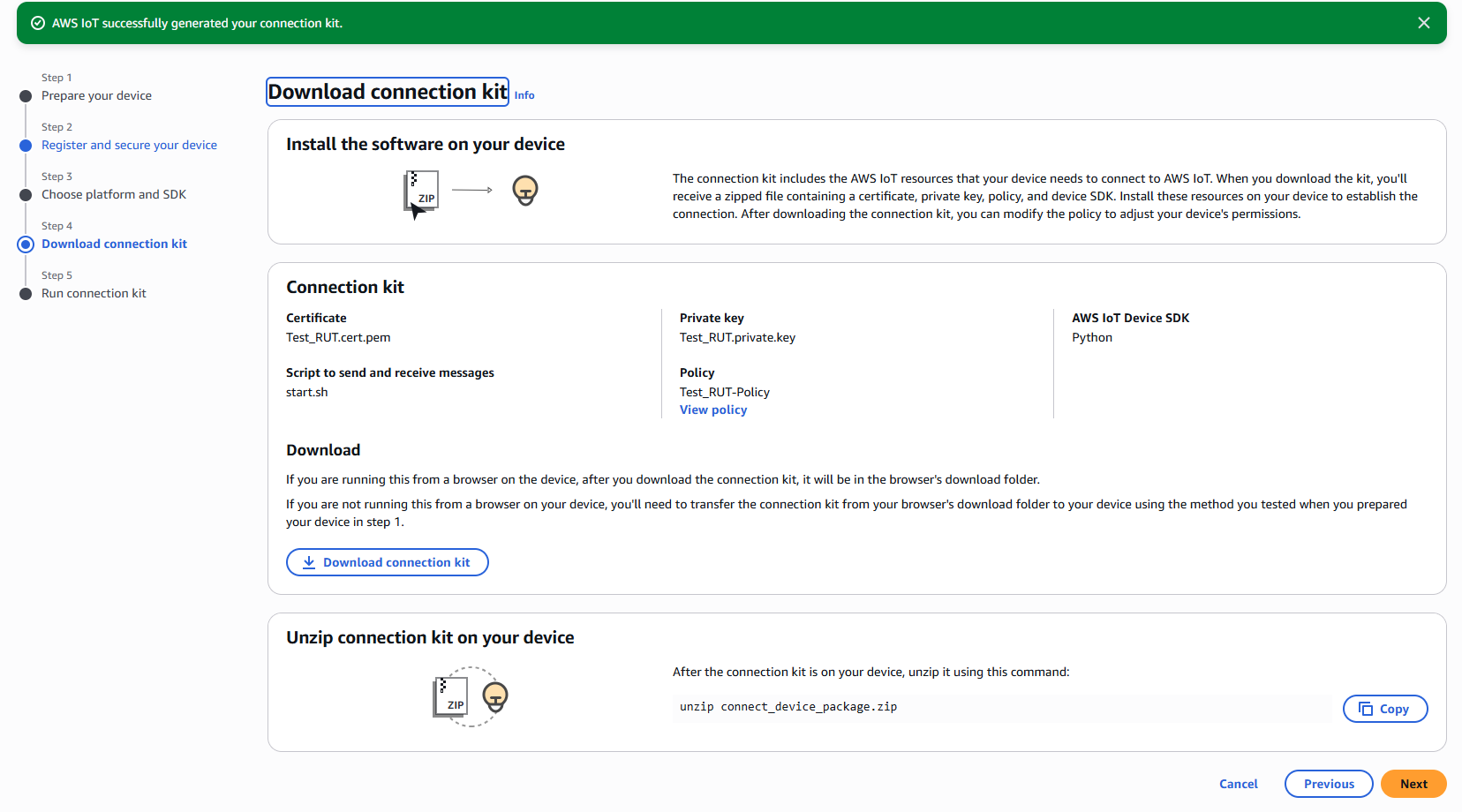
I am testing an MQTT connection with a RUT241 and AWS. AWS IoT has a test facility for doing this and even creates a connection package kit to install on your IoT device which contains certificates and .sh executable file.
The AWS test facility instructs to download the package file to the device and to run the .sh file to be able to prove an MQTT connection to AWS. Part of the connection kit build is to tell AWS key things such as the device platform (Linux) and SDK (python). Once the kit is installed it instructs to run the following two commands ‘chmod +x start.sh’ and ‘ ./start.sh’ which should then return some message from the RUT241 which can be seen in AWS.
On running the commands in the RUT CLI I receive the following error: env: can’t execute ‘bash’: No such file or directory. I place the certificates from the kit in etc/certificates and the start.sh file in \tmp on the device. It feels like this is something minor but I am wondering if you can assist me.
This is a screenshot of the AWS IoT environment.
Kind Regards
Luke