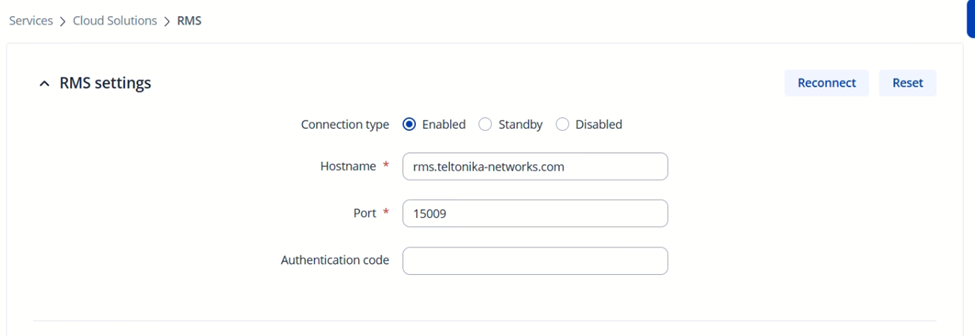
All Devices Offline with SSL Failure

Hello,

I have 9 Teltonika RUT devices in my RMS account: 8 are RUT901 models and 1 is a RUT956. I began deploying them gradually over the last year. They are used for a mix of remote access and VPN services.

Four days ago, all 9 devices suddenly went OFFLINE, and I am unable to find the cause.

I have already tried the following troubleshooting steps, but the devices remain offline:

· Rebooting the device.

· Updating the time by syncing with the browser.

· Enabling NTP synchronization.

· Performing a factory reset of the router.

· Updating the firmware.

· Switching the SIM card to slot 2.

· Testing the connection with RMS ports 15009, 15010, and 15039.

· Re-registering the device in my RMS account.

· Re-starting the Auto-Extend option.

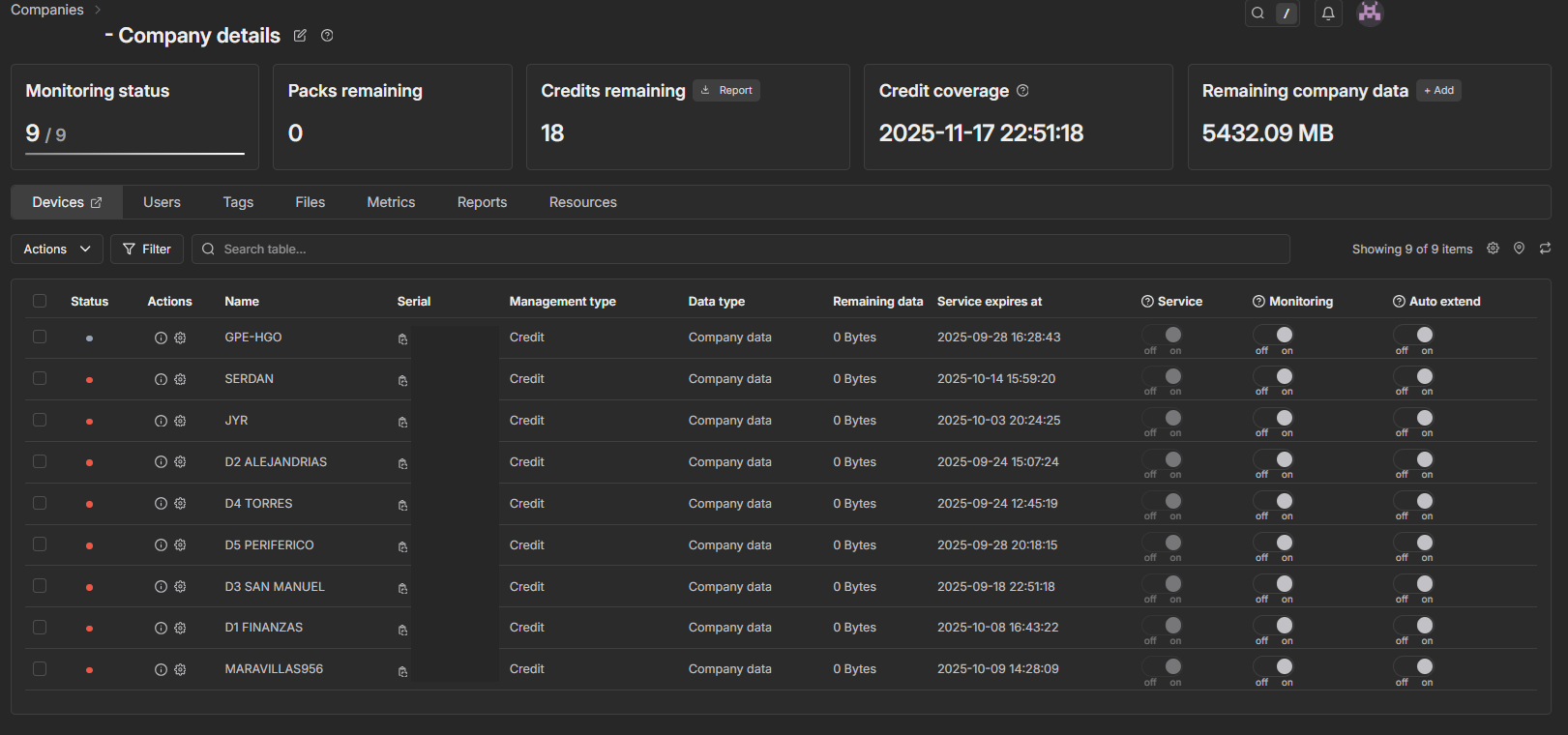
I have also confirmed that the RMS account has sufficient credits (my devices have always used the credit system, not license packs), and that the data plans are active (as shown in Image 1).

Furthermore, I have checked with my mobile service provider, and they confirmed that all SIM cards are active and have data.

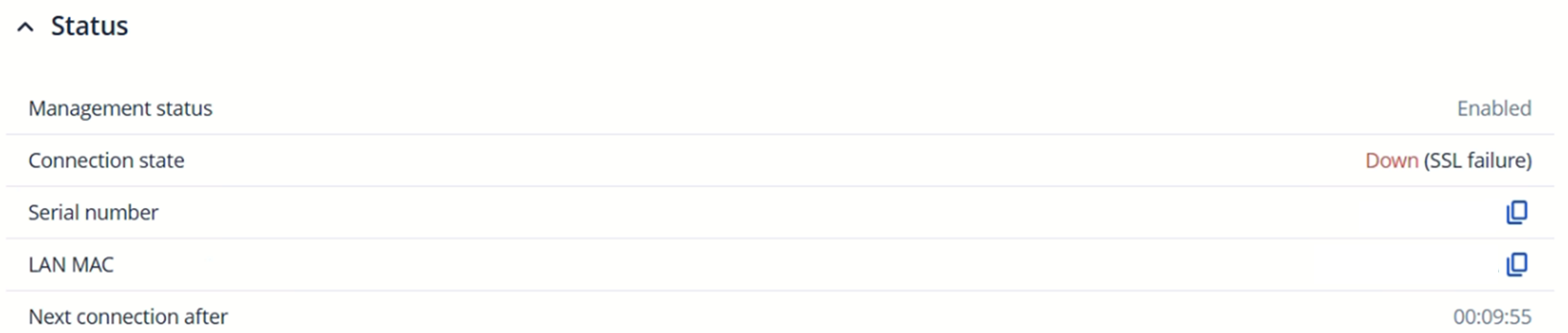
As you can see in the attached images, the connection error is “SSL failure”.

I would appreciate your help in identifying the potential cause of this problem, as all 9 of my devices are disconnected and not transmitting data. Please let me know if you need any more information.

Thank you for your time.
Hello,

There are a few things that I would like for you to confirm & try, they are as follows:

  • Although you did mention testing the RMS ports, I’d like for you to also test whether the RMS IP addresses are not blocked by your firewall. The list of IP addresses/ports can be found here: What IP addresses and ports are used by RMS? - Teltonika Networks Wiki
  • If the above doesn’t apply to your situation, the next thing I want you to confirm that your devices have sufficient space to store the RMS certificates, this is rare, but could potentially happen.
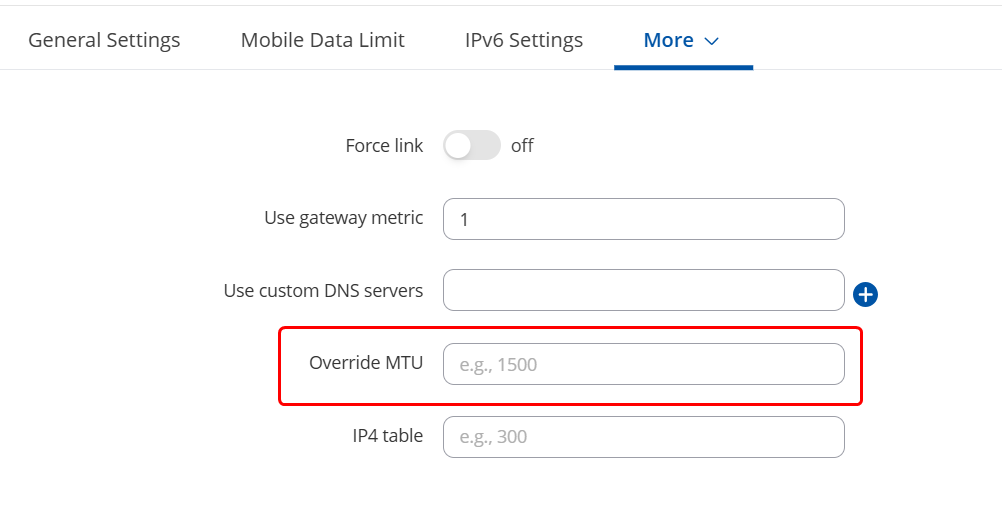
  • Finally, I want you to try to set a different MTU size on your mobile interface (you can try with one of the devices that are offline) to see if that improves the situation. The values you can try are 1500, 1480, 1420. As for where to change the MTU sizes, you need to head to the WebUI → Network → WAN → Click “Edit” on the mobile interface → Advanced settings tab → “Override MTU” option:

Regards,
M.

Hello,

Please also double-check whether your mobile interface PDP type is set to “IPv4” as setting it either to IPv6 or IPv4/IPv6 could be the root cause of the issue.

Regards,
M.

I am having similar problem on my RUTM56:

Services > Cloud Solutions > RMS > Status shows that the Management status is Enabled, but Connection state: Down (SSL failure)

When sending SMS with rms_status I get “Disconnected, SSL Failure“.

I also tried setting the PDP type in Network > WAN to IPv4 to no avail.

When executing System > Maintenance > CLI:

openssl s_client -connect rms.teltonika-networks.com:15009 </dev/null

In response I get:

CONNECTED(00000003)
but further down:

verify error:num=20:unable to get local issuer certificate

and

verify error:num=21:unable to verify the first certificate

Can you recommend on how to troubleshoot the issue?

Hello @Kristo & @GPala ,

This part is normal and can be safely ignored. Could you kindly test with the rest of the IP + port combinations available here: What IP addresses and ports are used by RMS? - Teltonika Networks Wiki

@GPala and @Kristo ,

Regarding your MTU settings, could you try decreasing the value even further? You can decrease it in increments of 40 down until 1280. Let me know if this improves the situation.

Regards,
M.

Hi, I’ve updated to the latest stable version (RUTM_R_00.07.17.5 as of now), but still am experiencing irregular RMS downtime. Currently, it’s been down for three days.

I tested the IPs and here are my findings:

Using the same openssl s_client function I’m able to connect to RMS Management IPs 18.196.62.30, 3.69.112.66, 35.157.156.54 to ports 15009-15011 but not on ports 15039-15040.

I’m unable to connect to the rest of the IPs: 18.157.218.160, 3.77.251.245, 3.78.70.211, 18.158.123.134, although nslookup works on each and every address provided above, except for the second address of rms.teltonika-networks.com

The RMS Connect IP 18.192.27.240 gets connected to all of the provided ports, e.g.:

root@RUTM56:~# openssl s_client -connect 18.192.27.240:20022 </dev/null
CONNECTED(00000003)
4CADEB77:error:0A00010B:SSL routines:ssl3_get_record:wrong version number:ssl/record/ssl3_record.c:355:

no peer certificate available

No client certificate CA names sent

SSL handshake has read 5 bytes and written 297 bytes
Verification: OK

New, (NONE), Cipher is (NONE)
Secure Renegotiation IS NOT supported
No ALPN negotiated
Early data was not sent
Verify return code: 0 (ok)

How would you recommend to proceed?

Hello,

If certain IPs/Ports are unreachable, this can only be fixed by contacting your internet provider (mobile operator, ISP, etc.) & providing them the full list of IPs & Ports for them to unblock.

Regards,
M.

This topic was automatically closed after 60 days. New replies are no longer allowed.