Is there a way to include the serial number in the MQTT topic when sending MQTT messages to a MQTT broker.
eg. topic = {serial_number}/status
Is there a way to include the serial number in the MQTT topic when sending MQTT messages to a MQTT broker.
eg. topic = {serial_number}/status
Greetings, gguns,
Thank you for your message,
In general an MQTT connection takes place between two Clients and a Broker. A TRB device and RUT router can be Broker, Client or both. The MQTT Publisher(Client) present in TRB devices and RUT routers subscribes to two topics by default: /get and get//command . Where is the device type, for RUT routers type is router and for TRB devices type is device . Parameter is the router’s serial number
For more information, you can refer to this article:
I hope this answers your question.
Kind regards,
V.
Hello Vilius,
I’ve looked at the MQTT Modbus Gateway service. There you have the option to include the serial number in the MQTT topic by using $$SERIAL. I was hoping I could do a similar thing in Data to Server. The disadvantage of the MQTT Modbus Gateway is that it works with request/response logic. In our case we want the Teltonika to transmit modbus data at a fixed interval.
Greetings,
G.
Greetings, gguns,
Thank you for your message.
You can utilise data to server feature to send MODBUS data in certain intervals to your external server.
Depending on your device, you may need to install an additional package. If the MODBUS option is not visible in Type field of data configuration, please download the Advanced Data to Server Modules package by navigating to System → Package Manager and typing the module name in the search bar. Once installed, the MODBUS option should become available.
Please let me know how it goes, and don’t hesitate to reach out if you have any further questions.
Best regards,
V.
Yes, correct. I can send MODBUS data to our MQTT broker. That’s not the issue here.
My question: Can I use system parameters (eg. the serial number) in the MQTT topic when I use Data to Server?
If it’s not possible then it is also a answer. If so, will it be possible in a future firmware release?
Any update on this?
Greetings, gguns.
Thank you for your question,
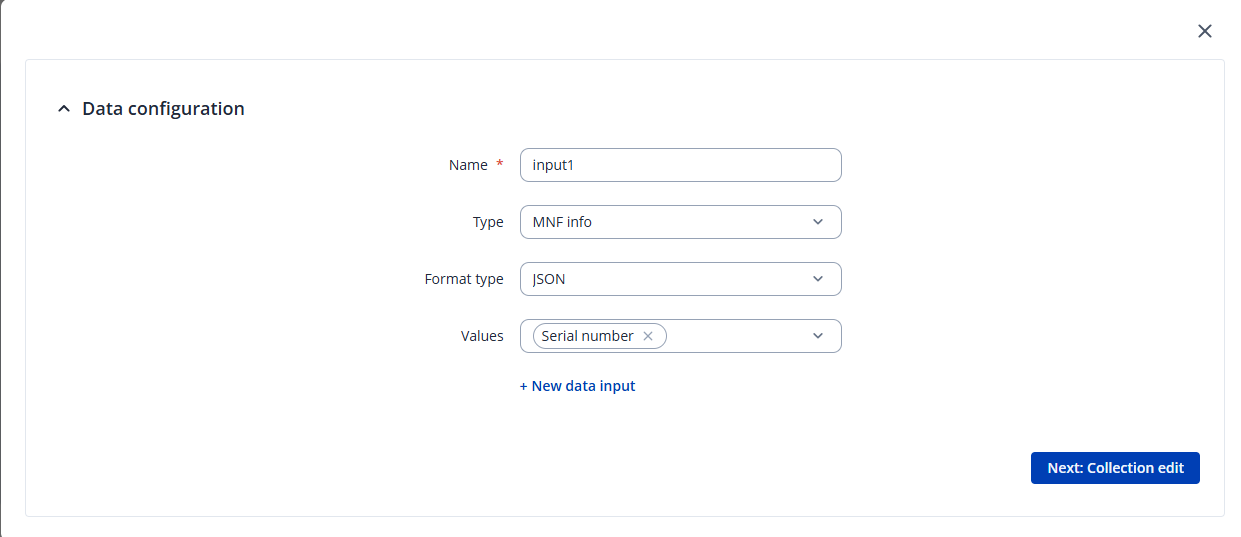
Using data to server you can configure which data are you going to collect: MNF info, GSM, GPS, MODBUS, etc. In your case we are choosing serial number.
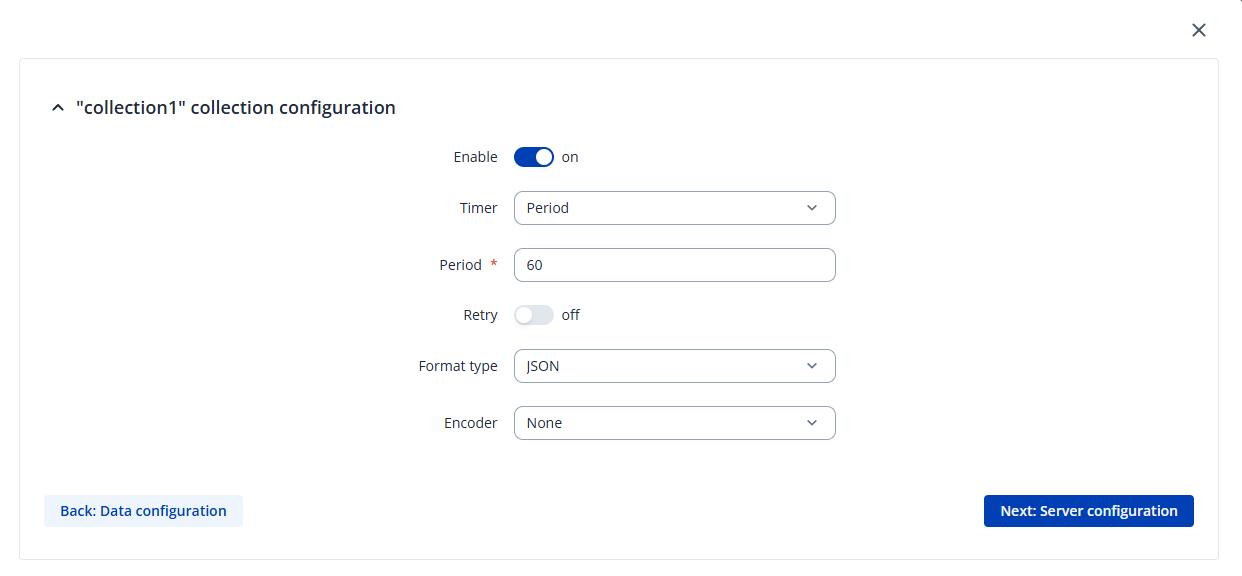
Then we need to set the period or schedule on how often the data will be sent.
Then we can select type as MQTT that defines the method which the data will be sent to server, define server address and topic. You can set your custom topic name.
Additionally, could you please clarify which broker are you using?
Kind regards,
V.
In your example the MQTT topic will be “SerialNumber“.
I want to have the actual serial number of the router (eg. 6007178334)
We have many Teltonika devices sending data to our MQTT broker and I want to differentiate the data using a unique value in the MQTT topic
Thank you for the clarification,
In this case, achieving this would likely require a custom script that extracts the value and publishes it to a topic. While writing custom scripts is outside our technical support scope, however, I can confirm that it is possible to accomplish.
Best regards,
V.
Do you mean python scripts or something else?
Where should I look if I want to learn more about these custom scripts?
Greetings,
Thank you for your message,
The Data to Server feature can use Lua scripts. You can add a Lua script in the data configuration window by selecting Type: Lua script. An example script is available for download directly from the WebUI.
Here is an official Lua documentation:
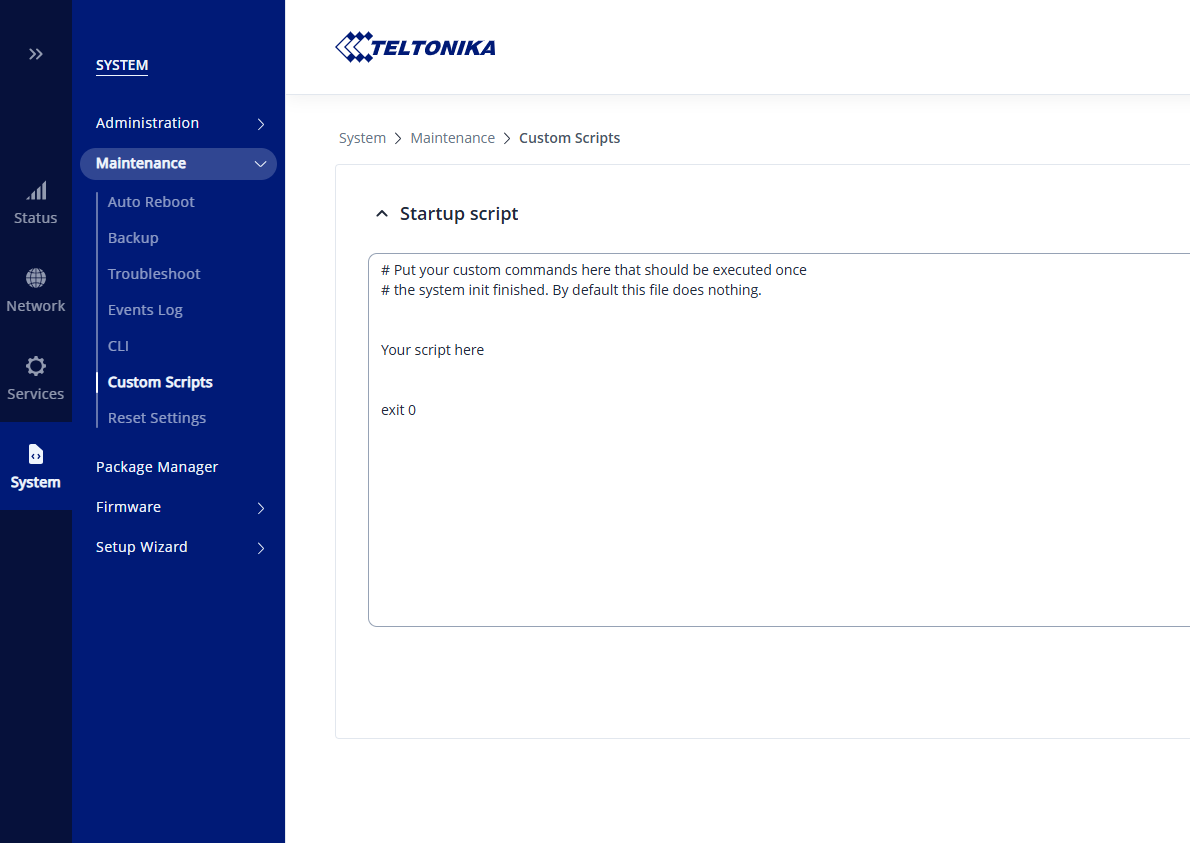
Additionally, you can create shell (.sh) scripts that execute when the device boots. To do this, navigate to System → Maintenance → Custom Scripts, and enter your script in the provided window as shown in the screenshot:
You can find several shell script examples in this article:
Please note that RUT241 has limited flash memory, so installing Python 3 is not possible on this device.
I hope this clarifies your options.
Warm regards,
V.