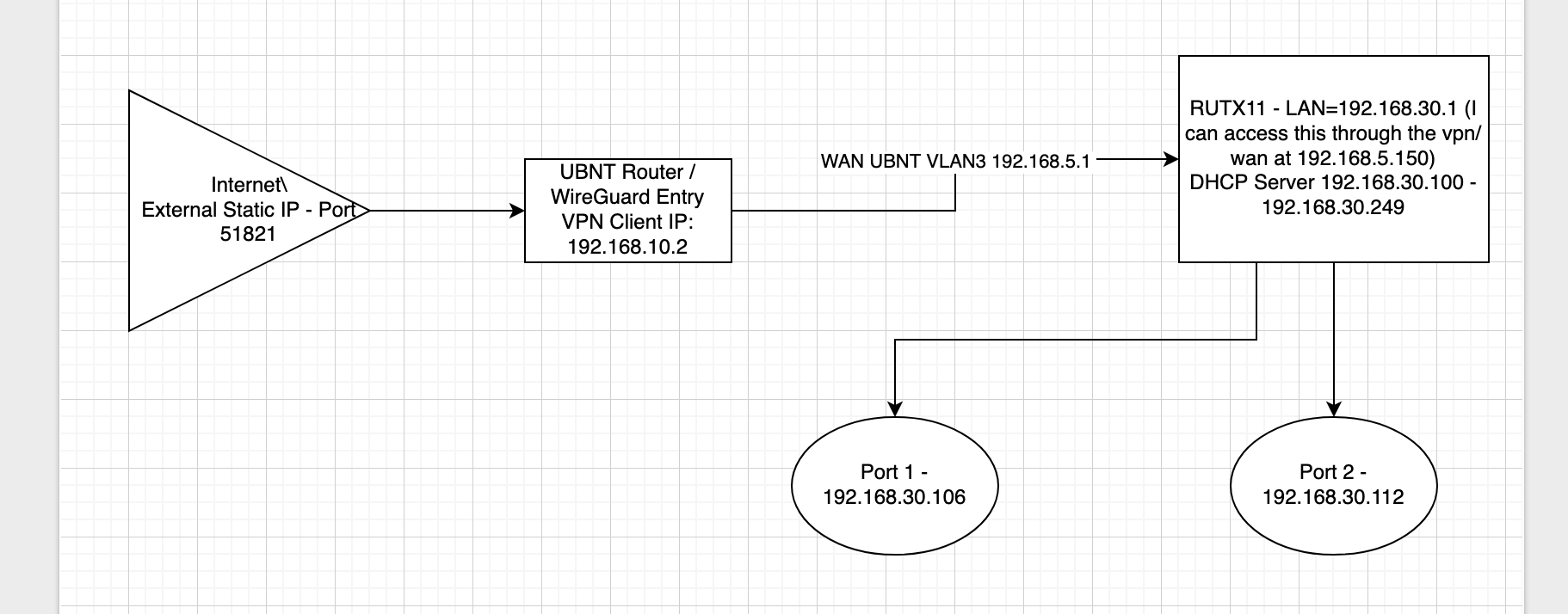
Hey. I really appreciate the response. Given what you discussed I have tried the following things, and I have included screenshots. A quick note, i did change the DHCP server and RUTX address to the 192.168.30.0/24 address range and included a new network drawing to reflect this. The reason for it was I wanted to make sure that none of the addresses were conflicting. Hence new chart:
Have you added any static routes on the UBNT router? For example, to the 192.168.1.0/24 network?
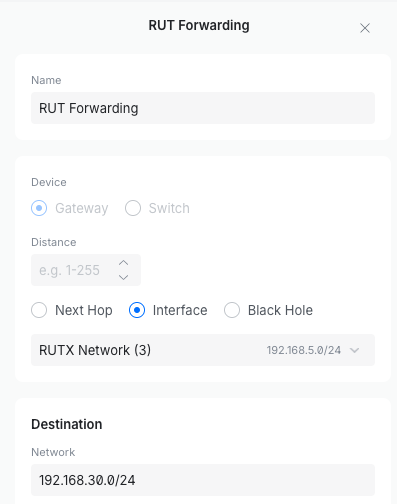
I tried this – see below
In the AllowedIPs list of your WireGuard config, have you also added the 10.0/24 and 1.0/24 networks?
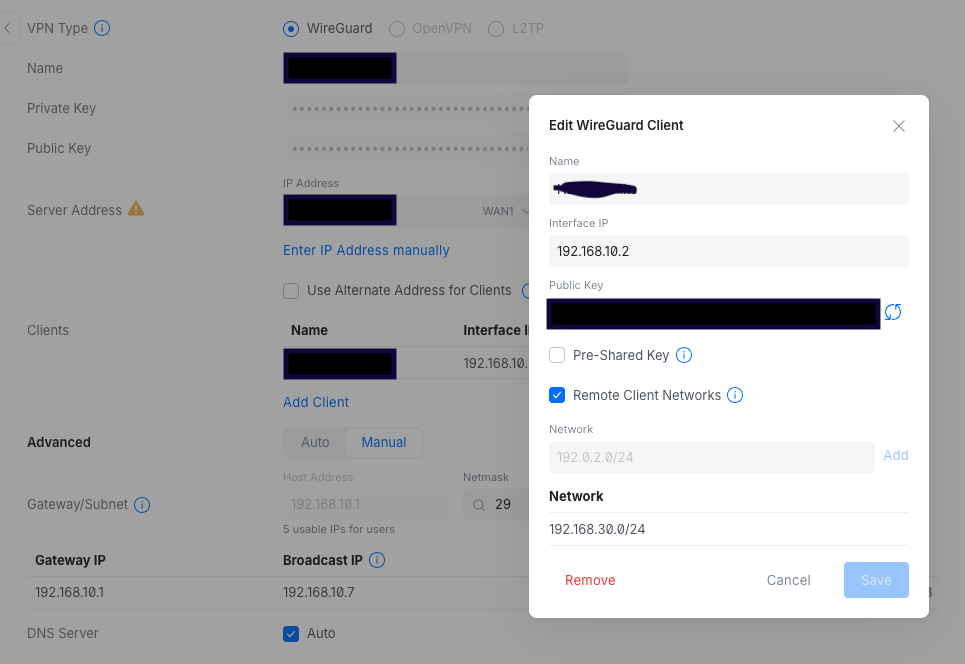
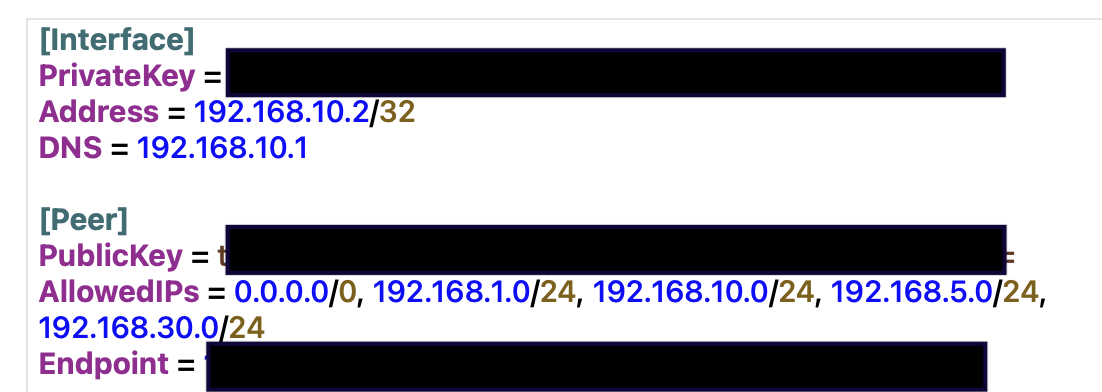
So on the server (UBNT Side I added the first picture for access to the network, then the second picture of the Client Config - which i know is VERY open at the moment, but I’m trying anything).
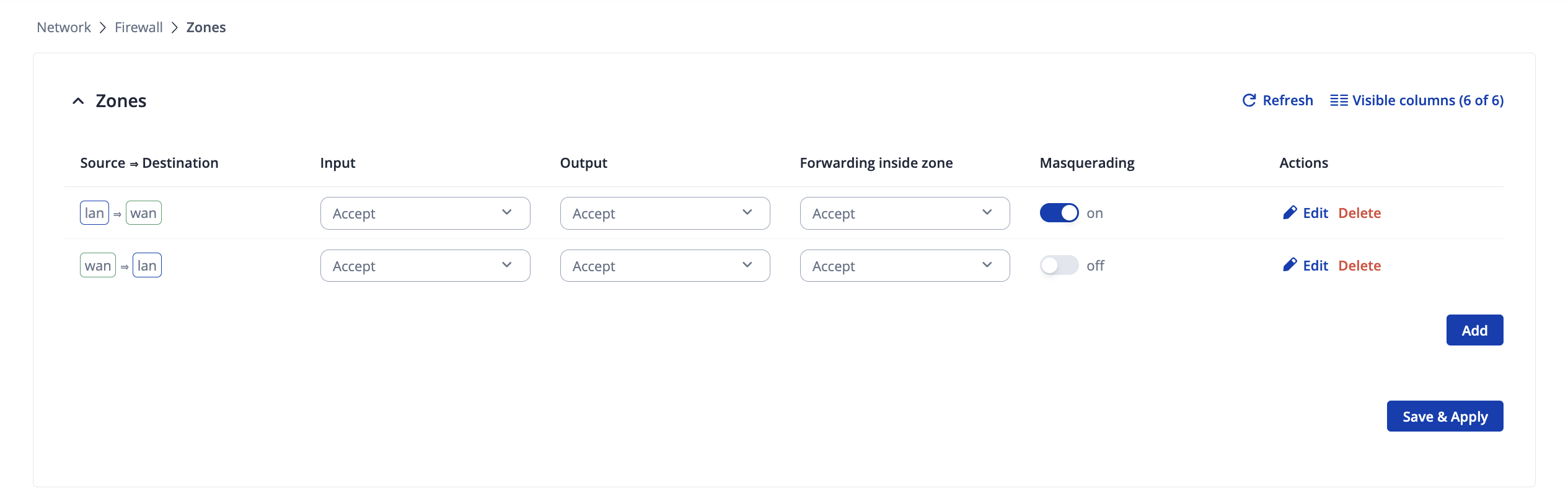
Does enabling the Masquerading option under Network → Firewall → Zones (or General Settings → Zones for older firmwares) helps you? If you haven’t tried already, please do. You should enable it on the first zone in the list, which generally is LAN => WAN
This is what i have for this:
So one thing i should mention. Based on this configuration i can get to 192.158.5.150 via wireguard which is the RUTX11 WebIU. I just can’t get to the LAN DHCP addresses. I need access to the downstream devices which according to say the network chart is 192.168.30.106:22 (Yes I need to SSH to them)… These I can’t get to.