Hello dshoot,
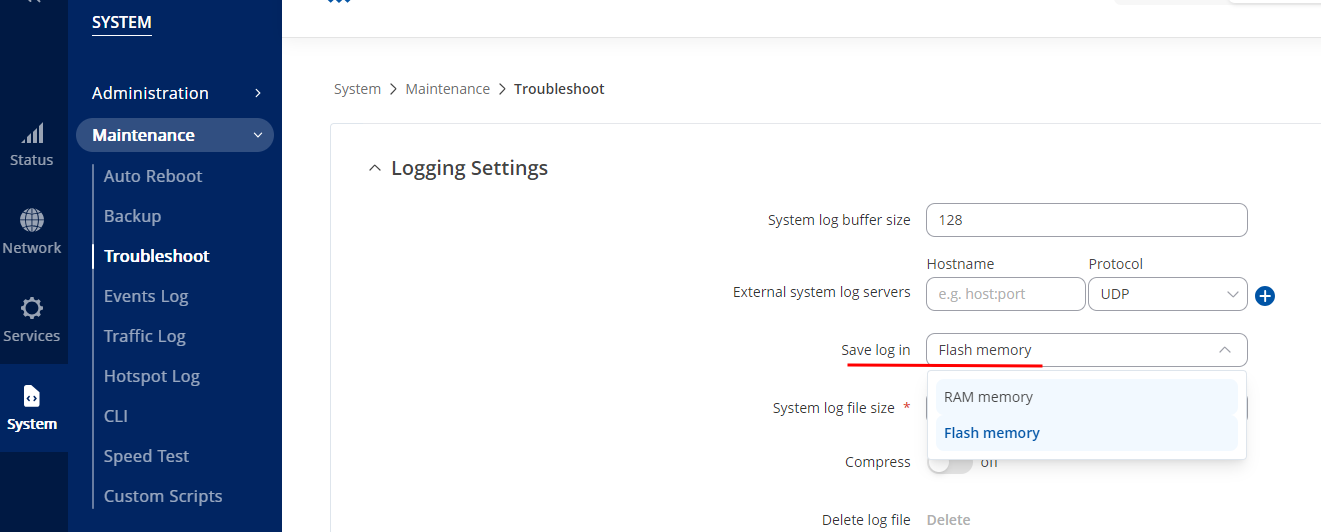
In order for us to be able to troubleshoot the root cause of the issue, we will need a troubleshoot file, but as the device is unexpectedly rebooting, we will need to save these troubleshoot files in Flash memory.
In order to save it into flash memory, login to your WebUI → navigate to System → Maintenance → Troubleshoot → " Logging Settings" section, there you will see “Save log in” option and choose “Flash memory”.
As the troubleshoot file will not be accessible that easily, I would want to make a remote session, where we could access the troubleshoot file and see what is the cause of the issue.
For further communication I have sent you a Hubspot instructions to your e-mail, check your inbox and there refer to further steps, your ticket ID will be 6460.
Kindly waiting for your reply,
DziugasS