Hi there,
Thank you for your response.
I have tested the setup you described on a RUT955 device with firmware version RUT9_R_00.07.06.16, and the Failover functionality worked as expected. When the WWAN (wireless WAN / wifi1) connection was lost, it automatically switched to the mobile WAN (mob1s1a1). Once ‘wifi1’ became available again, the device reverted back to the primary WAN connection.
Regarding the “Flush connections on” option, you can find this setting by navigating to Network → Failover, and then pressing Edit on the required interface as shown in the screenshot below.
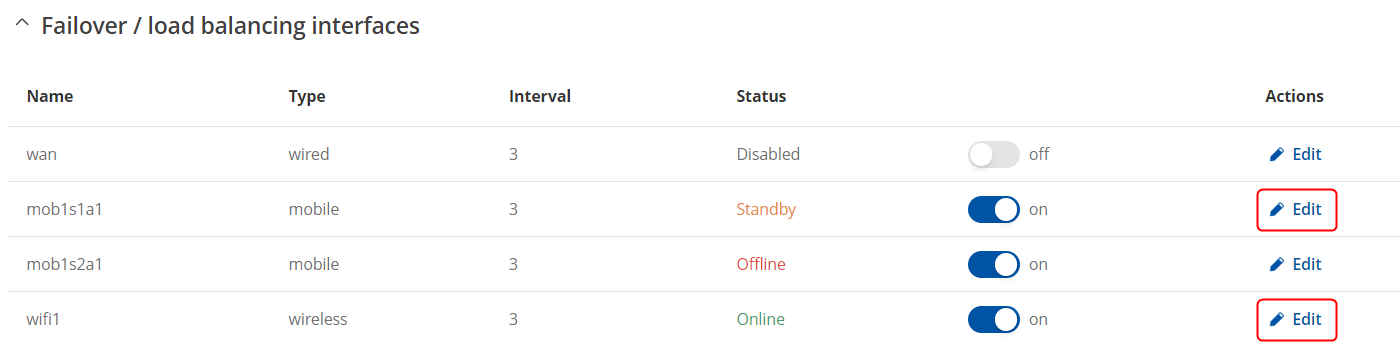
Here you should be able to select all four “Flush connections” options. This feature flushes established connections when the selected scenario occurs, ensuring that the priorities of your configured interfaces are renewed.
I hope this explanation helps! If you need further assistance or have any additional questions, please feel free to reach out.
Best regards,