Hello everyone, unfortunately, I am currently experiencing an issue with my FMC 003, where the mileage is not being read correctly.
The device is currently with a customer, so configuration is only possible via text message.
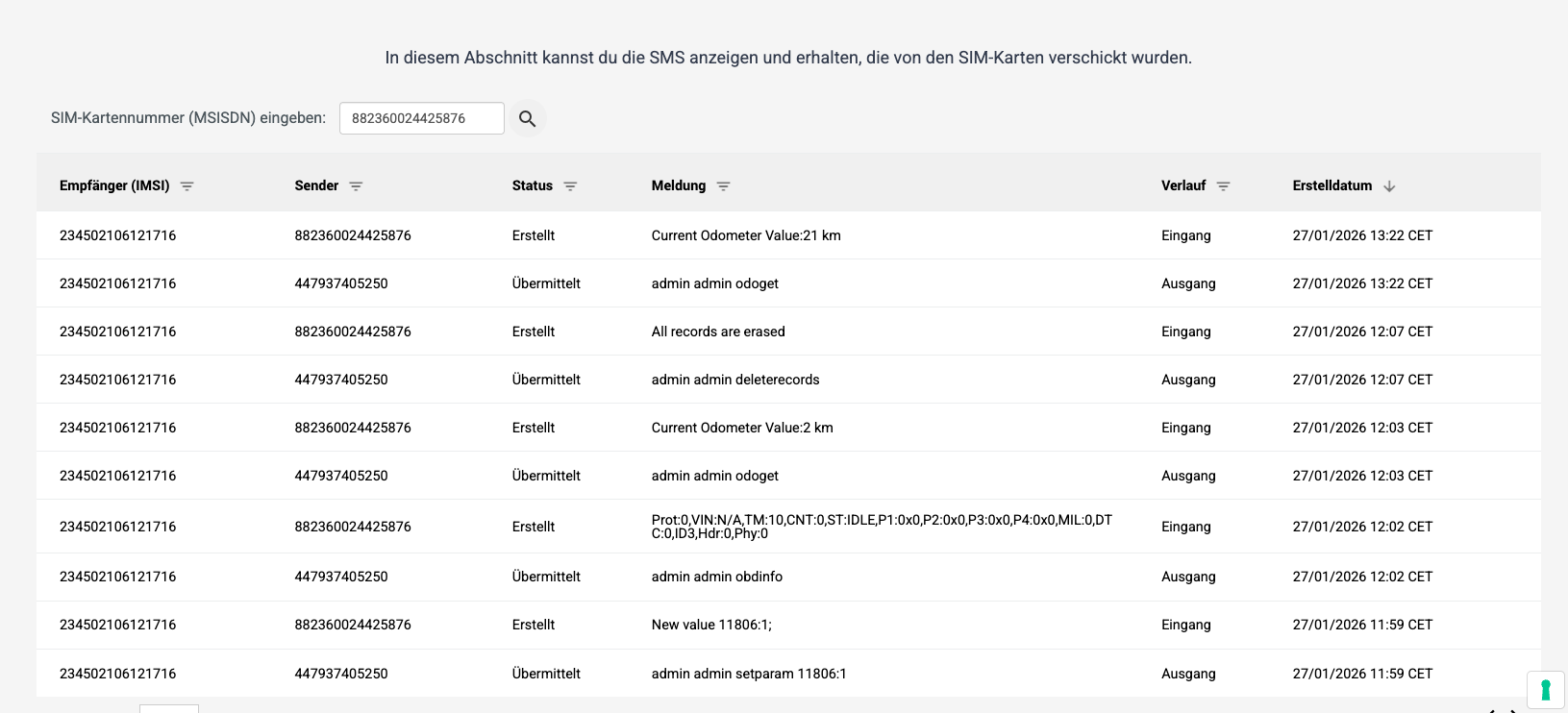
I have already tried manually resetting the mileage to 0 using parameters and also trying to cache the system.
See screenshot.
Unfortunately, it still determines the wrong mileage, which it probably calculates from GPS. However, I definitely want to get the mileage from the control unit / OBD.
I would be very grateful for any suggestions.
Edit: Odometer of the plugged device should be arround 100k km
Under the Trip \ Odometer Tab, could you please confirm if GNSS or OBD is configured as Calculation Source for the Odometer?
What is the Brand, Model, and Manufacturing Year of the vehicle where the FMC003 is installed?
Is the device reporting the Mileage Value over OBD OEM Total Mileage (AVL ID: 389)?
If vehicle is listed as supported on the FMX003 OBD OEM list, with the possibility of reading OBD OEM Total Mileage from this vehicle, then it must be set to Low Priority in the OBDII Tab in order to obtain its value over AVL ID 389.
Hey Ali, the vehicle is a Renault Traffic 2024 model. Unfortunately I dont get the reports of the AVL ID 389. Only AVL ID 16 with the milage calculated via GPS
It is expected that the device is not reporting data over AVL ID 389, as the Renault Trafic 2024 is currently not included in the supported non-electric vehicle list for FMC003 devices.
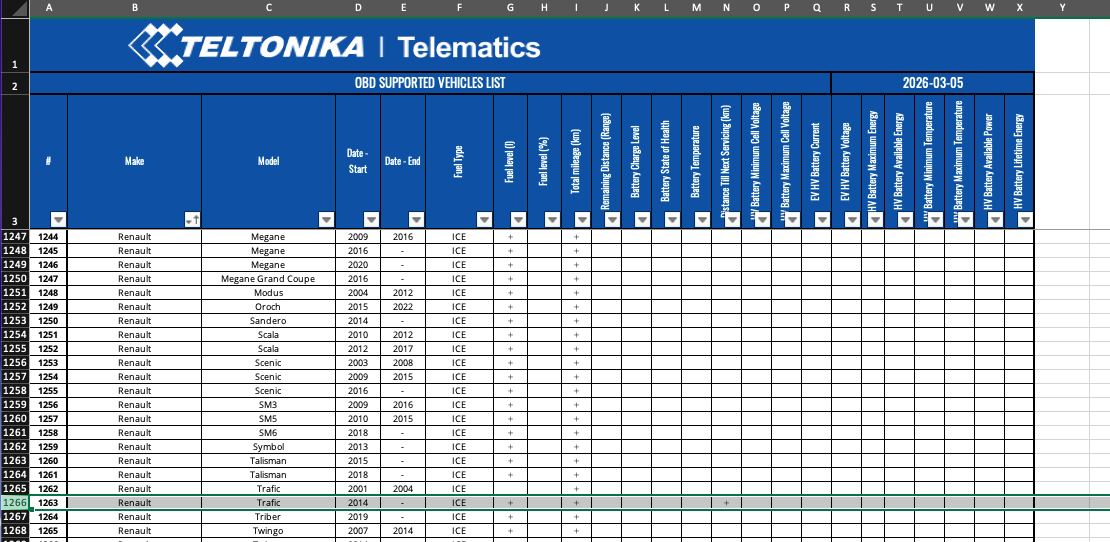
You can verify the compatibility here:
As shown in the documentation, support is currently only confirmed for the Renault Trafic 2014+ (3rd Generation).
Please contact your Teltonika Sales Manager if you would like us to support the 2024 model on the FMC003.
In the list, you’ll see that the Renault Trafic 2014+ (3rd Generation) is supported; however, it seems that you have a Renault Trafic 2024 model. There is a 10-year difference between the two models.
While we support 2014+ models, it is possible that newer 2024+ models use different PID requests.
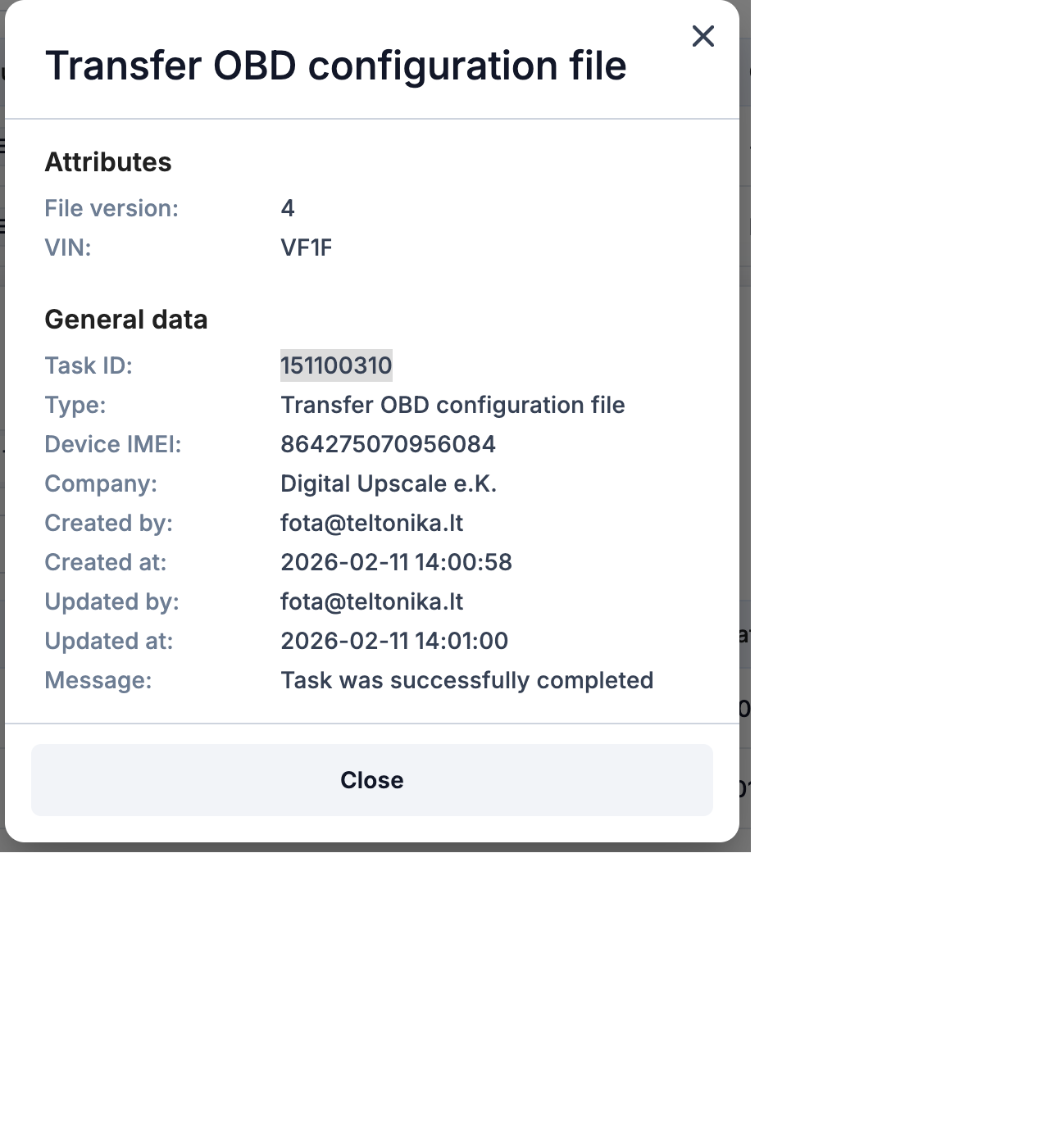
Can you please check the status of the ‘Transfer OBD Configuration File’ task on your FOTA Web account for the FMC003 installed on this vehicle?
Thanks for your reply. I did some further investigation and found something interesting:
The device is actually reporting AVL ID 389 (OBD_OEM_TOTAL_MILEAGE), but the values are
not coming from the ECU. They are simply mirroring the GPS-calculated odometer (AVL ID
16).
Evidence:
AVL ID 16 (TOTAL_ODOMETER): 16,740,000 m
AVL ID 389 (OBD_OEM_TOTAL_MILEAGE): 16,740 km
Real vehicle odometer: ~100,000 km
So ID 389 = ID 16 / 1000 — it’s clearly just the GPS-based value, not the actual OBD
mileage from the vehicle.
For comparison, I have another FMB002 device (different vehicle) that has a working OBD
connection (reports RPM, coolant temp, engine load, fuel level, etc.) but does not report
AVL ID 389 at all.
Is there a way to distinguish whether AVL ID 389 is actually read from the ECU or just
copied from the internal GPS odometer? This is misleading, as it looks like a valid OBD
value when it’s not.
I will reach out to our Teltonika Sales Manager regarding support for the Renault Trafic
2024.