How can i create the polygon or linear geofence zone using the FMB130
Hello
A polygon or linear is not supported, rather a circle , rectangle is possible.The device supports upto 50 geofences
To configure a manual geofence in the device, connect the device to the Configurator and navigate to:
Features → Geofence
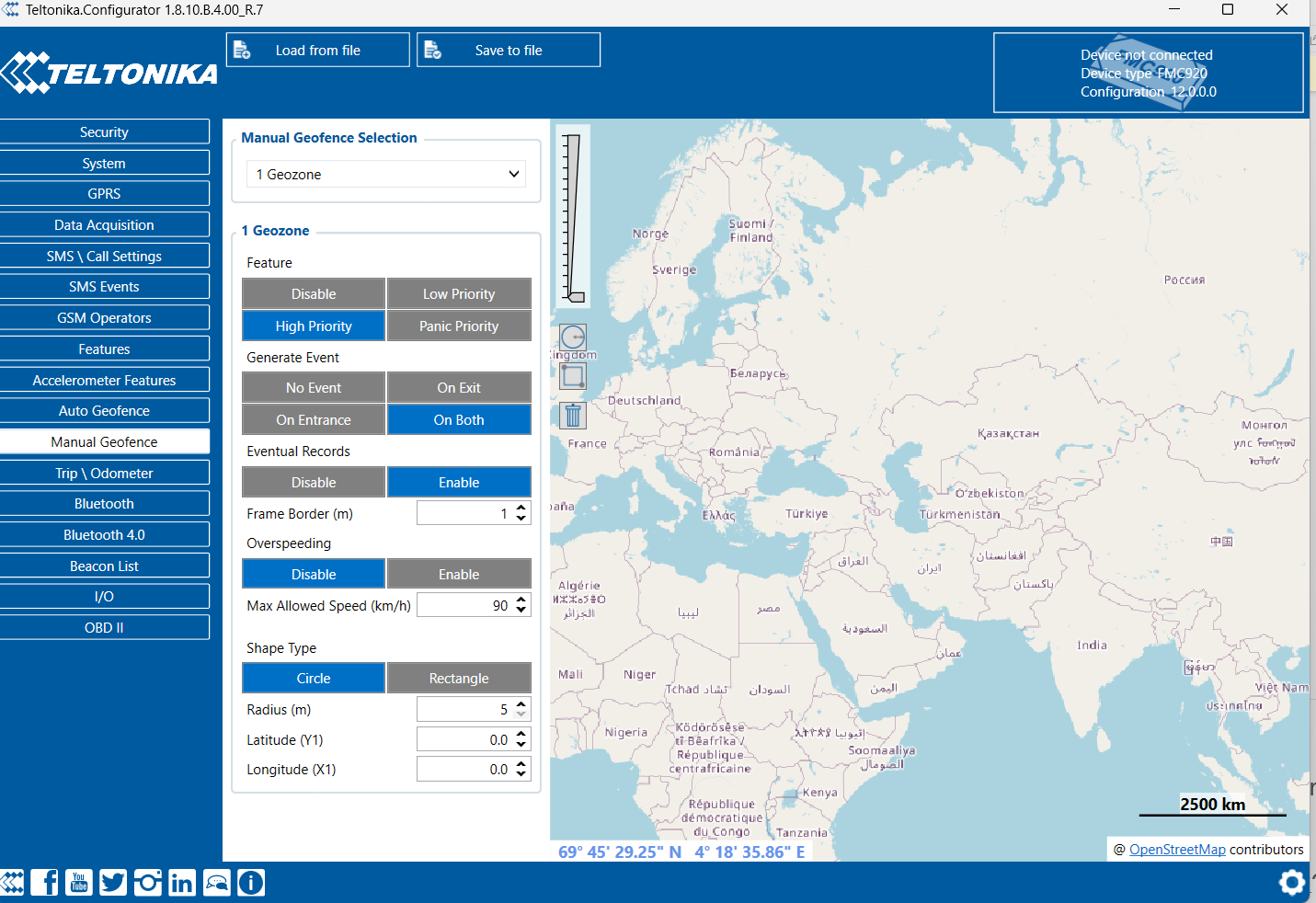
Here, you can manually create a geofence by entering:
- Latitude and Longitude of the center point
- Radius of the geofence
- Event generation settings (On Enter, On Exit, or Both)After configuring the required parameters, save the configuration and upload it to the device.
Refer the below screenshot, you can see square and circle shapes. you will have to select, drag and drop
Refer the below link for detailed information
FMB120 Manual Geofence settings - Teltonika Telematics Wiki
Regards
Jasra