We have noticed that, on Citroën C3 vehicles, the odometer value (Property ID 87 in the AVL packets) does not change.
However, when we review the trip history, we can clearly see that the vehicle has traveled significant distances. On the other hand, Property ID 16 is updated correctly, but it does not represent the vehicle’s actual mileage.
Additionally, when the vehicle is turned off, the device no longer reports Property ID 87 and only returns Property ID 16.
Could you please let us know whether this behavior is expected or if it is related to a configuration issue?
We have also identified another issue in FOTA regarding the Upload OEM File feature. It appears that the Peugeot 207 model is not available in the list of supported models. As a result, we are unable to upload the corresponding OEM file.
This leads to completely incorrect fuel consumption values. For example, we are seeing a fuel consumption of 1,545.0 L for a distance of only 84.6 km.
Could you please let us know whether there are any plans to add support for the Peugeot 207 model, or if there is an alternative way to upload the corresponding OEM file?
To better understand the reported behavior, could you please share the following details?
Teltonika device model being used
Vehicle model and manufacturing year
As a general clarification, AVL ID 87 (Odometer) depends on the availability of odometer data provided by the vehicle CAN system. Some vehicles may not provide this information continuously, especially when the ignition is OFF.
Also, AVL ID 16 represents the distance calculated by the device based on GNSS data and does not represent the vehicle’s actual odometer value.
Once the above details are available, we can provide further guidance.
Here are the requested details regarding the fuel consumption issue on the Peugeot:
Teltonika Device Models used: FMC130, FMC150, and FMC250
Vehicle model and manufacturing years: Peugeot 207+ / 207+ HDi 70 (Manufacturing years: 2013, 2014)
This is the specific model where we observe completely exaggerated fuel consumption values (e.g., 1,545.0 L for 84.6 km) due to the missing OEM file on FOTA.
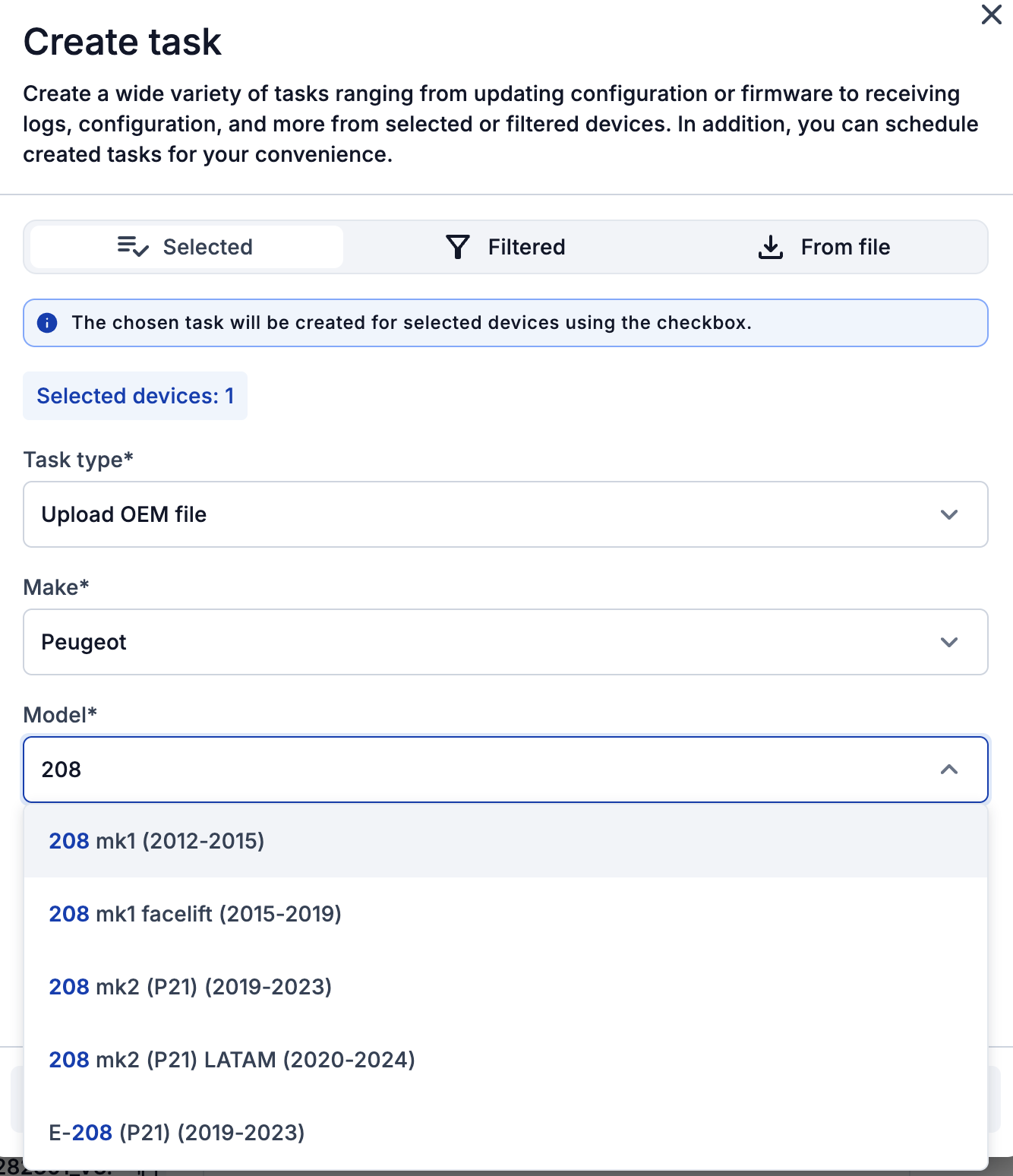
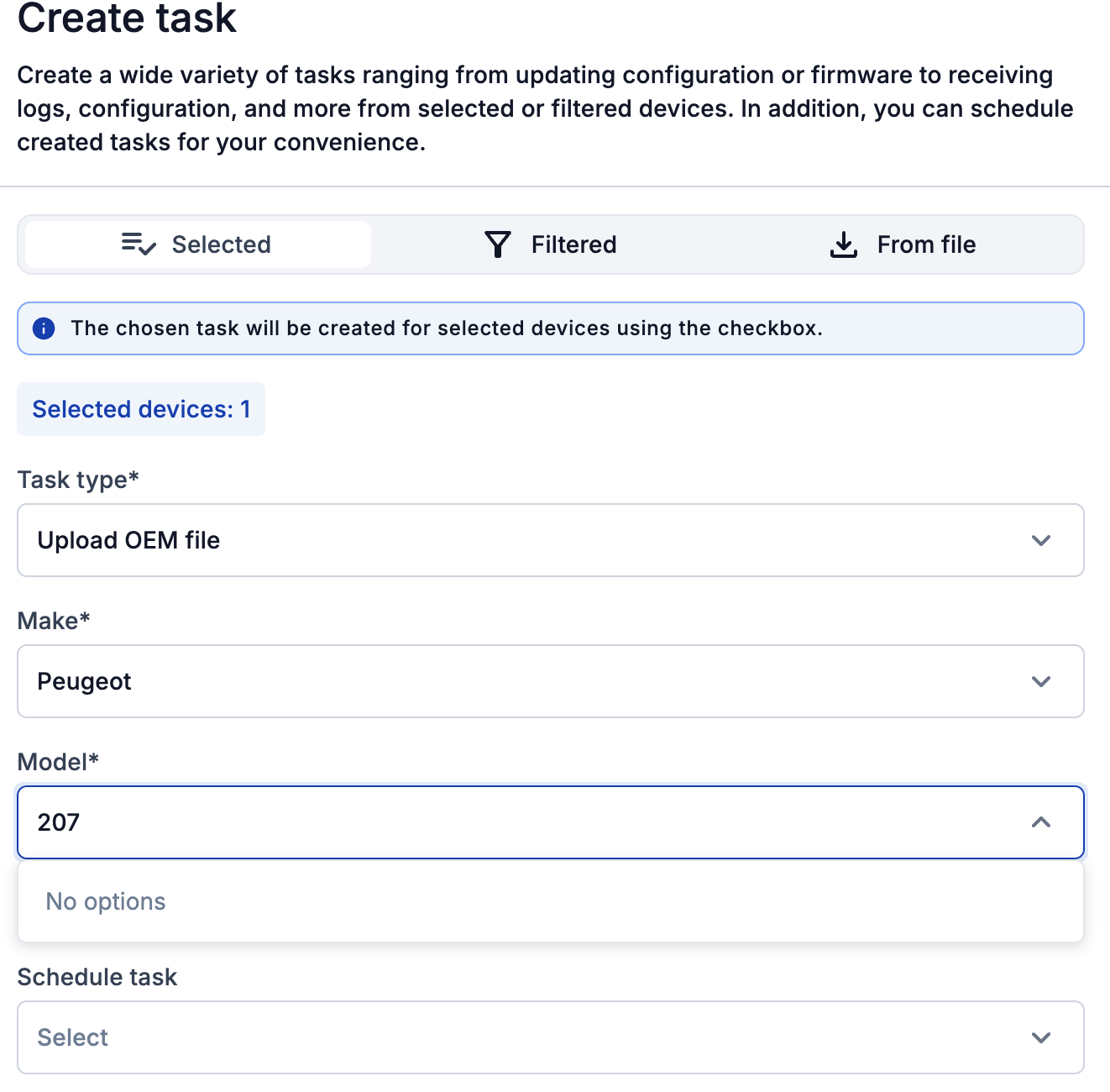
To illustrate the issue, I am attaching two screenshots from FOTA Web:
As shown in the first image, OEM files for various Peugeot 208 models (mk1, mk2, etc.) are available.
However, in the second image, when selecting the Peugeot 207, the system displays “No options”.
Could you please check if it’s possible to add the OEM file for the Peugeot 207+ (2013-2014) to the platform, or if we can use a compatible file from another model (such as the 208 mk1)?
Thank you in advance for your further guidance on how to resolve this.
Currently, Peugeot 207 / 207+ is not available in our supported vehicle list. Adding support for this vehicle would require CAN reverse engineering and validation.
Regarding using the Peugeot 208 Mk1 OEM file for Peugeot 207+, it may work, but compatibility cannot be confirmed without testing, as different vehicle models can have different CAN data mappings.
If you can access the vehicle CAN lines, you may try the FMC150 AutoScan feature through Teltonika Configurator to detect available CAN parameters.
Typically, CAN lines can be found from:
OBD connector:
CAN1L → Pin 14
CAN1H → Pin 6
BCM (Body Control Module)
ECM (Engine Control Module)
Behind the instrument cluster
More details about FMC150 AutoScan can be found here: