I see that you created this topic in the Teltonika Networks category. I have now moved it to the Teltonika Telematics category, as TAT240 is a Teltonika Telematics device.
For future topics, we kindly ask you to select the appropriate category, as this helps the relevant team find and respond to your topic more quickly.
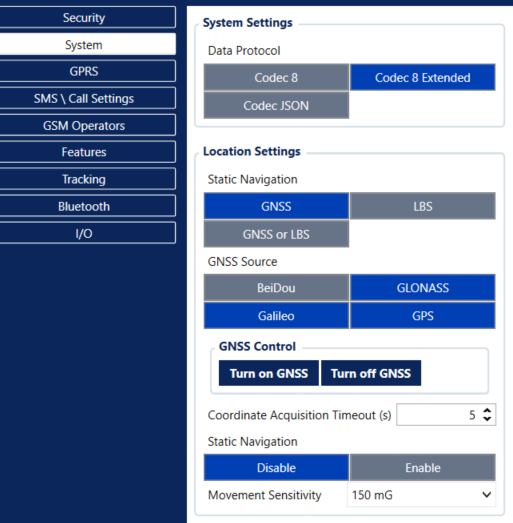
If you have access to the device, please place it outside and connect it to a PC using Teltonika Configurator. From System Settings, click Turn On GNSS. This will force the device to wake up for approximately 3 minutes.
Please ensure the device is placed in an open area with good GNSS signal reception. Otherwise, it will go back to sleep mode. If it cannot obtain new coordinates, it will send the last known coordinates; if no coordinates are available, 00 will be sent in the data packets.
Hi,
I have a similar problem, but I don’t have physical access to the device. I can only send it an SMS or issue a command via Traccar. The tracker is several hundred kilometers away from me. Thank you.