RUTX50 - 07.25.3 Question & Remaining Issue

Three things,

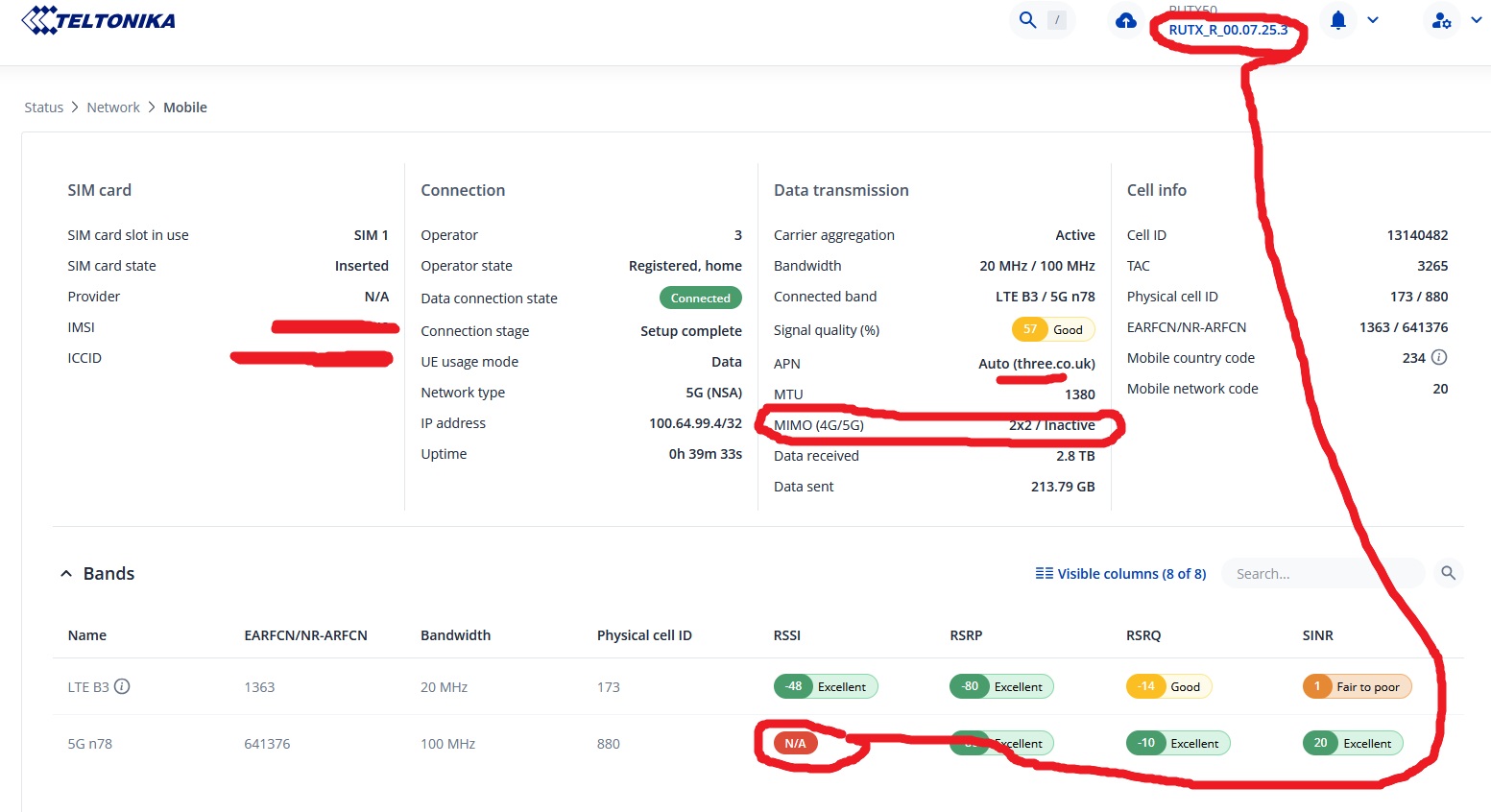
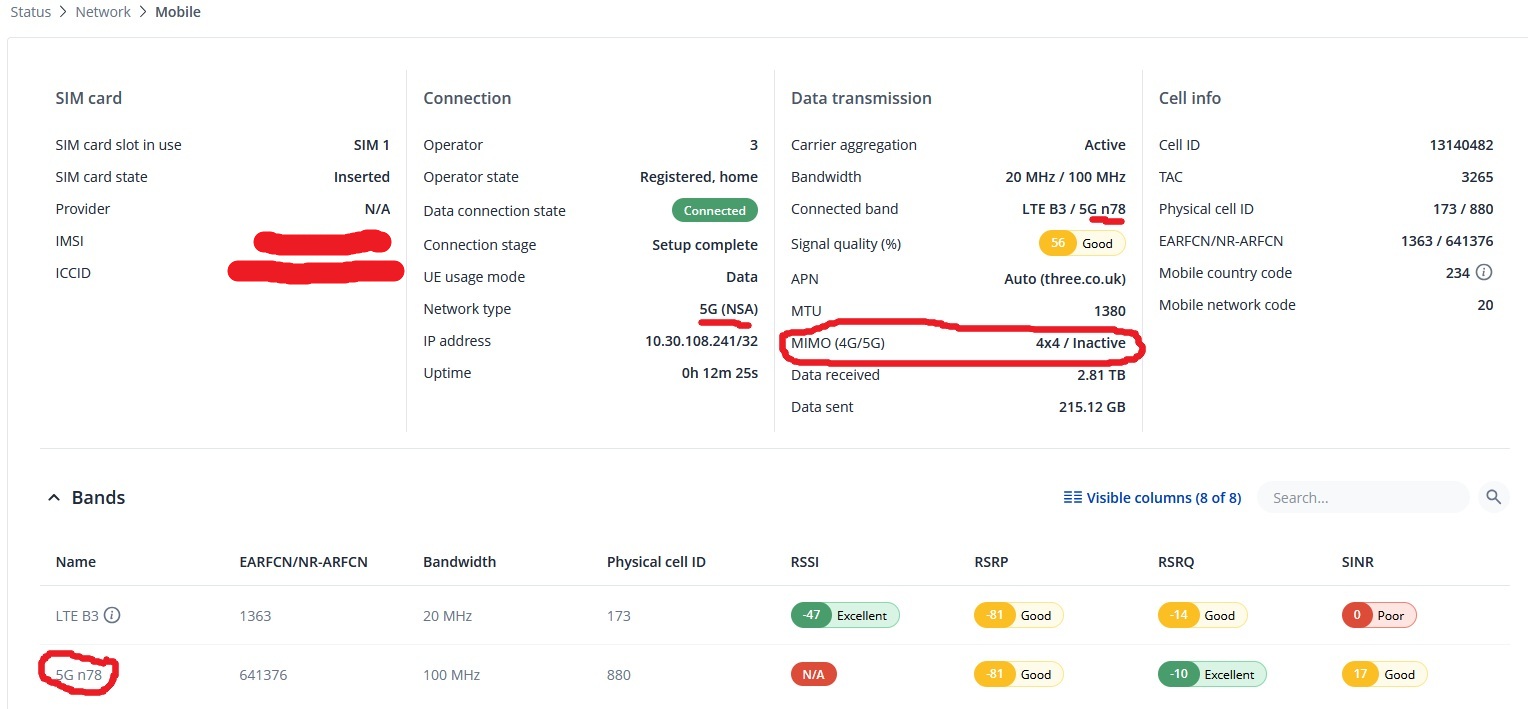
The first is a question, can someone explain the addition of MIMO (4g/5g) activity. Sometimes it’s 1x1, 2x2, 3x3 4x4 but always says inactive. Is it the number of antennas that is inactive?

Meaning that 1x1 means one of the four antennas is inactive and so on?

Secondly, Carrier Aggregation RSSI on band 5G n78 still N/A on firmware 07.25.3.

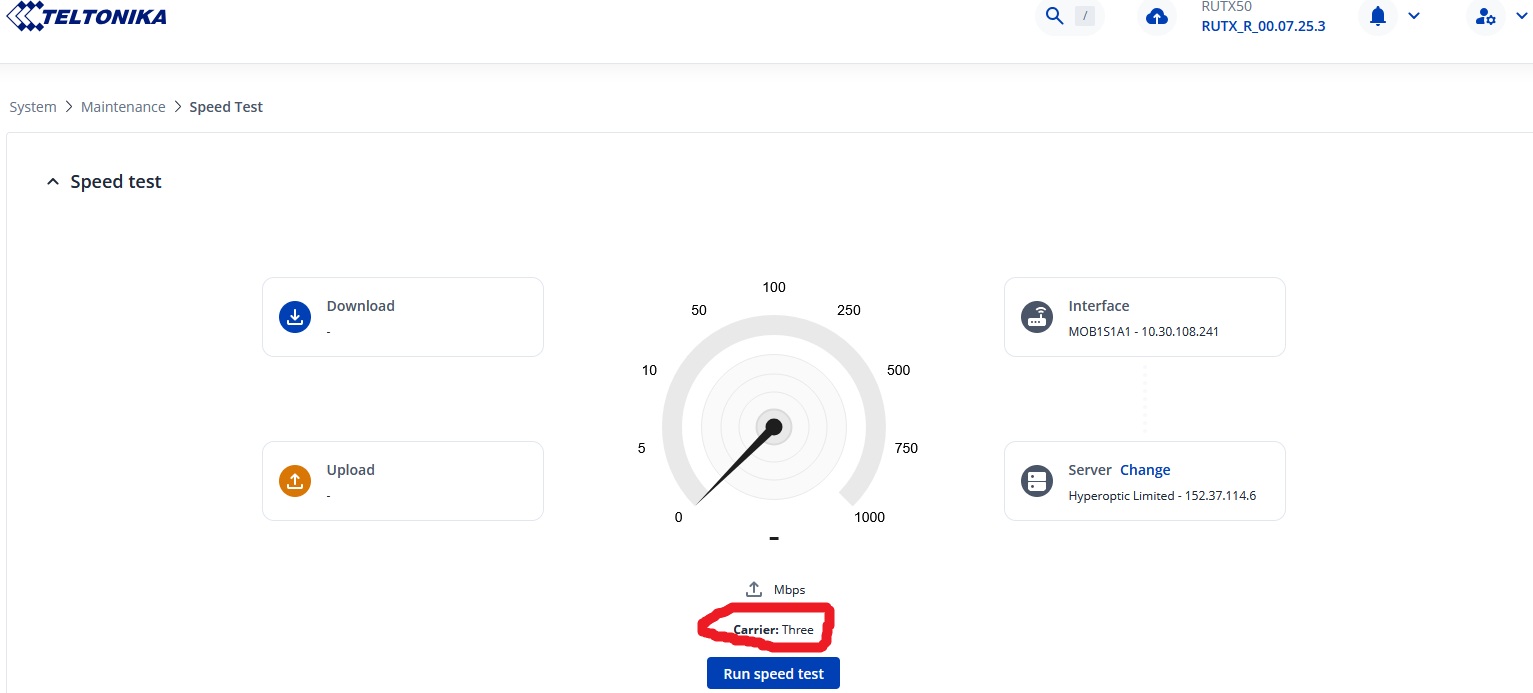
Thirdly, I’m with Three UK but the speed test page never says that i’m with Three UK. It changes occasionally and at the moment it says i’m with BT but i’m not!!

It has nothing to do with antennas. Its how your tower is configured and what bands you are able to reach with your device at your location. It can change if the tower is congested.

This issue is fixed in latest firmware v07.26.

That field is not showing the provider you are using. Its showing the carrier used for speed test. Its automatically selected, and it changes very often. It can be anything from O2, BT, or whatever operator is closest to you.

Hello,

I can confirm the issues mentioned above and, additionally, that I lose half of the speed I had with the previous firmware… when will be this corrected ?

No such issues on my RUTX50 with either firmware version 07.25.3, or latest 07.26. Speeds stayed consistent between updates. Check your signal levels or cell tower congestion.

The signal is the same as before ( Excelent in all sections)… the rutx50 has not been touched…

I’m wondering if is not this MIMO jumping in between 1x1 and 2x2 ??

Before I had above 100mb… and now ruffly 50mb, tested with the internal speed test function, verified yesterday night and today…so no congestion

For me the carrier for a speed test has always been the same as the operator i’m with. With this i’ve always assumed the two to be the same.

After the first scheduled reboot after firmware upgrade the carrier for my speed tests has now returned to same as my operator, this has always been normal for me!!

Still struggling a little with this new addition: MIMO (4G/5G) / inactive

On the screenshot below the first part changes regular from 1x1 through to 4x4 before the slash. After the forward slash the word inactive appears, what is this all about?

Is the first part the number of elements within my 4x4 xpol 24 Poynting antenna communicating with the same number of elements on the mast i’m connected to with a 4G signal and is the second part showing that there are no elements in my antenna connected with a 5G connection and therefore inactive? This doesn’t make sense either because i have a 5G connection on band 5G n78!?

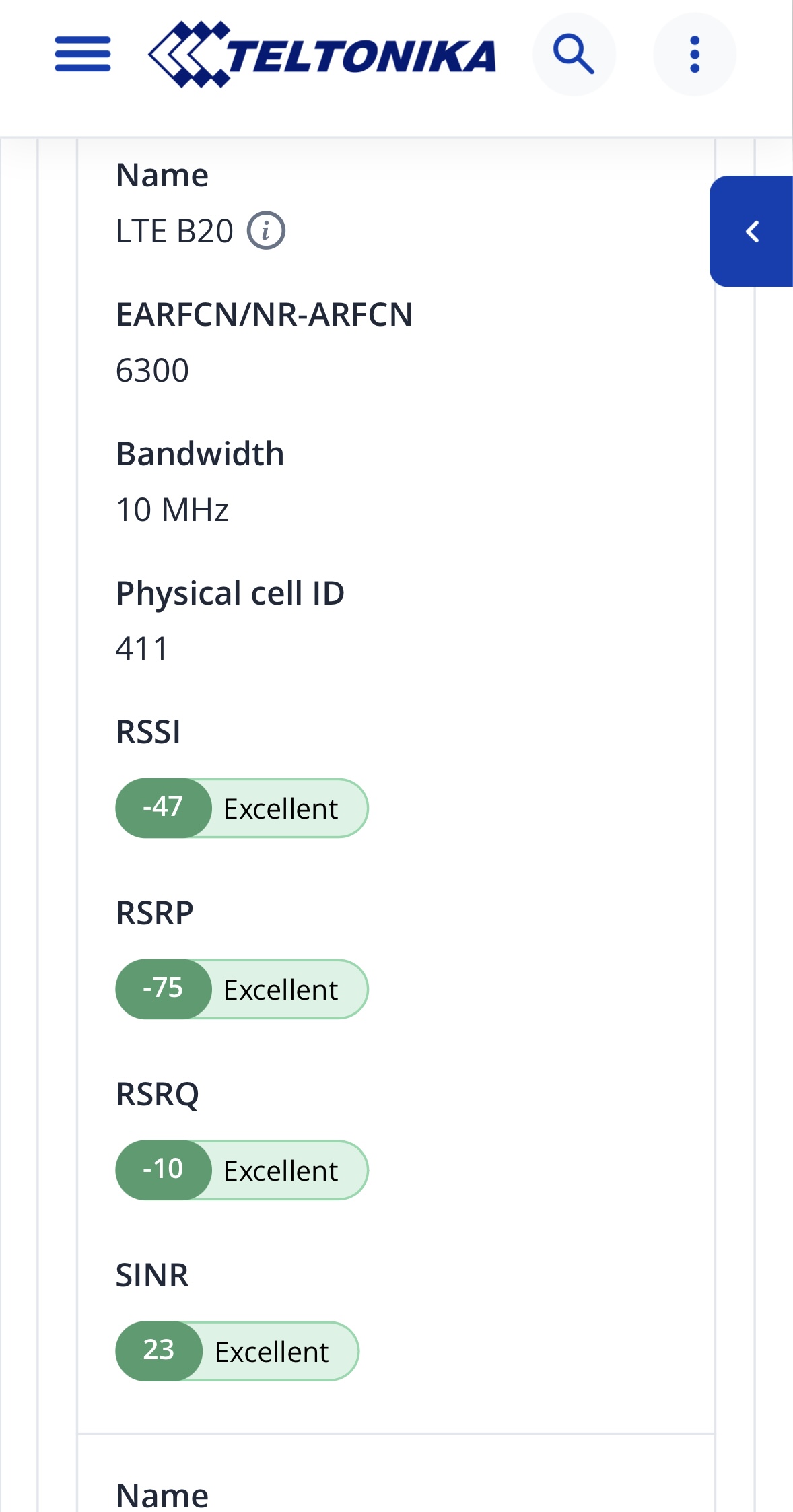
All of your pictures are clearly showing extremely bad signal to noise ratios on LTE band. Good signal means nothing if you have ton of interference. Until you fix that, there is no point discussing anything else.

As you can see in my case is not a signal issue, and I have the 1x1 2x2 floating and the speed cutted in half compared to before. what can justify that ?

…and the cell tower is not congested and happen just after the firmware update.

Regularly get 400mb/s+ no buffering, no drop outs, no Ipv4 failings, no connection issues at all. I have the best internet connection / service that i’ve ever had. A very Appy Chappy.

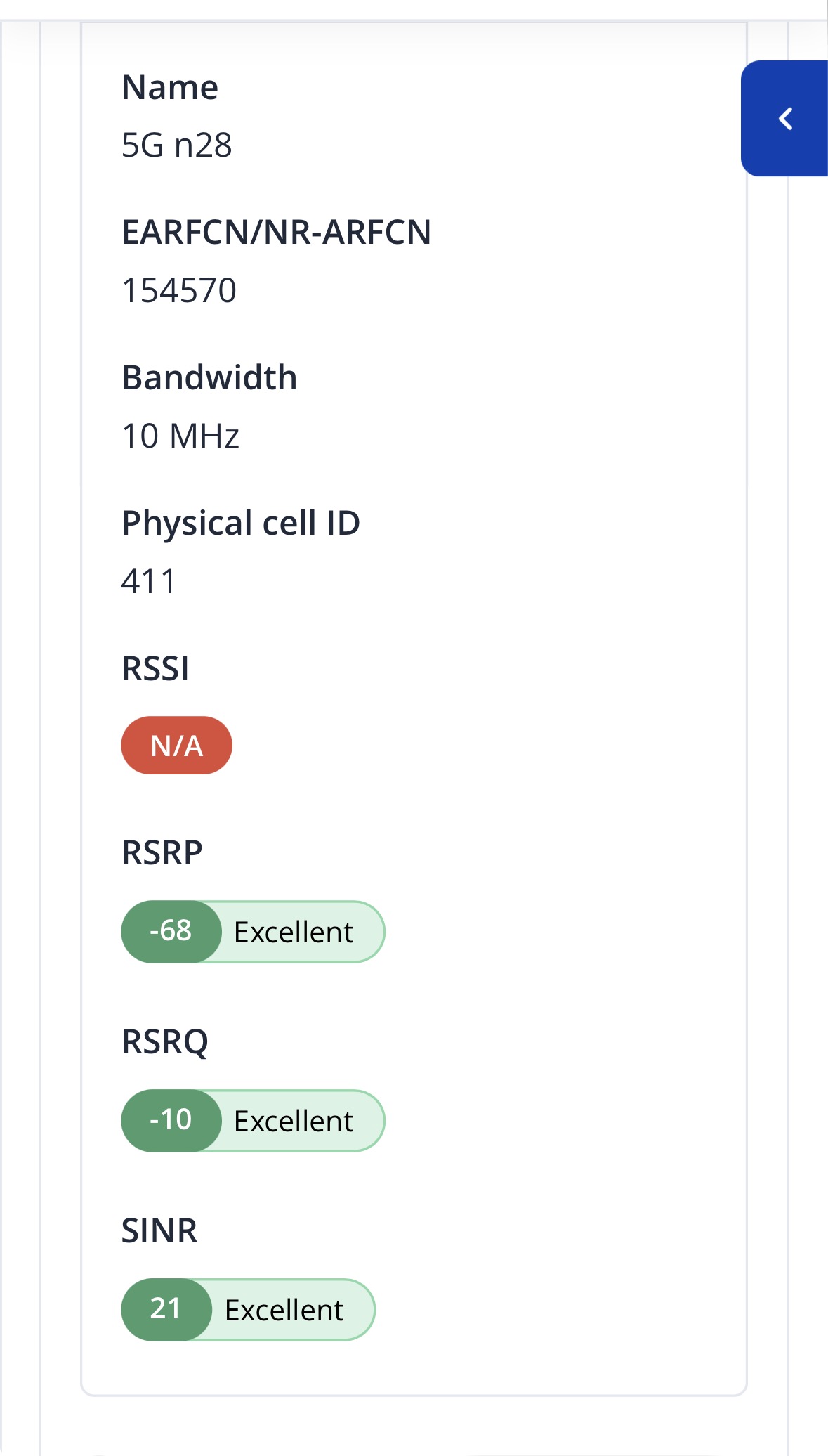
Now if were Raven94 i would ban / disable band B20 because a bandwidth of just 10Mhz is not good IMO. I’d ban / disable (and have done so) all bands (LTE & 5G) with a bandwidths of 15Mhz or less, and disable VoLTE. I’d even try (don’t forget you can undo / re-enable bands) disabling 5G n28 for the same reason.

Reboot and wait to see what other LTE and 5G bands are offered instead. If you don’t get a better connection you can re-enable the bands you disabled and start again.

Hoping someone perhaps more knowledgeable may drop in and explain what this new item is all about and how to understand it.

what you see with 10Mhz bands is what is available in that cell tower in rural environment and nothing more… and is nothing to try and disable as i’m in remote.

It seems that you are just supposing, comparing your connection with the others… and this is not true in all the cases.

Fact is ..in my case and with the actual firmware the speed is half of it was before … point

In that case, just reflash previous firmware.

I used to have LTE connections of 15Mhz and less when i disabled them things improved dramatically. Don’t forget you can try it, if it doesn’t work for you you can undo / re-enable these bands. I live in a very rural location and my nearest mast is 2.6 miles away.

There are several other bands available too that you’re not getting. By banning / disabling a band your operator / mast has to offer you something else which may very well be better than your getting now. Don’t assume that your operator / mast will give you the best connection they can. I’ve proved for myself that by disabling certain bands (all bands 15Mhz and below) that i get a dramatically improved connection and i also get connected to a specific mast every time, i’m not getting pushed off to another mast i don’t want.

Unless you have a bricked RUT / a failed upgrade i wouldn’t reflash, not yet anyway.

This post has actually gone off topic now, so i’ll not be contributing further here.

How far are you from the mast your getting connected to? Don’t assume that you’re getting a connection to a specific mast in your neighbourhood. It’s easy to actually find out which mast your connected to.

@heartless

Reflashing the old firmware will erase the current settings and make me lose remote access to the device. Did you consider that in your answer?

I’m sure @heartless knows the mechanics of a reflash … surely you have a backup that you can then restore from, post the reflash … or not?

Unfortunately… I don’t have a device backup, and I guess the best approach even for the future is to have a firmware that fix this issue.

That can help as well others that are facing the same problem

Before my upgrade to firmware version 07.25.3 my speed test results were stable and consistent. The carrier for the speed test was always the same as my operator (Three UK).

Since my upgrade to firmware version 07.25.3 the carrier for the speed test is now changing and the speed test results are no longer consistent any more even though i always use the same speed test server.

I normally get 400Mb/s on average, now it can be anything from as little as 50Mb/s depending on the carrier chosen which i’m guessing cannot be changed manually!!!

I personally think this isn’t effecting the performance of the RUT in any way but rather another speed test issue.

If you are with for example “Three UK” then surely a speed test should take place over the Three UK network not some other network provider that your NOT with.

As it is now if the carrier for the speed test given to you is BT but your operator is Three UK then this isn’t a fair and honest test!!! Why do i/we have a speed test result for a carrier who is not the operator we are using. Theirs no consistency in speed test results any more.

When performing a test it should be done over the operators network your subscribing to surely!?

This is bonkers!!!

Greetings,

Thank you for reaching out.

Could you please clarify whether the reduced speeds are also observed on connected end devices, or whether the decrease is limited to results from the router’s speed test?

We will look into this behaviour, and your clarification will help us investigate further.

Best regards,
T.

My general use of the internet hasn’t suffered, large downloads still download at a speed i’m familiar with. Nobody in the family has complained about poor or slow connectivity, no buffering or any other problems. Speed tests from desktop PC’s using nperf are consistent with past tests.

My own experience is that the RUT’s integral speed test has become unreliable and to be no longer trusted, broken and no longer fit for purpose. Test results vary wildly depending on the carrier forced upon you from the outset. Prior to 07.25.3 i always got Three UK (My Provider) as my carrier for tests and i’ve always assumed until now that this was normal and test results were always consistant.

For me the carrier should only be the operator your subscribing too and nobody else. You are testing your connection via your own operator, not some other network.

I’m with Three UK, i don’t want a speed test performed via Starlink’s network, or BT’s or on one occasion (Living in the UK) i was once given a carrier in the Netherlands that went bankrupt three years ago!!!

I/we need consistency when performing tests, control. You can’t compare a set of tests from one day to the next when the carriers different from one day to another.

To establish what your speed is i/we need to be able to do tests at different times of the day over many days and find your average and you do so knowing your using the same carrier and server and the carrier should only be your own network provider.

At the mo, i can do a test at 8am and get 50Mb/s with Starlink as the carrier. At 7pm the same day i may get 420Mb/s with Three UK as the carrier.

We can manually select/change a test server. Should we be able to manually set/change the carrier too!?

Not really understanding why a test carrier is allowed to auto select/change randomly from one to another forced upon us, can i assume that being with Three UK and having forced upon me BT as the test carrier, am i basically performing a test as if i was with BT as my network provider!!?? If this is correct, it’s bonkers!! The only advantage would be to be offered the opportunity to manually select a carrier of your own choosing when nearing the end of your current contract to see if another company may be able to give you a better speed before renewing or switching. There are only three UK operators, 4 if you split Vodafone and Three.

Or am i completely misunderstanding the whole thing? For me the RUT’s integral speed test is useless as it is.